Table of Contents
This guide provides a practical overview of Microsoft Officially Allows Free Teams Users to Use the Online Meeting, including its main features, benefits, limitations, and important considerations.
Of course, in addition to businesses, Microsoft Teams is also used for educational purposes. By allowing free users to use Meetings, Teams will become a serious competitor to existing online learning applications such as Zoom.
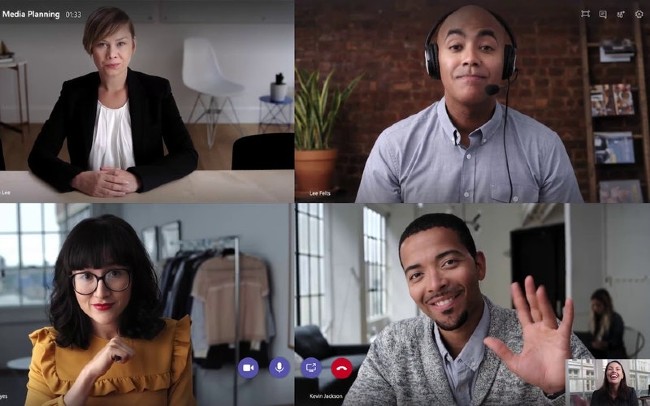 Microsoft has officially provided free users to the Meetings online meeting feature
Besides, Microsoft also removed the limits of Meetings. Now users can meet and learn online with Meetings without any time limit.
You can create an online meeting / learning session on Team by the following:
- Select Meetings on the left flank of Teams and click Meet now
- Next is to set the title, choose whether or not to use your favorite video and audio source
- After setup is complete, click Join now . Once joined, you can invite others to join the meeting.
With Teams Meetings, you can schedule meetings, chat and share your content, screens with participants and many other useful features.
If you want to learn more about Teams, please visit the website below:
Instructions for using Microsoft Teams on your computer
FAQ
What should I know about Microsoft Officially Allows Free Teams Users to Use the Online Meeting?
Focus on the key features, requirements, limitations, and practical use cases explained in this guide.
How do I get the best results with Microsoft Officially Allows Free Teams Users to Use the Online Meeting?
Follow the recommended steps, use current software or information, confirm compatibility, and review settings before major changes.
Are there any risks or limitations?
Potential limitations depend on compatibility, data quality, cost, privacy, support, and how the product or method is used.
Related Articles
 Microsoft Teams Adds a Meeting Lock Feature, Late People3 minutes read
 Summary of Shortcuts for Microsoft Teams to Learn Online5 minutes read
 How to Set up Microsoft Teams to Work Remotely3 minutes read
 Link Download Microsoft Teams 1.3.00.35649 minutes read
 How to Turn Off Mic in Microsoft Teams7 minutes read
 How to Enable the Microsoft Teams Walkie-Talkie Feature3 minutes read
Reader Comments 0
Sign in with email or Google to join the discussion.