Table of Contents
This guide provides a clear, practical overview of "LOKLiK iPaint App: Features and How to Use It". It organizes the most useful details, explains important considerations, and highlights the steps or choices that matter most.
Multi-function color by number creator tool
LOKLiK iPaint offers users a new, peaceful hobby that delivers effective results. Although it initially uses a screen and some software and hardware, after the initial setup with Artificial Intelligence (AI), it is almost screen-free, and gives you hours of screen-free relaxation afterwards.
Normally, if you want to create a color-by-numbers picture, you'll have to buy a pre-made coloring book or picture — no need to choose an image to color — or spend hours converting a photo or image into line art, coloring multiple areas, and numbering sections before printing.
You then have to mix or blend colors to replicate the original image, which is a very time-consuming and stressful process for an otherwise peaceful hobby.

With the LOKLiK iPaint machine and LOKLiK IdeaStudio software, everything is done for you with the help of AI.
The iPaint is similar to the Cricut and other tracing devices—it draws along lines that are marked with a pen. The IdeaStudio software is similar to Cricut's DesignSpace software; like DesignSpace, you can upload SVG files to use in a similar way. IdeaStudio is easier to use and navigate than DesignSpace.
IdeaStudio is free to download and install, available for desktop and mobile devices on popular operating systems. IdeaStudio also works with other LOKLiK hardware, and there are plenty of options once you get the hang of the software. It's easy to use and explore the tools.
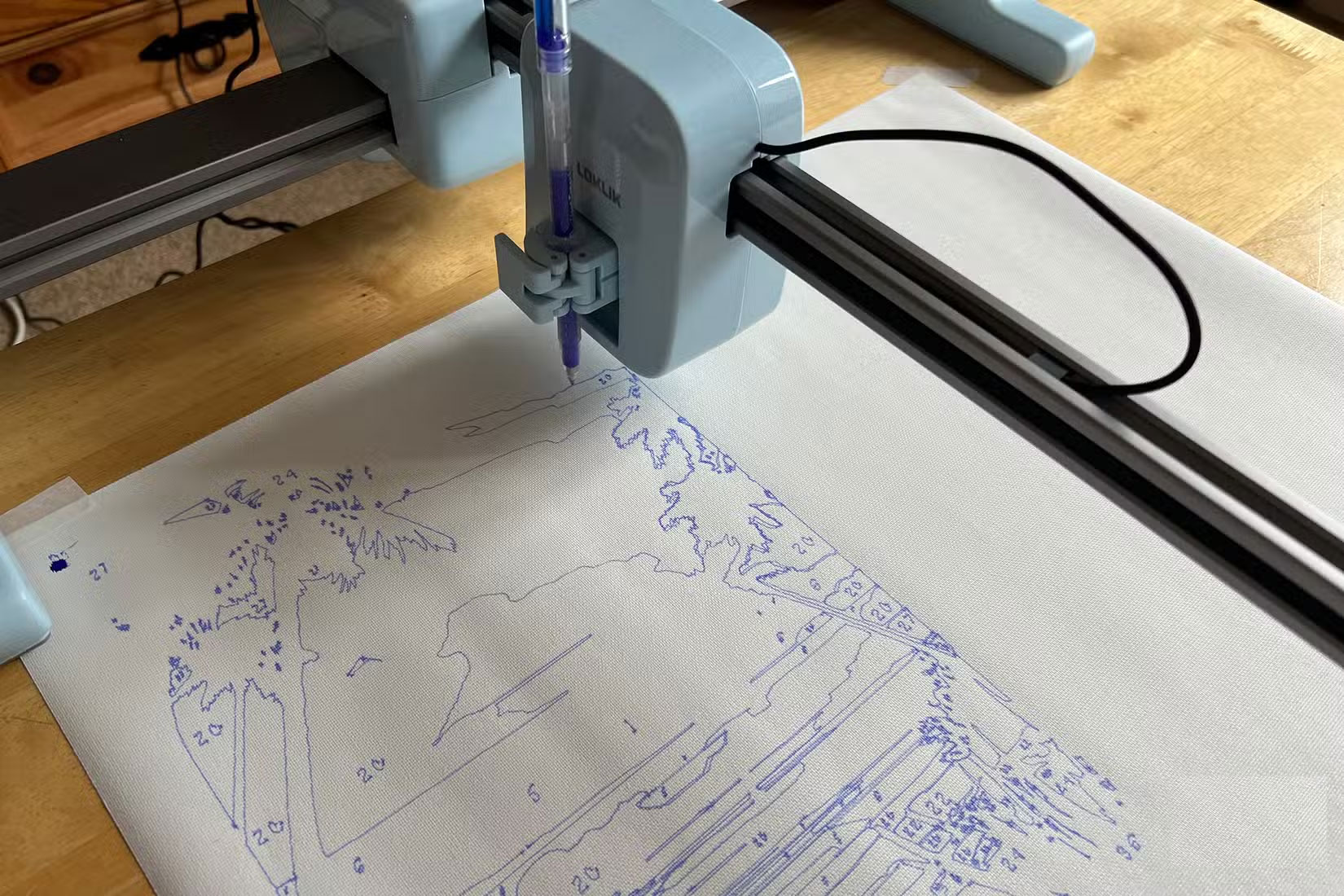
The iPaint arrives disassembled, but only requires a clamp and a screw to assemble. Once plugged into an outlet, you're ready to go. It connects to IdeaStudio via Bluetooth or USB to your device.
As a versatile paint by numbers tool, iPaint and IdeaStudio do it all with just a few clicks.
LOKLiK's iPaint Lets AI Do the Hard Work
The AI technology is developed by recognizing the lines and colors from the images you have uploaded or selected. There is a library of suitable images for painting, with free and paid options, but the best thing about iPaint and IdeaStudio is that you can upload your own photos to be turned into color by numbers paintings.
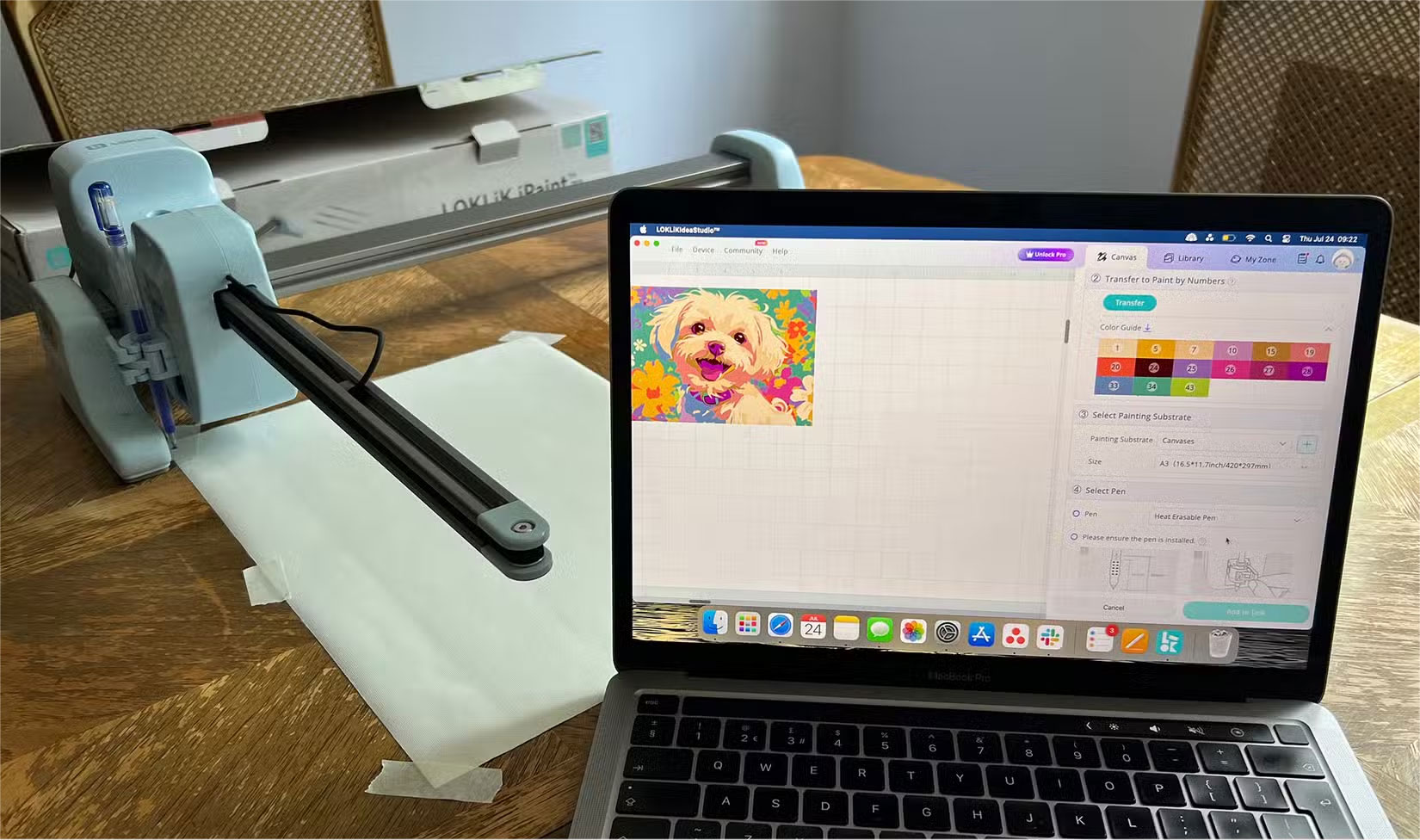
With 3 levels of complexity, you can choose the detail of your custom color by numbers drawing lines when you upload your photo or image. You can also choose the size, which adds complexity to the result. IdeaStudio shows a preview of your image as lines before you send it to start drawing.
Turning family photos or images into a fun and productive hobby is a fun process, especially if it can also be used to decorate your home or give as a gift. iPaint comes with two rolls of canvas, so you can stretch the image onto a frame to display in your home.

iPaint draws with heat-erasing markers. This means that once you're done drawing, you can erase any visible lines or numbers in your painting using heat - from a heat gun, hair dryer, iron, or similar - to create a beautiful, ink-free painting.
iPaint's AI delivers the ultimate screenless experience
People who are trying to find ways to stay away from screens — from phone apps that block social media to going for walks — will be delighted to learn that iPaint is an AI tool that has brought a new screen-free hobby to life.
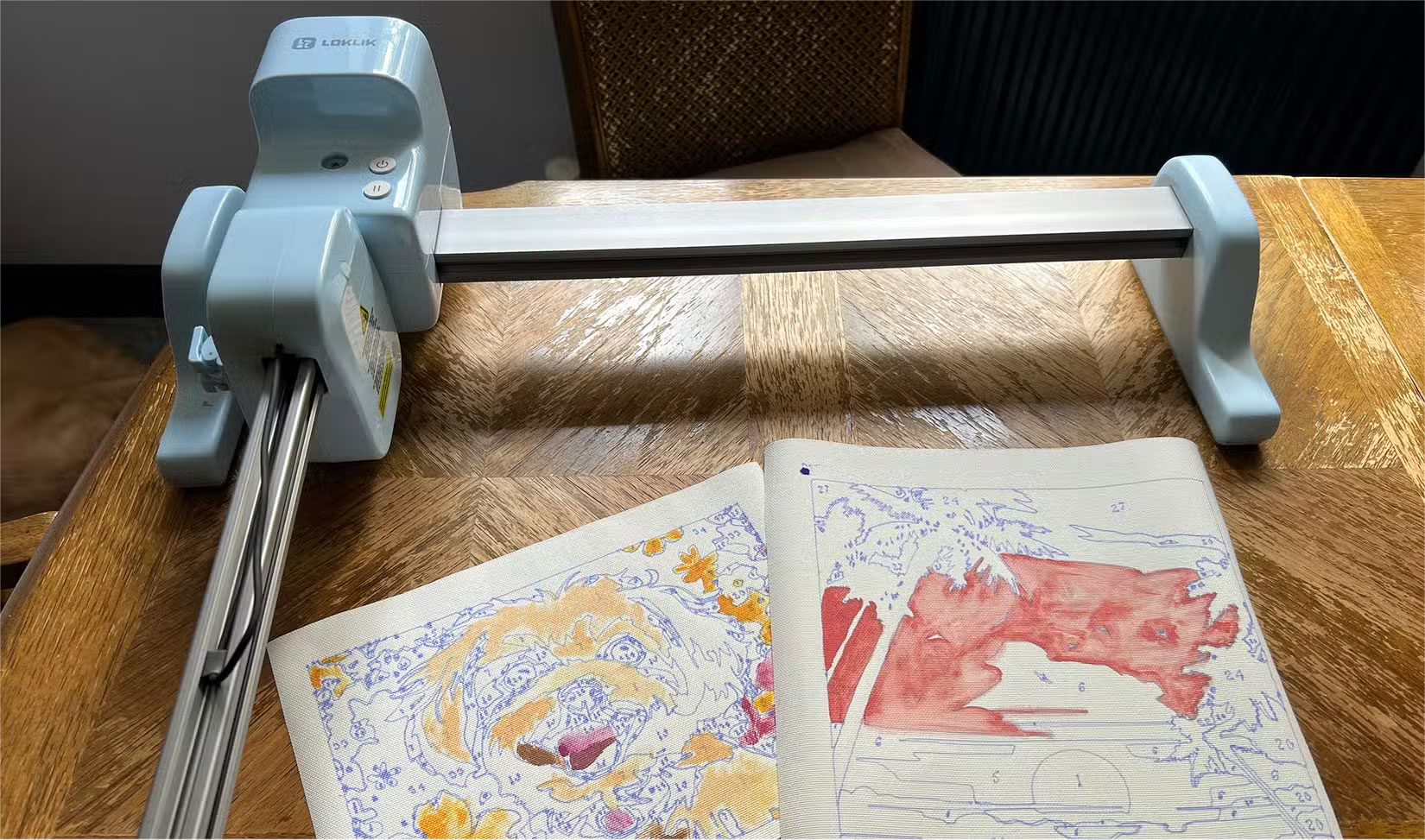
While a monitor is required for initial use of iPaint, it is minimal. You only need the monitor to select or upload images to IdeaStudio, and then you can be mesmerized by watching iPaint work away. You can also relax or do some chores while waiting for your drawing to be completed, as the time estimates are quite accurate.
Even watching the machine do its work is enjoyable enough. It's not overly loud, but there is a gentle, rhythmic sound as the pen moves across the canvas.
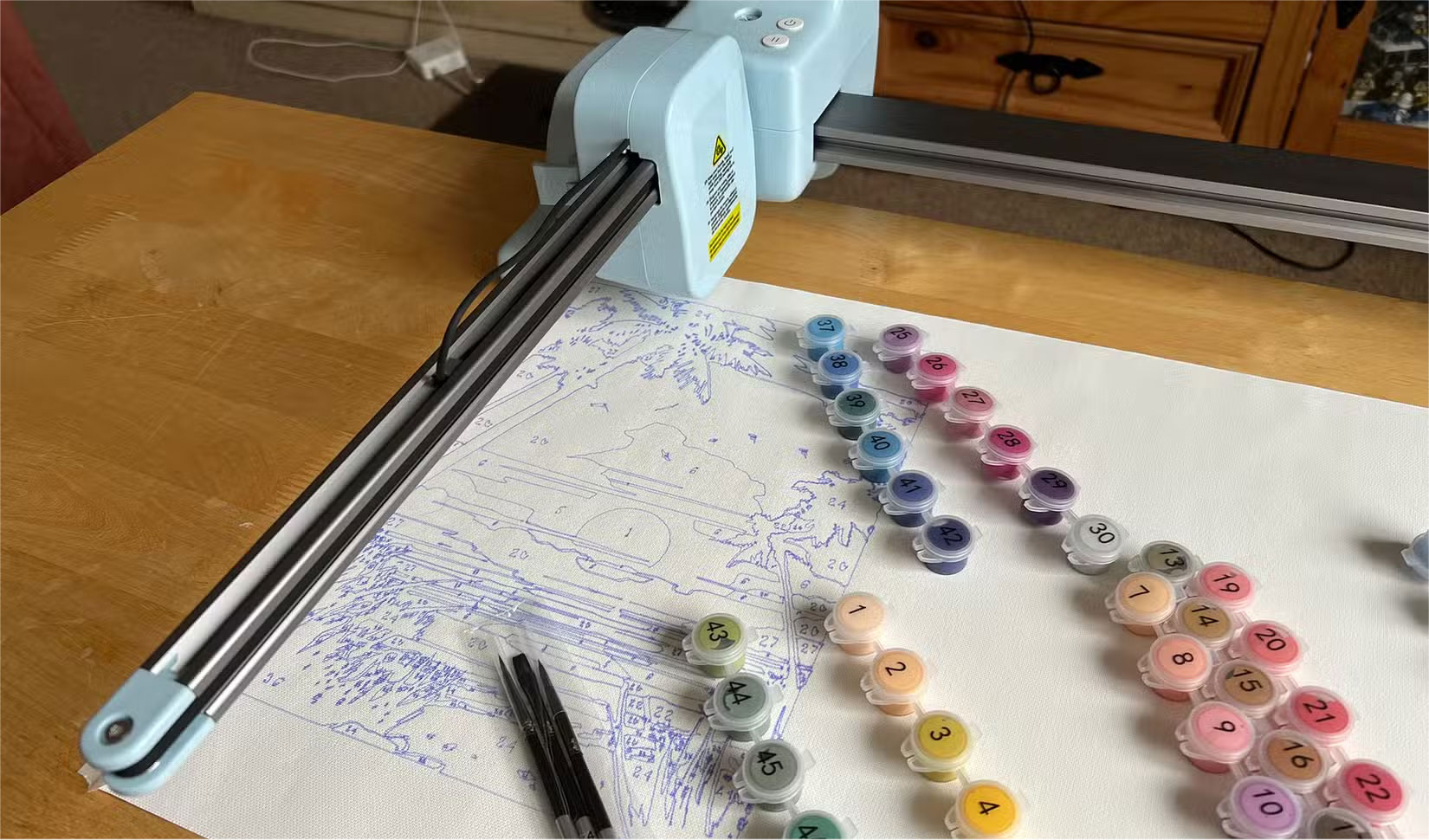
Once you have completed your drawing, all you need to do is start painting. The drawing includes all the numbers assigned to each part of the image, and all the paint cans that come with it are numbered accordingly.
Tip : Depending on the size or complexity of your drawing, you may not be able to read the numbers that iPaint writes on your drawing accurately. It is recommended that you print the assigned colors with their numbers next to the original IdeaStudio image in case you need a backup reference.
This is the future of AI technology!
As AI is rapidly becoming a part of every aspect of technology and life, it is frustrating to see it pop up unnecessarily in everything we do. However, the iPaint machine uses AI technology for good.
Despite using futuristic technology and AI models, it still provides you and your family with a peaceful and screen-free hobby. In a world where we spend so much time on screens, it is refreshing to create a productive screen-free hobby.
You will really love the rich library of images available for iPaint, including the massive library in IdeaStudio and the ability to turn any of your own photos or images into a custom color by number painting with IdeaStudio's AI features. It takes all the guesswork, overthinking, and time out of creating your own color by number paintings, all in seconds.
FAQ
What should you know about multi-function color by number creator tool?
LOKLiK iPaint offers users a new, peaceful hobby that delivers effective results. Although it initially uses a screen and some software and hardware, after the initial setup with Artificial Intelligence (AI), it is almost screen-free, and gives you hours of screen-free relaxation afterwards.
What should you know about lOKLiK's iPaint Lets AI Do the Hard Work?
The AI technology is developed by recognizing the lines and colors from the images you have uploaded or selected. There is a library of suitable images for painting, with free and paid options, but the best thing about iPaint and IdeaStudio is that you can upload your own photos to be turned into color by numbers paintings.
What should you know about iPaint's AI delivers the ultimate screenless experience?
People who are trying to find ways to stay away from screens — from phone apps that block social media to going for walks — will be delighted to learn that iPaint is an AI tool that has brought a new screen-free hobby to life.
What should you know about this is the future of AI technology!?
As AI is rapidly becoming a part of every aspect of technology and life, it is frustrating to see it pop up unnecessarily in everything we do. However, the iPaint machine uses AI technology for good.
Related Articles
 How to Play Pokémon GO on a Computer6 minutes read
 How to Play Pokémon GO on a Smartphone6 minutes read
 26 Types of Poké Balls Explained: Part 25 minutes read
 How to Earn and Use Stardust in Pokémon GO5 minutes read
 Pokémon GO Eggs: Incubation and Hatching Guide4 minutes read
 26 Types of Poké Balls Explained: Part 18 minutes read
Reader Comments 0
Sign in with email or Google to join the discussion.