Table of Contents
Photobooth photography is very familiar to young people with artistic or unique, humorous photo frames. And in this article, you will have more tools to take Photobooth photos right at home and completely free with many beautiful photo frame options.
How to take online Photobooth photos at home
Step 1:
First, you access the link below to go to the online Photobooth page.
https://photo.freehihi.com/Step 2:
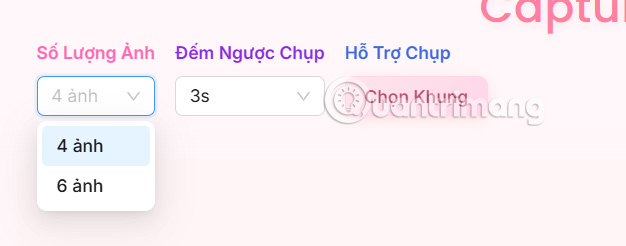
Next, you choose to upload 4 or 6 photos of the Photobooth as shown below.
Step 3:
Then we proceed to upload photos for each frame. You will upload each photo in turn and then make adjustments to the required frame to crop the image.
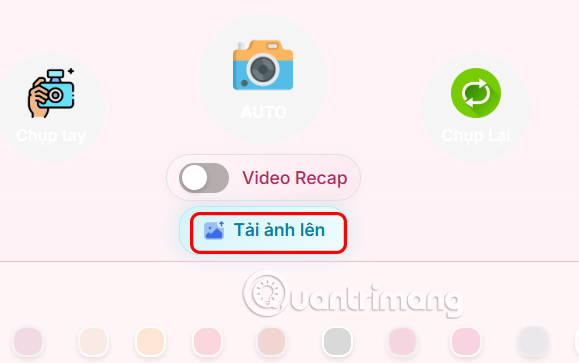
You crop the photo according to the frame , adjust the position, zoom in and out as you like, then click Confirm below to do it.

Step 4:
Below you can choose color filters if you want.
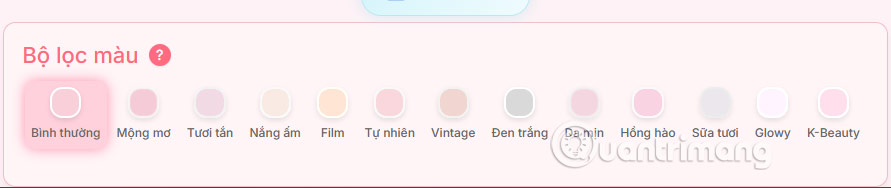
Finally click Continue to select frames . If you want to delete any photo, click the trash icon.

Step 5:
There are many Photobooth photo frames for you to choose from . We can select the menu to choose the frame theme faster according to our wishes.
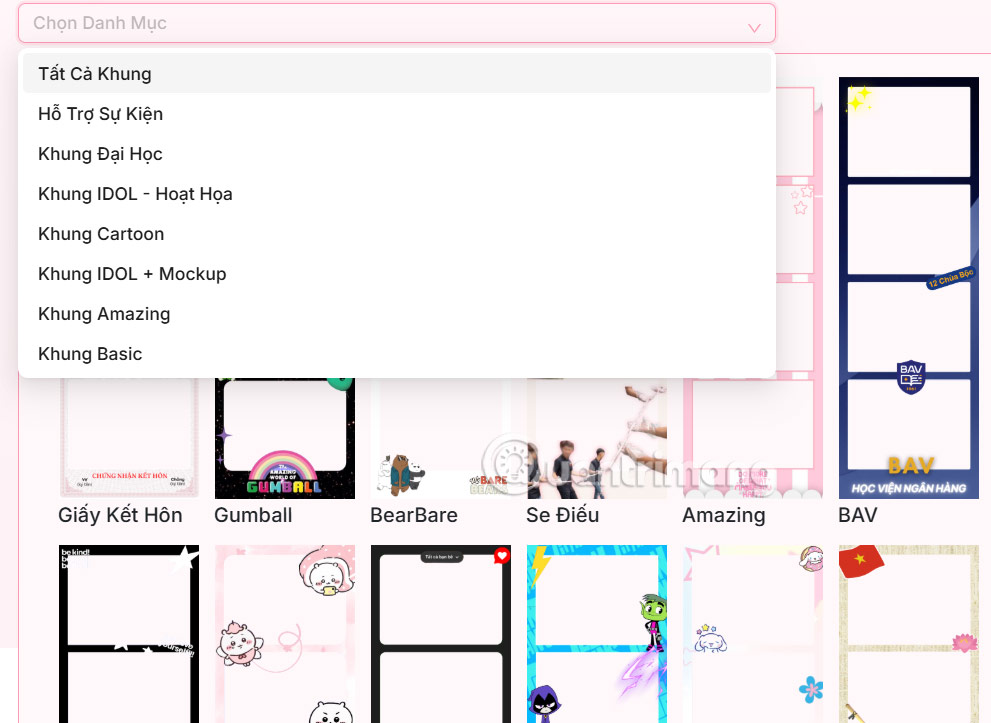
If you like any frame, select it and then click Download .

Final Thoughts
Following the steps in order and checking version-specific settings should make it easier to Take Photos with Photobooth Online at Home. If an option looks different, verify the device, app, or operating-system version before changing additional settings.
FAQ
What is the best way to Take Photos with Photobooth Online at Home?
Start with the requirements described in the article and follow the steps in order. Photobooth photography is very familiar to young people with artistic or unique, humorous photo frames. And in this article, you will have more tools to take Photobooth photos right at home and completely free with many beautiful photo frame options.
What should you know about How to take online Photobooth photos at home?
First, you access the link below to go to the online Photobooth page.
What should you do if the instructions do not match your screen?
Check the device, software version, account permissions, and regional settings. Interfaces can change after updates, so use the closest matching option and consult the official support documentation when necessary.
Related Articles
 How to Online Photo Collage: Step-by-Step Guide3 minutes read
 4 Ways to Take Photos with Rain Give the Picture More Romantic7 minutes read
 8 Rules to Break When Taking Photos on Your Phone7 minutes read
 Guide to Taking Photos: Instructions for Taking Photos with Flash12 minutes read
 Dwarf Mushrooms Want to Increase Height When Taking Photos? Use a3 minutes read
 Photograph Fireworks with Smartphone Camera7 minutes read
Reader Comments 0
Sign in with email or Google to join the discussion.