Table of Contents
Free web hosting is useful for a portfolio, documentation site, classroom project, prototype, or a small personal page. It is a poor foundation for a business-critical website: free plans can restrict traffic, builds, storage, databases, support, commercial use, or custom domains, and a provider can change the plan later.
The eight options below do not require the host to insert advertisements into your pages, but they serve different kinds of sites. GitHub Pages, Cloudflare Pages, Netlify, Vercel, and Neocities are strongest for static or developer-built sites. InfinityFree, AwardSpace, and Freehostia support traditional PHP hosting with tighter limits.

Free hosting at a glance
| Service | Best use | Server-side PHP/database | Important limitation |
|---|---|---|---|
| GitHub Pages | Docs, portfolios, project sites | No | Static files only; usage policy and size limits apply |
| Cloudflare Pages | Static sites and frontend frameworks | No traditional PHP | Build, file, and Functions quotas apply |
| Netlify Free | Prototypes and small frontend projects | No traditional PHP | Monthly credits are a hard limit |
| Vercel Hobby | Personal frontend apps | No traditional PHP | Personal, non-commercial use |
| InfinityFree | Small PHP/MySQL experiments | Yes | Strict fair-use and support limits |
| AwardSpace | Small WordPress or PHP test site | Yes | Limited storage and bandwidth |
| Freehostia | Tiny PHP sites and CMS testing | Yes | Very small storage allowance |
| Neocities | Hand-coded personal sites | No | Static files; custom domains require paid support |
Plan allowances change. Confirm the current limits, permitted content, and account-retention rules on the provider's own site before publishing. If the project must stay online or handle customer data, compare paid web hosting providers instead.
What “free and ad-free” actually means

Ad-free means the platform does not inject its own banner or text advertisement into the pages you publish. It does not mean every feature is included. A free host may still use a branded subdomain, restrict file types, pause a site at its quota, show branding in an account dashboard, promote upgrades, or prohibit commercial projects.
Also distinguish a permanent free tier from a trial or money-back offer. Kamatera, Cloudways, Wix premium features, Hostinger, IONOS, and SiteGround may offer trials, refunds, or low introductory pricing, but they are not equivalent to a no-expiry free hosting plan. They are therefore not included below.
1. GitHub Pages
GitHub Pages publishes HTML, CSS, and JavaScript from a GitHub repository. It works well for project documentation, a résumé, a portfolio, or a static site generated with Jekyll or another build process. It supports a github.io address or a custom domain and can enforce HTTPS.
It does not run PHP, Python, Ruby, WordPress, or a server-side database. GitHub recommends keeping the source repository and published site within its documented size limits, and applies soft bandwidth and build limits. The service is also subject to GitHub's acceptable-use rules, so it should not be treated as general file storage or conventional commercial hosting.
Choose it if: your content is already in Git or can be exported as static files.
2. Cloudflare Pages
Cloudflare Pages can deploy a static site from a Git repository or a direct upload and provides a pages.dev subdomain, preview deployments, CDN delivery, and custom-domain support. It supports many frontend frameworks and can add dynamic behavior through Pages Functions.
The free plan has documented quotas for builds, files, individual asset size, and Functions. Static asset requests are handled separately from Functions usage. It is not a drop-in home for a PHP application or a conventional WordPress installation.
Choose it if: you want global static delivery, Git-based deployment, or a modern frontend workflow.
3. Netlify Free
Netlify provides Git and API deployment, preview builds, a global delivery network, custom domains with SSL, and optional platform features for frontend projects. Its current Free plan uses a fixed monthly credit allowance. When those credits are exhausted, projects pause until the next billing cycle; the plan does not automatically charge overages.
Because builds, traffic, functions, and other features can consume credits, watch the usage dashboard instead of assuming a low-traffic project can never reach the limit.
Choose it if: you are learning, building a small portfolio, or testing a frontend project that can tolerate a monthly hard cap.
4. Vercel Hobby
Vercel's Hobby plan is designed for personal, non-commercial projects. It offers repository import, automated deployments, CDN delivery, HTTPS, and framework-friendly features, with published limits for transfer, requests, builds, and compute.
The non-commercial condition is the deciding factor. A company site, client project, or revenue-generating application should use an appropriate paid plan or another host whose free tier permits that use.
Choose it if: you are building a personal frontend or framework experiment and fit the Hobby terms.
5. InfinityFree
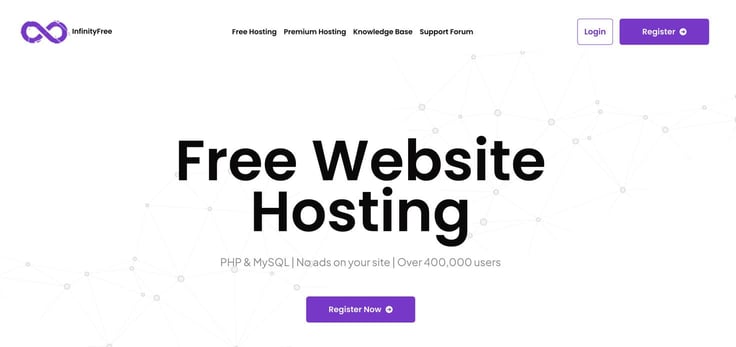
InfinityFree offers a no-expiry free tier with PHP, MySQL, SSL tools, a free subdomain or custom-domain support, and no advertisements injected into the hosted site. That makes it closer to traditional shared hosting than the static platforms above.
Free shared resources come with strict limits and automated abuse controls. Direct support is limited compared with paid hosting, and applications that make intensive background requests, store large files, send bulk email, or require predictable performance are not a good fit. Back up files and databases independently.
Choose it if: you need PHP/MySQL for a small experiment and accept free-tier restrictions.
6. AwardSpace
AwardSpace advertises a permanent, ad-free hosting tier with a small storage and bandwidth allowance, a web-based control panel, a site builder, and an installer for CMS software such as WordPress and Joomla. It can be convenient for learning how a conventional hosting account works.
The plan is far smaller than most paid hosting packages. Check current database, email, file-size, domain, SSL, and backup restrictions before installing a CMS. A current WordPress installation, theme, plugins, media, and backups can outgrow a small allowance quickly.
Choose it if: you want to test a very small PHP or WordPress site without host-injected ads.
7. Freehostia
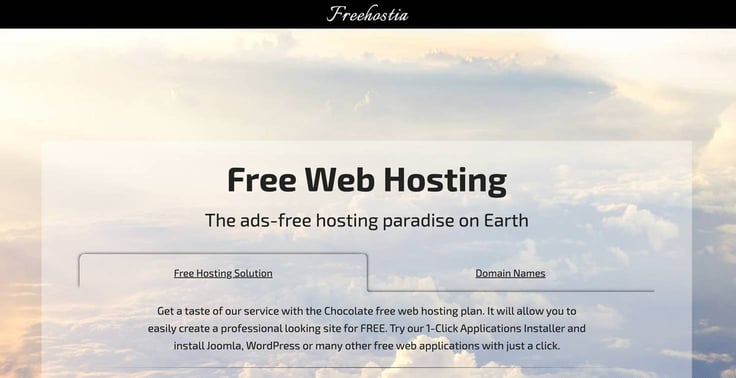
Freehostia's Chocolate plan is a no-cost PHP hosting option with 250MB of disk space, 6GB of monthly traffic, support for multiple hosted domains, and a web-application installer. The account can remain free, but the tiny storage allocation makes it appropriate only for a compact site or short evaluation.
Before installing WordPress, verify database size, upload limits, outbound email, SSL, and backup behavior. Keep media elsewhere only if both services permit it and you understand the privacy and performance implications.
Choose it if: your PHP site is extremely small and you want to evaluate a traditional hosting panel.
8. Neocities
Neocities is made for hand-built personal sites. The free tier includes a site subdomain, SSL, an in-browser editor, file uploads, and a community centered on independent web pages. It supports static web assets rather than server-side PHP or databases.
The provider's current comparison lists 1GB of storage and 200GB of bandwidth for free sites. Custom domains are a paid supporter feature, so the free subdomain is part of the trade-off.
Choose it if: you want to learn HTML and CSS or publish a creative static personal site without maintaining a build pipeline.
Can free hosting run WordPress?
GitHub Pages, Cloudflare Pages, Netlify, Vercel, and Neocities cannot run a normal WordPress installation because WordPress needs PHP and a database. InfinityFree, AwardSpace, and Freehostia can run PHP/MySQL, but their limits may make updates, plugins, backups, email delivery, and traffic difficult. If you only want to publish a blog, a hosted service may be easier; review the WordPress.com versus WordPress.org comparison first.
Safety checklist before using a free host
- Read the acceptable-use policy; do not assume commercial sites, proxies, bulk email, automation, or file storage are permitted.
- Use a unique password and multi-factor authentication where available.
- Never upload confidential customer data or secrets to a platform that is not suitable for that risk.
- Keep an offline copy of the site and database. Free service is not a backup.
- Verify HTTPS on the final domain and remove mixed-content requests.
- Monitor quotas and understand what visitors see when the limit is reached.
- Confirm you can export the site and transfer the domain before investing time in the platform.
For a learning project, free hosting can be entirely adequate. For a store, client site, membership site, or any project where downtime causes harm, use paid hosting with documented support, backups, security responsibilities, and a clear upgrade path.
Related Articles
 How to Host a Website for Free with Github Pages8 minutes read
 What Is Linux Hosting?5 minutes read
 14 Best Web Hosting 2018 Is Completely Free and Contains No12 minutes read
 The Difference Between Linux Hosting and Windows Hosting7 minutes read
 What Is Hosting? Hosting Used to Do? Features, Uses, and Key6 minutes read
 11 Best Web Hosting 2024 Are Completely Free and Contain No11 minutes read
Reader Comments 0
Sign in with email or Google to join the discussion.