Table of Contents
This updated guide explains how to Register for a Weibo Account through clear steps, practical examples, and important checks that help prevent common errors.

Step 1 : To register Weibo account, you access the following address:
https://weibo. com/signup/signup. php
You will see the interface is Chinese, but you can change to English by selecting the English section at the bottom corner, when a message appears, press the orange button.

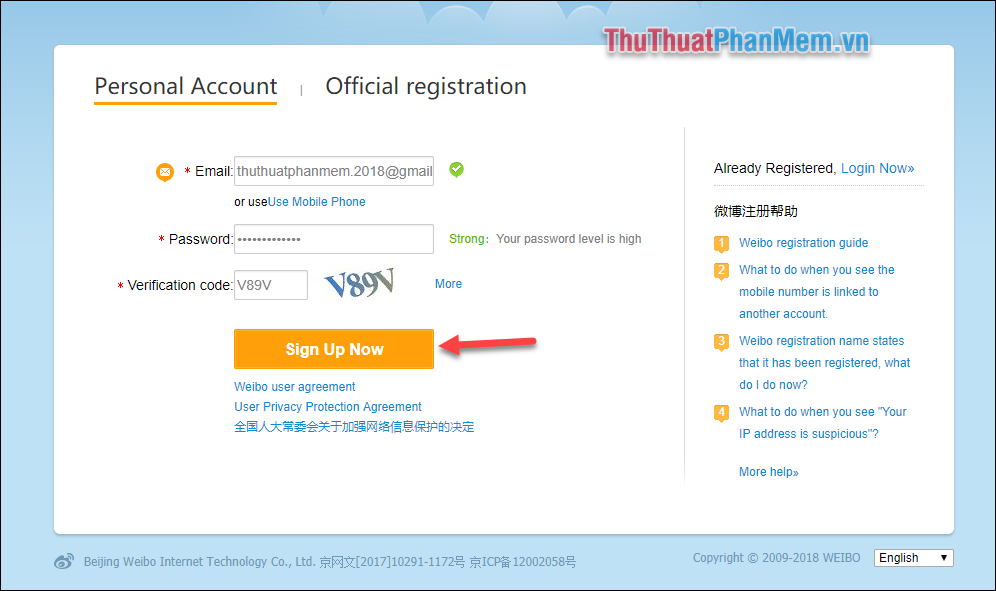
Step 2: Now that the website interface has changed to English, enter Email, password, confirmation code and click Sign Up Now to register.
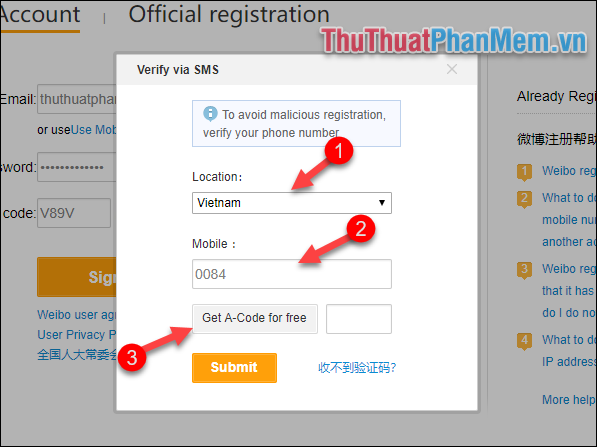
Step 3 : A new window appears, select Vietnam Location then enter your phone number (note the first zero of the phone number) into the box and click Get A-Code for free.
Weibo will send a code to the phone number you enter, please enter this code in the box next to it and click Submit.
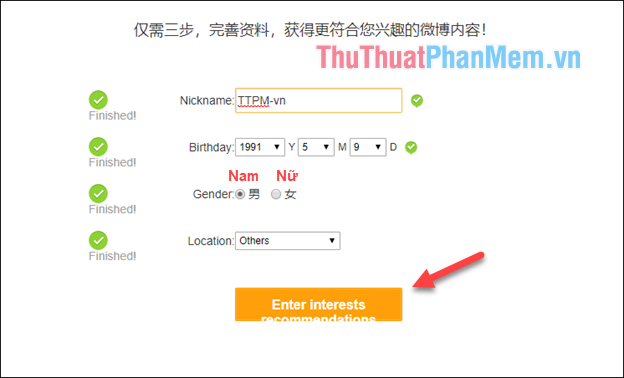
Step 4 : You enter the Nick name for your account then select the date of birth, gender. Your location to Others . Finally press the yellow button to continue.
Step 5 : Here you select some content that you may need to track or favorite and press Enter.

And so we have created Weibo account and this is the homepage interface:

To set up your account, you can hover over the gear icon and select Account settings
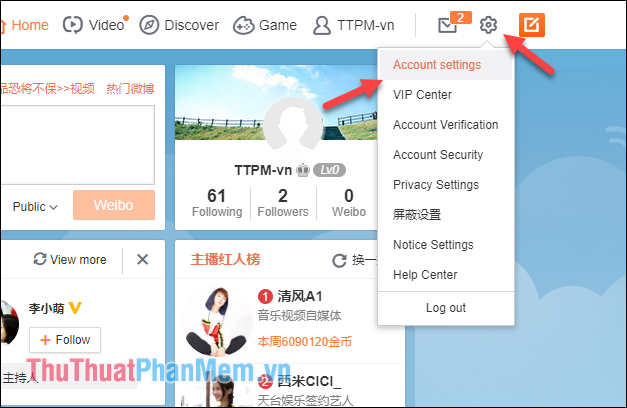
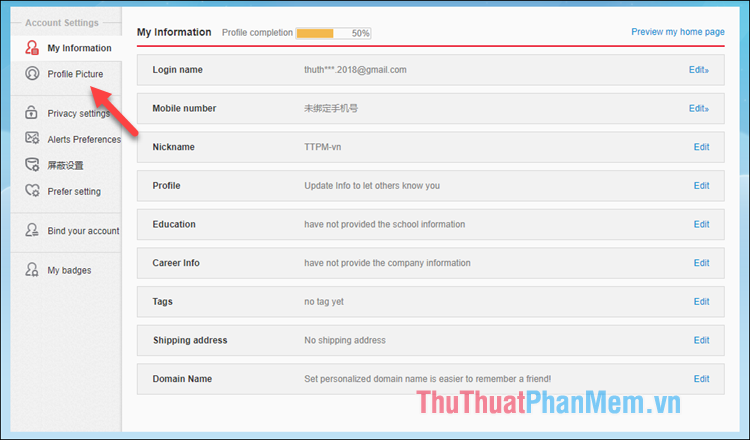
In the settings you can go to Profile Picture to change the avatar.
FAQ
What is the easiest way to Register for a Weibo Account?
Start with the requirements in this guide, then follow each step in order. Check the result after every major change so problems are easier to identify.
Can beginners follow these instructions?
Yes. The process is organized into practical steps, and you can repeat any step before moving forward.
What should I check if the method does not work?
Confirm your software or device version, permissions, settings, file format, and internet connection when the task depends on online services.
Related Articles
 How to Create a Weibo Account with a Vietnamese Phone Number6 minutes read
 How to Create a VTC Account: Complete Guide6 minutes read
 How to Register ChatGPT, Register Chat GPT Easiest, Most Detailed3 minutes read
 Instructions for Registering an Apple Account Do Not Need to Enter a4 minutes read
 Instructions for Creating a Skype Account4 minutes read
 How to Register Vnpay for the Store3 minutes read
Reader Comments 0
Sign in with email or Google to join the discussion.