Table of Contents
A mechanical keyboard is a stack of interacting parts, not just a set of switches. Keycaps and switches shape the finger feel; stabilizers control long keys; the plate, mounting system, case, and internal space affect stiffness and sound; the PCB and firmware determine how input is detected and reported.
Understanding the stack helps you compare keyboards without assuming that an aluminum case, RGB lighting, or a particular switch color automatically means better quality.
Mechanical keyboard parts at a glance
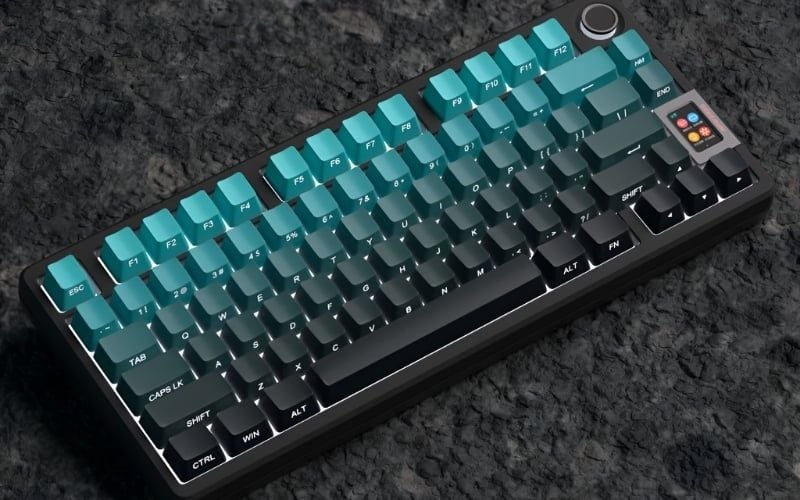
From top to bottom, a common build contains keycaps, switches, a plate, stabilizers on long keys, a PCB, optional foam or silicone, and a case. Some boards omit the plate, use a separate daughterboard for the USB port, add a battery, or use a different sensing technology.
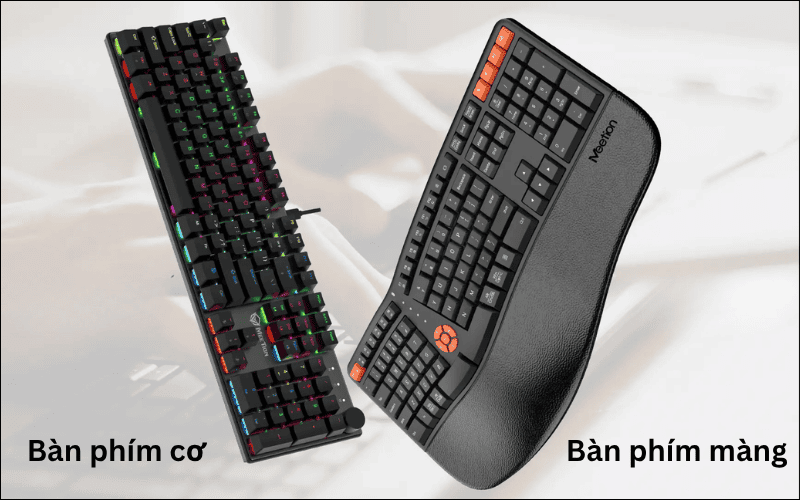
| Part | Main job | What to verify |
|---|---|---|
| Case | Houses and supports the assembly | Material, dimensions, weight, service access |
| Keycaps | Provide the finger surface and legends | Material, profile, layout compatibility, legend method |
| Switches | Create or vary the input signal | Type, force, travel, technology, socket compatibility |
| Stabilizers | Keep long keys level | Mounting style, tuning, key sizes |
| Plate and mount | Hold switches and shape flex | Material, plate support, mounting method |
| PCB | Scans keys and connects electronics | Layout, hot-swap or soldered, firmware, switch technology |
| Controller/firmware | Processes and reports input | Remapping, layers, rollover, update support |
| Lighting | Illuminates legends or case | North/south orientation, software, power use |
| Connection and battery | Links keyboard to host | Wired, 2.4 GHz, Bluetooth, charging, latency |
| Internal dampening | Changes resonance and vibration | Material, placement, serviceability |
Case: structure, weight, and acoustic space
The case holds the assembly and defines the keyboard's dimensions, typing angle, bezel, and internal cavity. Plastic is light and can be durable; aluminum is usually heavier and more rigid. Neither material guarantees better sound or feel.
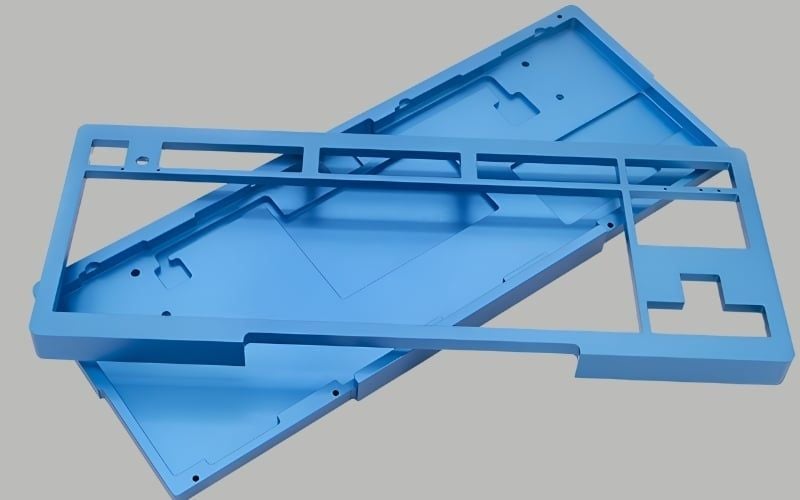
Check for twisting, uneven feet, sharp seams, port alignment, and whether the case can be opened without destroying clips or voiding a warranty. Weight can come from the case, a steel plate, internal weights, or a large battery—it is not a direct measure of quality.
Keycaps: the surface you actually touch
Keycaps affect texture, shape, spacing, legends, and sound. ABS and PBT are common plastics, but formulation, thickness, texture, and manufacturing quality matter as much as the material name.
- ABS: can produce sharp legends and vivid colors; the surface often becomes shiny with use.
- PBT: generally resists shine better but can vary in texture, warping, and color consistency.
- Profile: row height and sculpting change wrist angle and how your fingers move between keys.
- Legend method: doubleshot, dye-sublimated, printed, and shine-through designs age differently.
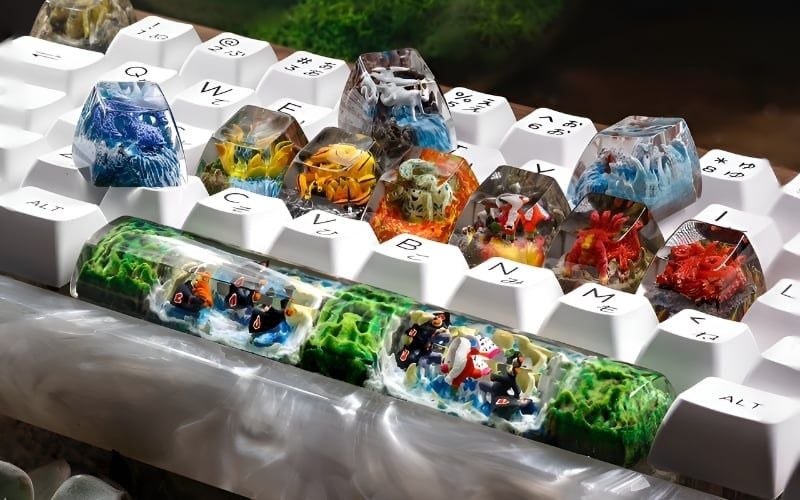
Replacement sets must match the stem, layout, bottom-row sizes, Enter shape, space-bar length, and any nonstandard keys. A set advertised for “full size” may still lack the exact keys for a compact board.
Switches: feel, travel, and sensing
A switch sits below each keycap and changes state as the key moves. Traditional contact switches are commonly described as linear, tactile, or clicky. Optical, Hall-effect magnetic, and inductive designs sense movement differently and may require a matching PCB.
- Linear: no deliberate tactile bump.
- Tactile: a change in resistance provides physical feedback.
- Clicky: adds an intentional audible event, usually with tactile feedback.
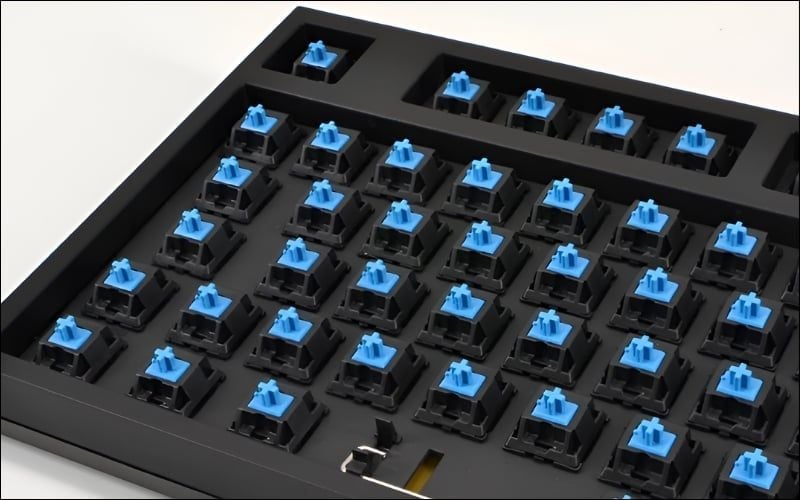
Compare operating force, bottom-out force, pre-travel, total travel, and the whole force curve when available. Color names are not universal across brands. Our switch-family overview explains the common categories, while the exact manufacturer page should supply purchase specifications.
Stabilizers: why the space bar can make or break the board
Long keycaps would tilt if they relied only on a center switch. A stabilizer uses paired moving parts and a wire or linked mechanism so Space, Enter, Shift, Backspace, and other wide keys travel more evenly when pressed off-center.
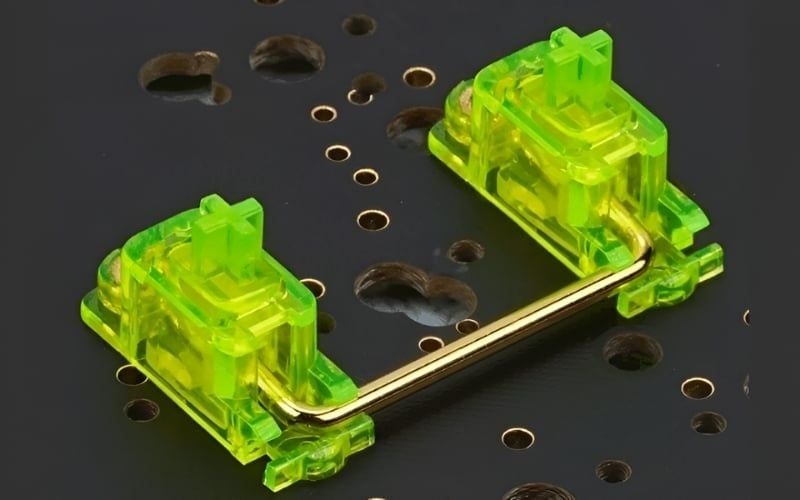
Poor alignment, loose wires, excess or insufficient lubricant, warped keycaps, and incompatible parts can create rattle, ticking, sluggish return, or uneven travel. Do not disassemble or lubricate stabilizers casually; access and warranty implications vary. See the detailed mechanical keyboard stabilizer guide.
Plate and mounting system: stiffness and flex
The plate holds switches in position on most boards. Steel, aluminum, polycarbonate, FR4, brass, and other materials differ in mass and flexibility, but thickness, cutouts, switch fit, and mounting matter too. Plateless builds attach switches directly to a compatible PCB.
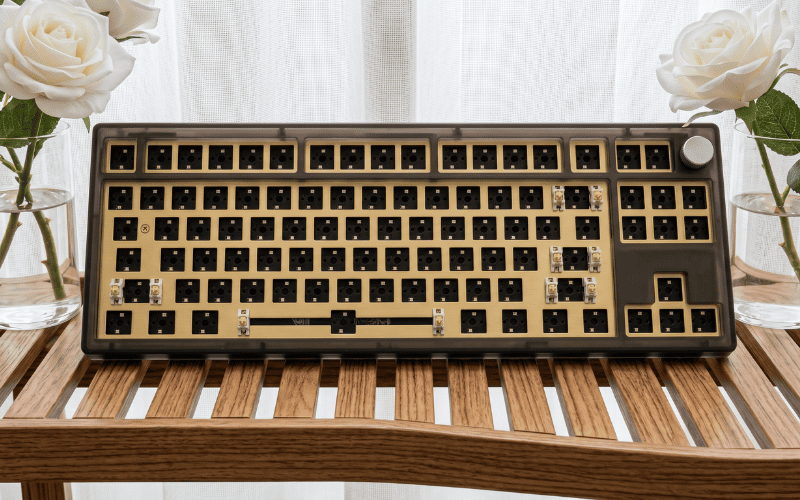
The mounting system describes how the plate or PCB connects to the case. Tray mount, top mount, gasket mount, integrated plate, and other designs distribute support differently. “Gasket” does not guarantee a soft feel; gasket compression, plate material, internal clearance, and case design determine the result.
PCB: the keyboard's electrical foundation
The printed circuit board contains the key matrix, diodes, controller connections, lighting components, and sockets or solder pads. It does not simply give every key a separate cable; firmware typically scans a matrix and interprets state changes.
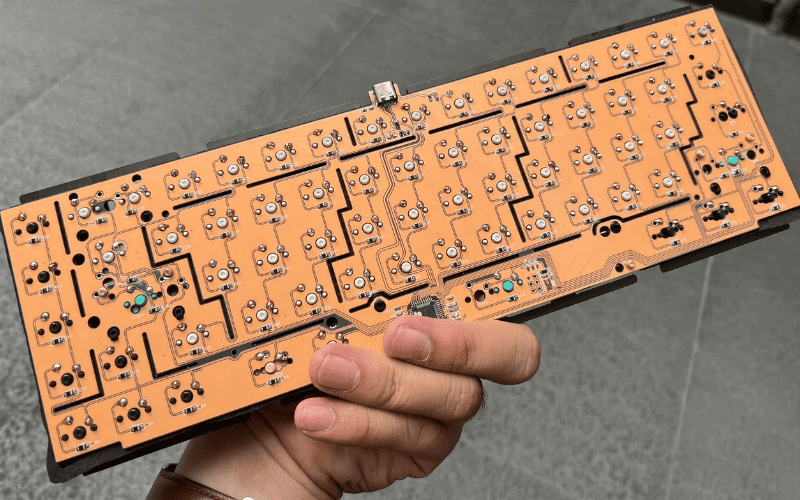
- Soldered PCB: switches are soldered to pads. Replacement requires appropriate soldering tools and skill.
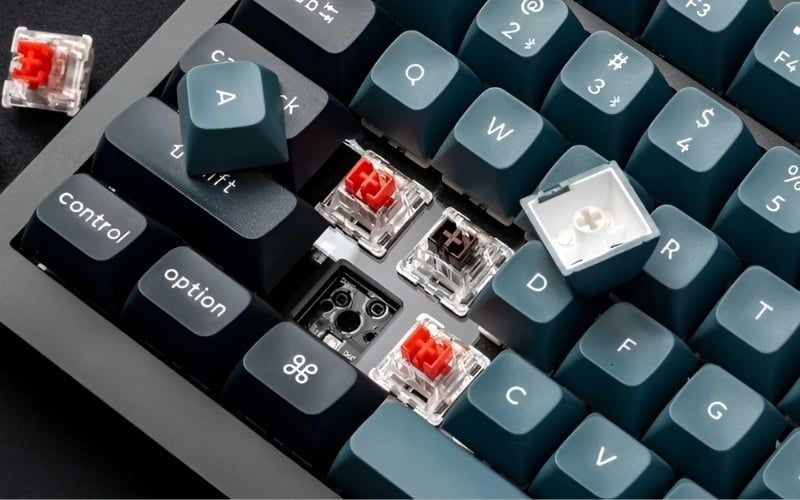
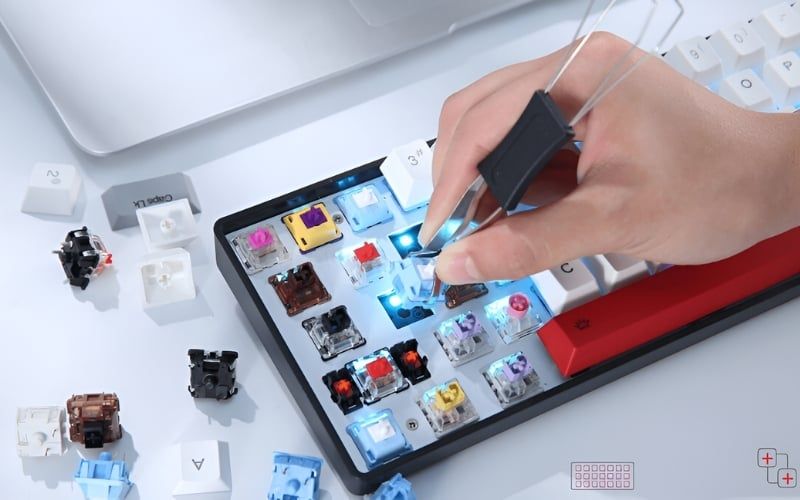
- Hot-swap PCB: sockets accept compatible switch pins without soldering. Sockets can still be damaged by bent pins or sideways force.
- Specialized PCB: optical or magnetic boards use sensors and compatible switches; MX-style fit alone does not prove electrical compatibility.
Hot-swap is a feature of the board or PCB, not the switch. Check the detailed hot-swap keyboard guide before replacing switches.
Controller and firmware: input behavior and customization
The microcontroller scans the matrix, applies debounce or sensing logic, handles layers and macros, drives lighting, and reports input to the host. Firmware support can matter more than the controller model printed in a listing.
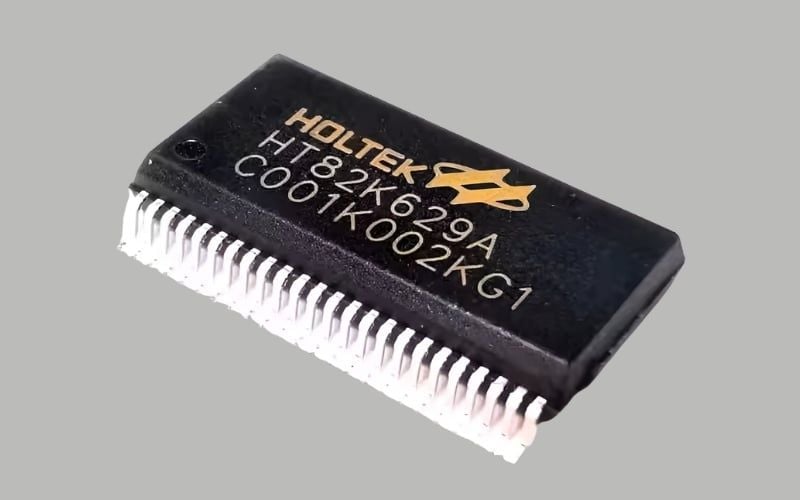
Verify remapping, per-key layers, macro storage, operating-system support, update availability, and whether configuration works without a cloud account. “Anti-ghosting” and “N-key rollover” should be tested in the connection modes you use; Bluetooth behavior may differ from wired mode.
LED and RGB lighting
Lighting can illuminate legends, switches, or the case. It does not improve typing quality. North-facing and south-facing LED orientation can affect shine-through legends and, with some keycap/switch combinations, physical clearance.
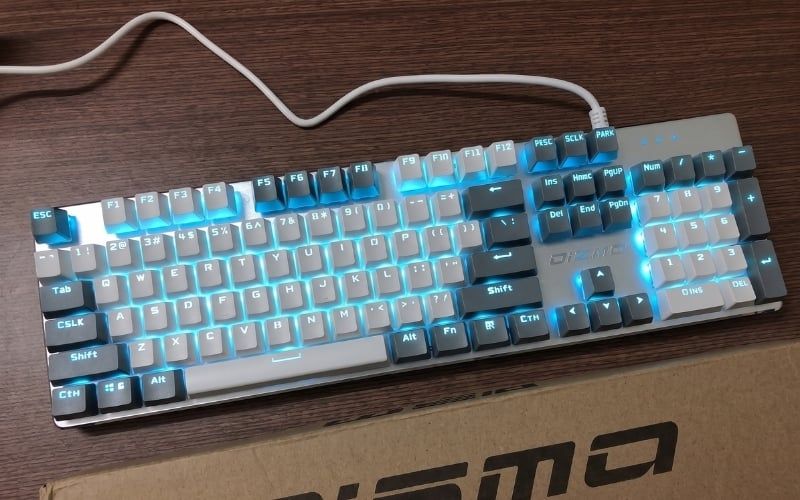
On wireless boards, brightness and animation affect battery life. Check whether lighting can be controlled from the keyboard itself and whether the software supports your operating system.
Wired and wireless connections
A removable USB cable is easy to replace and avoids battery management. A 2.4 GHz receiver commonly targets responsive wireless use, while Bluetooth prioritizes broad device compatibility and switching. Actual reliability and latency depend on implementation, interference, power settings, firmware, and host hardware.
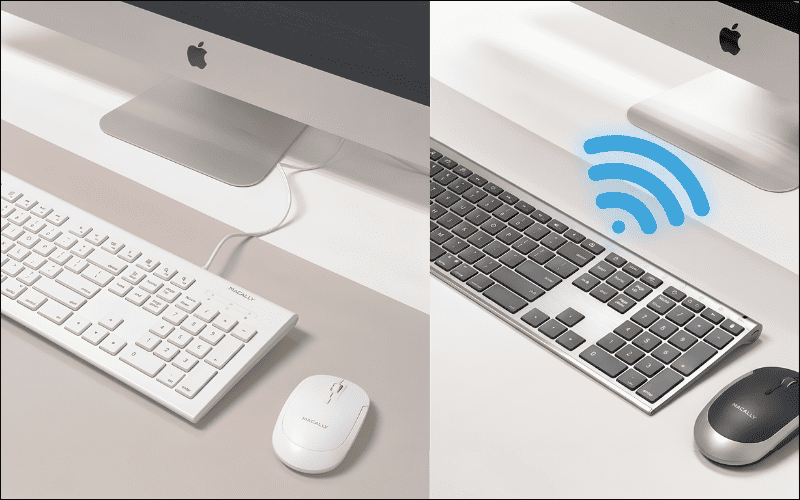
For wireless models, check battery capacity, replaceability, charging behavior, sleep delay, receiver storage, encryption claims, and whether the keyboard can be used safely while charging. A “three-mode” label only describes available connections.
Foam, silicone, and other internal layers
Case foam, plate foam, switch pads, silicone, tape, and gaskets alter vibration and resonance. They can reduce a hollow cavity sound, but they also change flex and can make the board sound muted. More material is not automatically better.
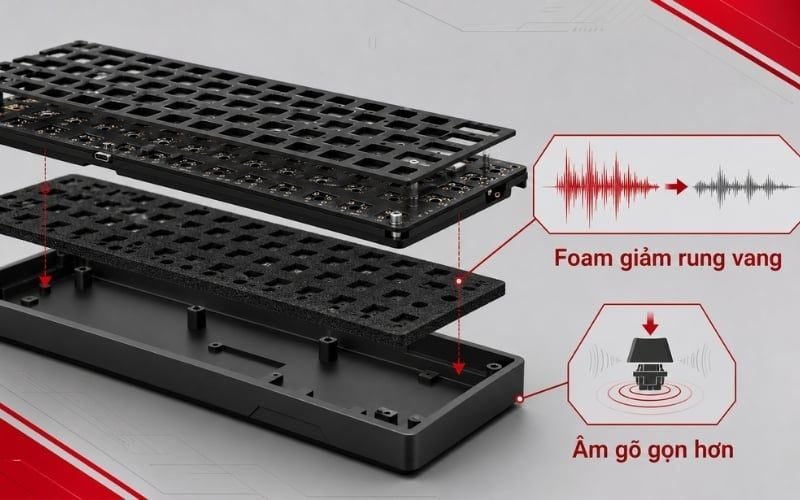
Do not add conductive, flammable, or battery-compressing material. Modifications can damage sockets, trap heat, interfere with wireless antennas, or affect warranty coverage.
Which parts affect typing feel most?
There is no single ranking because parts interact:
- Switch force curve and travel shape each ordinary key press.
- Keycap profile and surface determine finger contact and posture.
- Stabilizer quality dominates wide keys.
- Plate and mount shape stiffness and flex across the board.
- Case and internal space influence resonance, weight, and typing angle.
- Firmware and connection determine whether a physical press becomes a reliable input.
Common specification terms
- Hot-swap: compatible switches can be removed without soldering.
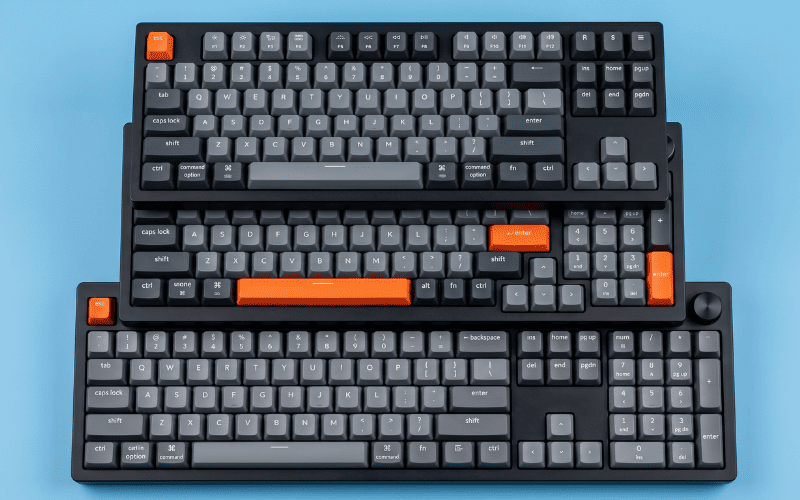
- Full-size, TKL, 75%, 65%, 60%: layout families; exact key placement still varies.
- Pre-travel: movement before actuation.
- Total travel: movement to the bottom.
- Operating force: force associated with actuation, not always the bottom-out force.
- Rollover: how simultaneous key presses are reported.
- Layers: alternate functions assigned to the same physical keys.
- Macro: a saved sequence of actions; read our keyboard macro guide before enabling one.
- Polling rate: how frequently a USB device can report to the host; it is only one part of latency.
- Profile: can refer to keycap shape or a saved software configuration, depending on context.
Beginner buying checklist
- Choose the layout first. Make sure every key you use daily is present or easy to access on a layer.
- Test the switch feel. Compare light linear, tactile, and clicky options in a complete keyboard.
- Press every long key off-center. Listen and feel for rattle, ticking, binding, or slow return.
- Confirm switch technology and hot-swap compatibility. Mechanical, optical, and magnetic parts are not interchangeable by default.
- Check firmware on your operating system. Remapping is only useful if you can configure and retain it.
- Test every connection mode. Check wake behavior, missed keys, range, and receiver storage.
- Inspect the exact keycaps. Confirm legends, language, layout sizes, and backlight behavior.
- Read warranty terms before modification. Opening the case or lubricating parts can affect coverage.
A good keyboard is one whose layout, force, sound, firmware, and connection match your routine. Construction details are useful because they explain those outcomes; they should not become a checklist of fashionable materials.
Related Articles
 on How to Safely and Cleanly Disassemble a Mechanical Keyboard7 minutes read
 Homemade Keyboard Is Not Difficult6 minutes read
 How to Change or Rename a PC in Windows 106 minutes read
 Top Best Mechanical Keyboards 20257 minutes read
 Instructions for Replacing Mechanical Keyboard Switches with 5 Simple8 minutes read
 How to Easily Replace Mechanical Keyboard Switches for Beginners9 minutes read
Reader Comments 0
Sign in with email or Google to join the discussion.