Table of Contents
We can utilize AI tools to support our learning, for example, by creating self-study apps for specific subjects using Google AI Studio.
Based on the AI tools we use to support our learning, for example, creating a self-study app for a specific subject using Google AI Studio, you can describe how this self-study app will operate, how its content will be implemented, and then use Google AI Studio to create the app. Below is a detailed guide.
How to create a self-learning app using Google AI Studio
Step 1:
In the Google AI Studio interface, click on the Build option on the left side of the screen.
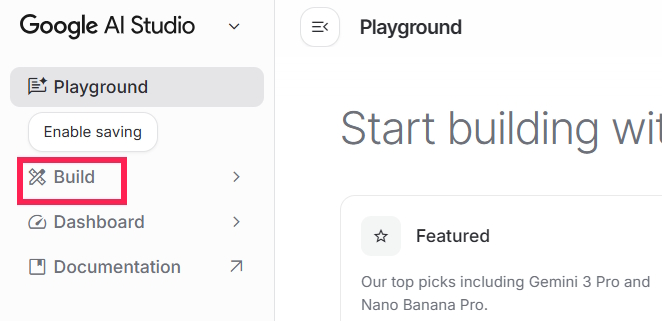
Next, in the new interface, paste the description of the self-learning app you want to create, for example, an English self-learning app created on Google AI Studio. After entering the description, we run the description to build the self-learning app.
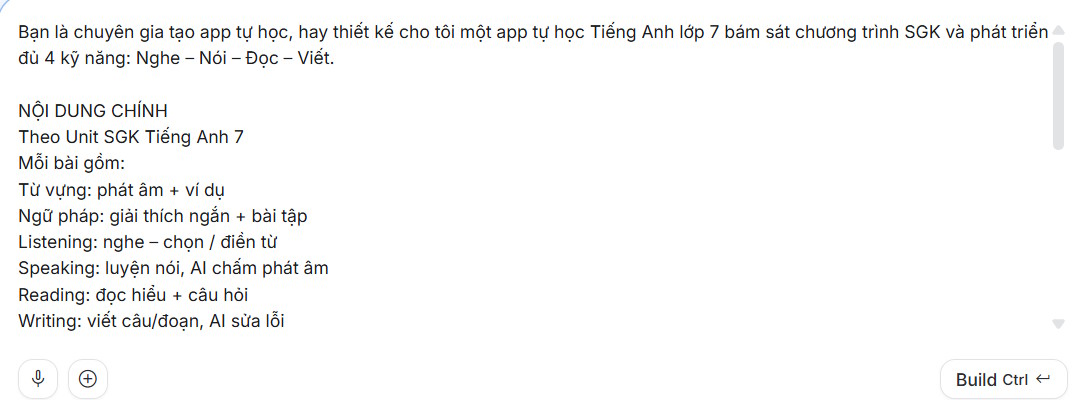
You can refer to the description of the self-study English app below.
Bạn là một nhà thiết kế app, hãy tạo cho tôi app tự học tiếng Anh lớp 7 bám sát chương trình học SGK của Bộ Giáo dục, phát triển đủ 4 kỹ năng qua nội Nội dung chính Theo Unit SGK Tiếng Anh 7 Mỗi bài gồm: Từ vựng: phát âm + ví dụ Ngữ pháp: giải thích ngắn + bài tập Listening: nghe – chọn / điền từ Speaking: luyện nói, AI chấm phát âm Reading: đọc hiểu + câu hỏi Writing: viết câu/đoạn, AI sửa lỗi TÍNH NĂNG AI Cá nhân hóa lộ trình học Tạo bài tập theo trình độ Chấm phát âm và sửa lỗi nói Chấm bài viết chi tiết Gợi ý ôn tập thông minh TRÒ CHƠI LUYỆN TẬP Ai là triệu phú tiếng Anh → Trắc nghiệm 4 đáp án (từ vựng, ngữ pháp) Phản xạ nhanh → Trả lời câu hỏi trong thời gian ngắn Ghép câu hoàn chỉnh → Sắp xếp từ thành câu đúng MỤC TIÊU Học đúng chương trình lớp 7 Tăng hứng thú học tập Cải thiện toàn diện 4 kỹ năng Hỗ trợ tự học hiệu quả tại nhàStep 2:
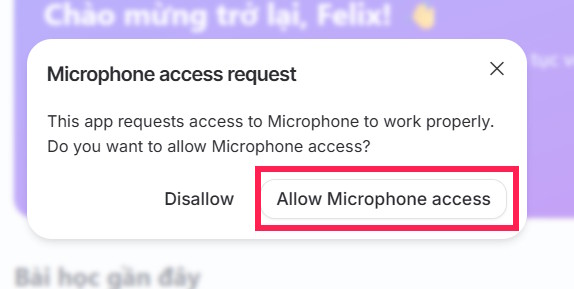
You are asked to allow this application to use your computer's microphone.
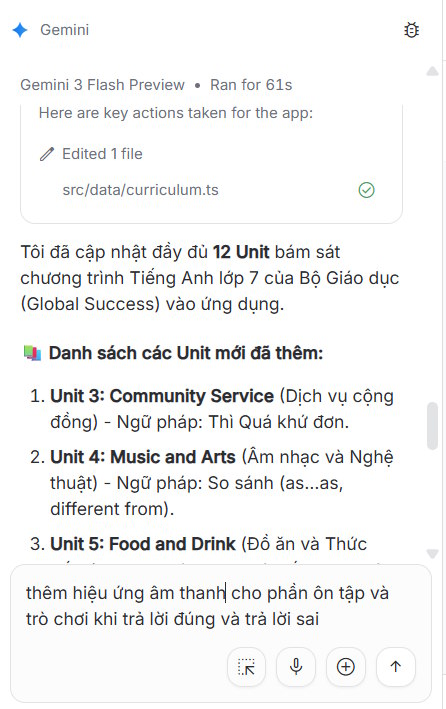
Next, we'll see the code to create the app and the English learning application alongside it.
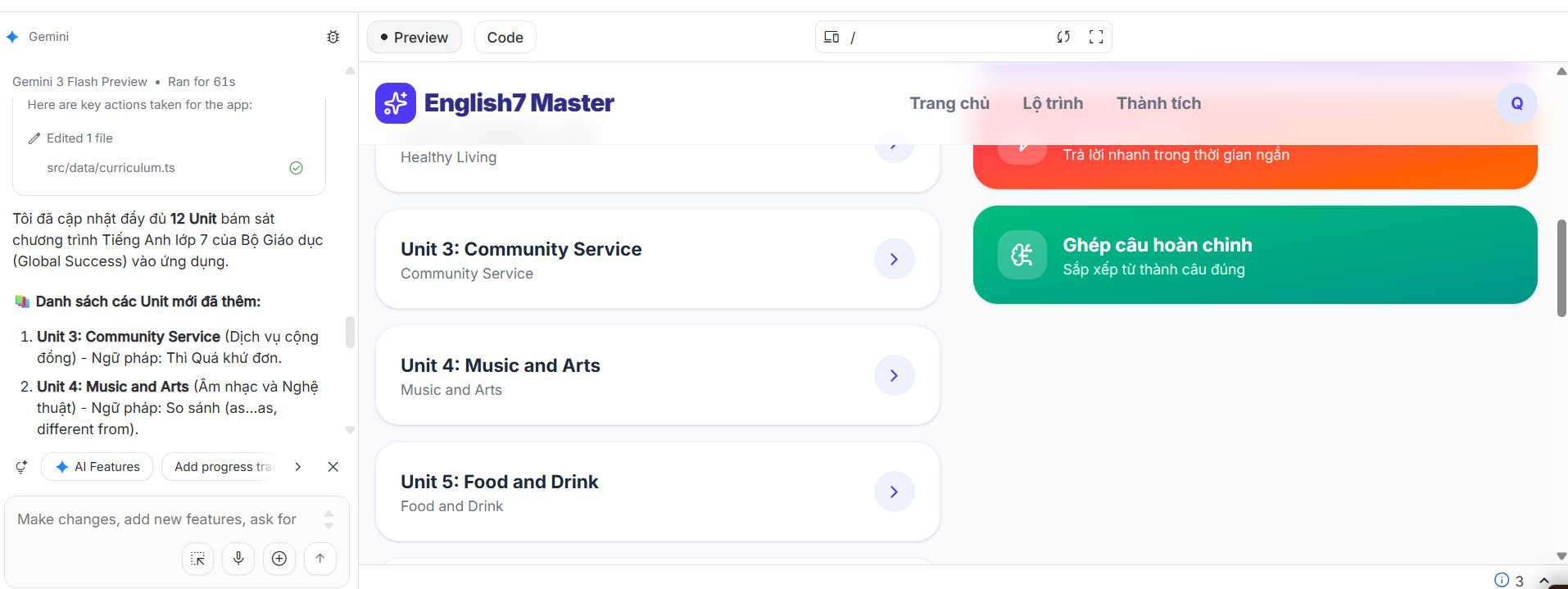
We review the application, identifying any unsatisfactory aspects, then enter commands to make corrections and submit it for rebuilding the self-learning app.
Step 3:
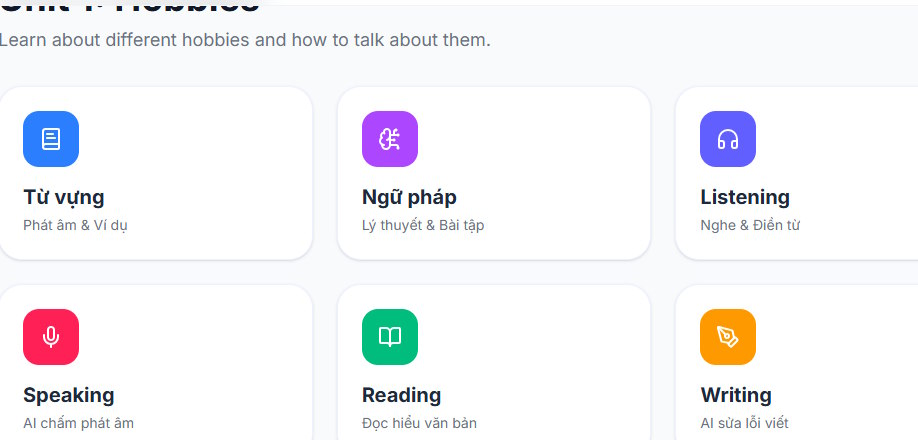
You click on each Unit to learn each skill. Depending on how each app is built, the learning interface will be different.
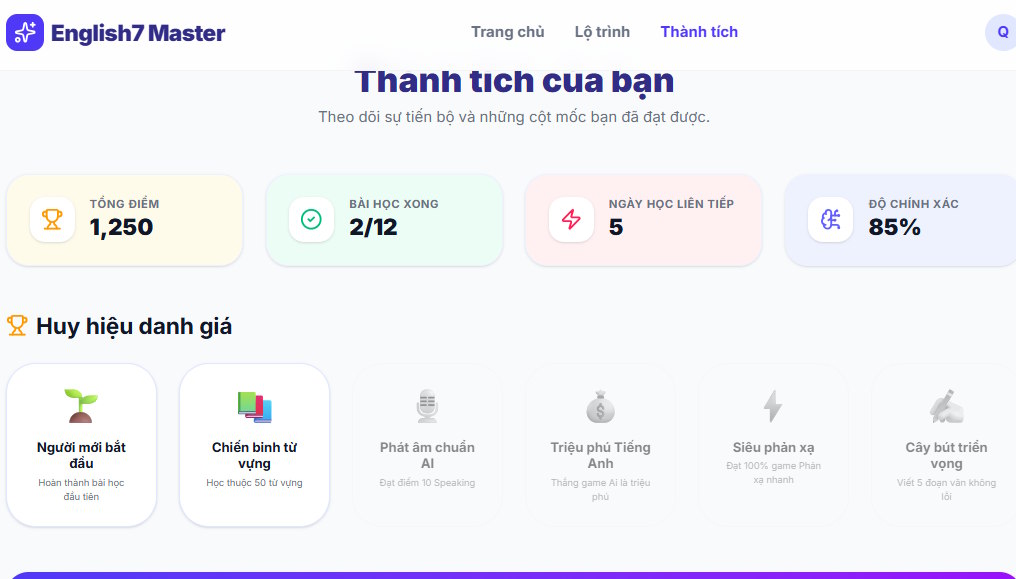
The Pathway and Achievements section will summarize the learning process based on the completed content.
Step 4:
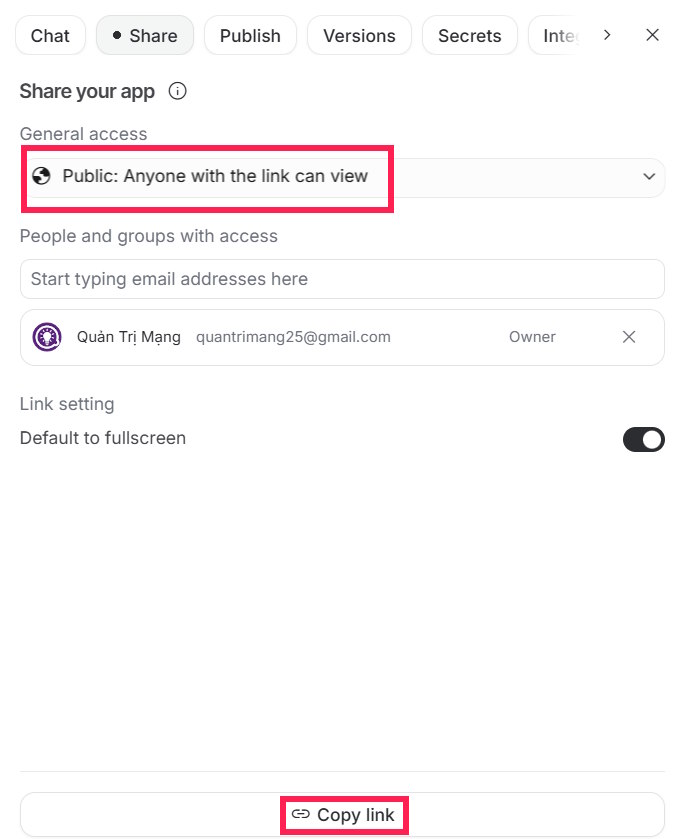
To share this self-learning app, click the Share button, then switch to Public mode, and select Copy link below.
Finally, you can send this self-learning app to others so they can access it using their Google account.
Related Articles
 Guide to Drawing Spatial Geometry Using Google AI Studio4 minutes read
 Create English Listening Practice Conversations Using Google AI Studio4 minutes read
 How to Use Gemini 3.1 Pro Preview in Google AI Studio5 minutes read
 Guide to Creating Dialogues for English Listening Practice6 minutes read
 Guide to Creating the Brisk AI Learning Assistant for Students5 minutes read
 How to Design an App to Create Thumbnail Images Using Google AI Studio4 minutes read
Reader Comments 0
Sign in with email or Google to join the discussion.