Table of Contents
Teachers can immediately utilize Google AI Studio to draw spatial geometry figures using LaTeX text for quick use in their lessons.
Teachers can quickly utilize Google AI Studio to draw geometric figures using LaTeX text for their lessons. Simply provide the required image or input the content directly, and Google AI Studio will generate the geometric figure according to the uploaded data. Below is a guide on how to draw geometric figures using Google AI Studio.
Guide to drawing spatial geometry using Google AI Studio
Step 1:
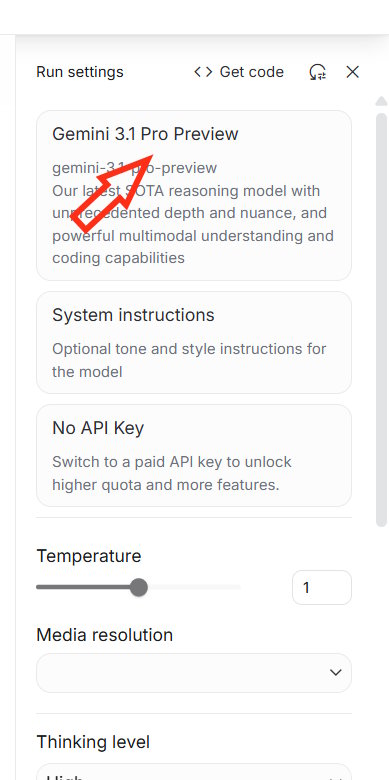
We access the Google AI Studio interface and then you will be set up to use the new Gemini 3 Pro Preview model.
Step 2:
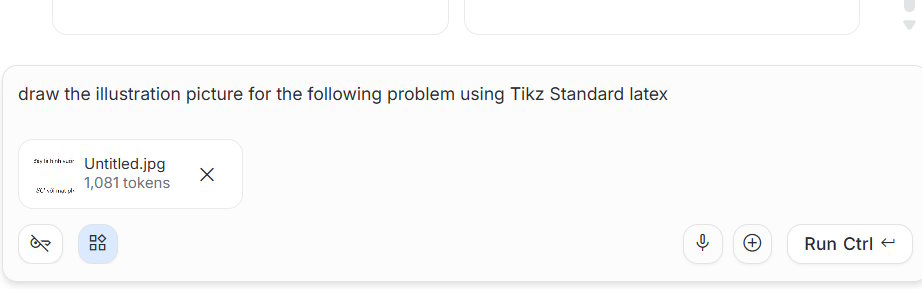
In the chat box, we can upload the exercise we want to draw a spatial diagram for, or directly enter the content of the spatial geometry problem.
Enter the command below to create a spatial drawing from the image we upload in LaTeX format.
draw the illustration picture for the following problem using Tikz Standard latex
Step 3:
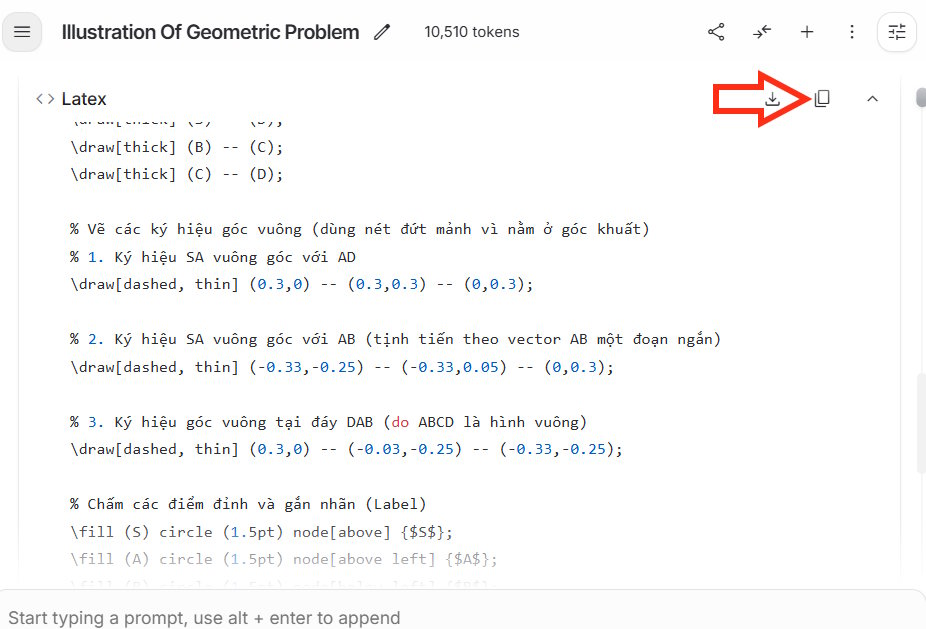
The entire content is displayed in LaTeX format; you need to copy this entire LaTeX document to use for drawing spatial geometry.
Step 4:
Visit the Overleaf website and create an account as usual. You can find more information on how to use Overleaf at the link below.
- 2 ways to preserve formula formatting in ChatGPT
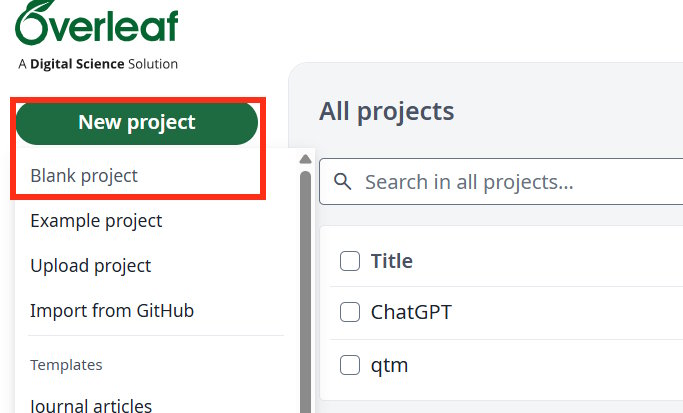
After accessing the Overleaf website, click on "New project" and then select "Completely new project". Name this new project to continue.
Step 4:
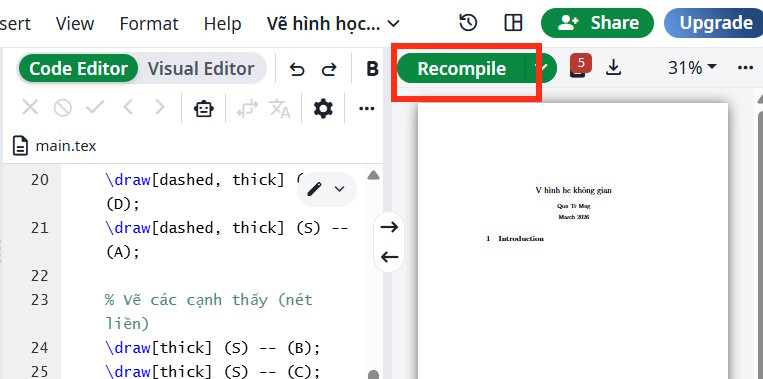
In this new project, delete all existing content, paste the LaText content from Google Studio, and then click Recompile in the toolbar at the top, as shown in the image below.
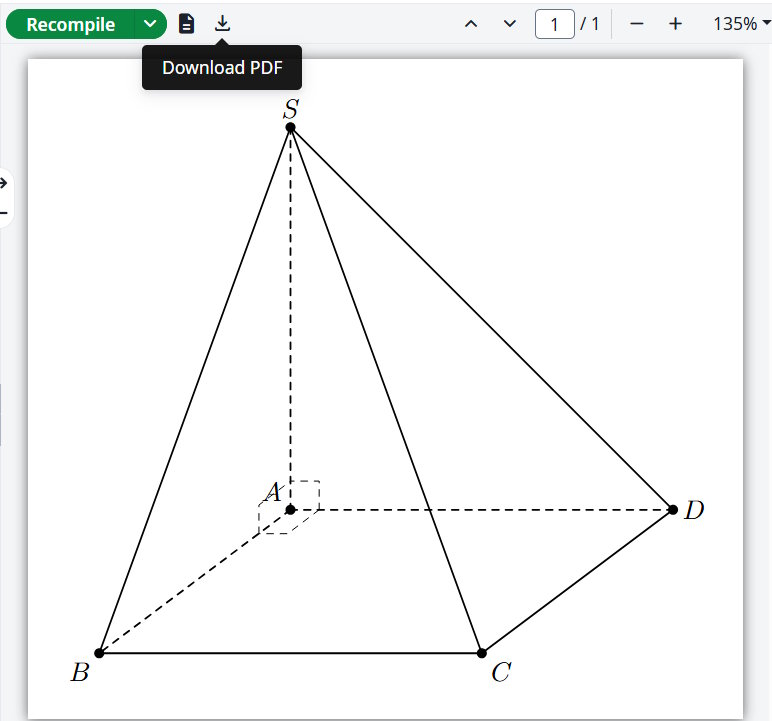
Immediately afterwards, you will see the result: a geometric drawing of space created from the content you requested in Google AI Studio. Finally, click the download icon to download this geometry as a PDF.
Related Articles
 Can Spatial Geometry Replace the Higgs Field: Explained6 minutes read
 Download Geometry Dash for All Platforms6 minutes read
 How to Install and Use the Cabri II Plus Math Drawing Software6 minutes read
 Guide to Creating a Self-learning App on Google AI Studio4 minutes read
 How to Use Google Drawing5 minutes read
 How to Set up Spatial Sound with Dolby Atmos on Windows 103 minutes read
Reader Comments 0
Sign in with email or Google to join the discussion.