Table of Contents
Google AI Studio can turn a written English dialogue into audio with one or two speakers. For a useful listening exercise, first write a short level-appropriate script, then assign each speaker a voice, describe the pace and tone, generate the audio, and listen carefully before giving it to learners.
Gemini text-to-speech is a preview capability, so model names and interface controls may change. Google's current Gemini TTS documentation is the best place to confirm supported models, voices, languages, and limitations.
1. Define the listening objective
Decide what students should practice before generating dialogue. Useful targets include:
- identifying the main idea;
- listening for times, prices, names, or directions;
- recognizing a grammar form in context;
- hearing connected speech or a pronunciation contrast;
- taking notes and reconstructing a sequence.
Choose one primary objective. A short focused recording is usually easier to teach than a long conversation containing too many new words and structures.
2. Draft the conversation
You can write the script yourself or ask Gemini to propose one. If AI generates it, specify the learner level, topic, number of speakers, approximate length, vocabulary limits, and target language feature.
Example prompt:
Create a natural two-person English dialogue for A2 learners. Topic: asking for directions to a train station. Use 10–12 short turns, include “turn left,” “across from,” and “How long does it take?”, and do not add explanations outside the dialogue. Label the speakers Maya and Ben.
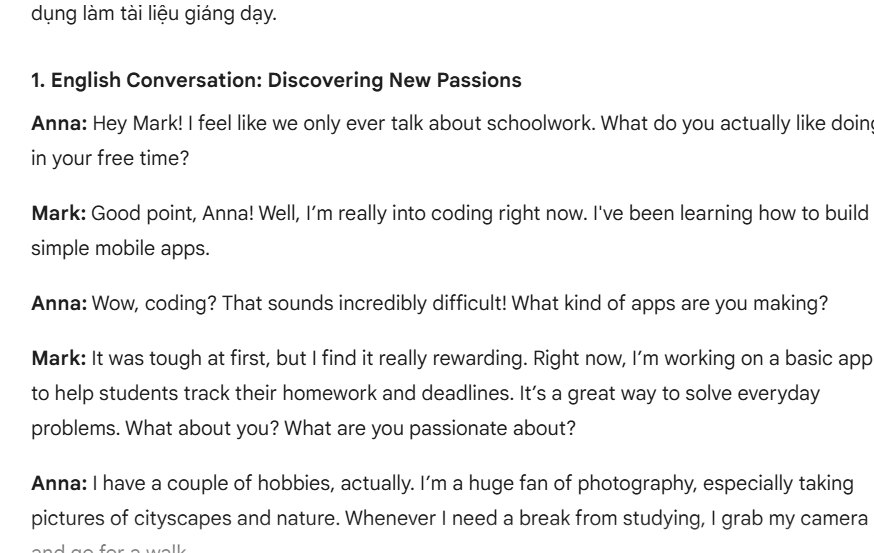
Review the output for natural phrasing, age appropriateness, cultural context, and factual accuracy. Edit it before generating audio.
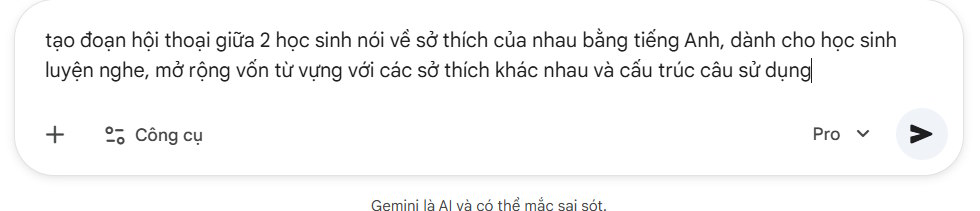
Keep speaker labels consistent. Gemini TTS uses those labels to map each line to the correct voice.
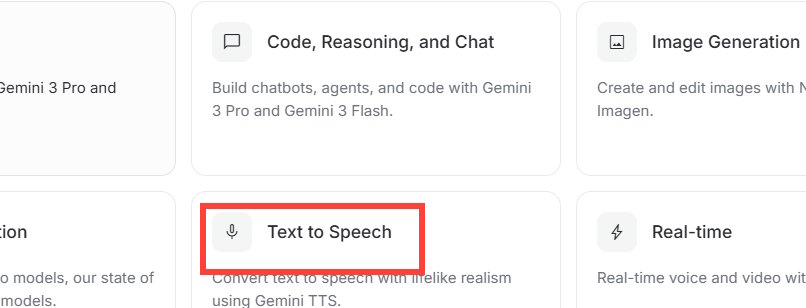
3. Open text-to-speech in Google AI Studio
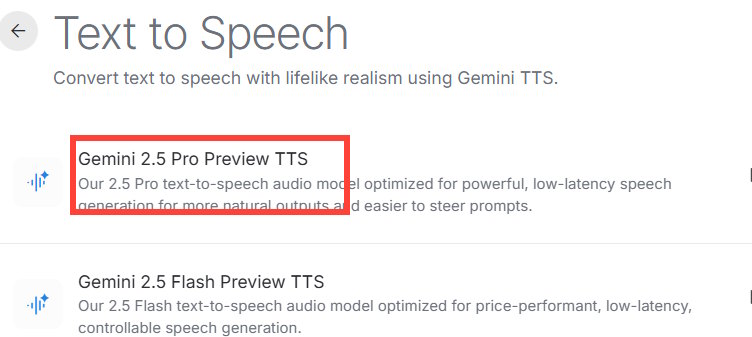
Open Google AI Studio and choose the text-to-speech or speech-generation experience available in the current interface. Select a model that explicitly supports TTS. Do not choose a general text model merely because its name is newer.
The original interface shown in this guide used a Gemini 2.5 Pro Preview TTS option. Google now lists multiple supported preview TTS models, and availability can differ by account or region. Choose based on current support and your output needs rather than copying an old model selection.
4. Paste and format the script
Paste the final dialogue into the text input. For two speakers, use a simple repeated format:
Maya: Excuse me, how do I get to the train station?
Ben: Turn left at the traffic lights.
Maya: Is it far from here?
Ben: No. It is across from the library.
Do not alternate between “Maya,” “Speaker 1,” and “Woman” for the same role. Inconsistent labels can cause the wrong voice to read a line.
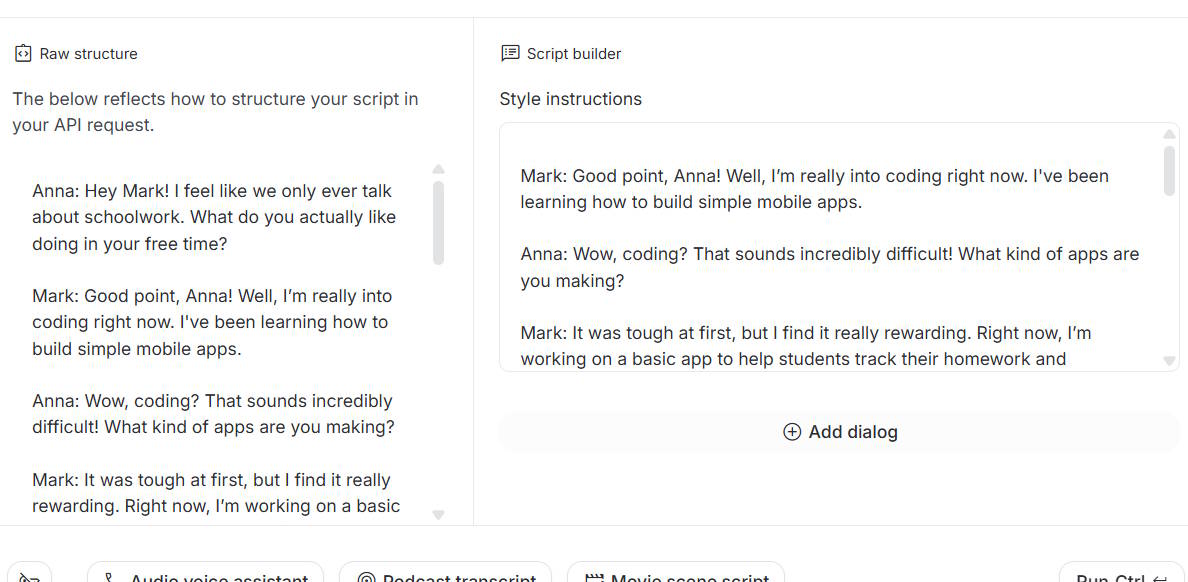
5. Assign a voice to each speaker
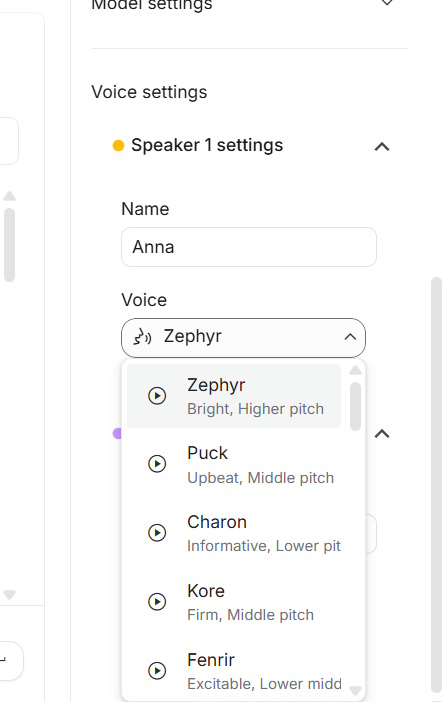
Set the speaker names to match the transcript exactly, then choose a distinct voice for each. Current Gemini multi-speaker TTS supports up to two speakers. The voice names describe broad qualities, but the result also depends on the script and performance instructions.
Choose voices that are easy to distinguish without exaggerating stereotypes. If the activity tests content rather than accent recognition, favor clear delivery and a moderate pace.
6. Direct the pace, tone, and delivery
Add a brief instruction before the transcript. For example:
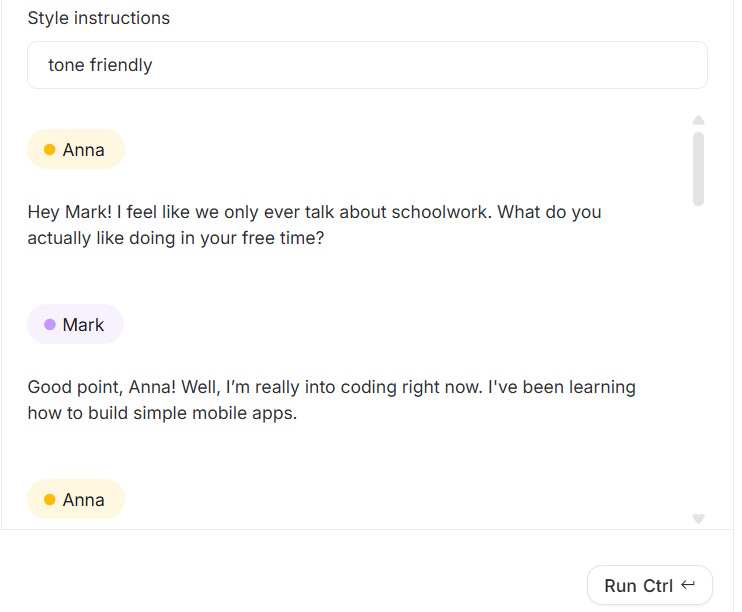
Read this as a friendly everyday conversation for A2 English learners. Use clear pronunciation, a natural but moderate pace, short pauses between turns, and no added commentary.
Google's TTS system accepts natural-language direction for style, accent, pace, and tone. Avoid conflicting instructions such as “very slow” and “fast, excited speech” unless the contrast is intentional.
7. Generate and quality-check the audio
Select Run or the current generate control. Listen to the entire recording before downloading it. Check:
- whether each line uses the intended speaker;
- pronunciation of names, numbers, abbreviations, and technical words;
- pace and pauses for the learner level;
- missing, repeated, or added words;
- volume consistency and obvious audio artifacts.
If a word is mispronounced, rewrite that line, simplify punctuation, spell out an abbreviation, or add clearer contextual direction. Regenerate and check again.
8. Download and label the file
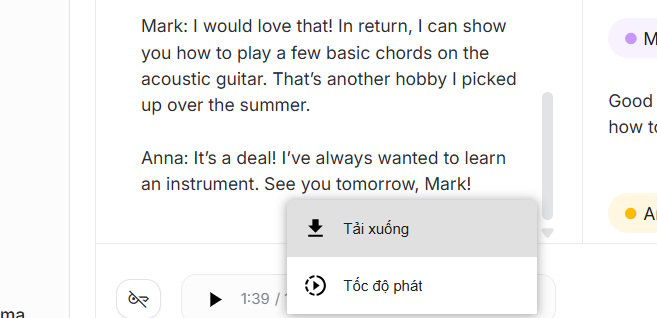
Use the audio menu to download the generated result in the format offered by AI Studio. Give the file a descriptive name that includes the class, level, topic, and version. Keep the final transcript beside it so another teacher can verify exactly what students hear.
Turn the recording into a lesson
- Before listening: establish the situation and pre-teach only essential vocabulary.
- First listen: ask one main-idea question.
- Second listen: use a short detail task such as ordering events, completing a table, or selecting key information.
- Third listen: let students check answers or notice useful language.
- After listening: compare the transcript, shadow selected lines, or role-play a similar conversation.
Create the questions yourself after listening to the final audio; regenerated speech may not match an earlier draft exactly.
Privacy and responsible classroom use
- Do not paste students' private information into a prompt.
- Do not imitate a real person's voice without authorization.
- Tell learners when audio is synthetic if that context matters to the activity.
- Check your institution's rules and the service terms before distributing or publishing generated audio.
- Keep a human-recorded model when authentic pronunciation or a specific regional accent is central to the lesson.
AI-generated dialogue is most useful as editable practice material. Teacher review—not the Generate button—determines whether it is accurate, level-appropriate, and instructionally useful.
Related Articles
 Guide to Creating Dialogues for English Listening Practice6 minutes read
 To Be Good at English, Don't Forget to Visit These 13 Youtube7 minutes read
 Guide to Creating a Self-learning App on Google AI Studio4 minutes read
 How to Use Practice Mode on Google Translate: Step-by-Step Guide3 minutes read
 12 Facebook Pages Useful for English Learners: Learn English5 minutes read
 Shadowing Technique: Practice Speaking English Effectively4 minutes read
Reader Comments 0
Sign in with email or Google to join the discussion.