Table of Contents
From iOS 26.1 users will switch to the slide gesture to stop the alarm. In case you want to use the Stop button to turn off the alarm on iPhone, follow the article below.
From iOS 26.1, users will switch to the slide gesture to stop the alarm, instead of the Stop button like previous iOS versions. This feature lets you turn off the alarm by sliding their finger up the slider, preventing users from accidentally turning off the alarm by tapping the Stop button instead of the Snooze button. In case you want to use the Stop button to turn off the alarm on iPhone, follow the article below.
How to turn off the slide to stop iPhone alarm
Step 1:
Go to Settings on your iPhone then tap on Accessibility To adjust.
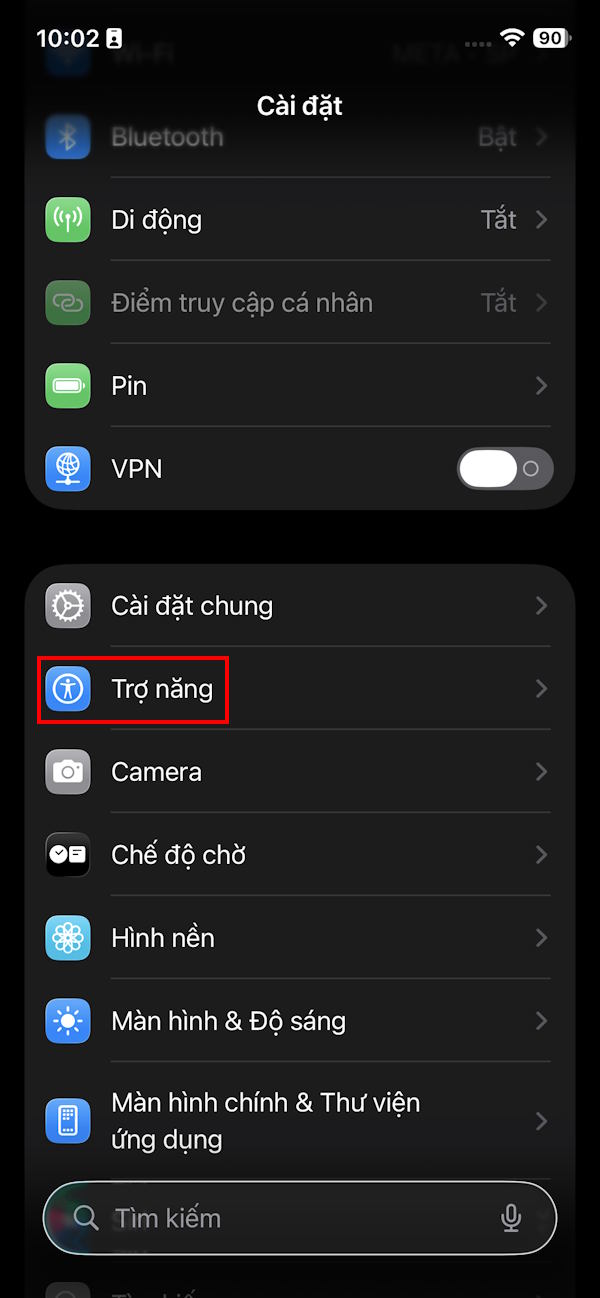
Step 2:
Switch to the new interface, users click on The Touch item To make changes.
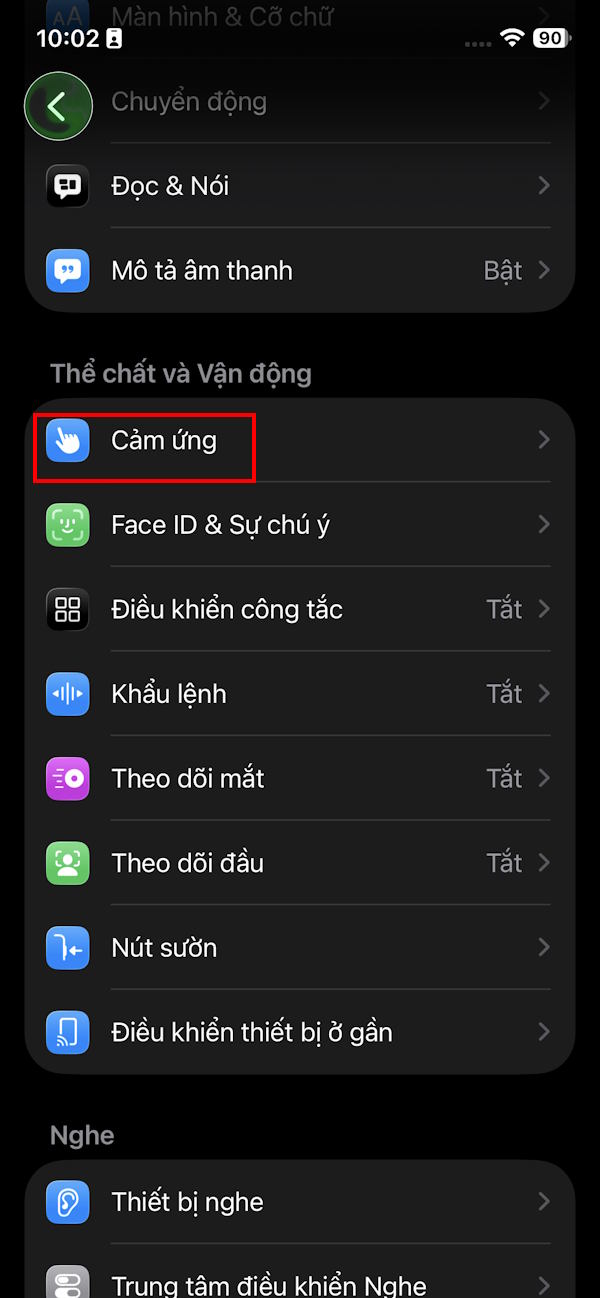
Step 3:
Here you scroll down below to see The One-touch Task Priority setting . Enable This setting To enable the Stop button for iPhone alarms and remove the slide to stop the alarm.
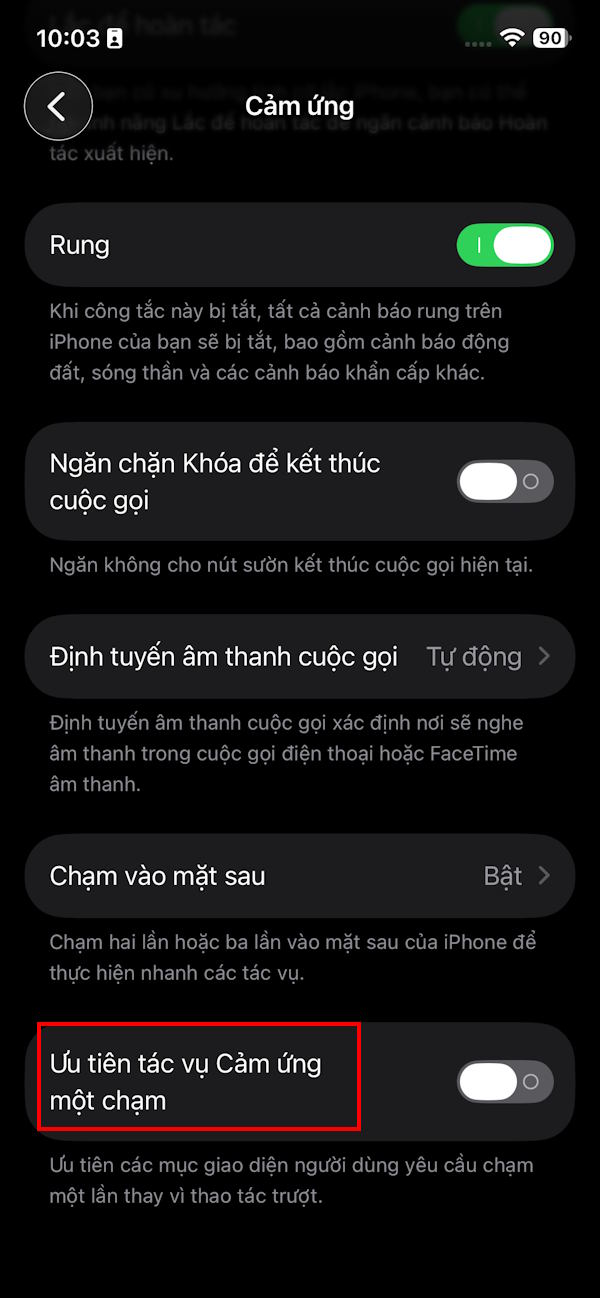
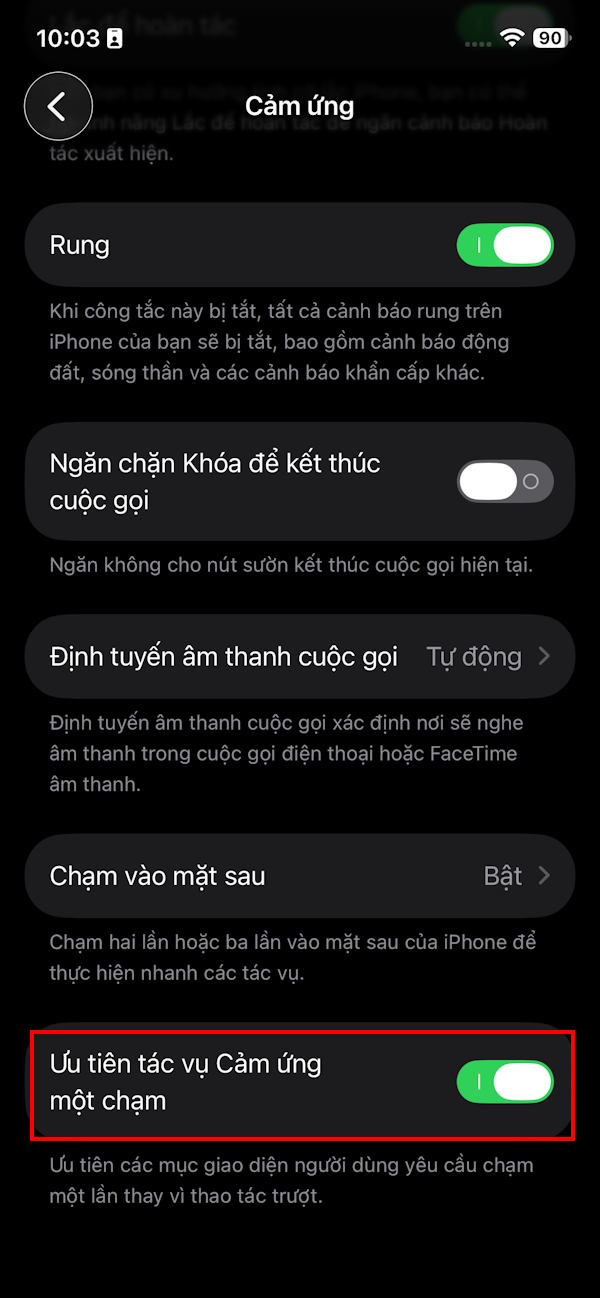
Immediately when the alarm appears on the iPhone screen you will see a Stop button to turn off the alarm.
FAQ
How do you turn off the slide gesture to stop the iPhone alarm: how-to guide?
In practical terms, from iOS 26.1 users will switch to the slide gesture to stop the alarm. In case you want to use the Stop button to turn off the alarm on iPhone, follow the article below.
What should you check before getting started?
Review the requirements, compatible device or software version, and any warnings described in the guide before making changes.
What should you do if the steps do not work?
Repeat the steps in order, confirm that your app or system is up to date, and review the troubleshooting details provided above.
Related Articles
 iOS 26.1 Beta 2: What You Need to Know3 minutes read
 How to Create Interesting Math-style Alarms on iPhone5 minutes read
 iPhone Has Strange Alarm Problem: Complete Guide3 minutes read
 How to Set an iPhone Alarm That Only Vibrates Without Sound3 minutes read
 Create Alarm on Iphone: How to Change the Alarm Sound on Iphone2 minutes read
 Turn Your Old Phone into a Remote Fire Alarm Device with Smonkey6 minutes read
Reader Comments 0
Sign in with email or Google to join the discussion.