Table of Contents
Edge's features are great, and it has a lot of features that are missing from Chrome, so many people decide to give Edge a chance.
Some people have tried many different browsers over the years, all with the aim of leaving Google Chrome behind. While Opera's features are the most impressive, there's another browser that's just as good: Microsoft Edge.
Edge's features are great, and it has many things that are missing from Chrome. So many people decide to give Edge a chance. It's fast, efficient, and most importantly, feature-rich—and has the potential to become a trusted default browser.
Sleeping Tabs
Let Edge handle what you don't use
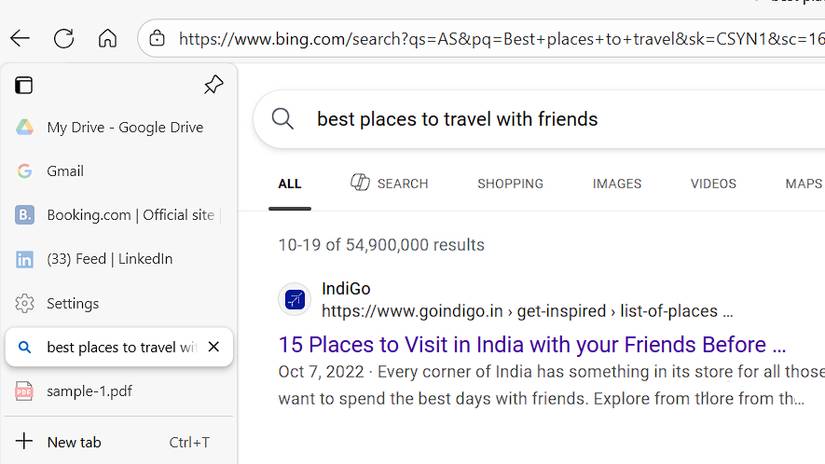
Sleeping Tabs makes Edge a more efficient browsing experience. Unlike other browsers, which keep tabs running in the background, consuming data and resources, Edge's approach allows for more efficient use of resources. But Edge doesn't do that. It puts unused tabs to sleep.
When you leave a tab and don't reopen it for 30 minutes or more, Edge puts it to sleep. It's like closing a tab without actually closing it. The tab freezes where you left it and resumes when you return. This saves resources and prioritizes the main tab you're using.
Collections
Scrapbook built into browser
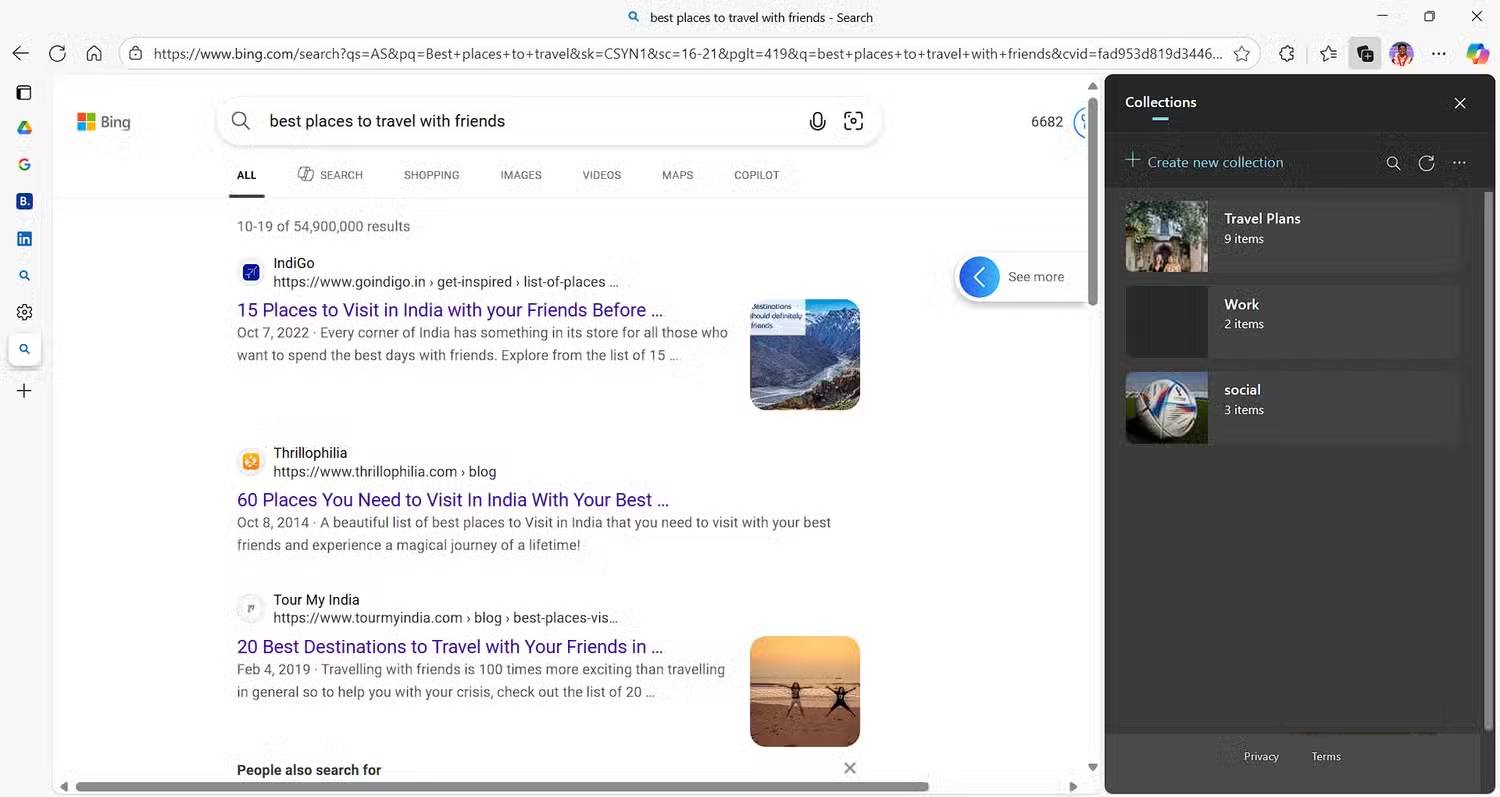
Collections lets you keep everything organized in Edge. Whether it's a web page, an image, a piece of text, or even a personal note, on a pinboard. It saves whatever you want directly to Edge, acting as a personal scrapbook. This helps you organize your research, your trip planning, your study preparation, and anything else You should access a web page or browse content later.
Vertical tab
Change how you switch tabs
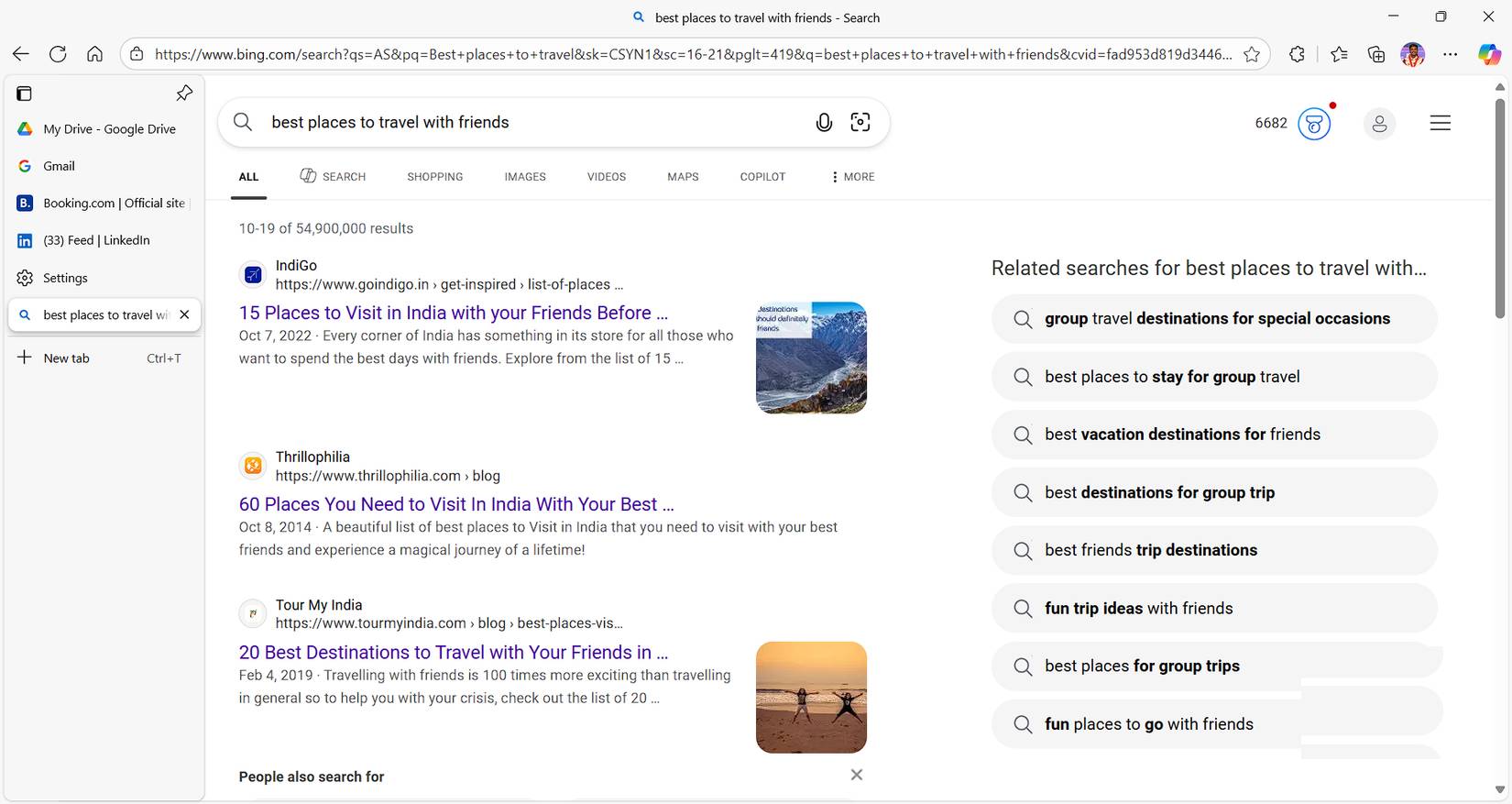
When Edge first introduced vertical tabs, users had to install a Chrome extension to access the feature. It's a great addition that saves screen space while browsing and greatly improves convenience. With vertical tabs, you get a neat layout, with tabs arranged vertically on either side of the screen.
Resource efficiency
Focus resources on what matters
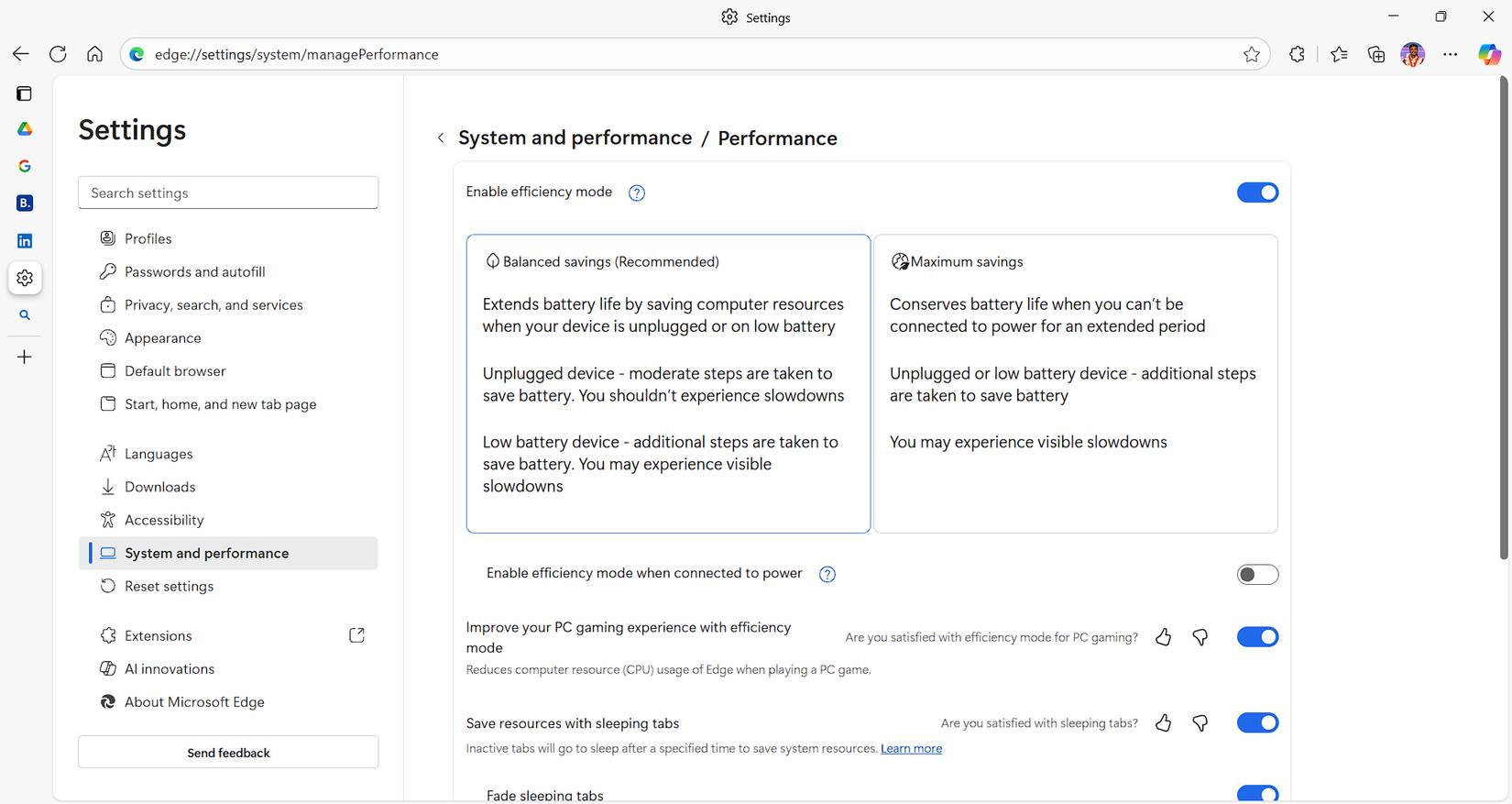
Microsoft Edge is largely built on the Chromium open-source project, just like Google Chrome. But Microsoft has optimized it to be more resource-efficient on Windows. Edge has an Efficiency mode that can automatically launch and manage tabs when it detects low battery, suspending inactive tabs and stopping background processes, thus extending battery life and consuming less resources like CPU, GPU, and RAM.
This mode is especially useful when using a laptop without a charger or while traveling.
Advanced PDF tools
Make the most of your PDF documents right in your browser
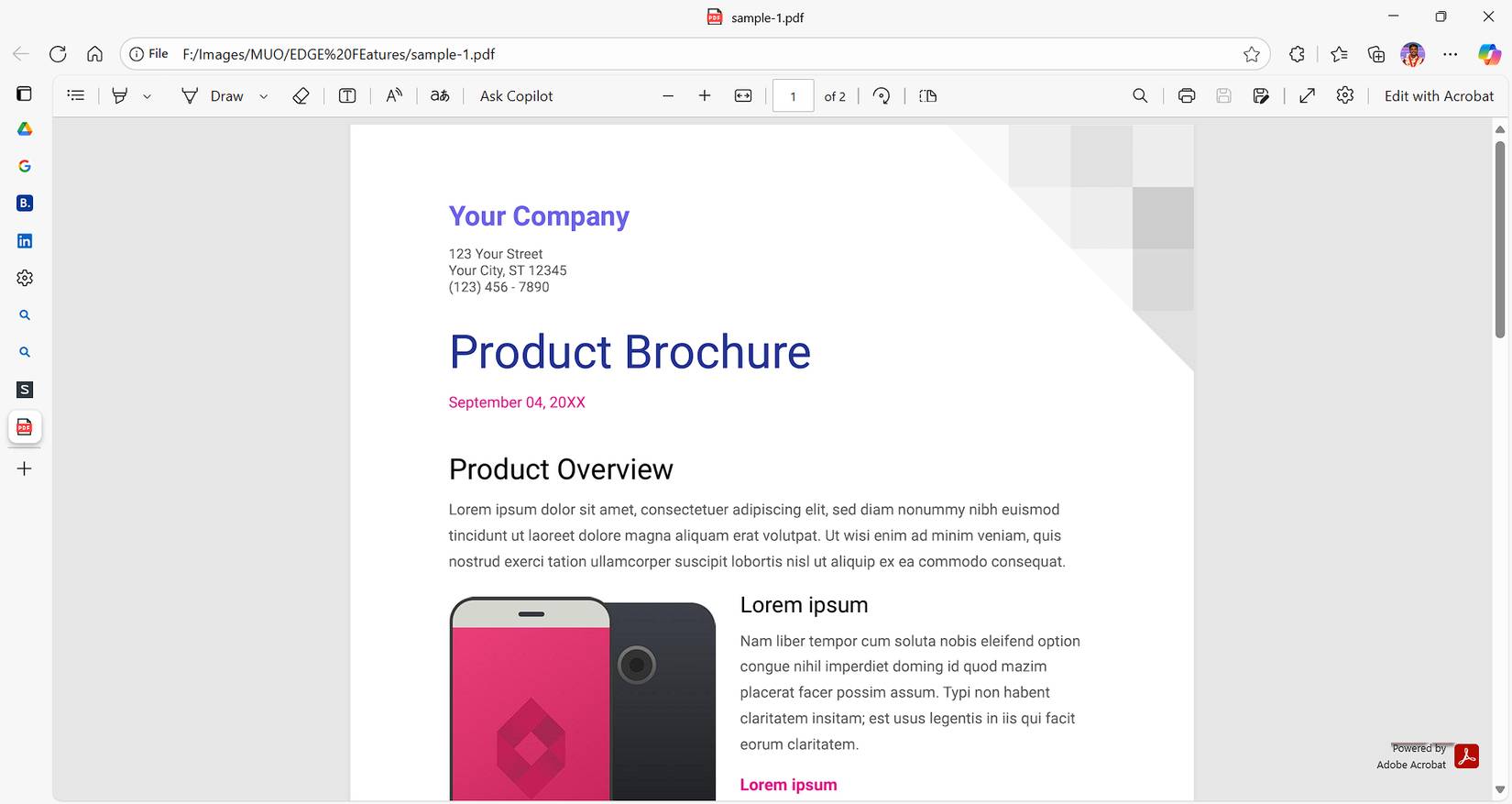
Edge's enhanced PDF tools provide a powerful built-in PDF reader and editor that goes beyond Chrome's basic PDF viewing capabilities. Edge's PDF reader and editor are powered by Adobe, allowing seamless annotation, editing, signing, and interaction without the need for extensions or external apps.
With the latest Copilot integration, Microsoft has also enabled features like automatic table of contents, read aloud, and document summaries, helping users quickly grasp the main idea of a document.
AI Copilot Integration
AI is really helpful when browsing the web
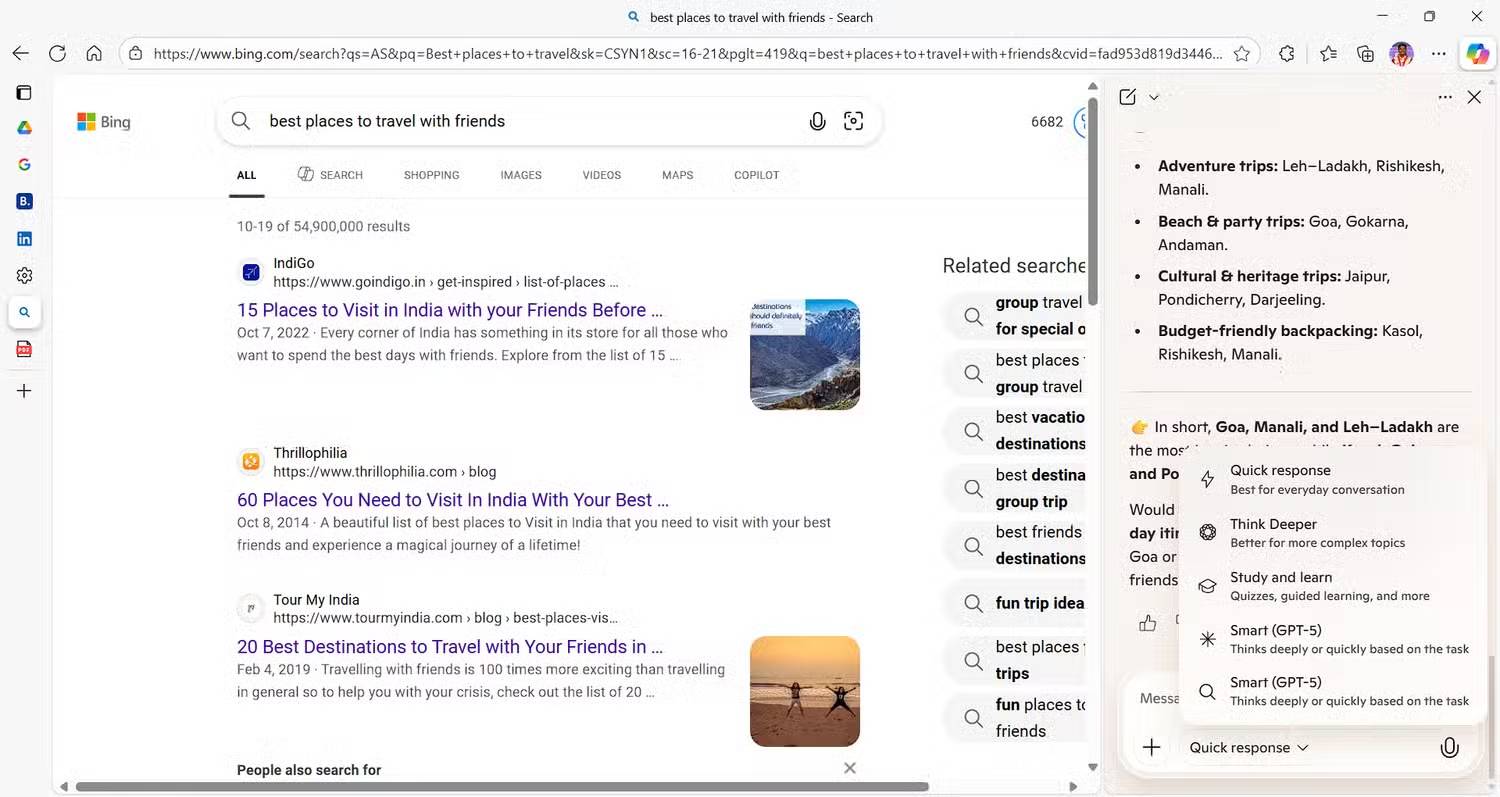
To address Google 's newly improved Gemini AI Assistant, Microsoft has started rolling out Copilot AI across its products, including the Edge browser, which recently integrated Copilot AI with a host of new features. It has changed the way people browse the web. With features like context and multi-tab inference, Copilot analyzes and compares content across open tabs, such as adjusting lists or searches, eliminating the need to manually switch between them while browsing.
While you can add any number of features with Chrome's impressive extensions, Edge is no longer just the default browser that comes pre-installed on Windows; it's fast, packed with essential features, and is winning over many daily users. If you're tired of the bland Chrome experience, give Edge a try—it's worth switching for a smoother, more intuitive web experience.
FAQ
What should you know about the options in this guide?
In practical terms, edge's features are great, and it has a lot of features that are missing from Chrome, so many people decide to give Edge a chance.
Which option is the best choice?
The best choice depends on your priorities, compatibility, budget, and the specific features discussed in the comparison.
What should you compare before deciding?
Compare core features, limitations, ease of use, compatibility, and long-term value before making a decision.
Related Articles
 Microsoft Announced the Feature Update Roadmap for Microsoft6 minutes read
 Microsoft Edge Has More Features to Help Limit Zero-Day Exploits3 minutes read
 Microsoft Edge Is About to Add a Series of Features to4 minutes read
 Edge: Complete Guide: Microsoft Edge Is About to Integrate YouTube with3 minutes read
 Why Shouldn't You Trust Microsoft Edge's VPN: Key Reasons Explained7 minutes read
 Edge Chromium Is Adding Many Useful New Features3 minutes read
Reader Comments 0
Sign in with email or Google to join the discussion.