Table of Contents
IOS has a feature called Live Activity, which shows real-time updates from apps like workouts, sports scores, trip tracking, or deliveries right on the lock screen.
IOS has a feature called Live Activity, which displays real-time updates from apps like workouts, sports scores, trip tracking, or deliveries right on the lock screen. If you find these notifications are no longer necessary, you should turn them off so they don't bother you, as shown In this guide.
Instructions to turn off direct activities on iPhone lock screen
Step 1:
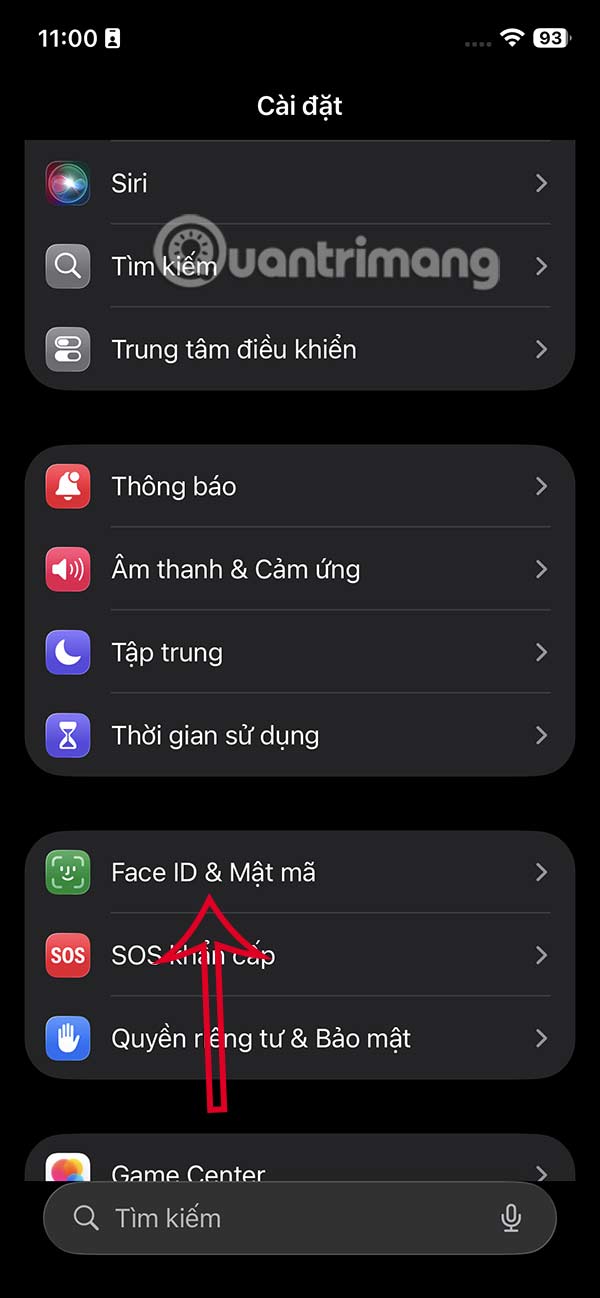
Go to Settings and select Face ID & Passcode . Now enter your iPhone password or Face ID depending on the lock method you used.

Step 2:
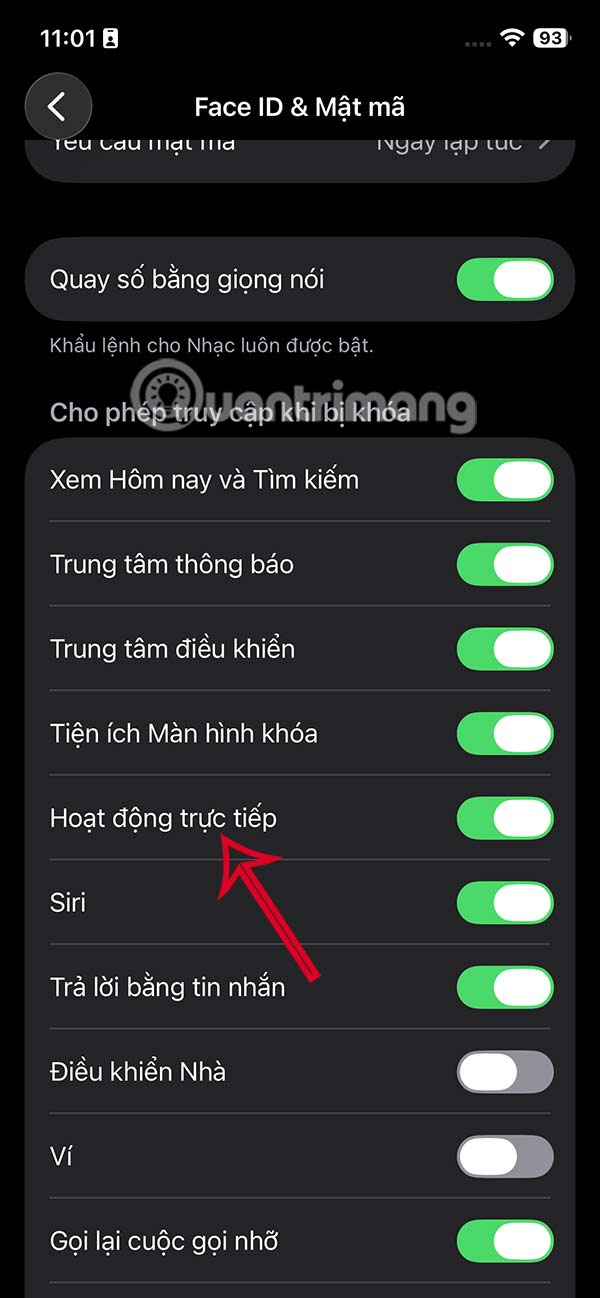
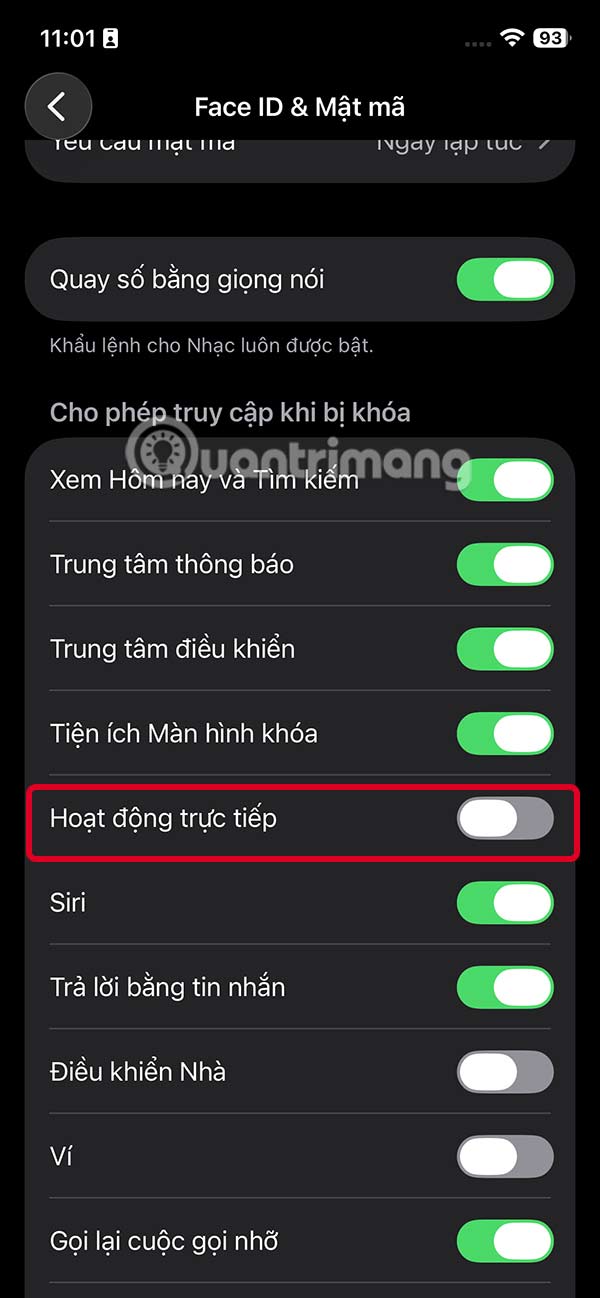
Go to the settings interface as shown, scroll down below you will see the item Allow access when locked and below Or live dynamic is being activated.
Now you should turn off the Direct Action setting to not use and not display notifications of direct activities on the iPhone lock screen anymore.
FAQ
How do you turn off live activity on iPhone lock screen: step-by-step guide?
In practical terms, iOS has a feature called Live Activity, which shows real-time updates from apps like workouts, sports scores, trip tracking, or deliveries right on the lock screen.
What should you check before getting started?
Review the requirements, compatible device or software version, and any warnings described in the guide before making changes.
What should you do if the steps do not work?
Repeat the steps in order, confirm that your app or system is up to date, and review the troubleshooting details provided above.
Related Articles
 How to Turn Off Screen Lock Sounds for iPhone and iPad5 minutes read
 How to Take Live and Animated Photos on iPhone6 minutes read
 How to Turn Off Callback Right from iPhone Lock Screen: Step-by-Step Guide3 minutes read
 How to Turn Off App Notifications from iPhone Lock Screen3 minutes read
 How to Turn Off Lock Screen Blur Effect on iPhone3 minutes read
 How to Turn on the Search Box on the Lock Screen on Windows 105 minutes read
Reader Comments 0
Sign in with email or Google to join the discussion.