Table of Contents
By default, iPhone allows you to return missed calls from the iPhone screen. If you are concerned about privacy, you should turn off returning missed calls from the iPhone lock screen.
By default, iPhone lets you call back missed calls from the iPhone screen without having to directly access the Phone application to do so. However, many people are concerned about the privacy of this feature, or want to limit the possibility of others accidentally pressing to make a call right from the lock screen. Below are instructions to turn off calling back missed calls from the iPhone lock screen.
Instructions to turn off callback from iPhone lock screen
Step 1:
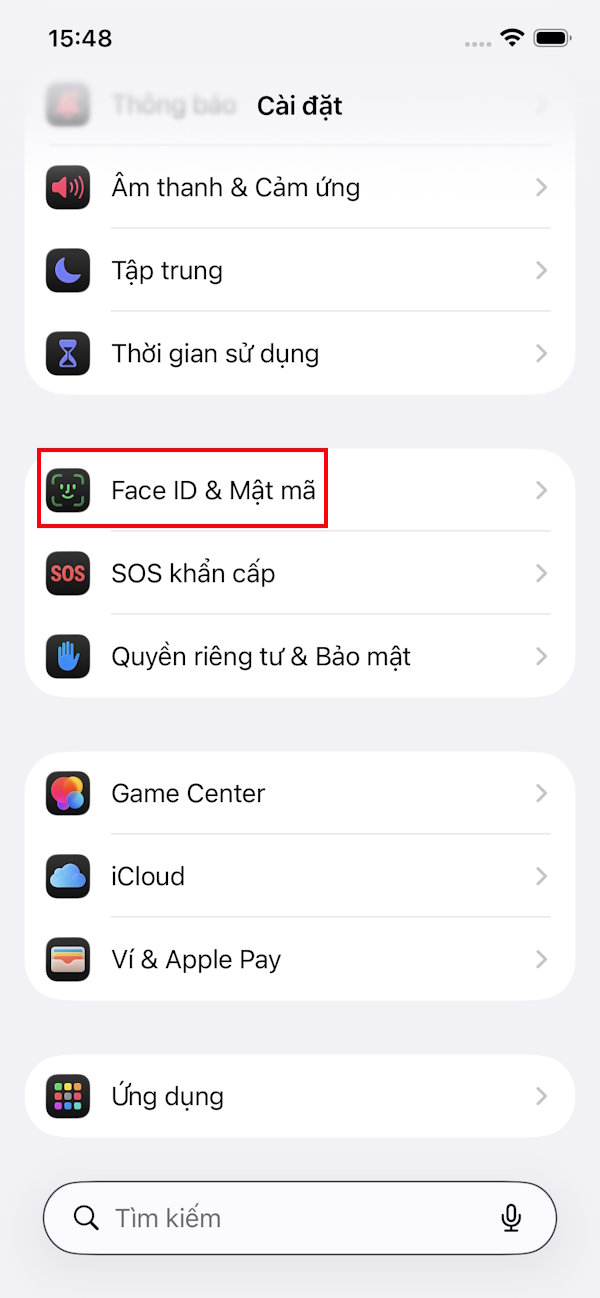
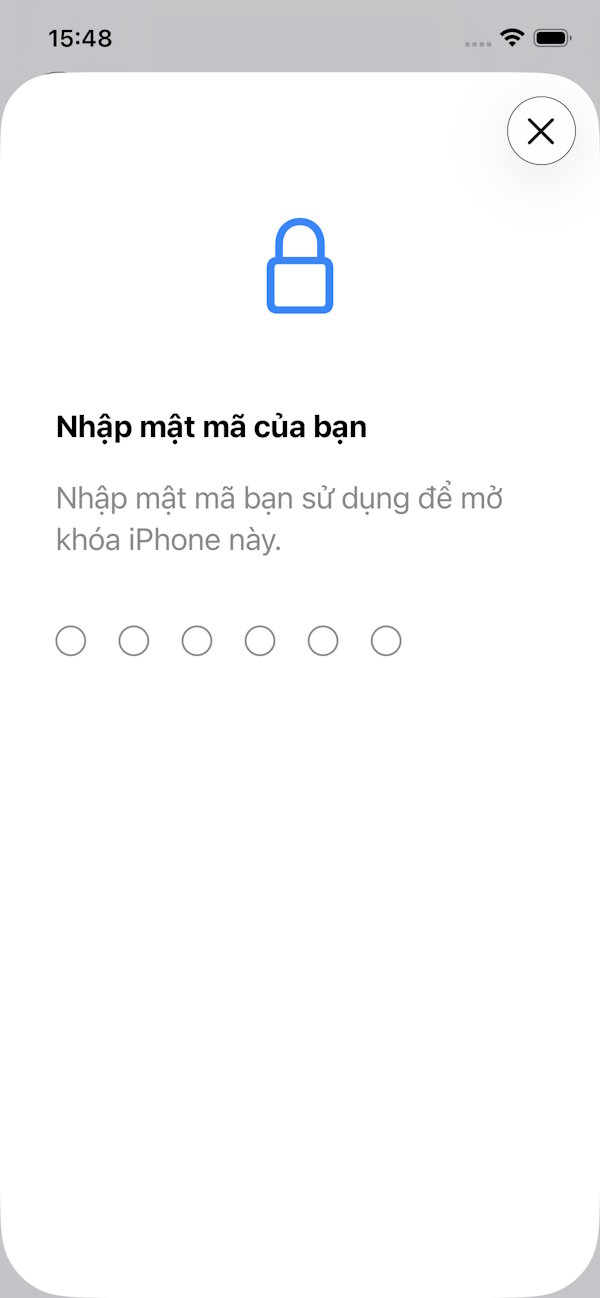
You access Settings on iPhone then Tap on Face ID & Passcode . At this point you are asked To enter your iPhone password Or Face ID depending on the current security settings on the phone.
Step 2:
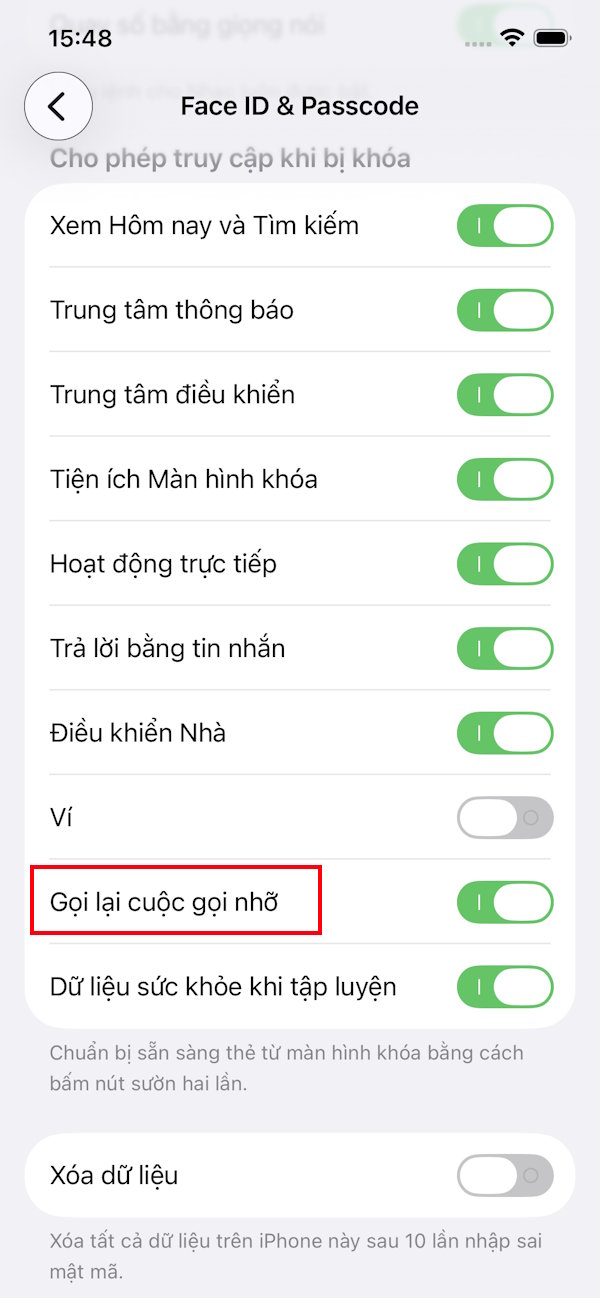
Switch to the new interface, scroll down to The Allow access when locked group And find The Missed Call Return setting That is enabled by default on the device to call back right from the iPhone lock screen.
To Prevent others from returning missed calls from the iPhone lock screen, Simply Turn off Return missed calls .
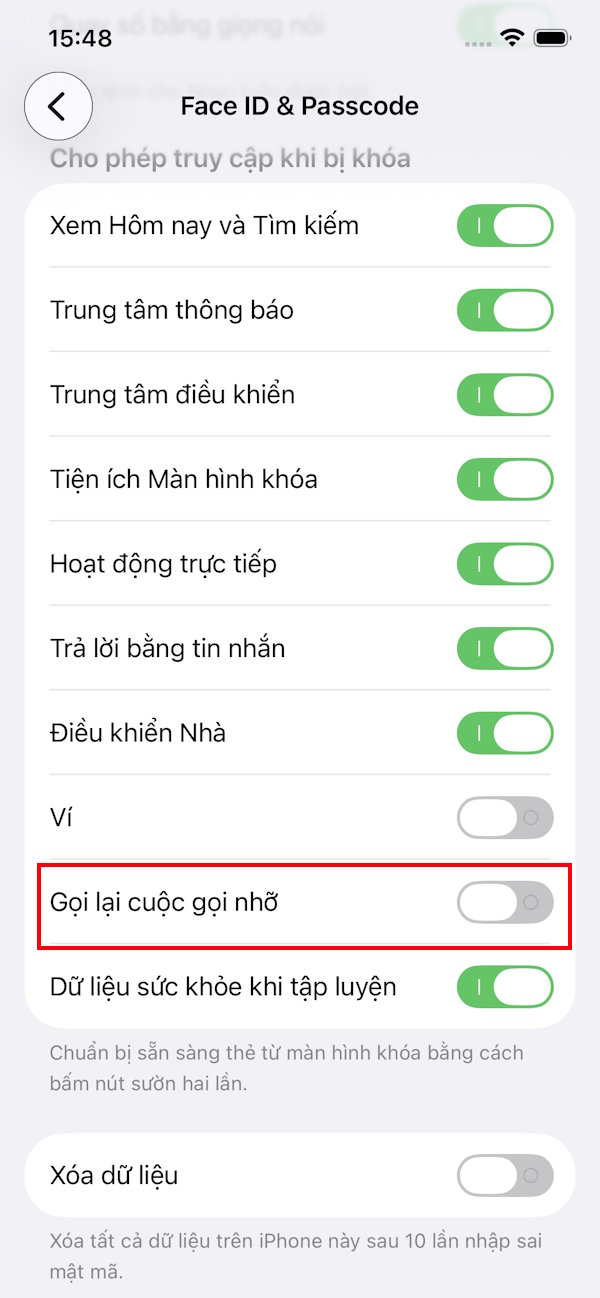
Adding the option to enable or disable missed call return settings from the iPhone lock screen gives users more control over how their device works, and also limits unwanted calls.
FAQ
How do you turn off callback right from iPhone lock screen: step-by-step guide?
In practical terms, by default, iPhone allows you to return missed calls from the iPhone screen. If you are concerned about privacy, you should turn off returning missed calls from the iPhone lock screen.
What should you check before getting started?
Review the requirements, compatible device or software version, and any warnings described in the guide before making changes.
What should you do if the steps do not work?
Repeat the steps in order, confirm that your app or system is up to date, and review the troubleshooting details provided above.
Related Articles
 How to Secure Missed Calls on iPhone Lock Screen: Step-by-Step Guide3 minutes read
 How to Turn Off Screen Lock Sounds for iPhone and iPad5 minutes read
 Never Forget Missed Calls on iPhone with This Feature3 minutes read
 How to Turn Off Live Activity on iPhone Lock Screen: Step-by-Step Guide2 minutes read
 How to Turn Off App Notifications from iPhone Lock Screen3 minutes read
 How to Turn Off Lock Screen Blur Effect on iPhone3 minutes read
Reader Comments 0
Sign in with email or Google to join the discussion.