Table of Contents
Threads is also updated with many interesting features for users such as turning off online status to protect your privacy. Just like turning off online Instagram or other social networks, when you are online Threads you will see a green circle icon on your profile picture so that your friends know whether you are using the application or not. However, many people who want to keep their privacy can also turn off Threads online status according to the instructions below.
Instructions to turn off online status Threads
Step 1:
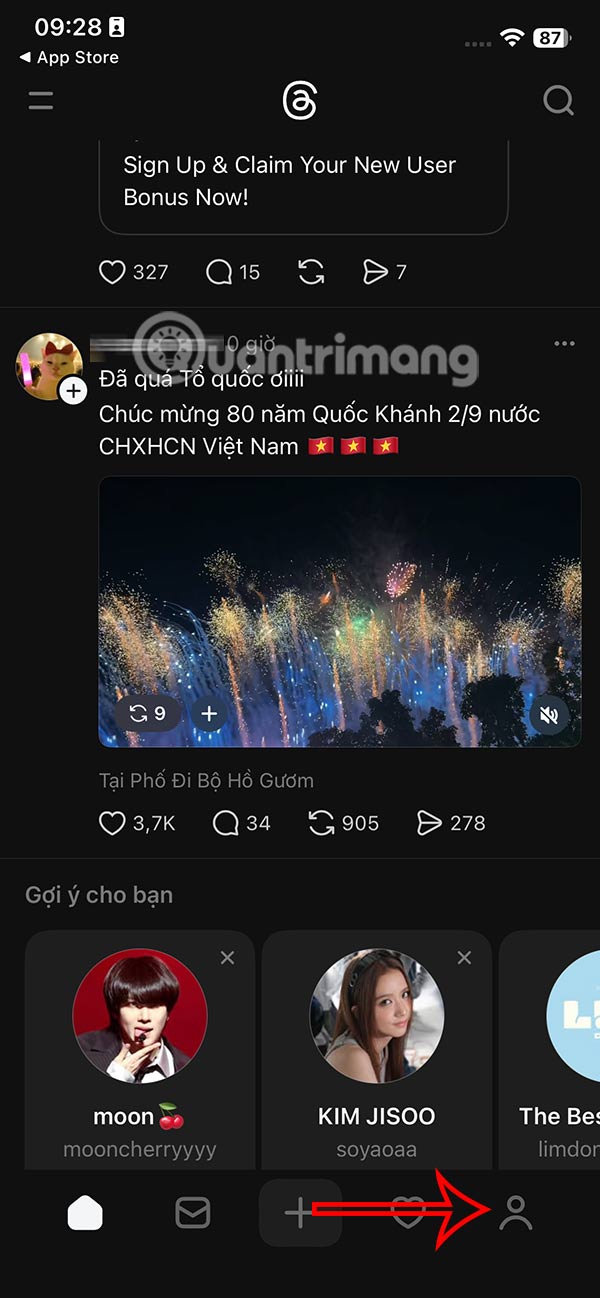
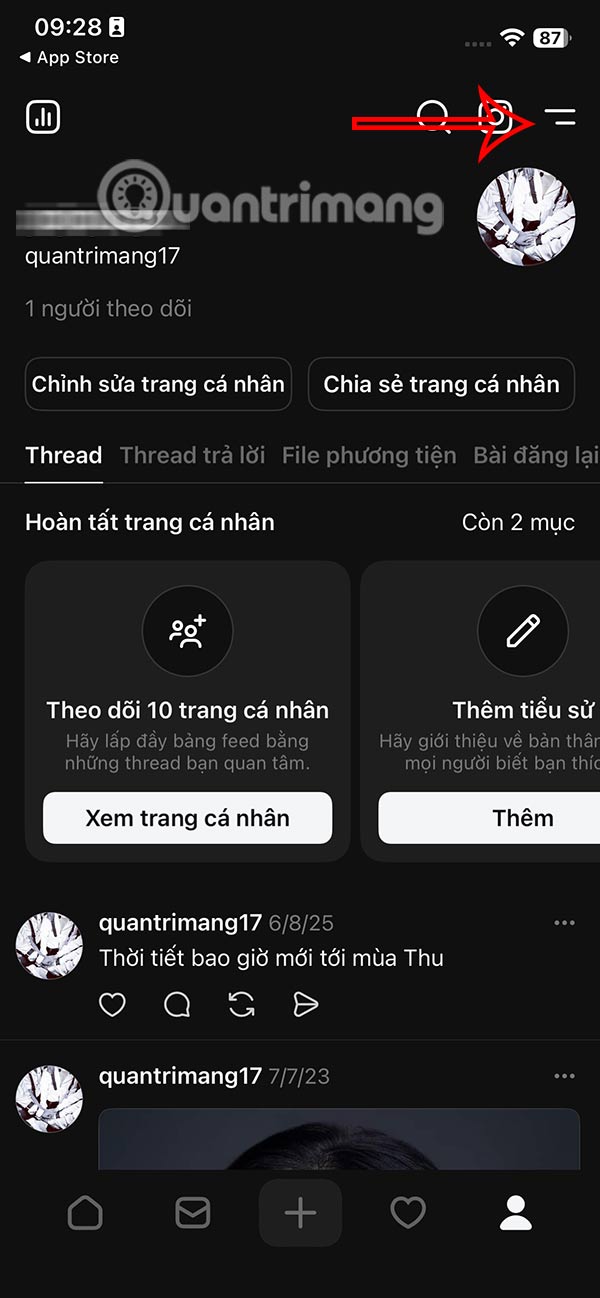
At the Threads application interface, users select the personal icon . Switch to the new Threads interface, we select the 2-dash icon .
Step 2:
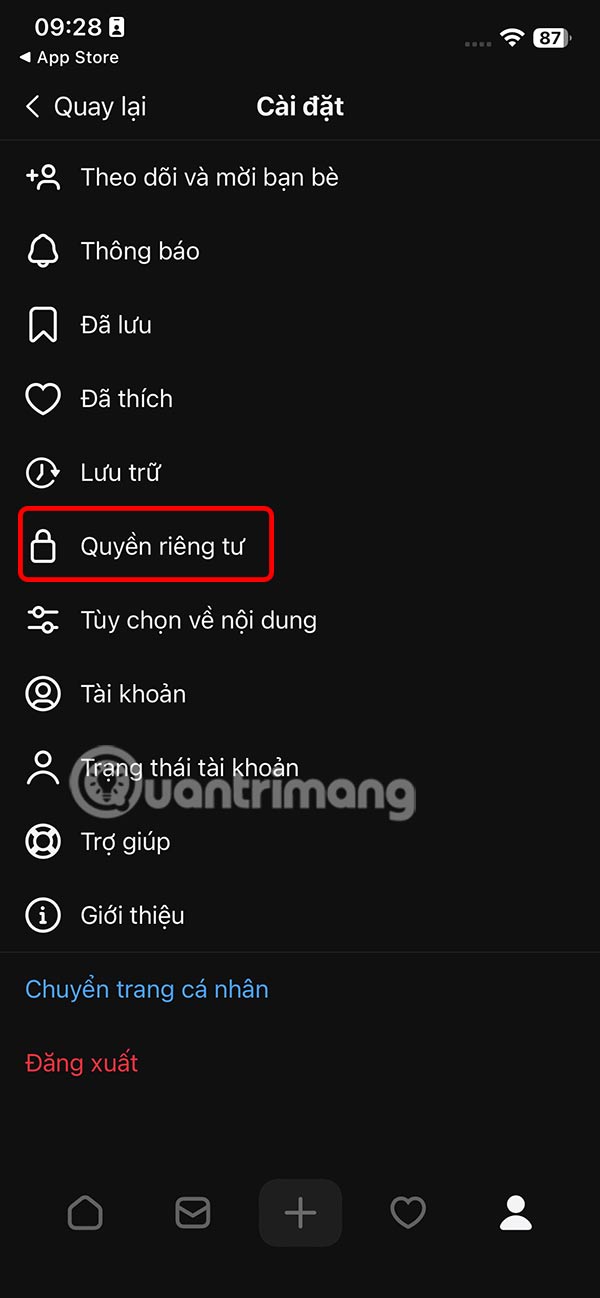
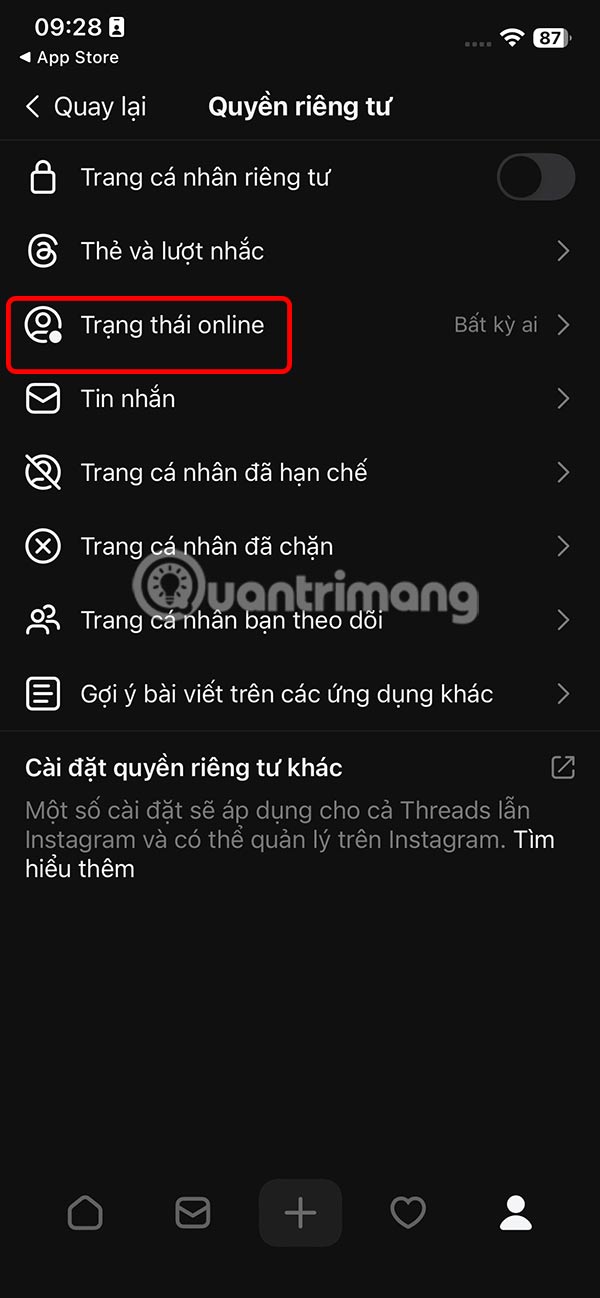
Switch to the settings interface for the Threads account, select Privacy to adjust. Then you will see the privacy settings for the Threads account, we select Online Status to adjust.
Step 3:
By default, when you leave anyone on, everyone will know that you are online using your current Threads account. To turn off Threads online status, switch to No One mode .
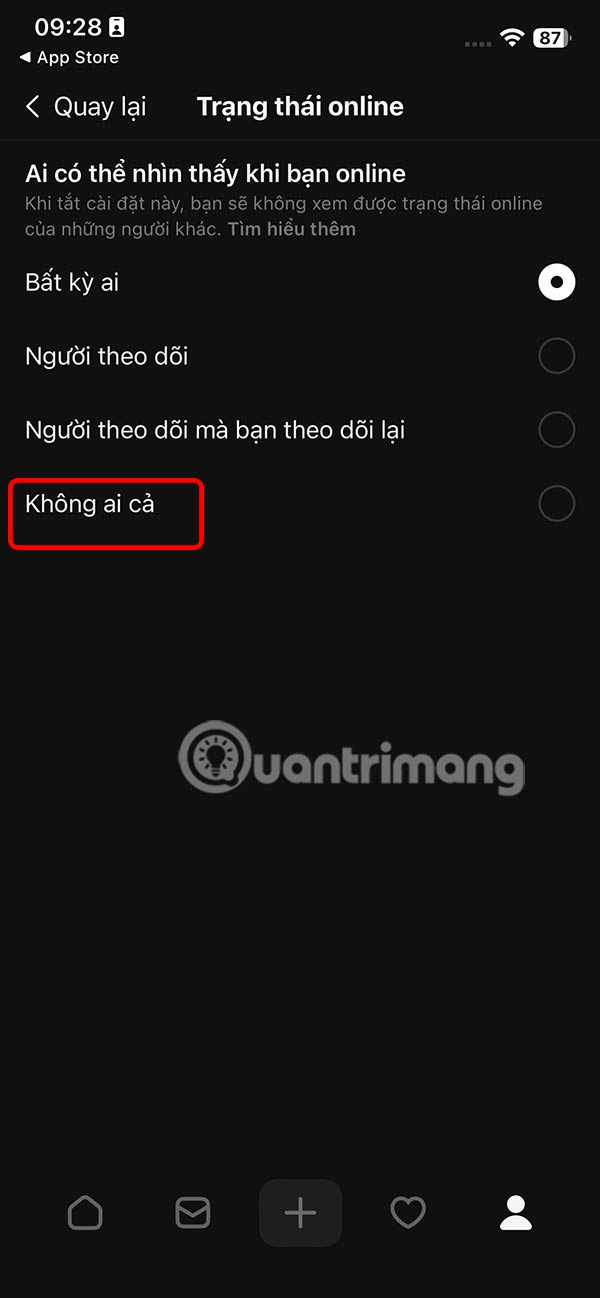
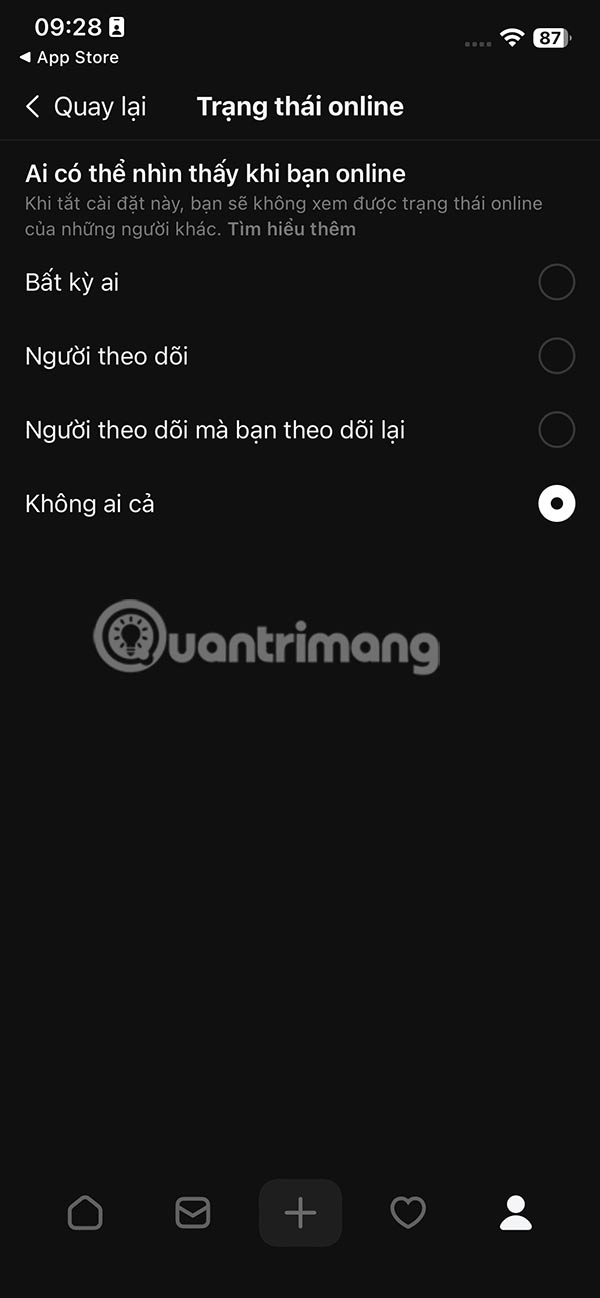
Then no one will know you are using Threads to message on Threads, bothering you. However, users need to note that when you turn off Threads online status, you will not see other people's online status.
Final Thoughts
Following the steps in order and checking version-specific settings should make it easier to Turn Off Threads Account Online Status. If an option looks different, verify the device, app, or operating-system version before changing additional settings.
FAQ
What is the best way to Turn Off Threads Account Online Status?
Start with the requirements described in the article and follow the steps in order. Threads is also updated with many interesting features for users such as turning off online status to protect your privacy.
What should you know about Instructions to turn off online status Threads?
At the Threads application interface, users select the personal icon. Switch to the new Threads interface, we select the 2-dash icon.
What should you do if the instructions do not match your screen?
Check the device, software version, account permissions, and regional settings. Interfaces can change after updates, so use the closest matching option and consult the official support documentation when necessary.
Related Articles
 minutes read
 How to Adjust the Threads Account Name Tag Mode3 minutes read
 How to Turn Off Online Status on Whatsapp3 minutes read
 What's Coming to Threads9 minutes read
 How to Change Threads Account, Threads Account Transfer Instructions4 minutes read
 How to Block Tags from Your Threads Account3 minutes read
Reader Comments 0
Sign in with email or Google to join the discussion.