Table of Contents
This practical guide explains how to translate powerpoint presentations using AI. Follow the steps in order, review the requirements first, and use the troubleshooting notes when a setting or option does not work as expected.
Translate PowerPoint slides using Microsoft Copilot
If you use Microsoft 365, you can use Copilot to translate PowerPoint slides. Open the PowerPoint slide and then click the Copilot button on the toolbar. Then on the right side of the interface, select the language you want to translate and select Translate to perform.
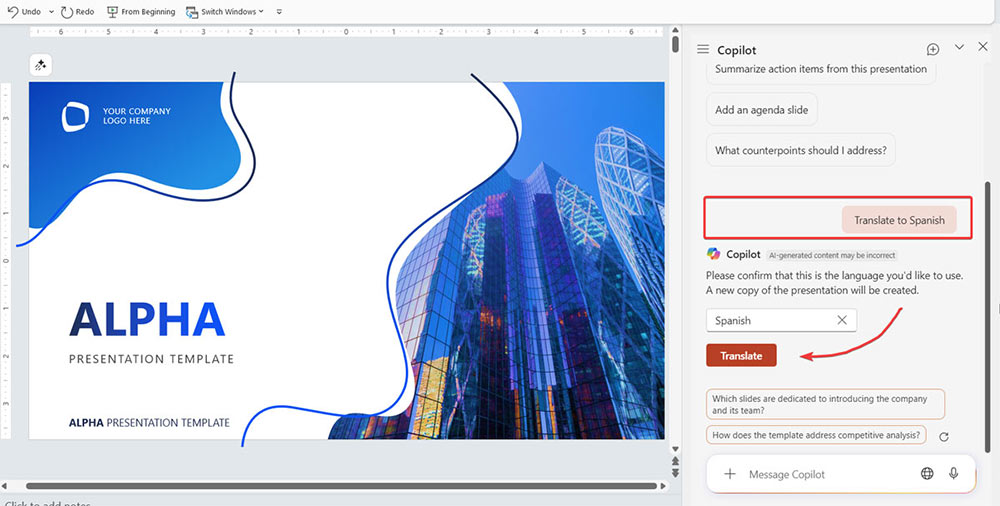
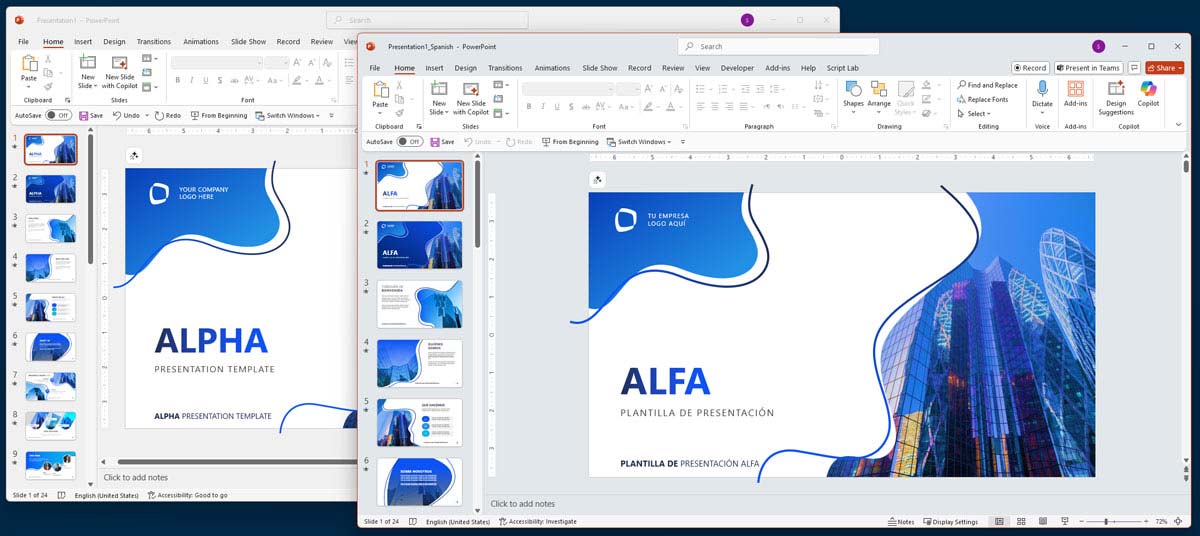
Copilot rewrites the entire text, each slide, while preserving the layout and design of the presentation.
Use Google Translate tool to translate PowerPoint slides
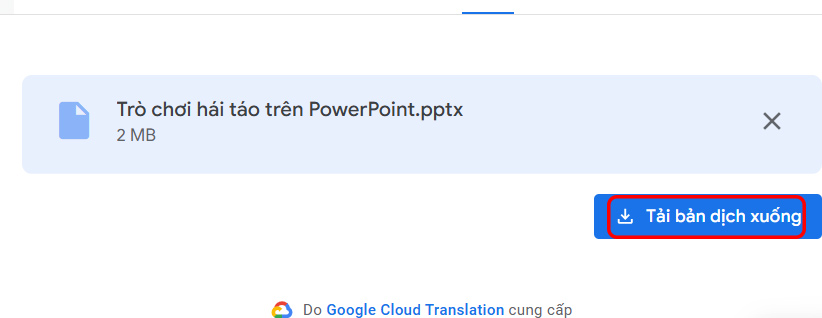
You can use Google Translate to translate PowerPoint documents. Just upload the presentation file directly to Google Translate, select the language you want to translate, and you're done.
The result is that you get a presentation file in the new language you selected to download and use.
FAQ
What should you know about translate PowerPoint slides using Microsoft Copilot?
If you use Microsoft 365, you can use Copilot to translate PowerPoint slides. Open the PowerPoint slide and then click the Copilot button on the toolbar. Then on the right side of the interface, select the language you want to translate and select Translate to perform.
What should you know about use Google Translate tool to translate PowerPoint slides?
You can use Google Translate to translate PowerPoint documents. Just upload the presentation file directly to Google Translate, select the language you want to translate, and you're done.
What does this guide cover?
This guide explains translate powerpoint presentations using AI, including the main steps, important details, and practical considerations.
Related Articles
 PowerPoint 2019 (Part 1): Getting Started with PowerPoint: Explained7 minutes read
 10 Useful Tips for You When Presenting with Powerpoint15 minutes read
 50 Alternative Slideshow Applications for PowerPoint10 minutes read
 PowerPoint 2019 (Part 32): Sharing Presentations Online: Explained5 minutes read
 How to Make PowerPoint for Beginners: How to Use PowerPoint8 minutes read
 PowerPoint 2019 (Part 10): Printing Your Presentation: Explained4 minutes read
Reader Comments 0
Sign in with email or Google to join the discussion.