Table of Contents
Google has quietly transformed Drive into something akin to a brain—it can search, read files, understand your context, and provide answers without you having to search yourself.
Google Drive has long been likened to a digital drawer. With the sheer volume of documents we process daily, it quickly becomes a drawer overflowing with miscellaneous items. Many people meticulously organize their Google Drive, with properly structured folders and file names. Drive's search bar is also excellent. But it has never truly felt like a second brain.
Gemini is changing that. Google has quietly transformed Drive into something akin to a brain—it can search, read files, understand your context, and provide answers without you having to search yourself. Now, there's more than one way to turn it into a smart assistant, both in Workspace and through Gemini. You'll need a Google AI package for this integration.
For more context before choosing a tool, compare Claude and ChatGPT and review these practical AI tools for students.
Add from Drive for instant access to any document.
Get context from existing files to get an accurate answer.
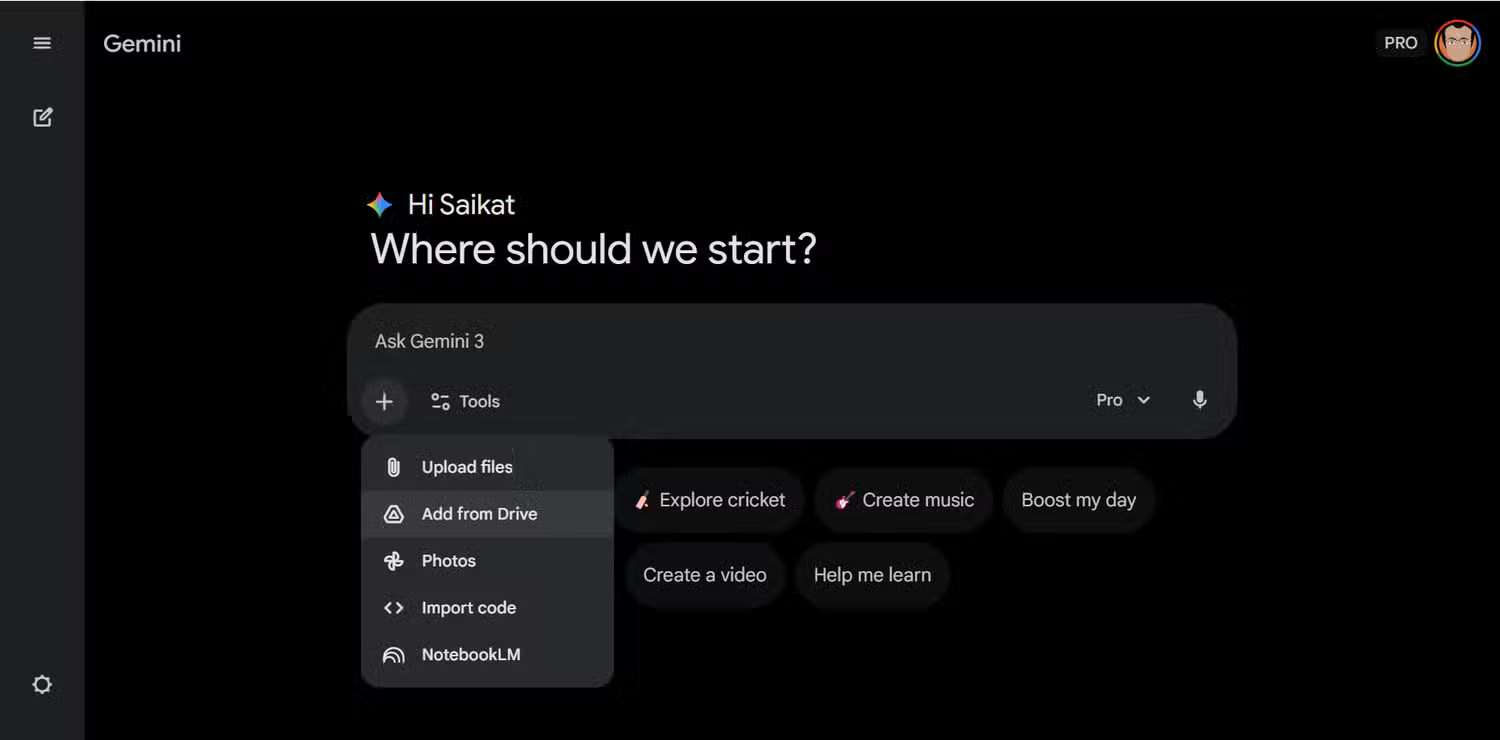
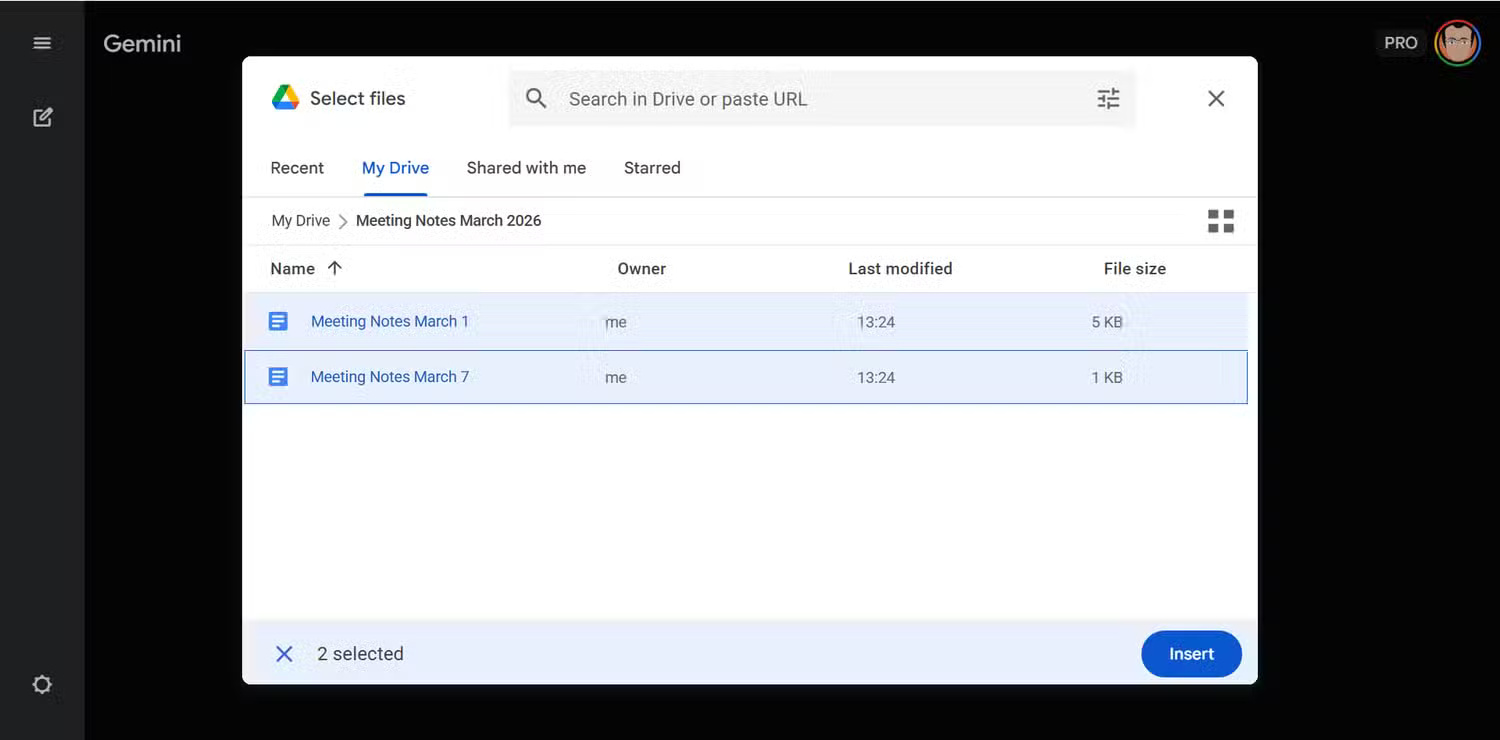
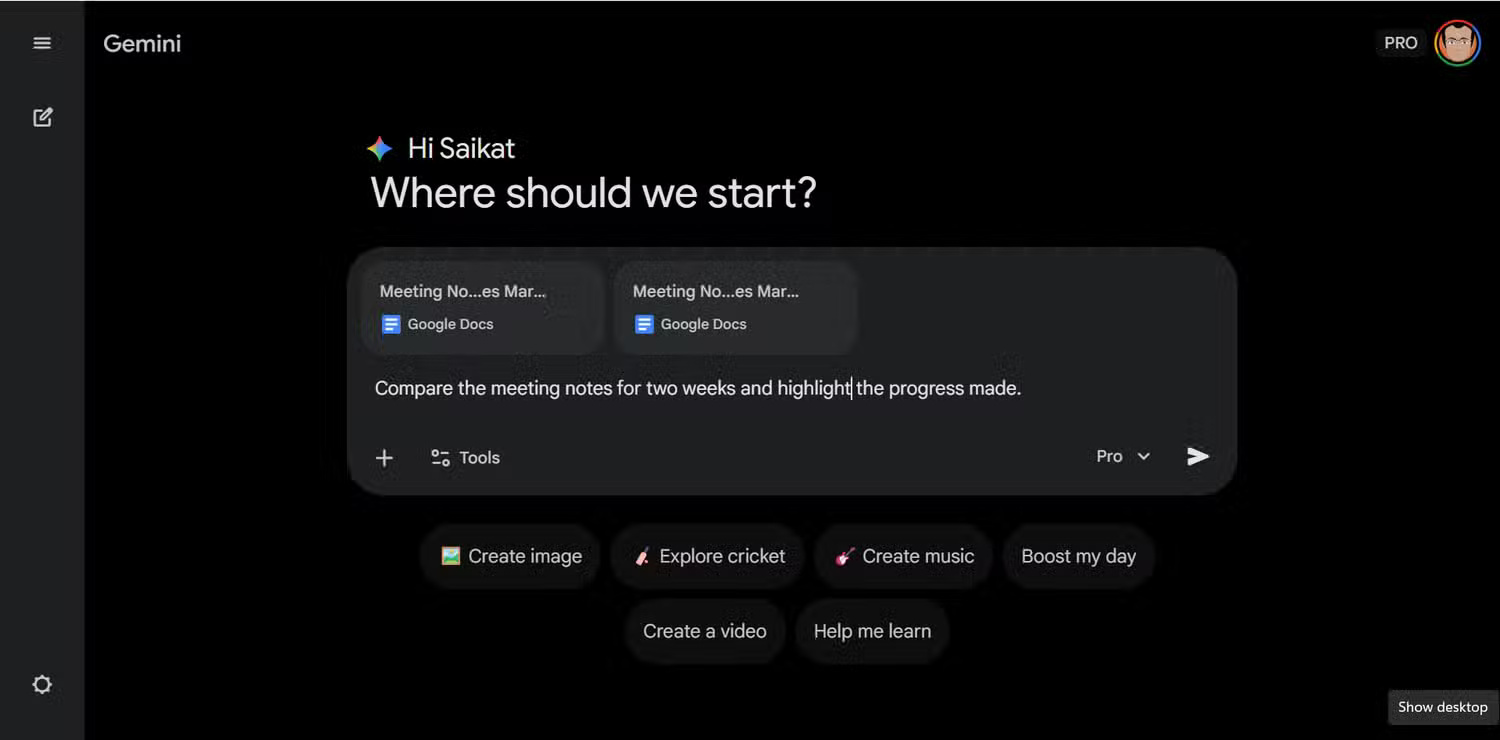
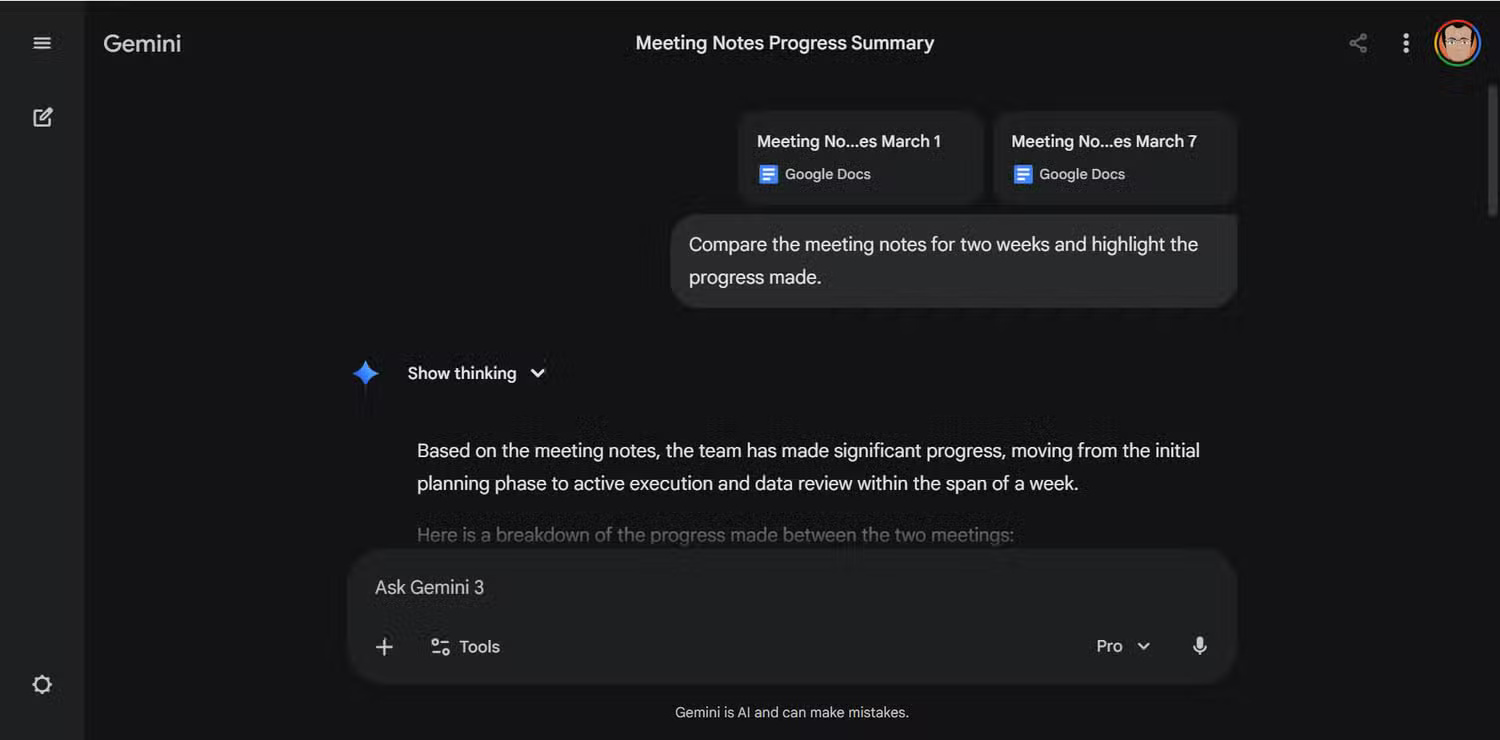
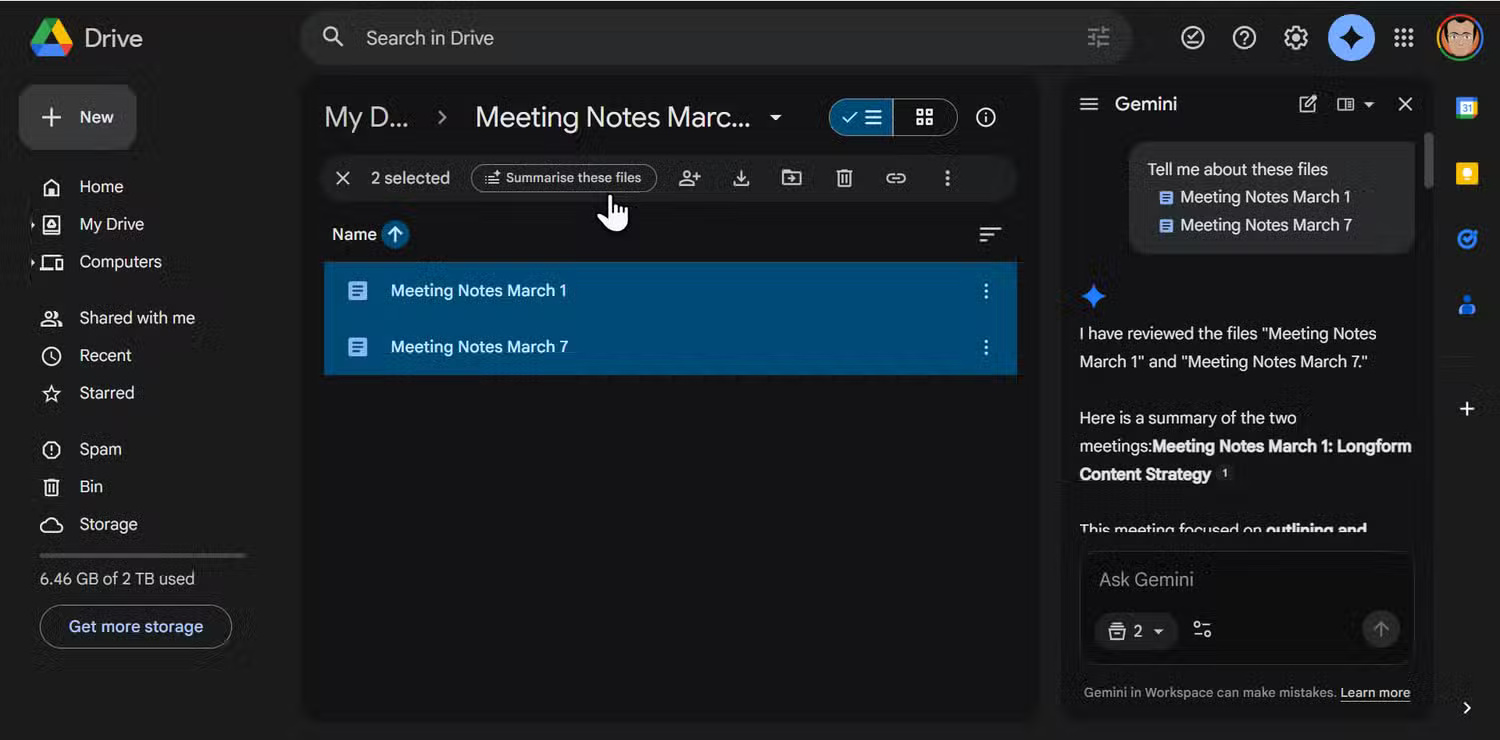
Gemini's Add from Drive feature lets you drag any file stored directly into your chat session. Click the + icon in Gemini, select Add from Drive, choose your file, and press Insert. Gemini will load the file as a live context file immediately. It supports Google Docs, Sheets, Slides, PDF, and CSV without conversion, and you can add multiple files at once to compare or combine them.
However, this feature works best when your files are relatively well-structured. Poorly written notes in Google Docs will turn into an incomprehensible wall of text. Gemini will still do its best, but the quality of its response depends on the quality of your source document. Regarding security, since you have complete control over what it reads, you should avoid uploading truly private documents to Google Drive in the first place.
Tip: When using the Add from Drive feature, insert two or more versions of a document and have Gemini compare them directly instead of reading each version manually.
AI Overviews answers questions, not just queries.
Read document summaries directly in search results.
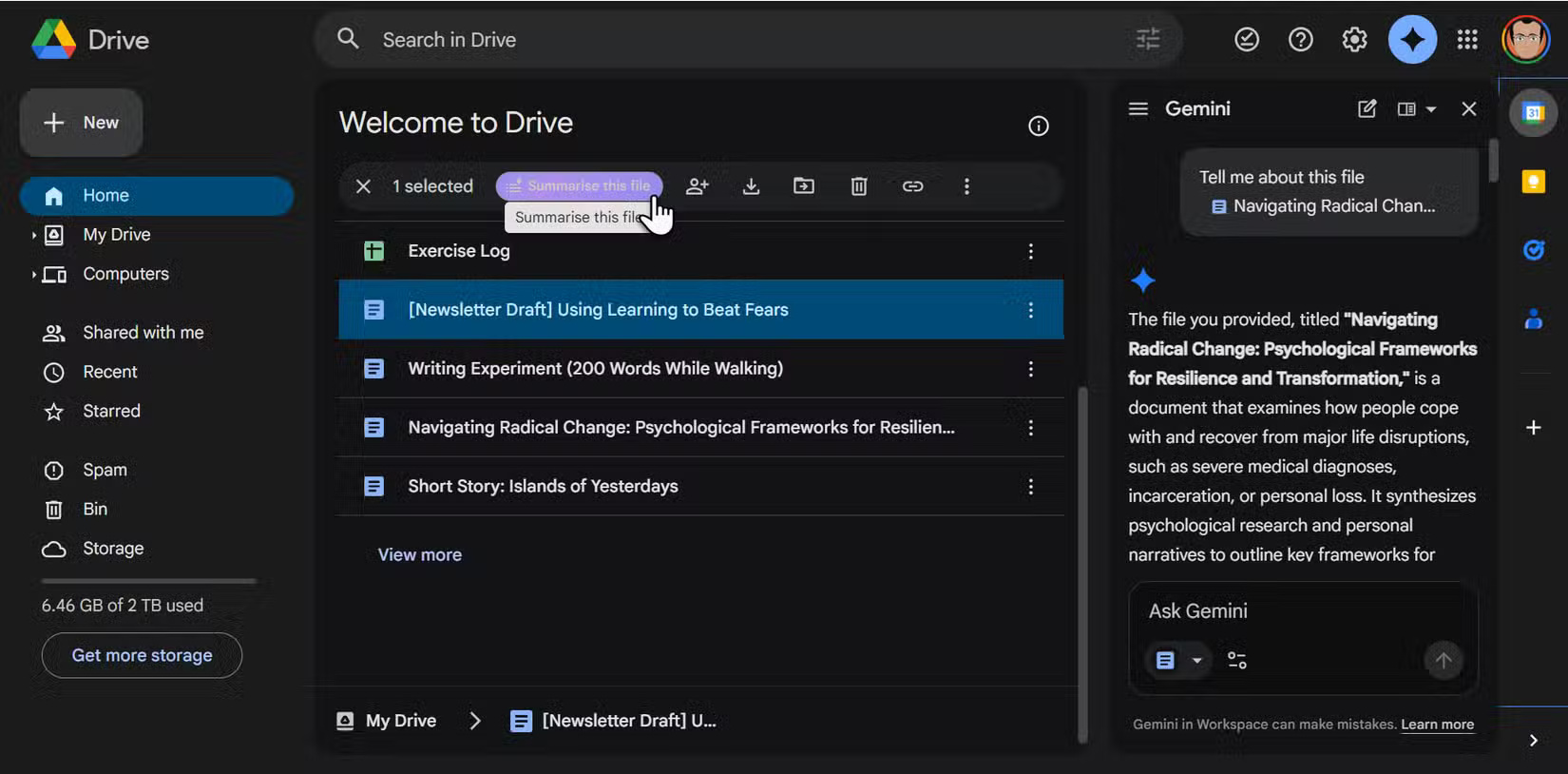
Google has brought its AI Overviews feature from Search directly to Drive. Type your question in natural language into the Drive search bar, and Gemini will generate a summary answer at the top of the results. You can use inline quotes pointing to the exact files it retrieved from. Alternatively, select or right-click any file or folder in Drive and ask Gemini to summarize all the files inside it, then use that summary as a starting point for your next step, such as writing a report or creating a presentation.
It can also pull information from Gmail and Google Calendar, so the answer to the question "What did we agree on at last month's meeting?" can combine documents, emails, and calendar notes. This completely eliminates the time-consuming process of clicking through five documents just to check a small detail.
The Ask Gemini side panel is a useful research tool.
The answer from Google Drive is just one question away.
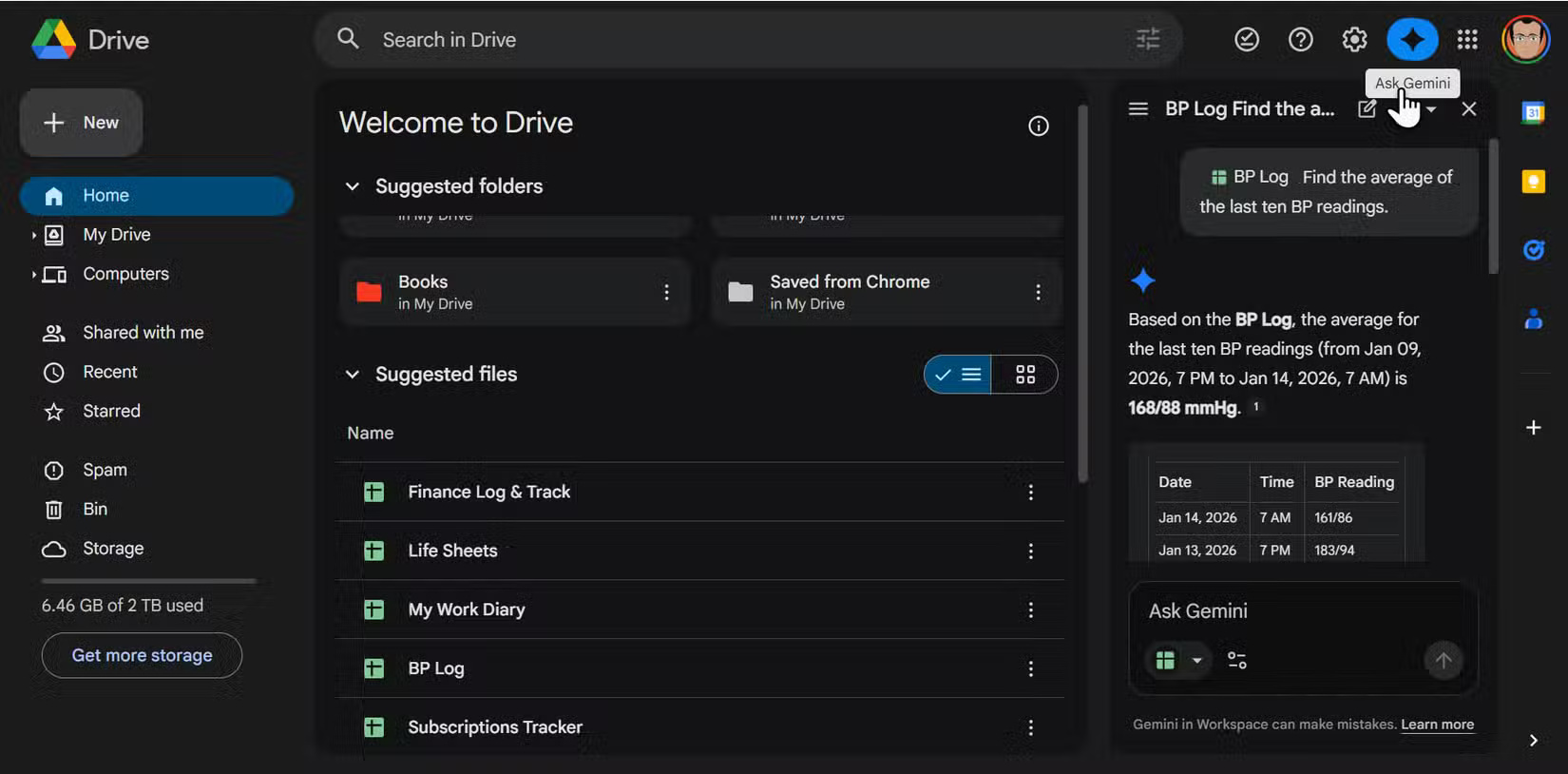
The Ask Gemini side panel is located in the upper right corner of Drive and turns your entire file library into a conversational interface. Creating content with Gemini in Drive is just one of its basic uses. You can ask general questions across your entire Drive or narrow the scope by mentioning a specific file with @filename or @foldername. Like any other Gemini conversation with hints, subsequent questions build on previous answers, so you can connect them across multiple conversations without losing context.
Tip: You can even perform simple sorting, instructing Gemini to move files or create new folders in the sidebar using commands like "Move @[Filename] to @[Foldername]" without using the mouse.
Try asking Google Drive to plan your week ahead!
Open Google Drive today, select your upcoming project files, and ask Gemini to create a prioritized to-do list for the coming week. Or, simply summarize a folder full of documents to grasp the main points. It's a small way to experience AI automation and see how many free minutes you can save by no longer having to search for misplaced documents.
Related Articles
 Transform Lesson Content into Catchy Songs Using Gemini: Explained4 minutes read
 4 Google Apps That Work Better with Gemini: Explained5 minutes read
 Quickly Summarize Documents in Google Drive Using Gemini3 minutes read
 How to Build an Effective Knowledge Base for AI Models25 minutes read
 Gemini 3.1 Pro or Gemini 3 Pro: Better?8 minutes read
 4 Google Apps Work Significantly Better with Gemini AI: Explained8 minutes read
Reader Comments 0
Sign in with email or Google to join the discussion.