Table of Contents
Never treat a phone number in an AI-generated answer as verified customer support. AI summaries can repeat incorrect or manipulated information from the web, just as ordinary search ads and results can. Before calling, obtain the number from the company’s official app, a statement or payment card, or a contact page reached through a domain you independently know is genuine.
How the fake-support-number scam works
Scammers publish pages, listings, forum posts, or ads that associate their number with a well-known company. Search systems may rank or summarize that material. An AI overview can make the result look authoritative because it presents a short answer, but generation is not identity verification.
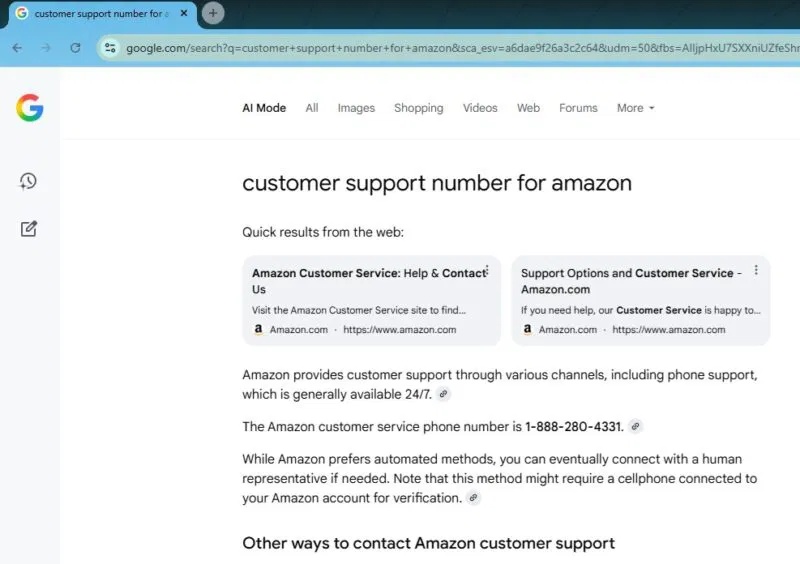
When a victim calls, the impersonator often creates urgency: an account is allegedly locked, a booking must be reissued, a refund is waiting, or money is at risk. The caller may be asked to:
- read a one-time passcode or password;
- approve a login or account-recovery prompt;
- pay by gift card, cryptocurrency, wire transfer, or payment app;
- install remote-access software or share the screen;
- move money to a “safe” account;
- provide card, identity, or banking details.
Find the real contact channel
- Use the official app: open Help, Support, or Contact inside the company’s installed app.
- Type a known domain: enter the company address yourself, then navigate to its contact page. Check spelling and the registrable domain before signing in.
- Use an existing document: check the number on the back of a payment card, a paper statement, product packaging, or a contract.
- Start from a trusted account: sign in through a saved bookmark or official app and open a support case there.
- For government services: begin at the agency’s official government domain, not a number copied from a summary.
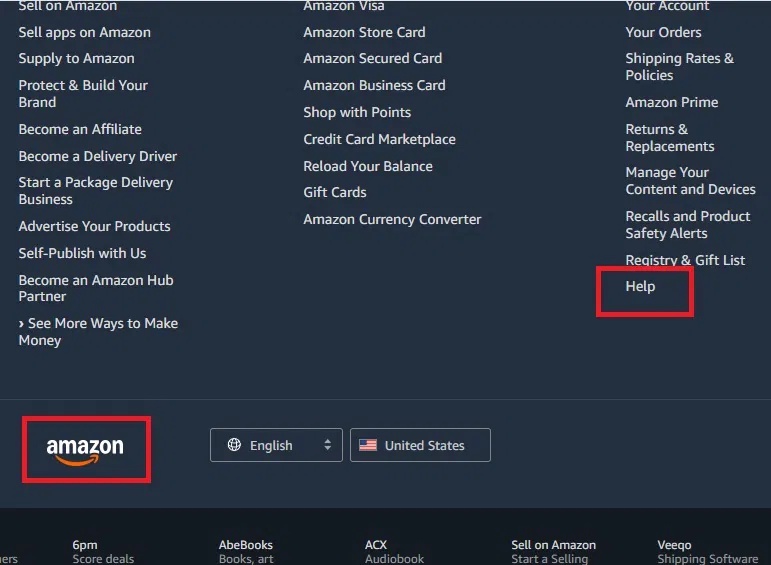
A message already in the inbox is not automatically trustworthy; scammers also spoof email. If using correspondence, confirm its domain and compare the details with the official app or a known statement. TipsMake’s guide to recognizing a phishing email shows common warning signs.
Do not rely on another search result alone
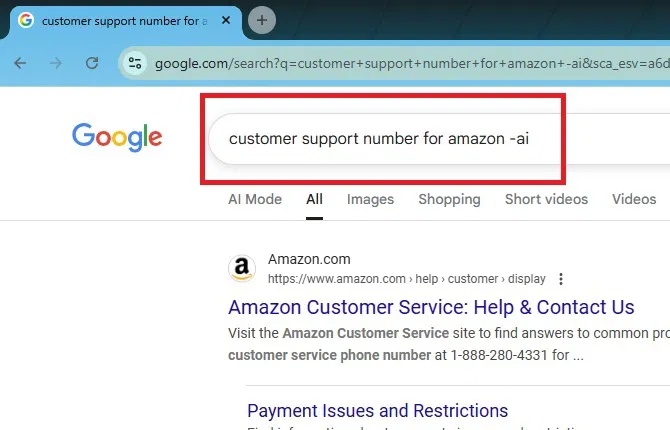
Cross-checking can reveal a mismatch, but several search engines can repeat the same bad source. The safer check is an independent first-party source. Sponsored results, map listings, community answers, snippets, knowledge panels, AI assistants, and caller ID can all be wrong or spoofed.
Adding -AI to a query is not a reliable command for disabling AI answers. Search interfaces and controls change. If Google offers a Web results filter, it can make source inspection easier, but the result still needs a domain check.
Red flags during a support call
- The agent demands secrecy or immediate action.
- The agent asks for a password, full one-time code, recovery code, or security-key approval.
- You are told to install remote-control software or disable security tools.
- A refund requires you to send money first.
- Payment must use gift cards, cryptocurrency, wire transfer, or a personal payment account.
- The caller wants you to move funds to protect them.
- The caller objects when you say you will hang up and contact the company independently.
A caller-ID display matching the company does not prove the call is genuine. Phone numbers can be spoofed. If unsure, hang up and call back using a number obtained independently.
If you contacted a fake support agent
- End the call and disconnect any remote-access session.
- If remote software was installed, disconnect the device from the network and do not use it for account recovery.
- From a clean device, change affected passwords, starting with email and financial accounts. Revoke sessions and rotate recovery codes.
- Contact the bank or card issuer using the number on the card or statement. Ask whether payments can be stopped and whether account details should be replaced.
- Remove remote-access software, run a trusted security scan, and seek technical help if the scammer controlled the device.
- Report the misleading result through the search product’s feedback control and report the impersonation to the company and the appropriate fraud authority.
The U.S. Federal Trade Commission provides additional guidance on scams in online search results and customer-service impersonation.
The simple rule
Use AI and search to understand a problem, not to authenticate a support identity. For any call involving accounts, money, or device access, verify the channel through a known official source before sharing information or taking action.
Related Articles
 Guide to Look up Phone Numbers with Google and Facebook9 minutes read
 Beware of Android Scams!5 minutes read
 Identify Popular Online Scams So as Not to Lose Money Unfairly7 minutes read
 Fake Comments Are Rampant on LinkedIn: Here's What to Watch Out for7 minutes read
 Warning: Cybercriminals Are Targeting Zoom, Google Classroom3 minutes read
 Online Scams: 7 Forms of Fraud, Popular Online Fraud8 minutes read
Reader Comments 0
Sign in with email or Google to join the discussion.