Table of Contents
Artificial intelligence (AI) is becoming a powerful tool in learning, helping students save time, improve research efficiency, and enhance skills in many subjects. From solving math problems and assisting with programming, essay writing, and presentation creation to searching for academic materials, more and more AI tools are being developed to meet diverse learning needs.
Besides popular chatbots like ChatGPT, Gemini, and Microsoft Copilot, there are still many specialized AI platforms designed for specific purposes. In this article, let's explore the TOP 10 best AI tools for students, along with their advantages, limitations, and suitable use cases to help you choose the most effective learning support tool.
A quick comparison of AI tools for high school students
| AI tools | Purpose of use | Limit | Free of charge |
| Google NotebookLM | Study, research, and acquire knowledge. | It takes time to process large amounts of data. | ✅ Yes |
| Natural Reader | Text-to-speech | Limited AI voice options, no text translation support. | ✅ Yes |
| Thetawise.AI | Learning and solving math problems | The free version does not support advanced problems. | ✅ Yes |
| Tutor.AI | Create a learning roadmap for each subject. | File upload size limit | ✅ Yes |
| AskCodi | Learn programming and coding. | There are no free tokens. | ✅ Yes |
| QuillBot | Rewrite the content, improve the wording. | Word count limit in the free version | ✅ Yes |
| Gamma AI | Create presentations using AI. | The free version only allows you to create a maximum of 10 slides. | ✅ Yes |
| Sudowrite | Support for story writing and creative work. | Not suitable for writing emails or assignments. | ✅ Yes |
| SciSpace | In-depth academic research | Usage limits in the free version. | ✅ Yes (credit limit applies) |
| KickResume | Create a professional CV | Many beautiful designs are only available in the paid version. | ✅ Yes |
Google NotebookLM
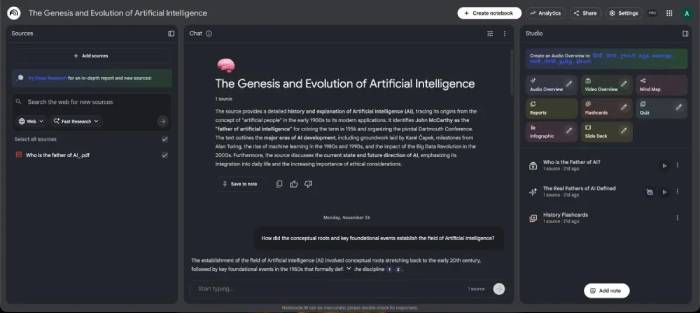
Google NotebookLM is considered one of the best AI tools for students thanks to its ability to help users gain a deep understanding of any topic in an intuitive and accessible way.
Users simply upload notes, project documents, or PDF files, and NotebookLM transforms them into interactive AI podcasts that can be listened to while commuting, exercising, or doing other tasks.
Additionally, the tool can create video summaries of content, generate flashcards for review, and support research and information synthesis extremely effectively.
Notably, NotebookLM is completely free and can be used on both web browsers and mobile devices.
Advantage
- Learning is visual and engaging.
- Create AI podcasts from documents.
- Create flashcards for review.
- It's completely free.
Disadvantages
- Creating podcasts or videos can be quite time-consuming.
Natural Reader
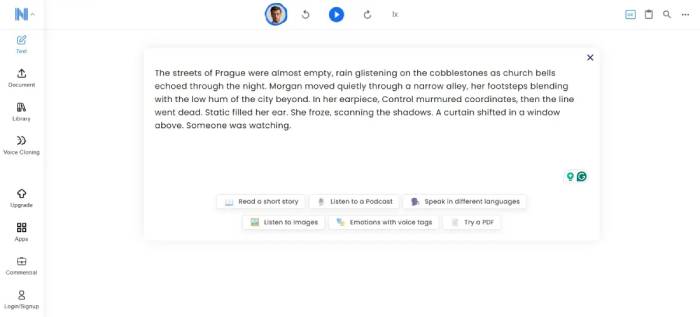
If you learn better through listening, or prefer listening to lectures while taking notes, Natural Reader is a great option to consider. It's a text-to-speech tool with a variety of natural-sounding AI voices that can read study notes, documents, and websites.
Natural Reader supports multiple languages and various voice styles. Upgrading to the Plus plan unlocks even more advanced AI voices. The paid version also adds OCR text scanning and MP3 downloads for offline listening.
However, most of the important features are already available in the free version, making it very suitable for students.
Advantage
- Multiple natural-sounding AI voices.
- You can listen and take notes at the same time.
- Supports downloading MP3 files.
- Most features are free.
Disadvantages
- Text translation is not supported.
Thetawise.AI
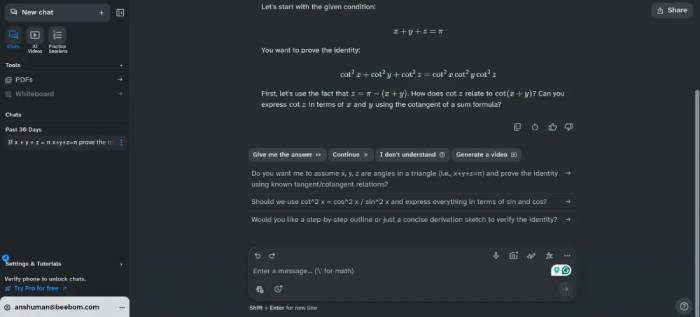
Mathematics has always been a challenging subject for many students, and teachers don't always have enough time to guide each individual. Thetawise.AI was created as a personal math tutor.
This tool not only provides answers but also explains each step in detail so that students understand how to solve the problem. A very interesting feature of Thetawise.AI is its ability to create tutorial videos, like a personalized YouTube lecture, making it easy for students to follow the problem-solving process.
Advantage
- Solving math problems using AI is very effective.
- You can create a tutorial video.
- Provide a detailed explanation.
Disadvantages
- Advanced problems are only supported in the Pro version.
Tutor.AI
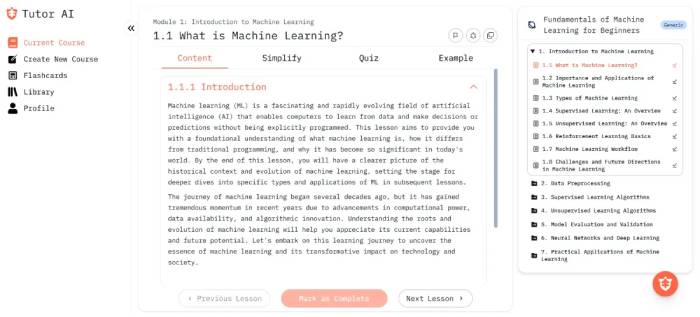
Not everyone learns at the same pace. Tutor.AI helps each person build a personalized learning path for any subject or topic. You can also upload their own materials for the AI to create a course, or let the AI build a curriculum from scratch.
Tutor.AI also provides flashcards for review and a library to save created courses. However, the free version only allows uploading files up to 4 MB, which is quite limiting for large PDF documents.
Advantage
- Create courses tailored to customer needs.
- AI builds learning plans.
- Flashcards aid in studying.
Disadvantages
- There are upload limits in the free version.
AskCodi
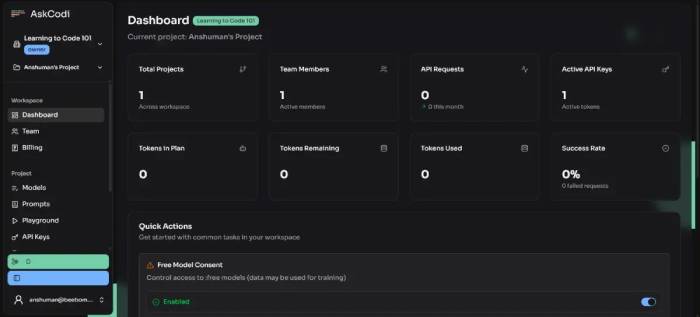
Programming is one of the fields that many students find challenging. If you're learning to code, AskCodi is a highly recommended AI assistant.
AskCodi not only helps you write code, but also helps you understand how the code works, answers your questions, and guides you on how to improve your program. This is what sets it apart from many other AI tools like Cursor, which mainly focus on automatically generating code.
AskCodi supports over 55 programming languages and can also create documentation, test code, and answer project-related questions.
Advantage
- Supports over 55 programming languages.
- They can write code, test, and create documentation.
- Allow further questions about the code snippet.
- Supports various AI models.
Disadvantages
- The free version does not come with a token for use.
QuillBot
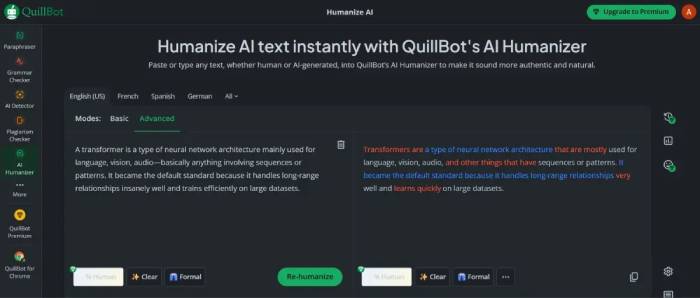
QuillBot is one of the AI tools familiar to many students around the world. This tool is famous for its ability to rewrite content, helping to improve essays, change writing style, or express ideas more smoothly.
In addition to its text rewriting feature, QuillBot also integrates many other useful tools such as:
- Check for plagiarism
- Detecting AI-generated content
- Grammar check
- Text summarization and many other features.
Thanks to its diverse ecosystem, QuillBot is one of the AI tools that most students should use.
Advantage
- Multiple writing modes and styles of expression.
- Easily change your voice with just one click.
- Integrates multiple tools to assist in writing.
- Most basic features are free.
Disadvantages
- The free version limits the number of words processed at each time.
Gamma AI
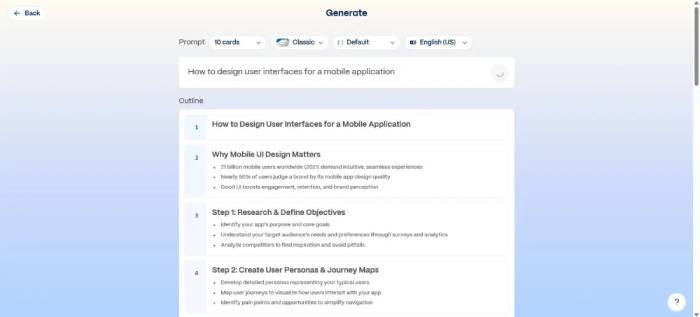
If you frequently give presentations, Gamma AI is a tool you shouldn't overlook. Simply input a topic or a short description, and Gamma AI will automatically build the presentation layout, write the content, design slides, and create suitable illustrations.
You can also choose the topic, presentation style, number of slides, and image types. If the AI generates inaccurate content, you can easily edit it later. This is a very useful solution when a presentation needs to be completed within a short timeframe.
Advantage
- Create slides with just one command.
- Allows customization of the interface and style.
- Supports uploading documents to create presentations.
- Automatically generate illustrations.
Disadvantages
- The free version only supports about 10 slides per presentation.
Sudowrite
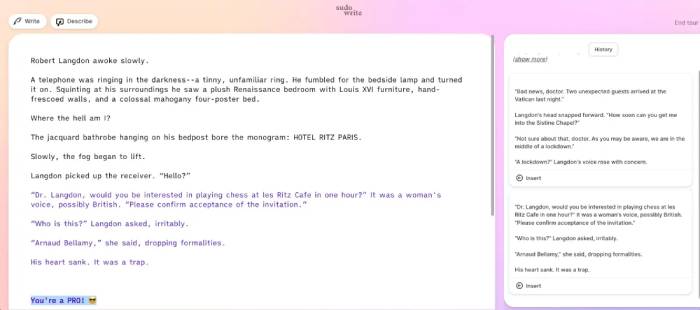
For students studying Literature, Creative Writing, or those who enjoy writing stories, Sudowrite is a very useful AI assistant. The tool helps overcome creative block by offering numerous creative suggestions for plot, characters, dialogue, setting, and expression.
Sudowrite can also continue writing the rest of the story or suggest new directions for character development. This is a suitable tool for honing writing skills and developing storytelling abilities.
Advantage
- Assisting with story idea generation.
- Suggests multiple possible storyline development paths.
- It helps to describe the characters and setting more vividly.
- Suitable for beginners in novel writing.
Disadvantages
- The free version only allows you to create a limited amount of content.
- Some of the AI-generated text still lacks emotion.
SciSpace
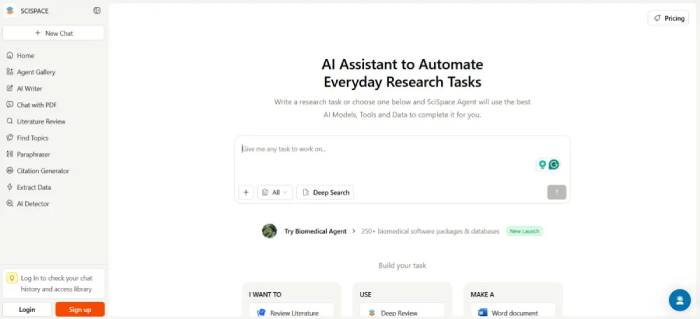
If you need to quickly research an academic topic, SciSpace is one of the most powerful AI tools available today. SciSpace can be considered an upgraded version of Wikipedia, as it has the following capabilities:
- Search for scientific articles.
- Extract the source of the reference.
- Analyze the dataset.
- This information is compiled from multiple research sources.
Furthermore, after completing your research, you can export the content to various formats such as Microsoft Word, PDF, PowerPoint, and research drafts. SciSpace is especially useful for students who need to complete reports or theses under tight deadlines.
Advantage
- Rapid in-depth research.
- Find scientific articles and references.
- Extract research data.
- Export documents to various formats.
Disadvantages
- The free version has a limited number of uses.
KickResume
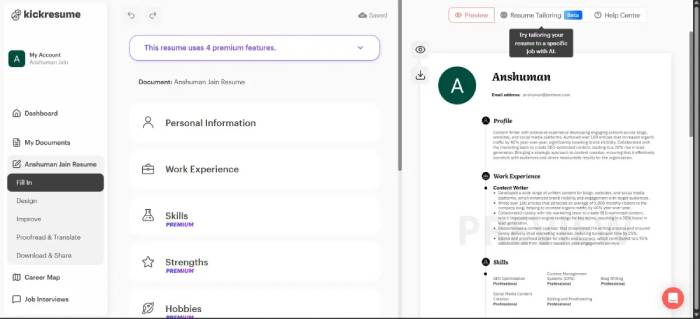
When preparing to apply for internships or find your first job, a professional CV can make a huge difference. KickResume is an AI tool that helps people do just that.
KickResume offers a variety of modern, professional, and easily customizable CV templates. Additionally, its AI assists in writing career objectives, describing experience, suggesting notable achievements, and optimizing CV content. This allows users to create an impressive resume in just minutes.
Advantage
- Many professional CV templates.
- AI helps in writing persuasive content.
- Export your CV for free with just a few steps.
Disadvantages
- Some beautiful designs are only available in the paid version.
AI is becoming a valuable learning companion, helping students save time, improve learning efficiency, and develop many important skills.
If you need:
- Learning and research: NotebookLM, SciSpace.
- Learn Math: Thetawise.AI.
- Learn programming: AskCodi.
- Writing and editing text: QuillBot.
- Creating presentation slides: Gamma AI.
- Story writing: Sudowrite.
- Create a resume: KickResume.
Choosing the right tools will help students learn more effectively and make the most of the power of AI in their studies and in preparing for their future careers.
Related Articles
 Which Pocket Computers Should High School Students Buy5 minutes read
 How to Become a High School Counselor: Step-by-Step Guide10 minutes read
 Chinese University Uses AI to Identify Absent Students3 minutes read
 How to Calculate High School Graduation Points and Change5 minutes read
 How to Earn College Credits in High School9 minutes read
 Perfect STEM Activities for Middle School Students12 minutes read
Reader Comments 0
Sign in with email or Google to join the discussion.