Table of Contents
This updated guide explains how to make color changing videos on capcut with clear steps, practical tips, and useful context. CapCut video creation and editing application is very familiar to users. With CapCut, you can create many unique video templates, or artistic color-changing videos, for instance. We can create the same video effect but can change to 2 different effect colors.
How to Make Color Changing Video on CapCut
Step 1:
First, create a new project on CapCut and then select the video you want to edit from the album on your phone.


Step 2:
Next select the first video and then choose Duplicate below to create the second video.


Continue to select the second video and then choose Overlay . Then we will drag the 2 videos to match as shown below.


Step 3:
select video 2 then select Filter to adjust the color of the video . Now you choose the color you like for the video to create a color changing effect.
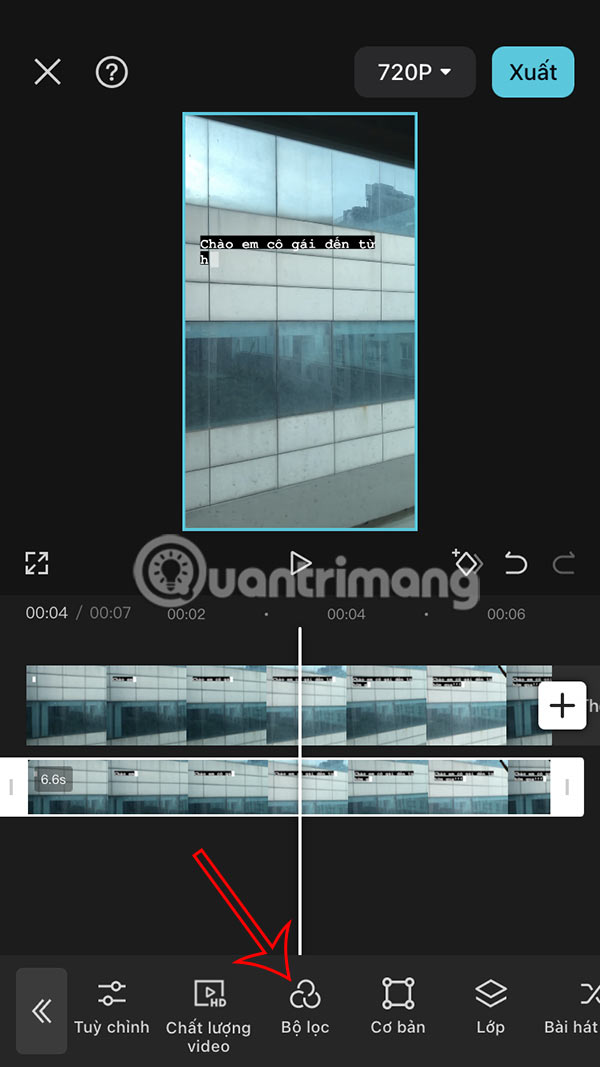
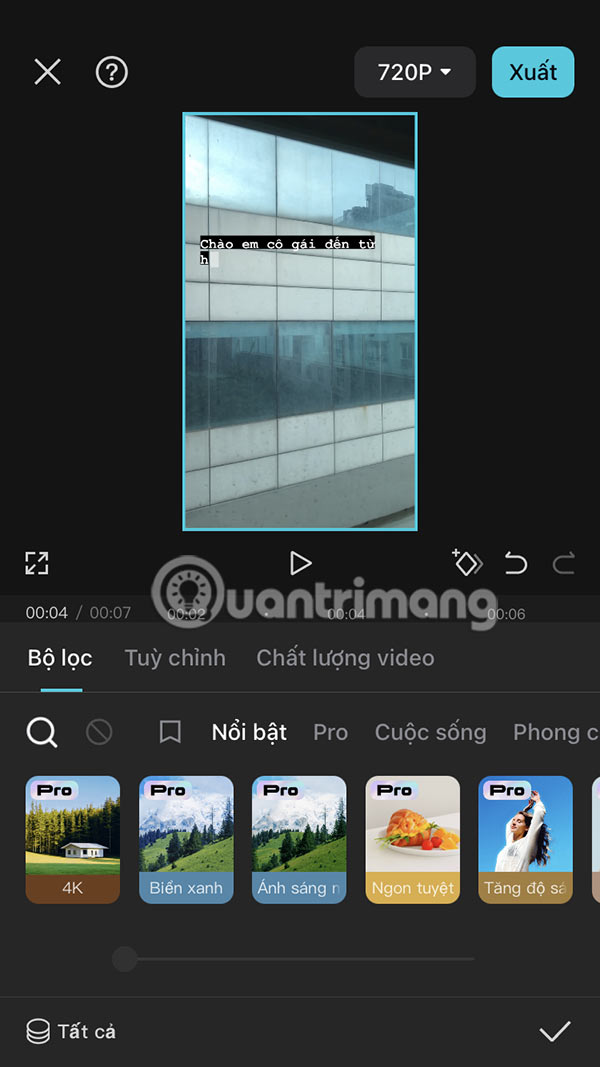
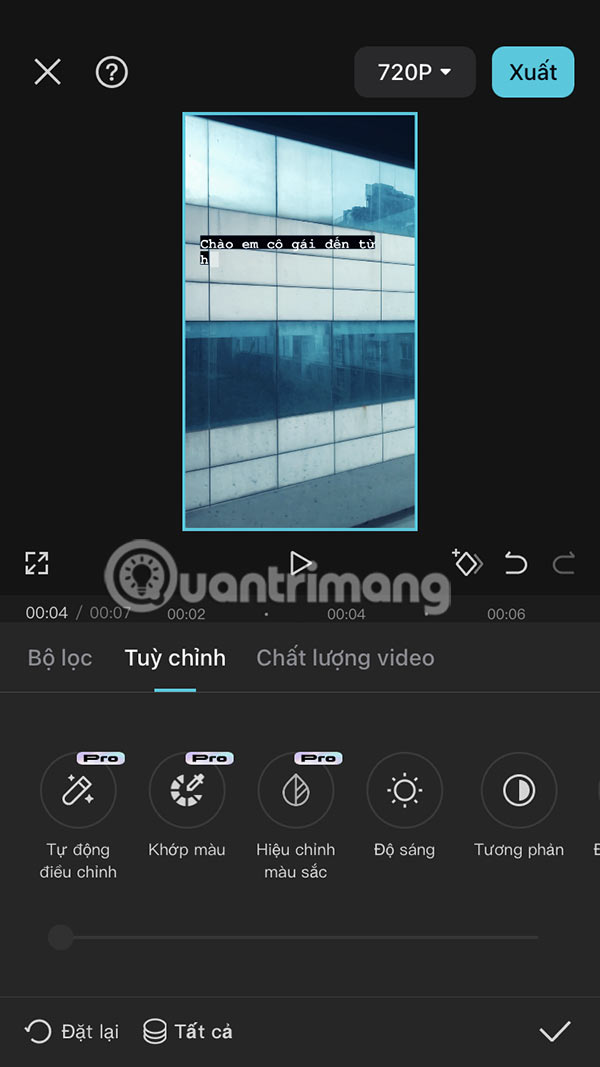
Step 4:
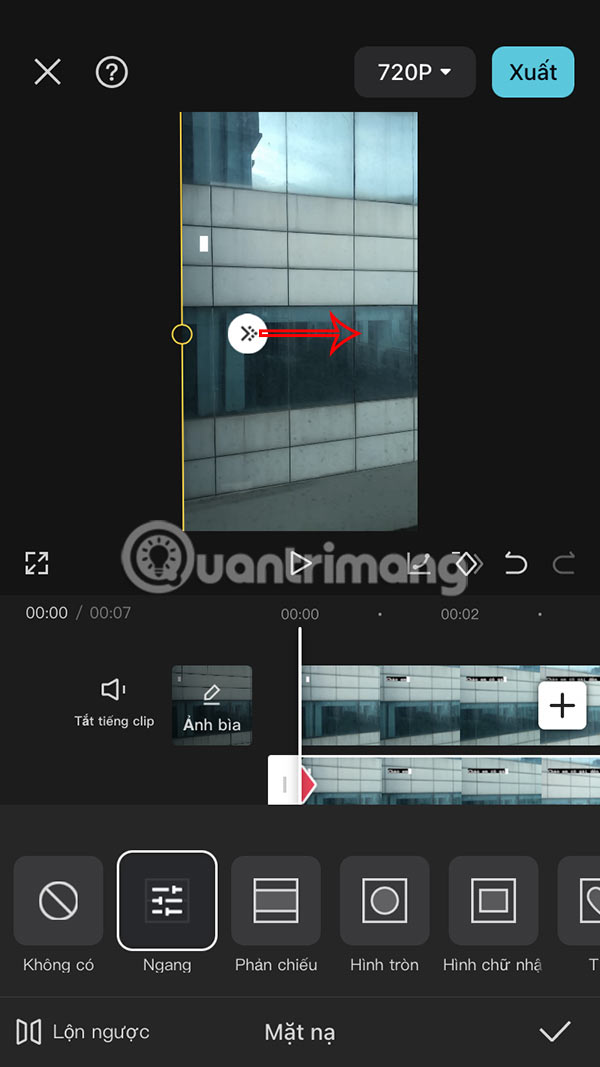
select video 2 then select Mask , then select Horizontal or other style you want.
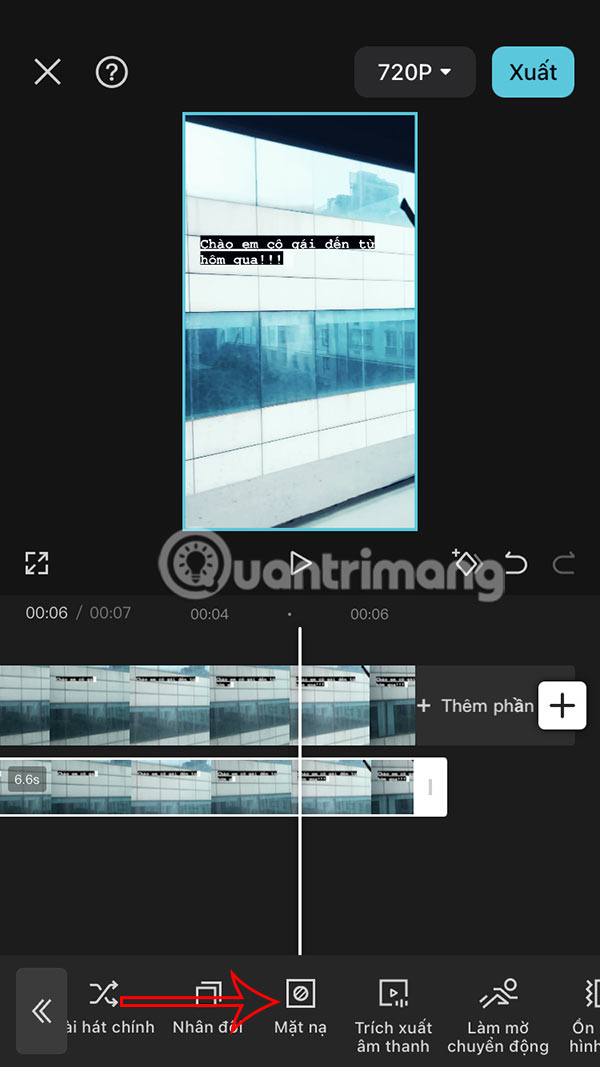
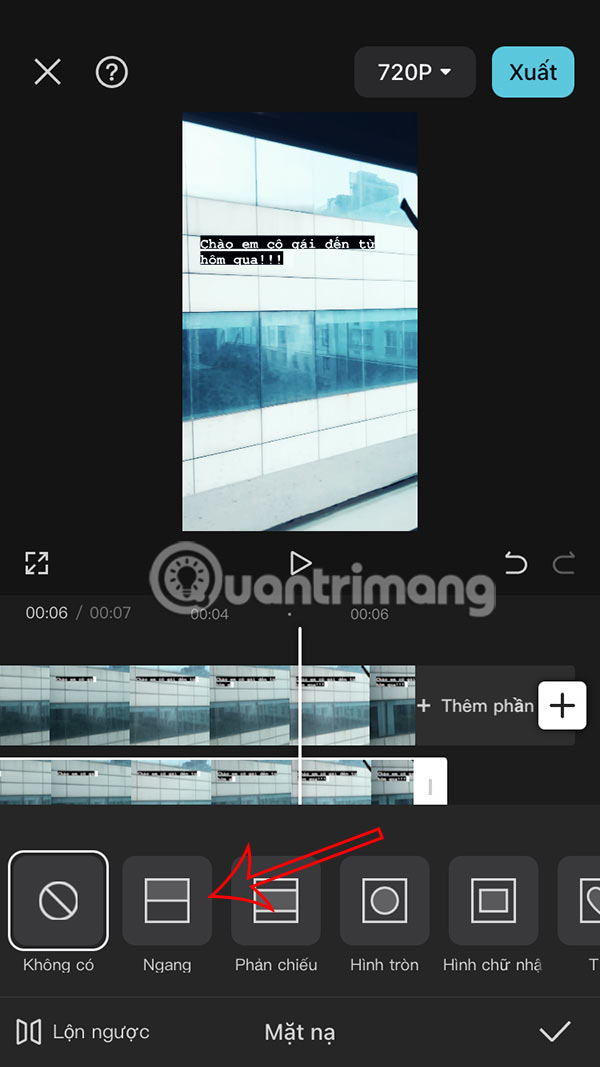
Step 5:
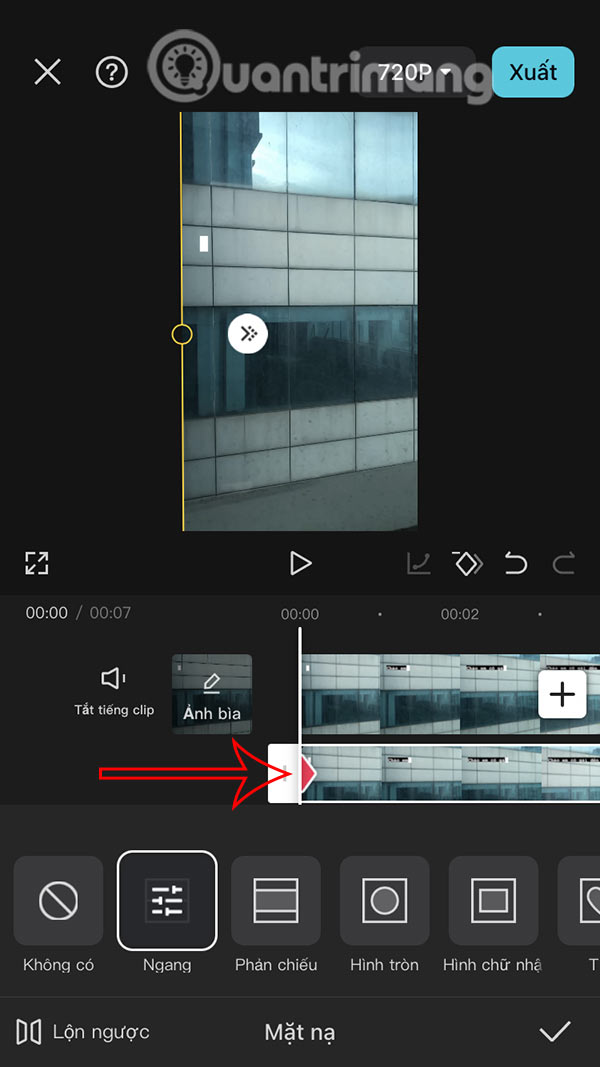
Use 2 fingers to touch the screen and change the direction of the horizontal line to a vertical line 90 degrees , then drag to the left side of the screen .
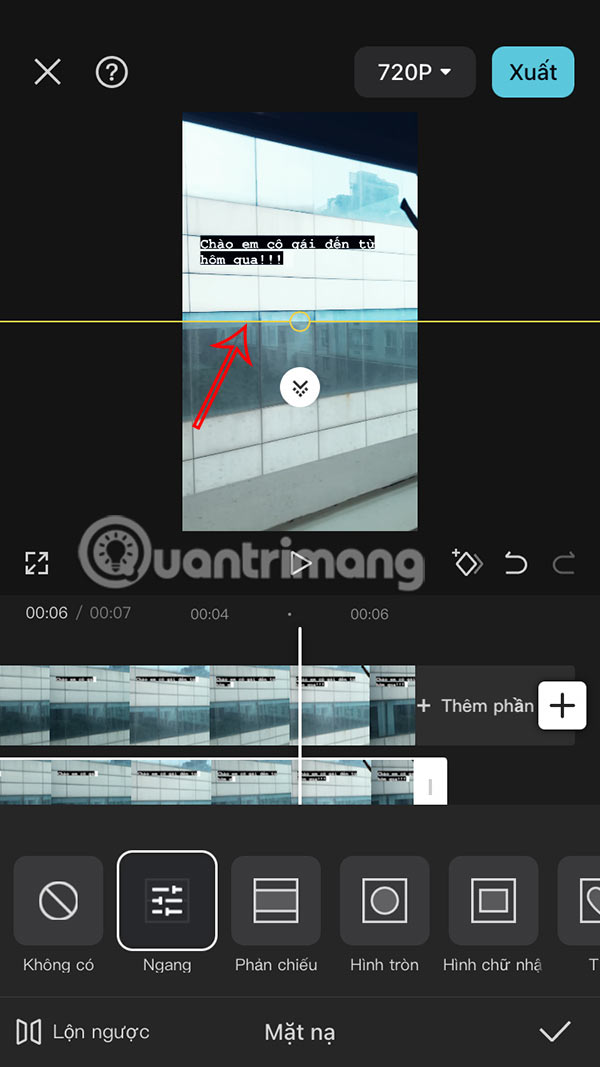
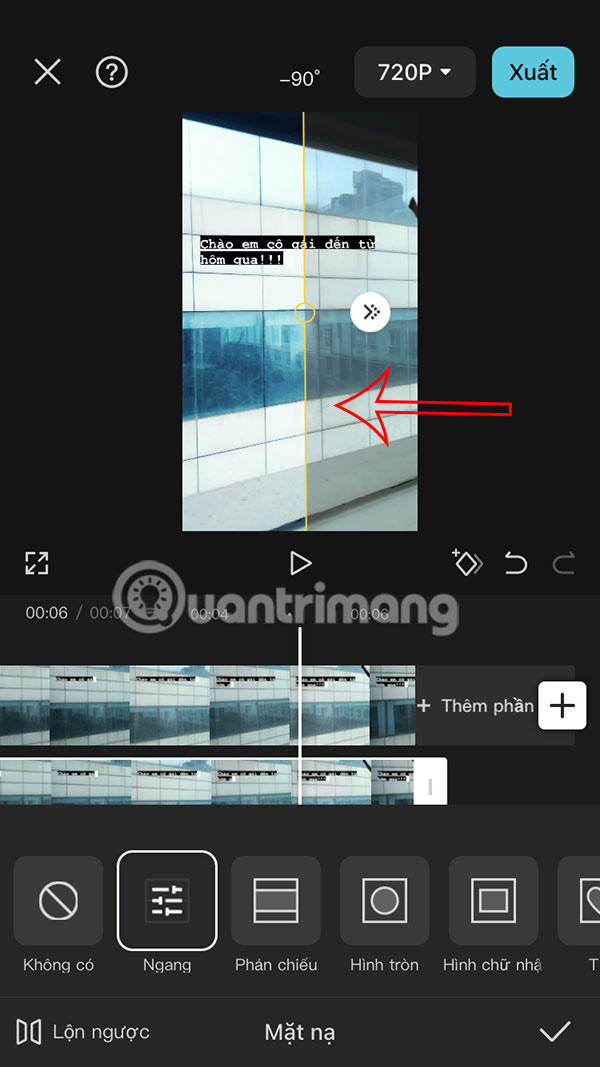
Step 6:
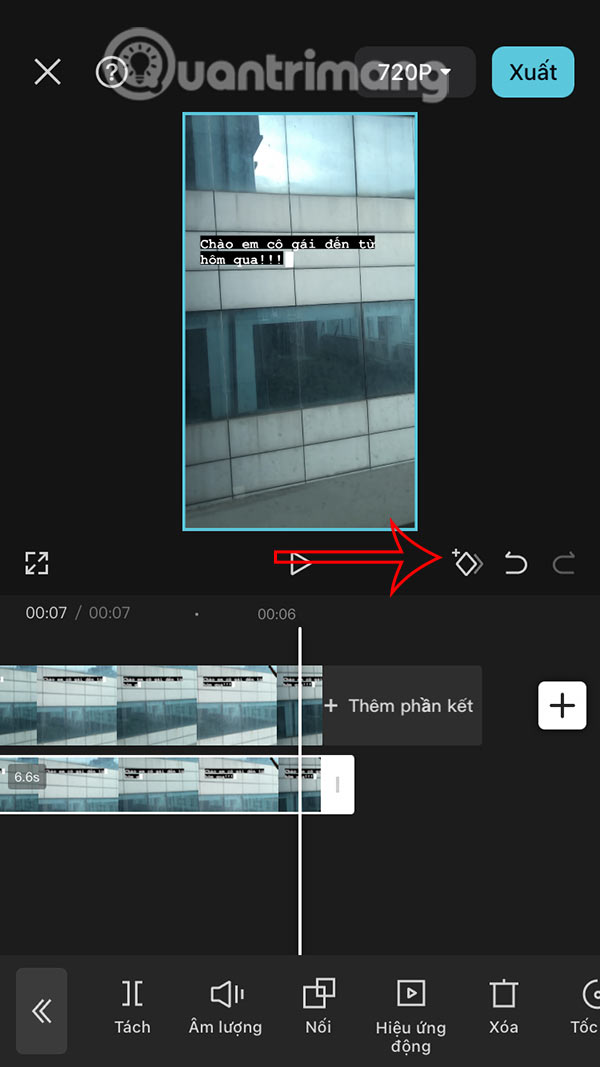
Then tap the diamond icon below the video. Drag it to where you want the transition to end, for instance to the end of the video, then tap the diamond again .
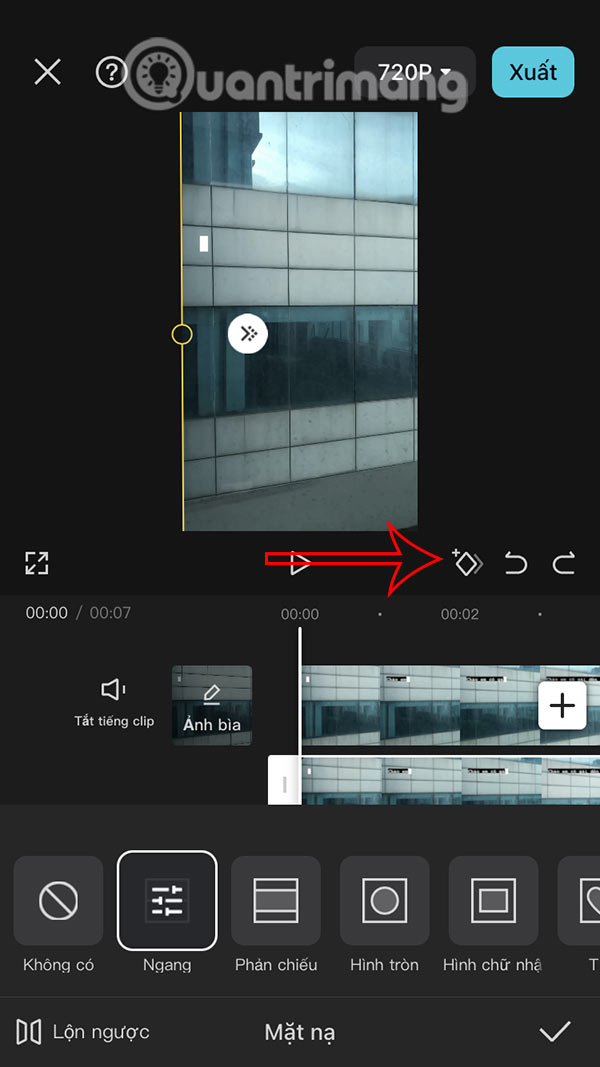
Step 7:
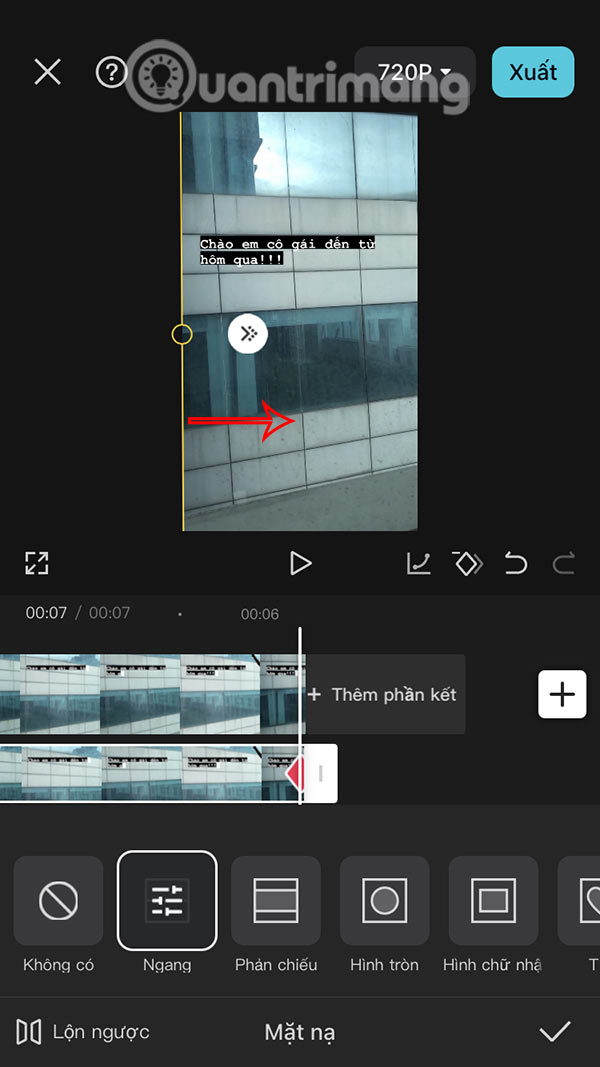
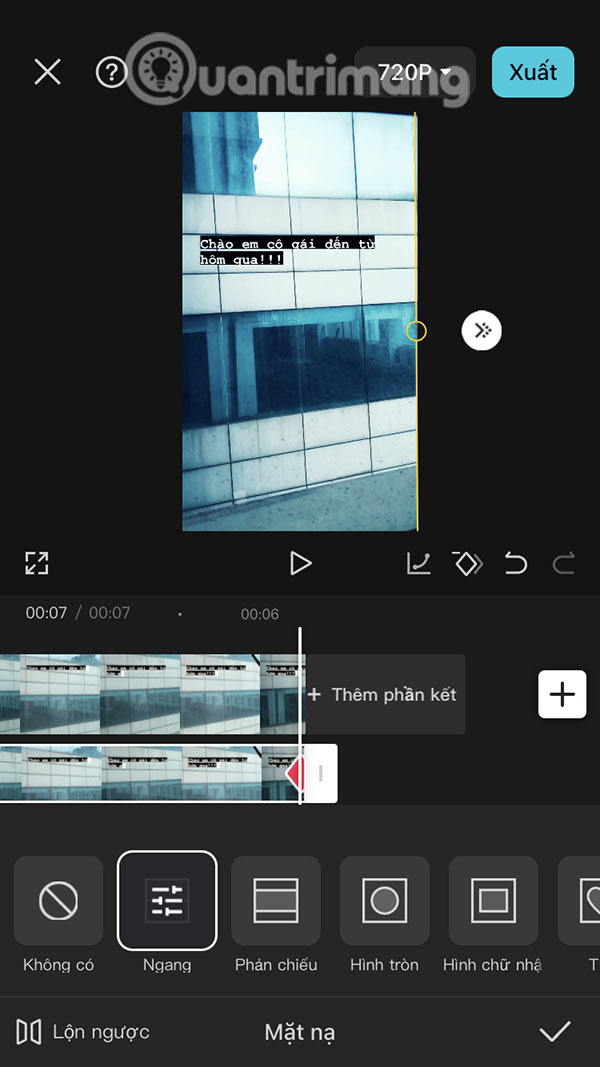
Use 2 fingers to drag the yellow vertical line to the right to complete the color changing effect. So you have got the color changing video on CapCut.
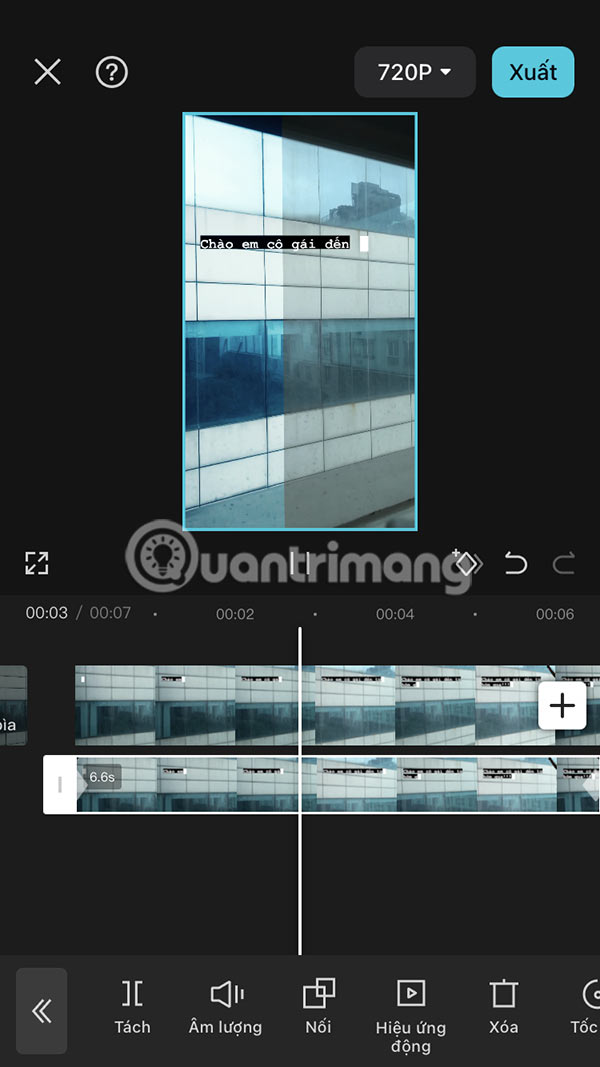
Step 8:
Continue to adjust the color change effect more smoothly, tap the 2nd video then tap Mask and move to the first shuttle position , tap the white circle icon and drag a little to the right.
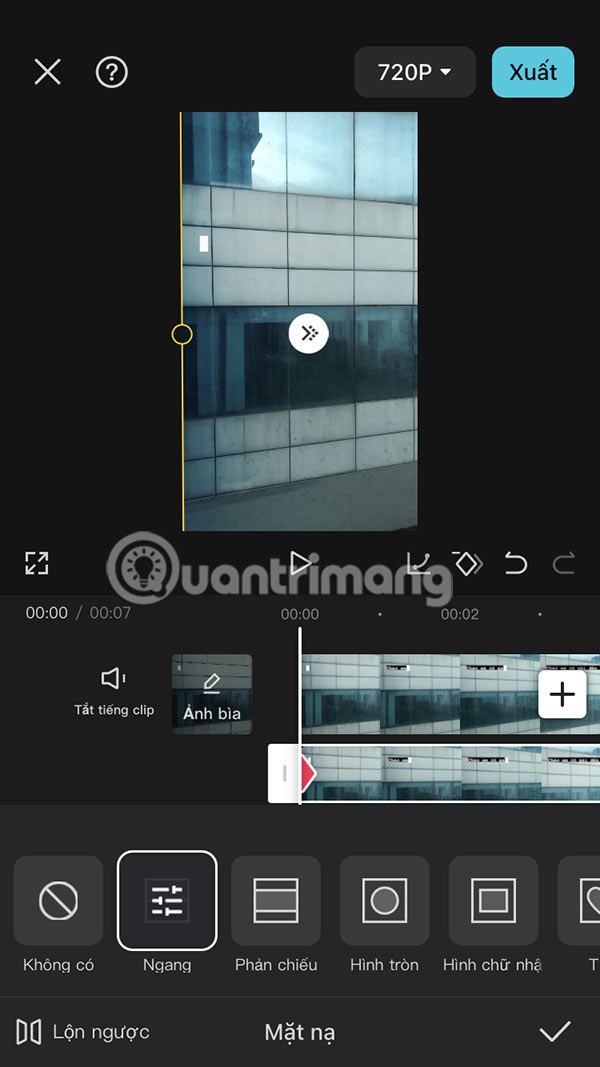
Finally, you review the results and export your color-changing video.
Video Tutorial on Making Color Changing Videos on CapCut
FAQ
What should I prepare before I make color changing videos on capcut?
Review the requirements and options in the guide first. Having the correct device, app version, account access, or materials ready helps prevent avoidable errors.
How long does it take to make color changing videos on capcut?
The time depends on the task and your setup. Most basic steps can be completed quickly, while downloads, updates, scans, or troubleshooting may take longer.
What should I do if the steps do not work?
Repeat the instructions in order, confirm that your software or device is supported, and check permissions, connectivity, and available updates before trying again.
Related Articles
 How to Create AI Manga Videos on Capcut3 minutes read
 Instructions for Cutting, Flipping, and Rotating Videos Using CapCut Explained6 minutes read
 How to Add Voiceovers to Videos Using CapCut4 minutes read
 Instructions for Inserting Text into Videos Using Capcut: Main Insights4 minutes read
 How to Combine Videos on Capcut, Combine 2 Videos into 13 minutes read
 How to Add Subtitles and Lyrics Automatically on CapCut5 minutes read
Reader Comments 0
Sign in with email or Google to join the discussion.