Table of Contents
This updated guide explores instructions to turn off satellite view when opening Google maps with practical details, clear explanations, and useful takeaways. When you open the Google Maps app on your phone, sometimes you will see the satellite view as the default view. This is not really necessary because you do not always want to open the map satellite view.
How to Turn Off Satellite View When Opening Google Maps
Step 1:
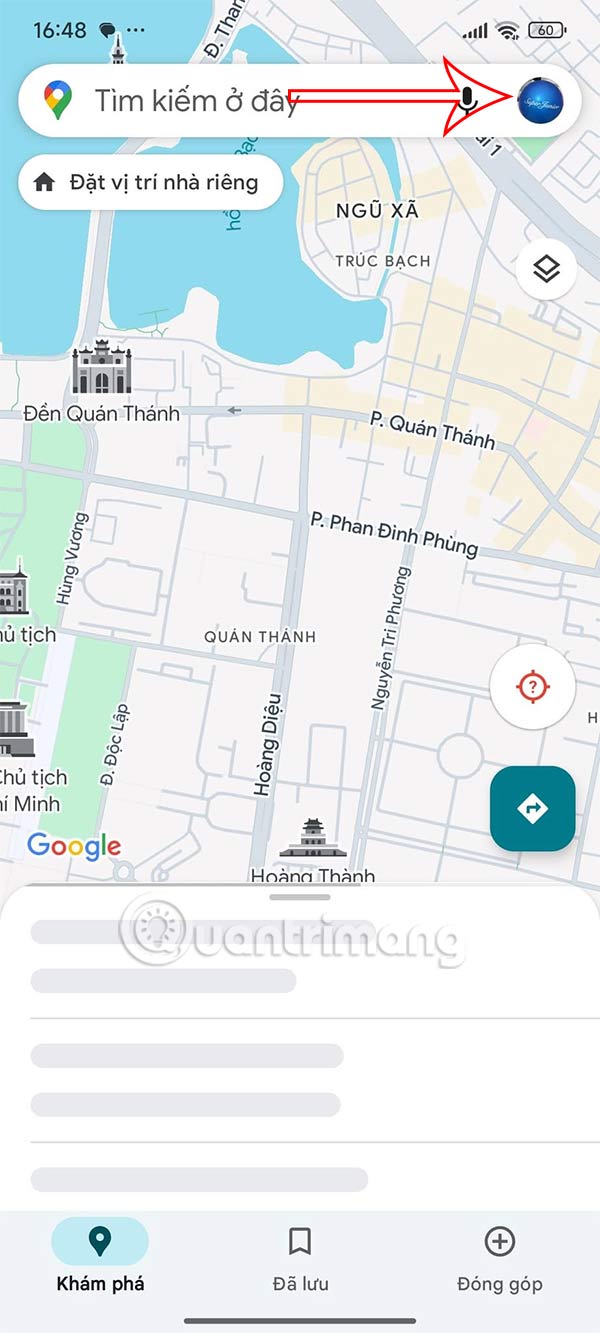
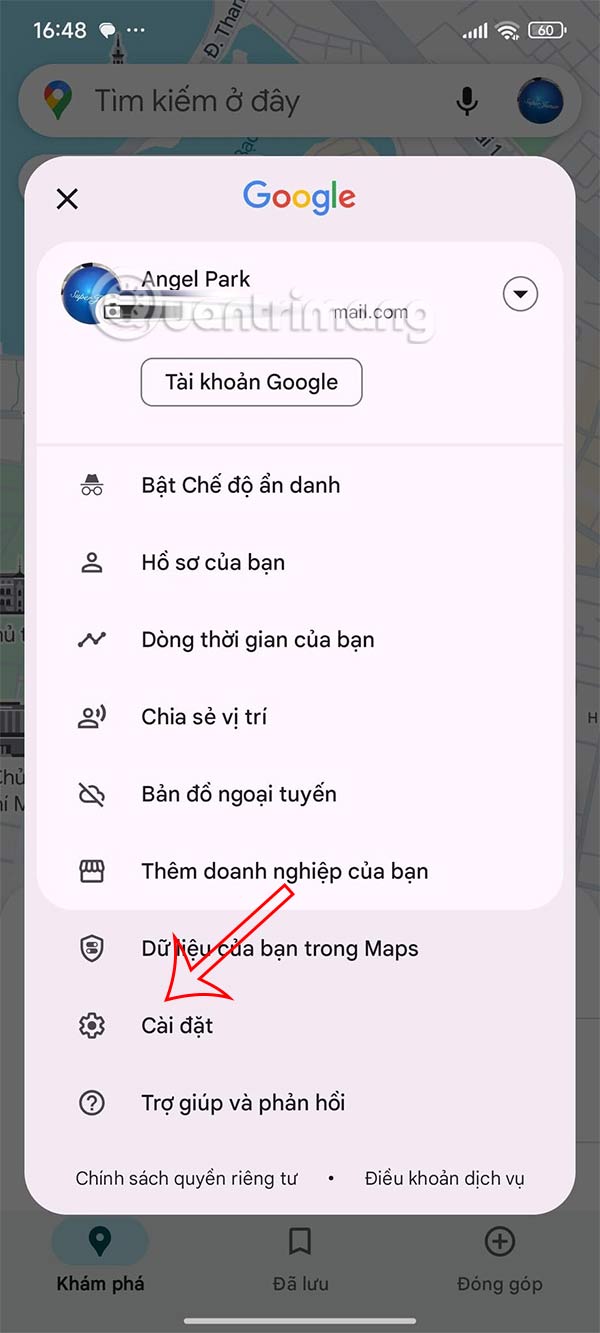
At the interface on the Google Maps application, users select the Google account avatar and then select Settings in the displayed list.
Step 2:
Moving on to the next interface the user scrolls down below and will see the option Start Maps in clean view is on.

Slide the round button to the left to turn off satellite mode when opening the Google Maps application.

Then, when you open Google Maps on your phone, the app will no longer default to satellite view but switch to regular map view.
FAQ
What is the main takeaway about Instructions to Turn Off Satellite View When Opening Google Maps?
The key is to understand the core idea, compare the available options, and apply the practical guidance that matches your situation.
What should beginners know about Instructions to Turn Off Satellite View When Opening Google Maps?
Start with the essential steps and terminology. Avoid changing advanced settings until you understand how they affect performance, privacy, cost, or compatibility.
How can I use this information in practice?
Follow the relevant section in order, test one change at a time, and confirm the result before moving to the next step or recommendation.
Related Articles
 Google Maps' New Colors Bother You? Let's Switch to Satellite View Explained6 minutes read
 How to Use Google Maps to Find Your Way: Step-by-Step Guide5 minutes read
 11 Lesser-known Google Maps Features That Are Perfect for Photographers9 minutes read
 How to Find Your Way with Google Maps on Your Phone5 minutes read
 How to View Older Street Images on Google Maps4 minutes read
 How to View the Elevation of a Location on Google Maps5 minutes read
Reader Comments 0
Sign in with email or Google to join the discussion.