Table of Contents
This guide explains how to get free lucky money on momo e-wallet using a clear, step-by-step process. It also highlights the settings and checks that can help you avoid common errors.
Every Tet to spring, applications, games have events for users with extremely attractive gifts. And how to participate in these programs and events is very simple.
Recently Momo has released the Golden Shake event to receive lucky money, users who want to join just go to the Momo app and follow the instructions to receive valuable gifts from Momo. Otherwise you can follow the instructions below to join this program.
- How to give lucky money to friends and relatives by e-wallet Momo
- How to transfer money with Momo wallet
- 5 simple ways to recharge your wallet Momo
How to get free lucky money from Momo
Step 1: Sign in to your account in the Momo wallet, then click the lucky symbol in the main interface.
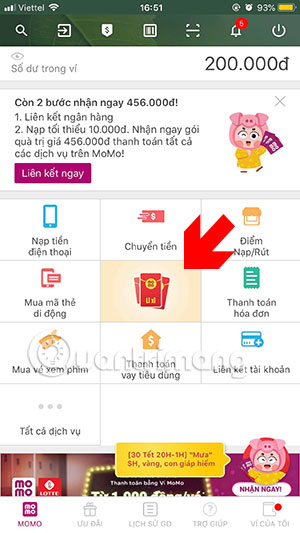
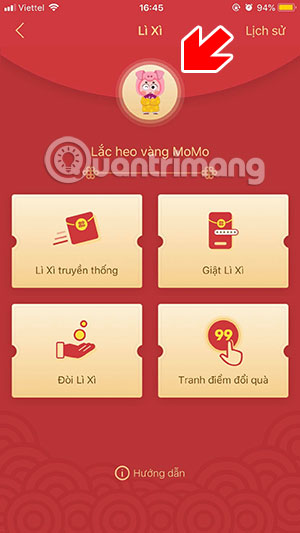
Next in the shake menu, select Play now , go to the Momo shake interface, shake your phone to get lucky money.
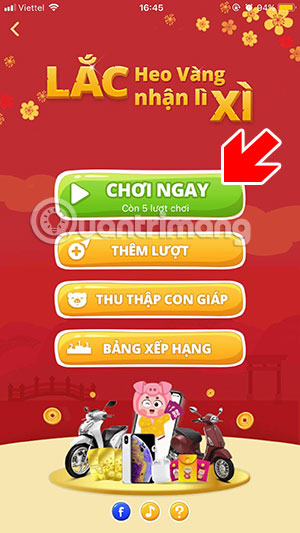

There will be two states that you get when you shake, one is spray, two is hit, remember to shake your hand a bit to get a higher percentage.


Rewards will include gift wrap or voucher, if all the shakes are gone you can go to the lucky money menu and click more.
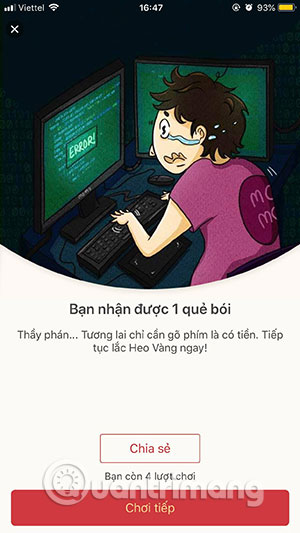
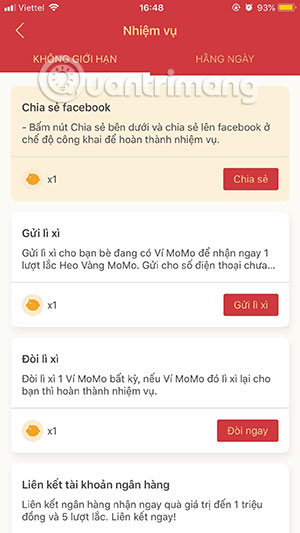
If you work hard on an extra turn, you will also have more turns, so you will have a better chance of winning a lucky money from your momo wallet.
- How to get a sample of Tet greetings is available on Labankey
- How to use video as a personal Facebook cover photo
- How to create Facebook, Twitter, YouTube,. covers quickly
- Synthesis of the most beautiful flower wallpaper for Tet
FAQ
What should I prepare before I get free lucky money on momo e-wallet?
Review the requirements in the guide, confirm that your device or software is compatible, and save important work before changing settings related to get free lucky money on momo e-wallet.
Why might get free lucky money on momo e-wallet not work as expected?
The most common causes are incompatible versions, missing permissions, incorrect settings, or an interrupted internet connection. Recheck each step and restart the app or device when appropriate.
Can beginners follow these get free lucky money on momo e-wallet steps?
Yes. Follow the steps in order, avoid skipping confirmation screens, and compare your interface with the screenshots because labels may differ slightly between versions.
Related Articles
 How to Give Lucky Money to Friends and Relatives by E-wallet Momo6 minutes read
 What Is E-wallet: What Is Momo Wallet?5 minutes read
 How to Transfer Money with Momo Wallet6 minutes read
 5 Simple Ways to Recharge Your Wallet Momo5 minutes read
 Can I Top Up My Momo Wallet with a Phone Card?6 minutes read
 Instructions for Registering a Momo Account4 minutes read
Reader Comments 0
Sign in with email or Google to join the discussion.