Table of Contents
Learn how to fix the issue of office files automatically resetting when you exit with clear steps.
Check file access permissions
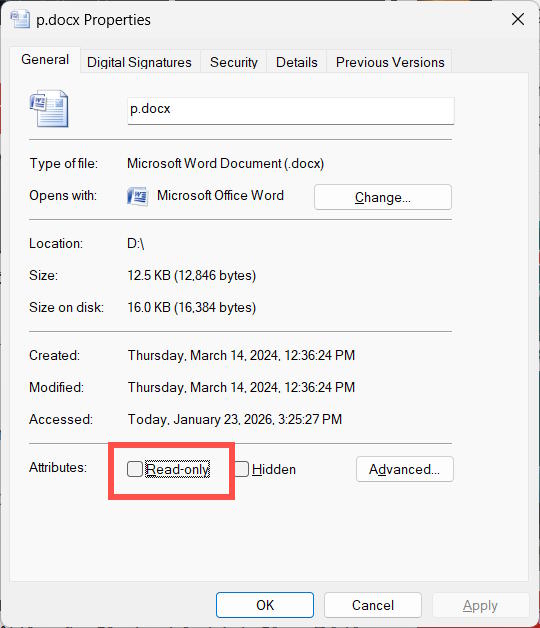
Access the Properties of the Office file that resets when you exit the application and uncheck Read-only . Reopen the file, make the changes, and check if they are saved after restarting.
Check template access permissions
Step 1
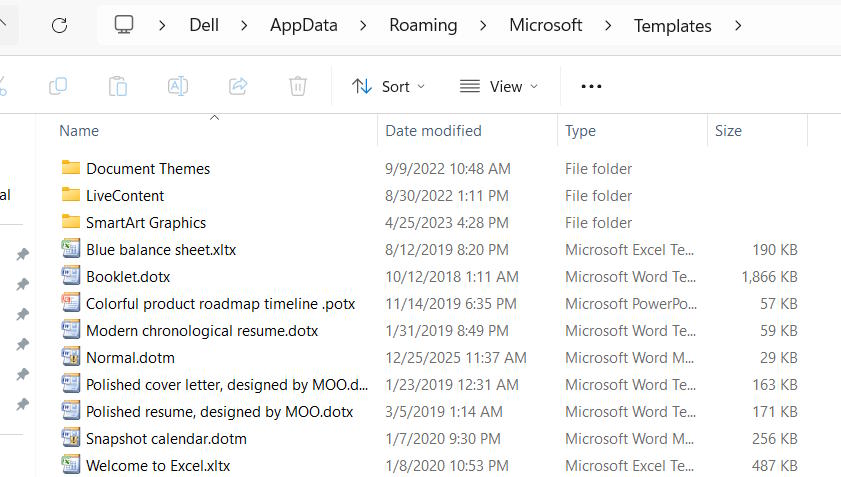
Open Explorer and then navigate to the following path : 'C: Usersyour user-nameAppDataRoamingMicrosoftTemplates' .
Step 2
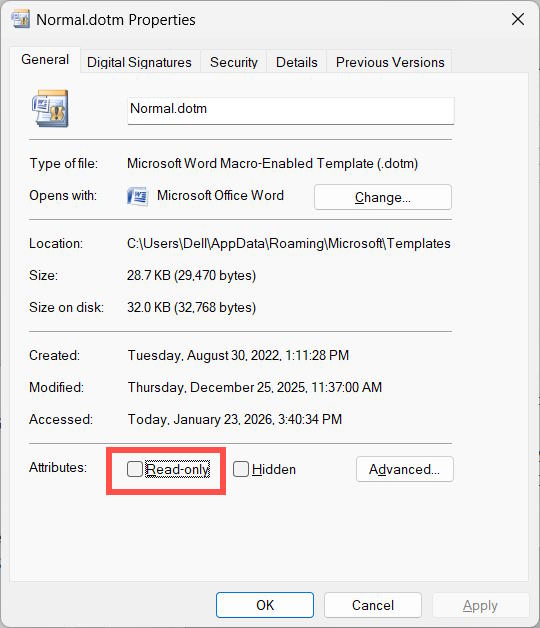
Find the basic templates: Normal.dotm is a Word template, while book.xltx and sheet.xltx are Excel templates. Right-click on the template and select Properties . Then, uncheck the Read-only option .
Confirm folder access permissions
Another reason why PowerPoint or Word settings might reset when you exit the program is related to folders, especially in Microsoft 365.
We access it via the path C: Usersyouruser-nameAppDataRoamingMicrosoft .
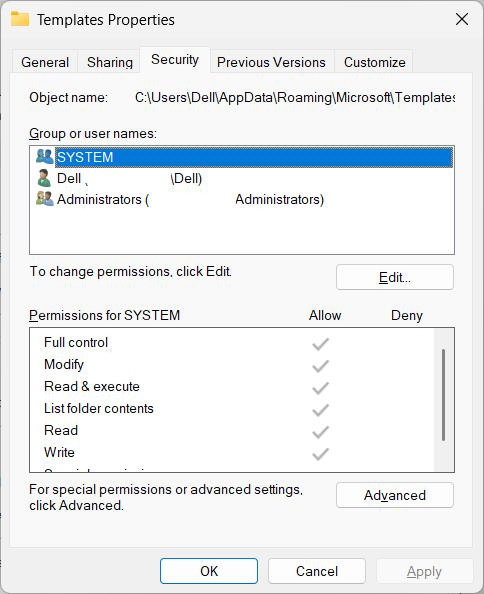
Next, navigate to the Templates folder , right-click, and select Properties . Then, click on the Security tab and select your user account. After that, check if Allow and Full control are selected .
If you haven't already, click Edit and then activate it.
Final Thoughts
Use this guide as a practical checklist for how to fix the issue of office files automatically resetting when you exit the application. Work through the steps in order, verify each result, and adjust the options to match your needs.
FAQ
What do you need before following this How to Fix the Issue of Office Files Automatically Resetting When You Exit the Application guide?
Review the required tools, accounts, settings, or materials mentioned in the article. Learn how to fix the issue of office files automatically resetting when you exit with clear steps.
What are the main steps for how to fix the issue of office files automatically resetting when you exit the application?
Follow the sections in order, especially Check file access permissions, Check template access permissions, Step 1. Complete each step before continuing and verify the result as you go.
What should you do if the process does not work as expected?
Recheck the prerequisites, update the relevant app or service, review the settings, and repeat the step that caused the issue. Use any troubleshooting notes included in the guide.
Related Articles
 Exit Command in Windows: A Practical Guide3 minutes read
 Delete the My Recent Documents Trace in MS Office 20073 minutes read
 minutes read
 Fix the Error of Automatically Exiting Applications on Windows 10 + 11 Extremely7 minutes read
 3 Exciting New Features Coming Soon in the New Office Application2 minutes read
 Instructions for Using the Office Lens Application to Convert Image5 minutes read
Reader Comments 0
Sign in with email or Google to join the discussion.