Table of Contents
All your Google activity is saved as a history and can be tracked by any third-party app. Here's how to delete all your Google activity.
All your Google activities are saved as history, such as YouTube search history, Google Maps location history, etc. Your searches can be tracked by any third-party application, affecting your privacy. Here are instructions to delete all Google activities.
How to delete all activity on Google
Step 1:
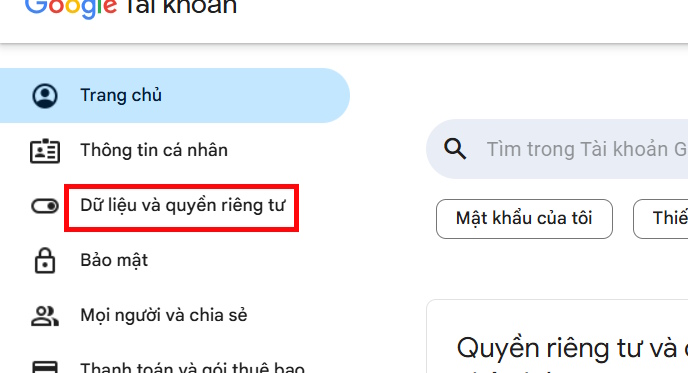
You access your Google account management page by following the link below. Next, click on Data and Privacy.
- Google account management page
Step 2:
Look to the side and scroll down To Things you've done and places you've gone , then tap Web & App Activity .
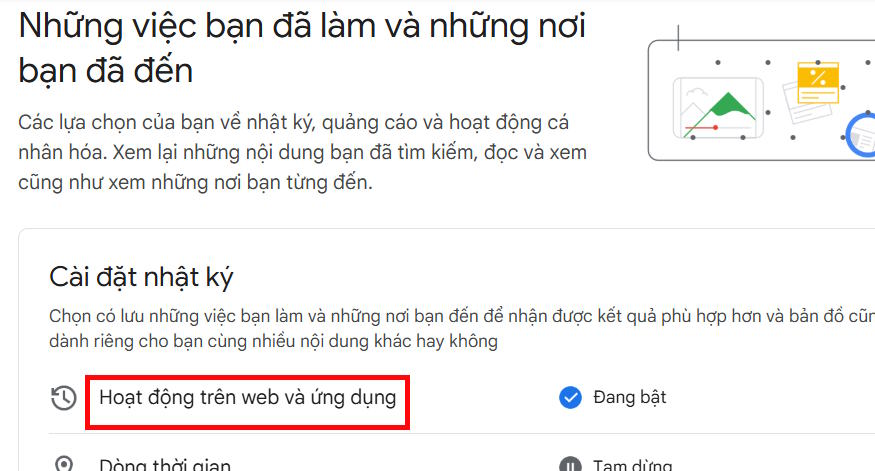
Go to the new interface, click View and delete activities .

Step 3:
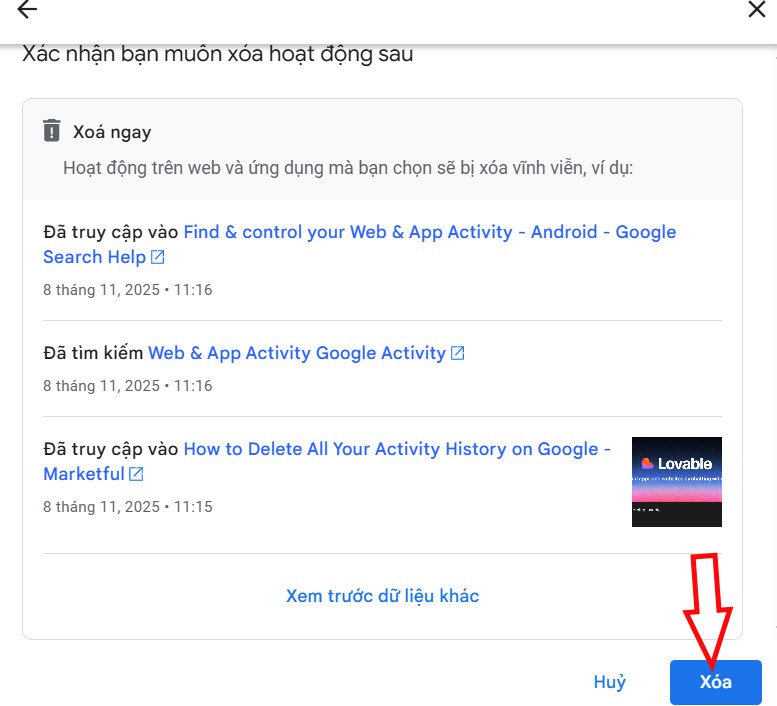
Select The Delete button And then Select the time you want to delete , select The apps you want to delete Or select all and press Next.

Now Click Delete To execute.
How to delete specific activity on Google
Step 1:
Also in the Log Settings section, In the Timeline section, We click to proceed with control.
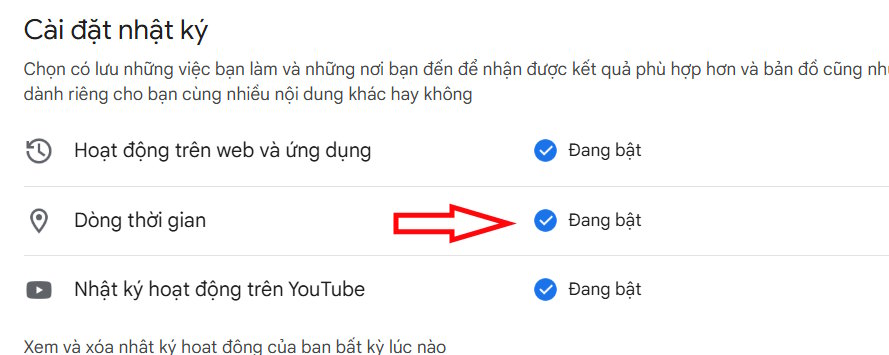
Here we select Turn off and delete activity To not save Google Maps time history.

Step 2:
Next, click on YouTube Activity Log To make adjustments.

Now you also Switch to turn off All activities on YouTube.

Step 3:
Tap on Manage History And Select Delete all search activity And viewed content on YouTube.

How to disable web and app activity
Tap Web & App Activity And then Tap Off To stop saving all web and app activity.

Once you delete your activity, Google can't restore it. If you want to keep your activity history, just turn back on the services you turned off.
FAQ
How do you delete all activity on Google: increase your security on Google?
In practical terms, all your Google activity is saved as a history and can be tracked by any third-party app. Here's how to delete all your Google activity.
What should you check before getting started?
Review the requirements, compatible device or software version, and any warnings described in the guide before making changes.
What should you do if the steps do not work?
Repeat the steps in order, confirm that your app or system is up to date, and review the troubleshooting details provided above.
Related Articles
 How to Automatically Delete Google Location and Web Activity Data4 minutes read
 How to Check Google History: Step-by-Step Guide8 minutes read
 Instructions for Deleting Microsoft Copilot Activity History3 minutes read
 How to Delete Previous Activity on Instagram2 minutes read
 How to See Everything Google Knows About You?5 minutes read
 Activity Launcher: App to Create Shortcuts on Home Screen6 minutes read
Reader Comments 0
Sign in with email or Google to join the discussion.