Table of Contents
Activity Launcher turns what would normally be boring tasks, like searching through settings or navigating the app menu, into a quick tap.
Most people rely on third-party apps to fill in the gaps and limitations of their Android phones. Over the years, there have been a number of apps that have made our lives easier, so installing them is the first thing many people do after setting up their phones. Among them, Activity Launcher is one of those essential apps that they literally can't imagine using their phones without.
What is Activity Launcher?
Activity Launcher is an Android application that lets you create shortcuts on the home screen to any activity within an application, including hidden or internal activities that are not normally accessible. This feature allows quick access to specific functions or settings, such as a specific settings menu or special feature within the application, saving time and effort compared to navigating through menus.
Activity Launcher turns what would otherwise be tedious tasks, like searching through settings or navigating through the app menu, into a quick tap. It saves users many time and makes the entire phone easier to use.
Activity Launcher isn't just for settings
It works with your apps
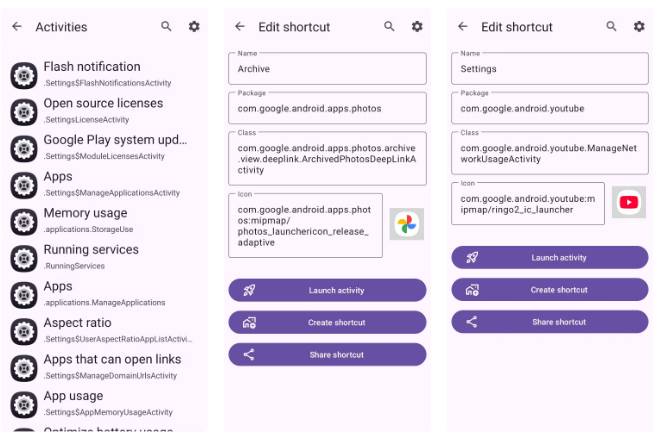
Activity Launcher does one thing, and it does it really well. It lets you add your favorite menus and settings right to your home screen. This way, you can pin your most used settings as shortcuts. These shortcuts work like regular app icons, so you can move them around, put them in folders, or pin them next to the Camera for quick access.
Better yet, Activity Launcher isn't just limited to your phone's system settings. It also lets you create shortcuts from your apps, meaning you can access a specific page of your favorite app without having to go through the usual menu maze.
This opens up a whole new level of convenience. Think about it: You can create shortcuts to access Instagram DMs , An Archive folder in Google Photos , or even explore YouTube app settings . The specific options you see depend on the app.
Each shortcut alone might not make much difference. But together, they can save you many tapping and swiping. The home screen becomes a dashboard where you can access almost everything with just a tap.
Using Activity Launcher is easy
Simpler than it looks and more useful than you expect
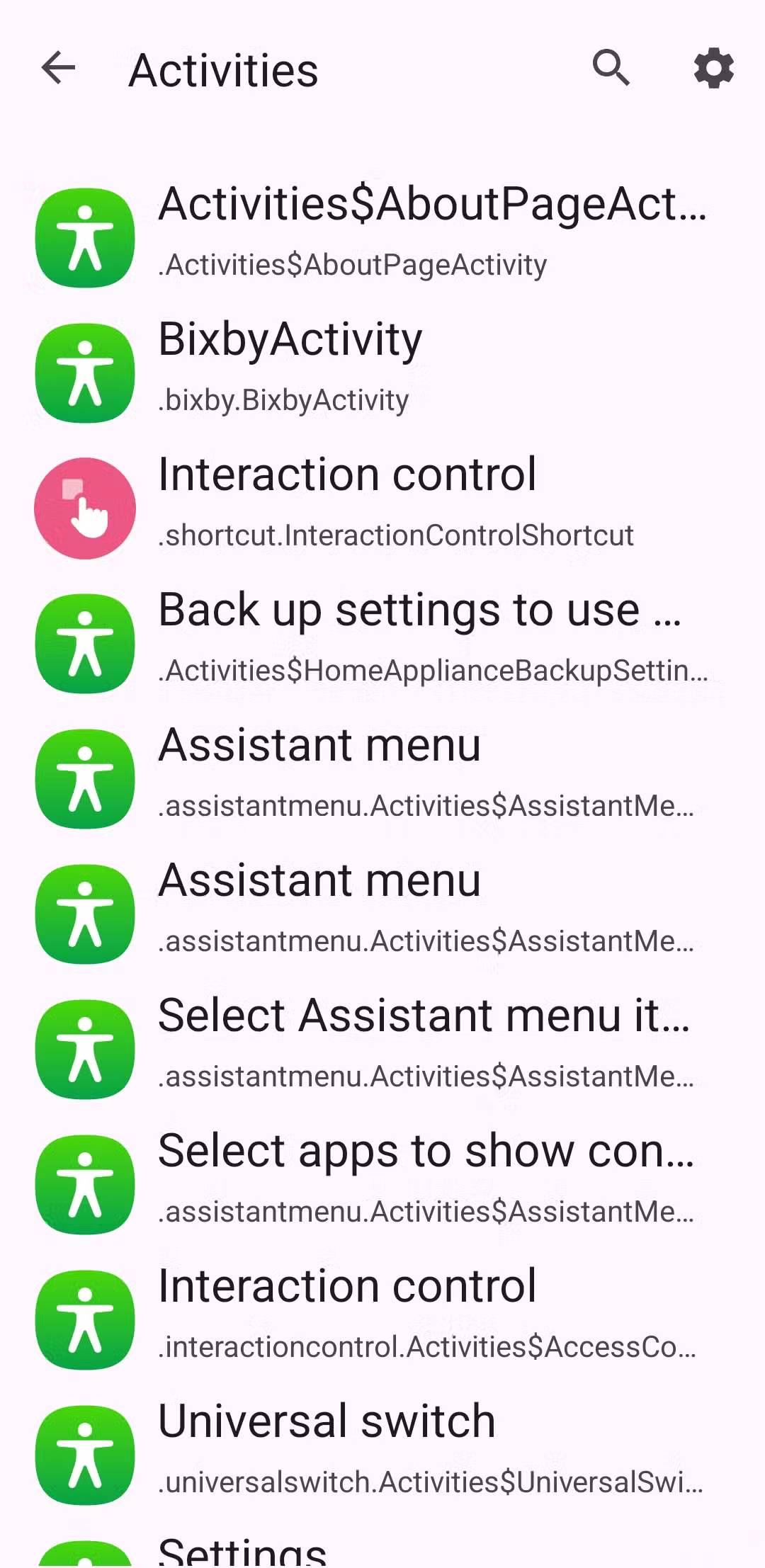
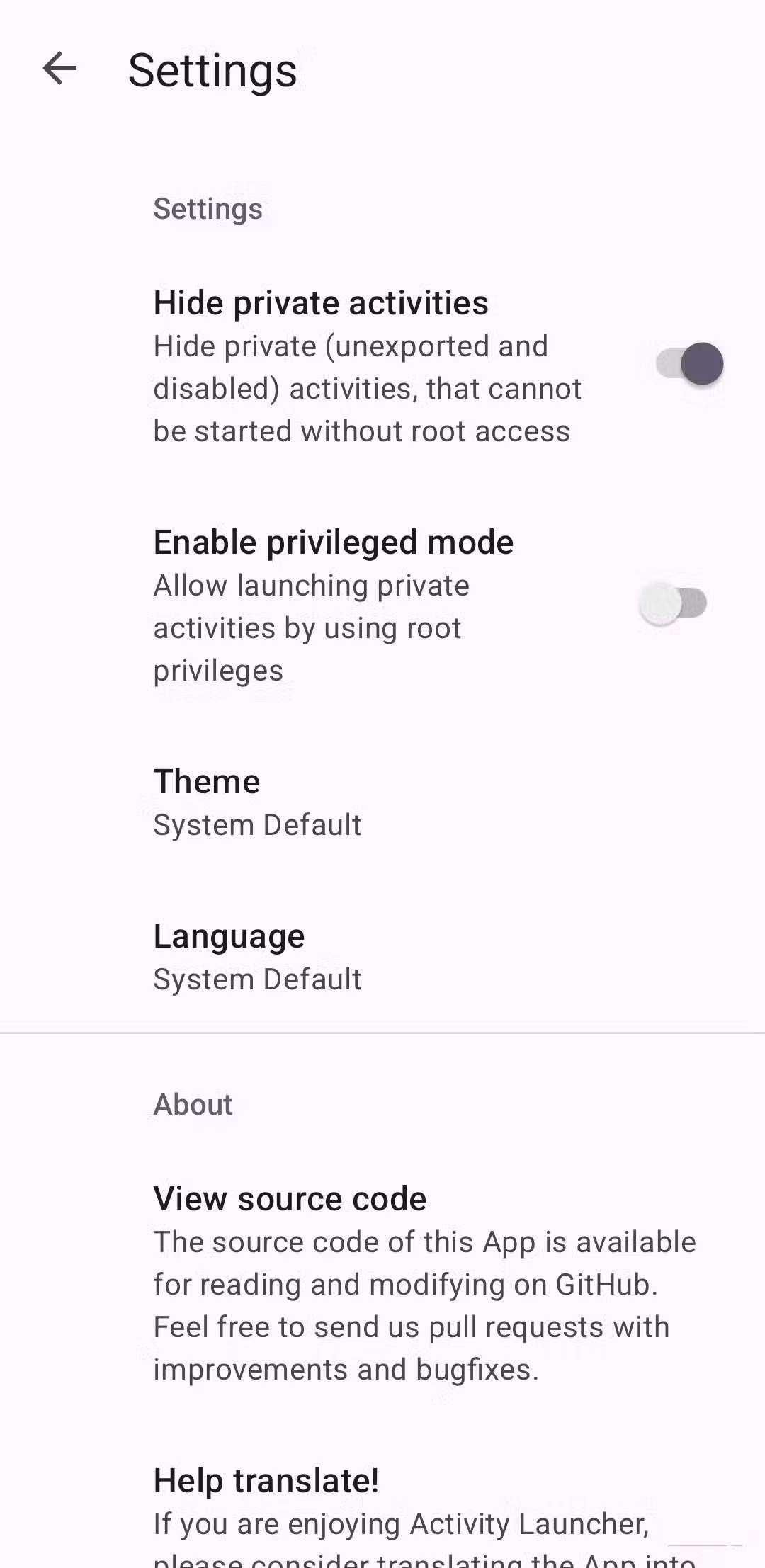
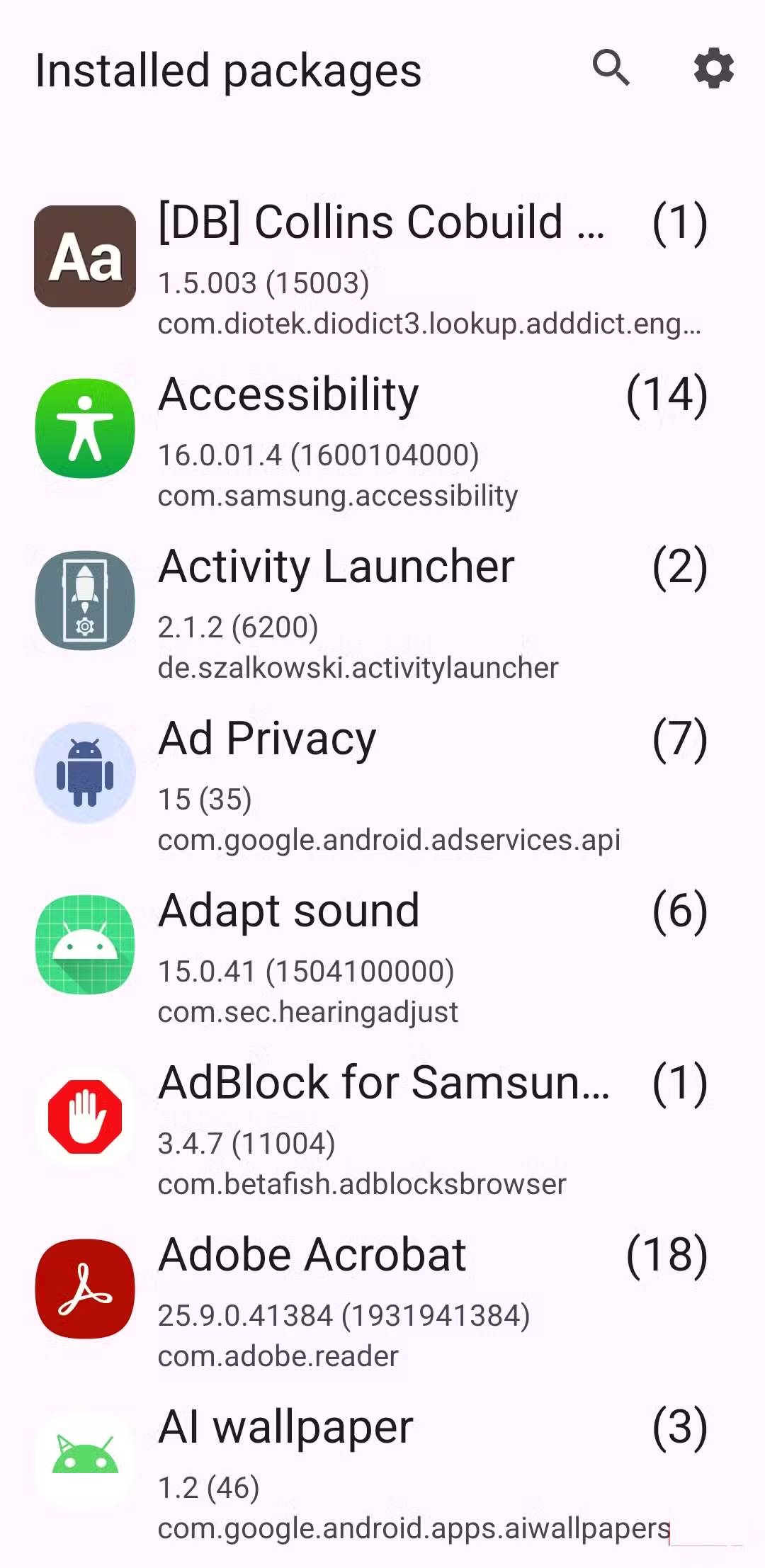
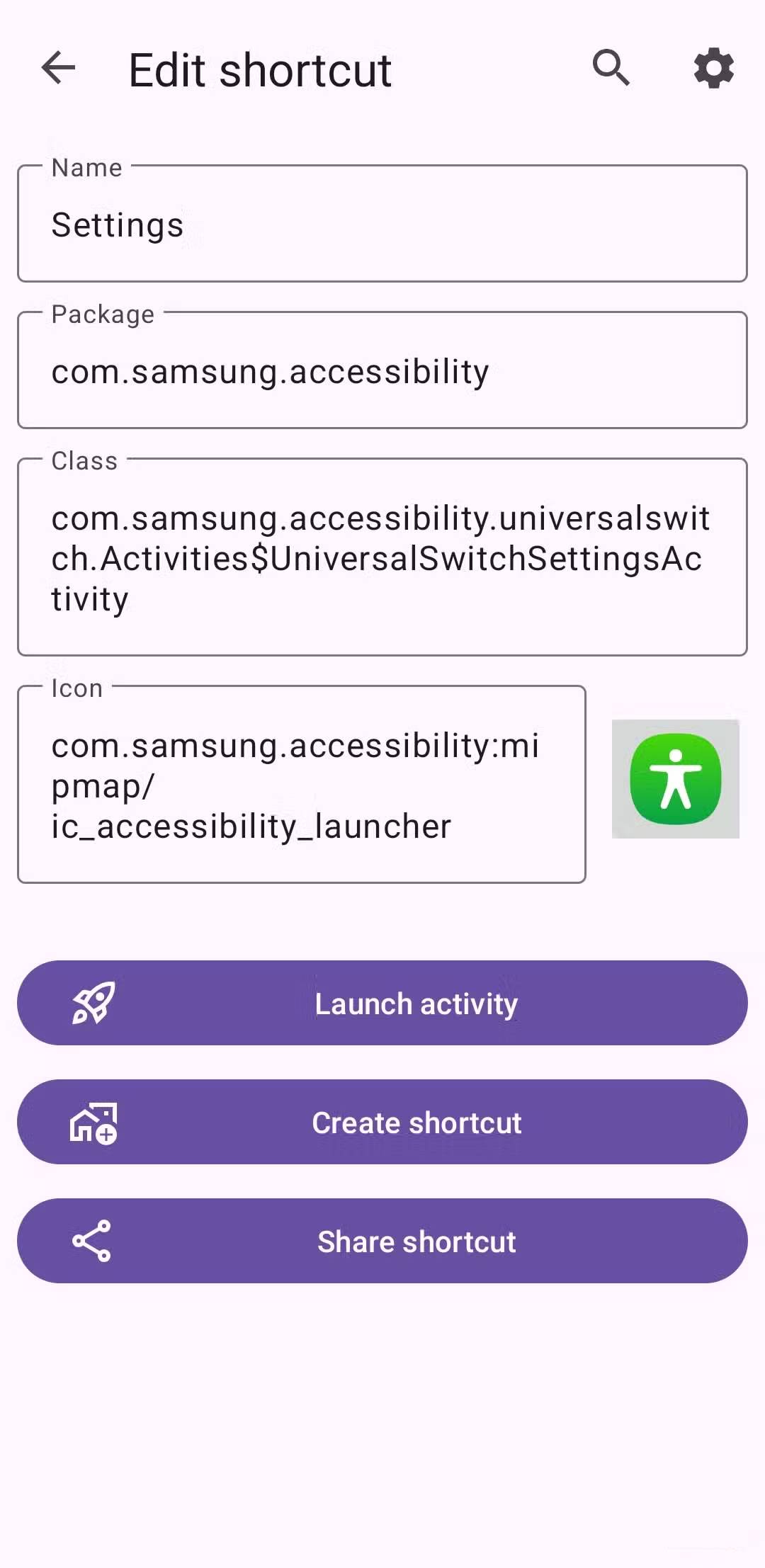
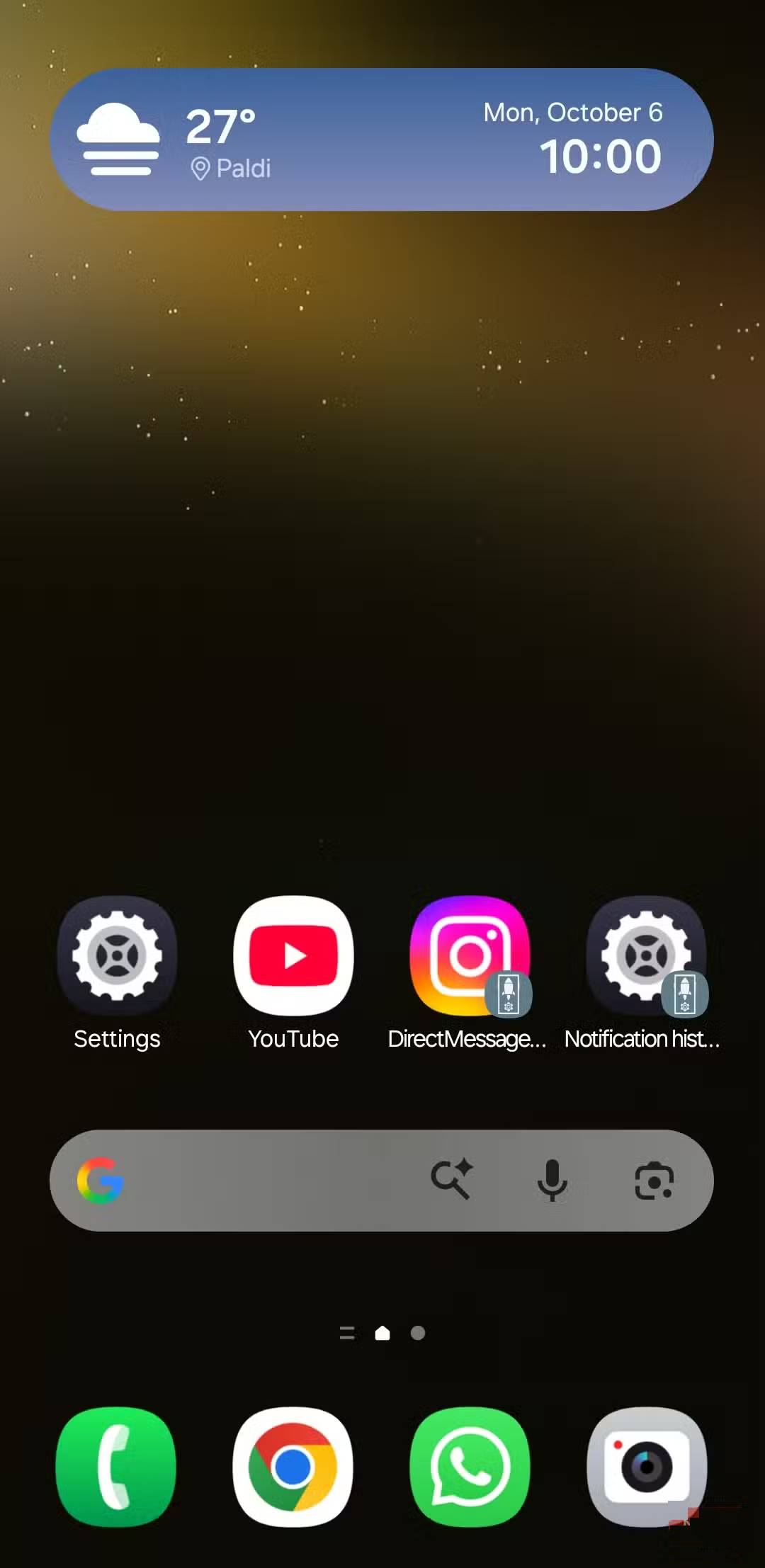
Activity Launcher doesn't have the most intuitive interface, but creating shortcuts is easier than you might think. When you open the app, you'll see a list of apps on your phone, including system apps. It might seem long, but you don't have to scroll forever. You can use the search bar to find a specific app. Before you scroll through, head into the app's settings menu and enable the Hide private activities Option. This will filter out options that require root access, making it easier to navigate.
Once the app refreshes, you can tap any app to see available shortcuts for that app. Some of the shortcut names may seem confusing, but if you read carefully, most of them make sense. If you're still unsure, tap the shortcut and select Launch activity To see what it does. When you find the activity you want to add, tap Create shortcut And tap Add .
It's easy. Then you can move the shortcuts anywhere on your home screen. Setting up all the shortcuts can take a while, but you only have to do it once. After that, everything will be smooth and efficient every time you unlock your phone.
Activity Launcher isn't perfect, but it's useful.
Imperfect but surprisingly indispensable
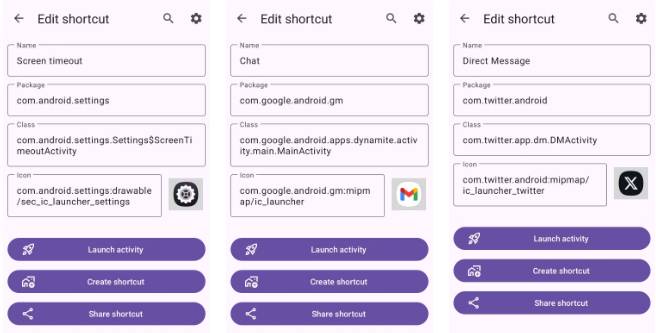
Activity Launcher is a huge time saver. Many people rely on it to see their notification history, access the Chat tab in Gmail, view X DMs, and more. Honestly, with all these shortcuts, the home screen can get a little cluttered. To avoid this, you can keep your less-used shortcuts in a folder.
Activity Launcher has a few quirks. For one, finding the shortcut you need can take a while because of its name. You may encounter a few shortcuts that don't work as you use it. Other than that, the app works pretty well.
Activity Launcher isn't a flashy app, and it doesn't solve any major problems. But it's become a familiar tool for navigating apps and Android phones in general. And sometimes, that's all you really need.
FAQ
What should you know about activity launcher?
In practical terms, activity Launcher turns what would normally be boring tasks, like searching through settings or navigating the app menu, into a quick tap.
Why does activity launcher matter?
The article highlights that activity Launcher turns what would otherwise be tedious tasks, like searching through settings or navigating through the app menu, into a quick tap.
What is the main takeaway?
The main takeaway is that it also lets you create shortcuts from your apps, meaning you can access a specific page of your favorite app without having to go through the usual menu maze.
Related Articles
 Open Source Android Launcher: Best Options and Key Tips5 minutes read
 Nova Launcher - Nova Launcher Download and Installation5 minutes read
 How to Add a Bookmark Shortcut to Your Home Screen (Android): Complete Guide6 minutes read
 How to Add Apps to the Home Screen on Windows and Mac Laptops7 minutes read
 Mouse Chase Home App: Explained5 minutes read
 Simple Way to Create Quicklist for Ubuntu Unity Launcher5 minutes read
Reader Comments 0
Sign in with email or Google to join the discussion.