Table of Contents
This article examines Virtual assistant Zalo world cup and explains the main developments, practical implications, and context readers should understand.
- How to watch the 2018 World Cup on the main phone from VTV
- The best 2018 World Cup apps for mobile
- How to add 2018 World Cup schedule to widget widget for iOS, Android
Text the Virtual FIFA World Cup Assistant to Exploit Information About the World Cup
Step 1:
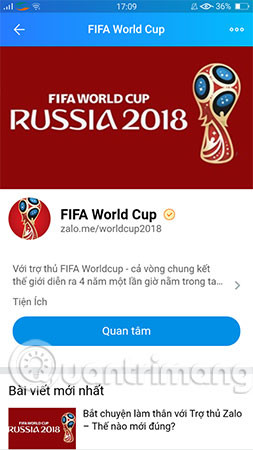
Access the Zalo application on your phone, click Search and type the keyword FIFA World Cup. Immediately, the FIFA World Cup account on Zalo will appear, you choose Interested to start texting the virtual assistant and exploit any information related to the 2018 World Cup.
Step 2:
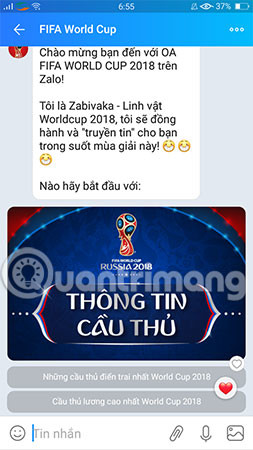
Now you can ask for information about the schedule of the day or during the World Cup season. Specifically, the virtual assistant also helps to update the score of any match that took place, the current "Scorer" list and countless other information.
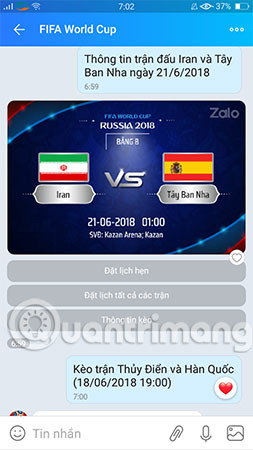
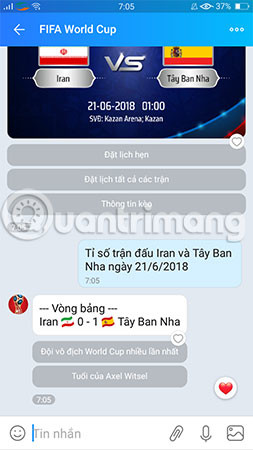
Besides, FIFA World Cup also features smart scheduling and reminds you at the right time the match starts to not miss the exciting match. If you want to know the information about the team, each player profile, you can totally message the FIFA World Cup assistant.
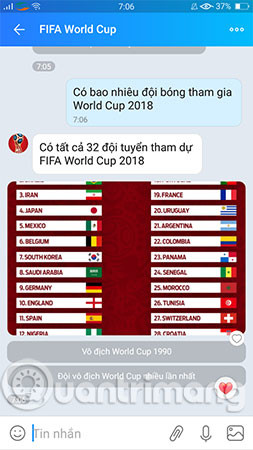
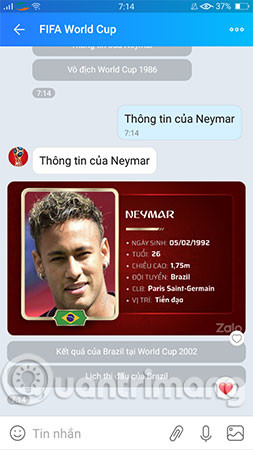
Another interesting point that FIFA World Cup on Zalo brings is support information for users such as the ratio or history of confrontation of the two teams, making predictions of rather witty results and sentences. Answer 'smart' when not answering the question given by the user.
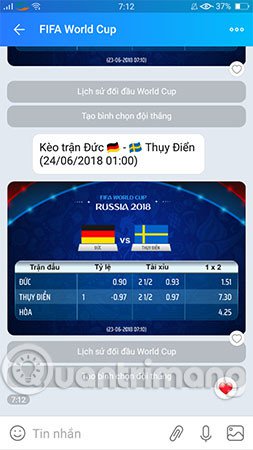
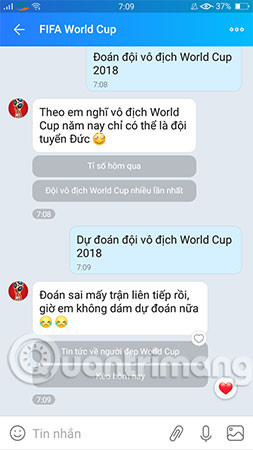
Create a "World Cup Comment" Group on Zalo to Talk About Football, 'Slash'
With the virtual FIFA World Cup assistant, we can also create a "World Cup Comment" group on Zalo to talk with friends about football, "slashing" the rafter. The virtual FIFA World Cup assistant will be automatically added to the group to make the conversation more lively and humorous.
Step 1:
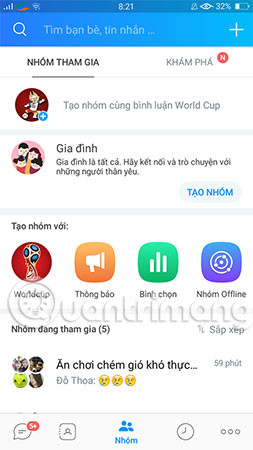
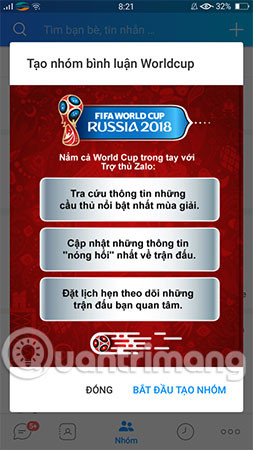
To create a World Cup comment on Zalo, click the Group item as shown below. Then select the Create group with World Cup comment and select Start creating group.
Step 2:
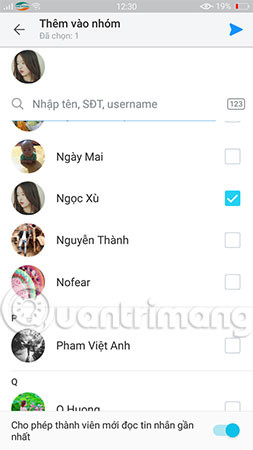
You invite friends to join this comment group by entering a name or phone number.
Step 3:
Press @FiFa World Cup and enter the topic for this comment. For example, in the tutorial, we will enter the following content: @FiFa World Cup Create a winning team selection for Germany and Sweden matches.
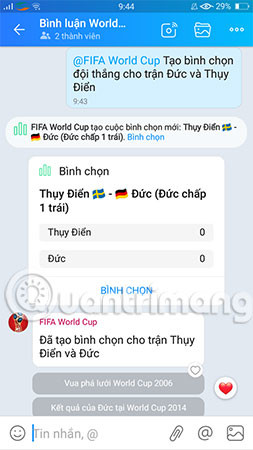
And as you can see, the FIFA Word Cup created a new poll, at which point you were able to start slashing against each other on soccer matches and even chatting with virtual assistants so that the air became boiling. More famous.
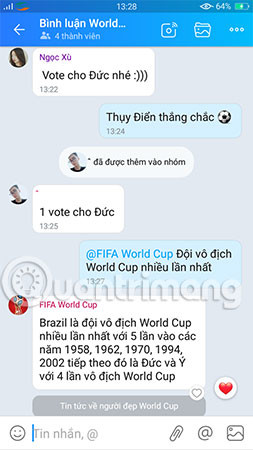
Wish you have an enjoyable experience!
- Packages for watching 2018 World Cup of Mobi, Viettel and Vinaphone
- Exciting 2018 World Cup with attractive football game on the phone
- The keywords that create effects on Facebook encourage my favorite team in the 2018 World Cup season
FAQ
How does Virtual assistant Zalo world cup work?
This article examines Virtual assistant Zalo world cup and explains the main developments, practical implications, and context readers should understand.
What should you prepare before using this method?
How to watch the 2018 World Cup on the main phone from VTV The best 2018 World Cup apps for mobile How to add 2018 World Cup schedule to widget widget for iOS, Android Text the Virtual FIFA World Cup Assistant to Exploit Information About the World Cup Step 1.
What should you do if the process does not work as expected?
Immediately, the FIFA World Cup account on Zalo will appear, you choose Interested to start texting the virtual assistant and exploit any information related to the 2018 World Cup.
Related Articles
 How to Read Newspapers on Mobile Using Zalo Channel4 minutes read
 Summary of the Hottest Technology News in March 4, 20156 minutes read
 Instructions for Creating Online Business Shops on Zalo7 minutes read
 How to Turn Off Log Notifications and Moments on Zalo: Zalo Moments4 minutes read
 Zalo Could Not Access It Again, the Entire VNG System Collapsed3 minutes read
 Tips for Using Zalo Are Useful for Users8 minutes read
Reader Comments 0
Sign in with email or Google to join the discussion.