Table of Contents
The process for watch the 2018 world cup on the main phone from vtv is straightforward once you know where to find the right controls. The steps below explain what to do and what to check.
As you know, VTV has signed the official license to broadcast the 2018 World Cup on 3 channels VTV2, VTV3 and VTV6 depending on the time and the match. However, if there is no condition to watch live 2018 World Cup in front of television screen, watch the 2018 World Cup via phone and laptop will be the perfect solution for you.
And no one else is VTV, the publisher behind this method, not only provides applications for watching football, VTV also supports users to watch live matches on smartphones and computers via the transmission system. Internet picture.
- Guide to watching football on Sopcast Android
- Packages for watching 2018 World Cup of Mobi, Viettel and Vinaphone
- How to create wallpaper to update the results of the 2018 World Cup
Watch 2018 World Cup on the phone with VTV's available app
To watch 2018 World Cup matches live on your phone or computer, you can download one of VTV's official applications on the two largest smartphone platforms currently iOS and Android. These are completely free applications developed by the content production and trading center of Vietnam television stations. There are four easy-to-use and most mentioned online football viewing apps to watch the current World Cup:
1. VTV Go
- Download VTV Go for Android
- Download VTV Go for iOS
2. VTV Cab On
- Download VTV Cab On for Android
- Download VTV Cab On for iOS
3. VTV Sports
- Download VTV Sports for Android
- Download VTV Sports for iOS
4. VTV Play
- Download VTV Play for Android
- Download VTV Play for iOS
See 2018 World Cup on the phone from VTV's official website
In addition to watching the World Cup above, you can also access the official website of VTV:
1. Vtvgo. vn
When accessing this site, the game interface appears immediately if that battle is taking place. In addition, you can choose the football viewing channel below.
2. Vtv. vn
Watching the 2018 World Cup on Vtv. vn website is very simple, you just need to access the website then select TV & video Item and find the corresponding channel where the match is able to enjoy the sublimation moments of the festival The biggest sports on the planet.
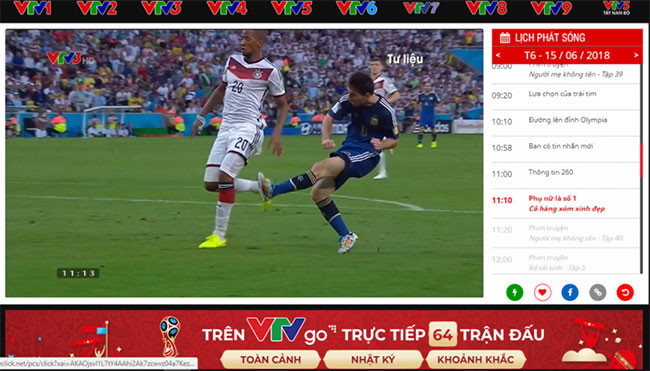
With the view of the 2018 World Cup on the main phone from VTV according to our suggestions, we hope to bring more or more options to watch the 2018 World Cup directly and not miss any matches. Any ball in the top tournament of this world.
In addition to learning how to watch the 2018 World Cup live on your phone, don't forget to watch the 2018 World Cup schedule as well. For more convenient tracking, you can add the 2018 World Cup schedule to Google, PC, and your phone.
Wish you have a great 2018 World Cup season!
- How to create avatar Facebook World Cup 2018
- How to take a picture of the 2018 World Cup effect on Messenger
- Exciting 2018 World Cup with attractive football game on the phone
FAQ
What should I prepare before I watch the 2018 world cup on the main phone from vtv?
Review the requirements in the guide, confirm that your device or software is compatible, and save important work before changing settings related to watch the 2018 world cup on the main phone from vtv.
Why might watch the 2018 world cup on the main phone from vtv not work as expected?
The most common causes are incompatible versions, missing permissions, incorrect settings, or an interrupted internet connection. Recheck each step and restart the app or device when appropriate.
Can beginners follow these watch the 2018 world cup on the main phone from vtv steps?
Yes. Follow the steps in order, avoid skipping confirmation screens, and compare your interface with the screenshots because labels may differ slightly between versions.
Related Articles
 Leehur V8, the Cheapest Call-listen Watch in the World, Priced at3 minutes read
 Top Application to Watch TV on the Phone9 minutes read
 Top 5 Cheap Kids Phone Watches with Smart Positioning Function9 minutes read
 Packages for Watching 2018 World Cup of Mobi, Viettel and Vinaphone6 minutes read
 Why You Shouldn't Watch Netflix on Your Phone?6 minutes read
 How to Start and Reset Apple Watch5 minutes read
Reader Comments 0
Sign in with email or Google to join the discussion.