 Home
Home
 Wifi Tips
 Fix Computer
 Windows 10
 Windows 11
 Artificial Intelligence
 Space Science
 Strange story
- Useful features you may not know about Alarms & Clock in Windows 10
 - Although you often use Windows 10, but do you know how to use the Alarm and Clock app?
 - List of features that are no longer supported or have been removed in Windows 10 2004Microsoft has begun releasing the Windows 10 May 2020 Update.
- How to format a drive with ReFS in Windows 10Starting with Windows 8, a new file system called ReFS is included with the operating system. In this article, readers will learn how to format any drive with ReFS in Windows 10.
- Why ReFS is not commonly used on Windows 10?Microsoft currently disables the ability to create new ReFS partitions in all versions except Workstation. Let's take a look at the top 5 reasons why ReFS is not yet commonly used
- How to install Visual Studio Code on Windows 10Visual Studio Code is a lightweight, convenient and popular code editor that you can download and install for free on Windows 10. In this tutorial, you will learn the steps to
- How to pin text and images to the Windows 10 Clipboard HistoryWindows 10 makes copying and pasting more convenient with a feature called Clipboard History. It allows you to pin items you frequently copy and paste into lists for quick access.
- How to change the text size for the title bar in Windows 10You can make the text of the title bars on the screen easier to see by making them larger, while keeping the screen set to the recommended resolution and default DPI.
- How to change the value of HungAppTimeout in Windows 10This tutorial will show you how to specify a HungAppTimeout value, to indicate how long the system will wait before the End Task dialog box appears in Windows 10.
- The Windows 10 2004 version support page is actually workingMicrosoft officially released support documents (information pages) for the May 2020 Update.
- How to add exceptions in Windows Defender on Windows 10Windows Defender is integrated into Windows 10 to find malware. To improve performance for tasks such as compiling code or running virtual machines, you can add exceptions and
- After the May 2020 Update (20H1) update, what to expect on Windows 10?After the 20H1 update with many major changes, what is expected to appear in Windows within 12 months?
- How to switch from RAID to AHCI without reinstalling Windows 10Sometimes SSDs may not be detected by the bootable CD when in RAID mode and you have to enable AHCI mode. In this guide, TipsMake.com will show you how to switch from RAID to AHCI
- Where does Windows 10 store default wallpapers?Windows 10 includes a nice selection of default wallpapers, but they're easily gone somewhere if you decide to use custom wallpapers. If you want to reuse the default images,
- How to enable transparent background on Windows TerminalWindows Terminal is the main command line experience to run Command Prompt, PowerShell, as well as Linux on Windows 10. Besides the ability to set custom themes and change the
- How to delay starting OneDrive on Windows 10/8/7Microsoft OneDrive is a reliable cloud storage option. You can leave OneDrive to start with Windows or delay booting OneDrive a bit. This improves the Windows boot time.
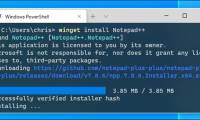
- How to use winget - New Package Manager for Windows 10Microsoft's new Windows Package Manager makes it easy to install apps by running a command. Here's how to try out the new winget command and why this Linux package manager is so
- How to restore Windows 10 copyright after deleting the installation partitionWindows 10 users sometimes have to reinstall the operating system. And reformatting the hard drive partition caused the copyright of Windows to be lost. Please refer to a few
- Tricks Active Win 10 perpetual copyright successful 100%- Here are the ways Active Win 10 Pro 32bit, 64bit is 100% successful, permanently without much effort when installing Windows 10 on the computer.
- Summary: All new Windows 10 features are announced by Microsoft at Build 2020Here are the important new Windows 10 features announced by Microsoft at Build 2020.
- How to change the height or width of the Taskbar on Windows 10Did you know the Windows 10 Taskbar is resizable? With a few clicks, you can make it taller, to make room for application shortcuts. If you use a vertical Taskbar, you can make it








Most viewed
- The configuration guide features the Quiet Hours on Windows 10
- How to fix not seeing other machines on the Windows 10 LAN
- Microsoft released Windows 10 Build 15063.936, improved performance and bug fixes for the operating system
- How to turn off Cortana on Windows 10 - How to turn off Cortana on Windows 10
- How to use a PIN to log in in Windows 10
- How to prevent Windows Security from sending files to Microsoft
- Guide to watching live events on September 9 on different operating systems
- Windows 10 S can be unlocked by Smartphone


 System
 Mac OS X
 Hardware
 Game
Game Tech info
 Technology
 Science
 Life
Life Application
 Electric
 Program
 Mobile