 Home
Home
 Wifi Tips
 Fix Computer
 Windows 10
 Windows 11
 Artificial Intelligence
 Space Science
 Strange story
- How to rollback Nvidia driver in Windows 10
 If the latest Nvidia driver is causing the problem, follow the steps in this article to rollback the driver in Windows 10.
 - Instructions to turn off background applications to help your computer run Windows 10 betterThe following article will guide you on how to turn off applications running in the background on Windows 10 to help your computer operate more smoothly and save battery power if
- How to enable / disable the Allow Wake Timers option in Windows 10This guide will show you how to enable or disable the Allow Wake Timers option to wake up the computer in Windows 10.
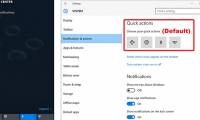
- How to change the number of Quick Actions displayed in Action Center Windows 10Users can choose quick actions in Settings to display at the bottom of the Action Center. This guide will show you how to change the number of quick actions displayed in Action
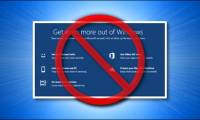
- How to turn off 'Get Even More Out of Windows' feature in Windows 10Tired of Windows 10 bothering you with the 'Get even more out of Windows' splash screen every time you update?
- How to enable / disable notifications from Windows Security Center in Windows 10Windows Security Center sends notifications with important information about your device's health and security. You can specify which Windows Security Center notifications you want
- How to install the Microsoft Edge Group Policy template on Windows 10On Windows 10, you can download and install group policy templates to manage Microsoft Edge settings, and this guide will show you the process.
- How to install CAB files for updates and drivers on Windows 10On Windows 10, you can install the .cab file using the Deployment Image Servicing and Management (DISM) command-line tool available in the Command Prompt, and here's how.
- Top 10 tips Windows 10 for you become a proWhether you've been using Windows 10 for years or have only recently upgraded, there are plenty of new and old tips, tricks and hidden features to learn that will make using your
- What is the 'Windows Feature Experience Pack' on Windows 10?Windows 10 currently has a strange spec called 'Experience'. The standard desktop version of Windows 10 indicates that the 'Windows Feature Experience Pack' is installed. What does
- How to view upgrade history in Windows 10Viewing the detailed Windows upgrade history can be very helpful when learning about Windows builds and versions previously installed on a Windows 10 PC.
- How to create a shortcut Hyper-V Manager in Windows 10Hyper-V, which allows running virtualized computing systems on physical servers. This tutorial will show you how to create a Hyper-V Manager shortcut in Windows 10.
- Microsoft confirms Windows 10 20H2 has a blue screen error and restarts by itselfMicrosoft has officially confirmed two critical bugs on Windows 20H2 version. Accordingly, Windows 10 20H2 is currently experiencing a blue screen error and automatically
- Windows Hello Face facial recognition technology on Windows 10Let TipsMake learn about - Windows Hello Face - the prominent name for facial recognition technology on Windows 10 laptops.
- Microsoft releases update KB4580364, which resolves crashes on Windows 10Microsoft has officially released update KB4580364 to resolve an error that caused some devices running Windows 10 2004 and Windows 10 20H2 to freeze while in use.
- Turn off unnecessary functions in Windows 10There are many services that are turned on by default when Win 10 starts up, but not all services are useful for general users, you have to turn off those redundant functions to
- 5 ways to quickly open System windows in Windows 10Starting with the Windows 10 October 2020 Update, Microsoft removed the System window from Control Panel. However, this information does not disappear forever. It is currently
- How to remove the Ease of Access button from the login screen in Windows 10As its name suggests, Ease of Access menu tries to make Windows 10 system equally easy to use for all users. You can find Ease of Access options from the Windows Settings page as
- Microsoft patch prevents Windows 10 1903 and 1090 users from updating to newer versionsIf you are unable to update Windows 10 1903 and / or 1909 to a newer version then here is the fix for you.
- How to delete recent items in Search on Windows 10Windows 10's search box now shows recent searches, and if you don't want to see this list, you can remove it with the following steps.




Most viewed
- The configuration guide features the Quiet Hours on Windows 10
- How to fix not seeing other machines on the Windows 10 LAN
- Microsoft released Windows 10 Build 15063.936, improved performance and bug fixes for the operating system
- How to turn off Cortana on Windows 10 - How to turn off Cortana on Windows 10
- How to use a PIN to log in in Windows 10
- Notable new features on the Windows 10 April update 2018 Update
- Microsoft released Windows 10 (PC) Build 17661 for Insider Fast users
- How to prevent Windows Security from sending files to Microsoft


 System
 Mac OS X
 Hardware
 Game
Game Tech info
 Technology
 Science
 Life
Life Application
 Electric
 Program
 Mobile