 Home
Home
 Wifi Tips
 Fix Computer
 Windows 10
 Windows 11
 Artificial Intelligence
 Space Science
 Strange story
- How to show scrollbar in apps in Windows 10
 If the default scrollbar in the Settings app and Store app is hard to see or use, you can show the full scrollbar in Windows 10. Here's how!
 - How to stop background apps running on Windows 10There are many reasons why your computer is slow. One of the reasons is that all background applications are affecting your PC's performance. You can improve things by disabling
- Instructions for turning on and off Bluetooth on Windows 10If you're having trouble turning Bluetooth on and off on your Windows 10 PC, TipsMake.com has put together some of the simplest ways.
- How to add / remove fingerprint for account in Windows 10Windows Hello is a more personal and secure way to instantly access Windows 10 devices with fingerprint or facial recognition.
- How to move windows to another virtual desktop in Windows 10If you often use virtual desktops in Windows 10 to manage your workspace, you will find that keeping track of windows between them can be tricky at times.
- How to download and install Windows Performance Toolkit in Windows 10This guide will show you how to download and install the Windows Performance Toolkit to use the Windows Performance Recorder, GPUView and Windows Performance Analyzer tools in
- What is CandyOpen? How to remove CandyOpen from a Windows 10 deviceCandyOpen, developed by SweetLabs is a piece of software that is designed to come with an installer of another program, so that it can be secretly installed onto the computers of
- How to reset the default folder view settings in Windows 10This guide will show you how to reset folder view settings, preview width and details, and navigation width back to default preferences in Windows 10.
- How to enable / disable TLS 1.3 in Windows 10For TLS to work, it must be enabled on both the client and the server. For Windows server users, TLS 1.3 is enabled by default in IIS / HTTP.SYS.
- How to enable random MAC address for WiFi network on Windows 10In this guide, you will learn the steps to always use a random MAC address for your WiFi adapter on Windows 10.
- How to reset GPU options for apps to default in Windows 10This guide will show you how to reset GPU graphics performance option for app settings to default in Windows 10.
- How to connect L2TP / IPsec VPN on Windows 10This article will describe how you can configure L2TP / IPsec VPN on Windows 10.
- What is Windows Sandbox? How to use Windows Sandbox to run the applicationWith the Windows 10 May 2019 update, Microsoft introduced a new feature called Windows Sandbox. This article Thuthuatphanmem.vn will discuss what Windows Sandbox really is and how
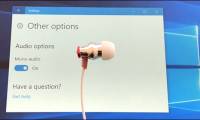
- How to enable / disable Mono Audio on Windows 10Mono Audio is an accessibility feature of Windows 10 to ensure that even if listeners have problems with one ear or audio channel, they will never miss a word or sound playing in
- How to update from WSL to WSL 2 in Windows 10WSL 2 (Windows Subsystem for Linux 2) is a new version of the architecture in WSL that changes the way Linux distributions interact with Windows. This guide will show you how to
- 7 How to adjust brightness in Windows 10There are many methods to increase / decrease the brightness in Windows 10, but not everyone knows the convenient and fast way.
- How to show or hide the Windows 10 system tray iconCustomizable Windows 10 system tray is more diverse than ever, you can configure the system icons and apps displayed in it.
- How to change the IP address in Windows 10If you want to change the IP address on a Windows 10 computer, then this article is for you, I will guide you how to install IP in detail by image.
- Turn off Windows 10 screen brightness auto-adjustmentThis article tipsmake will guide you to turn off Windows 10 screen brightness auto-adjustment feature, also known as Adaptive Brightness Win 10.
- A tool to help you control your privacy in Windows 10If you're worried about Windows 10 monitoring your activity, here are two tools that give you complete control over your Windows 10 operating system's privacy settings.








Most viewed
- The configuration guide features the Quiet Hours on Windows 10
- How to fix not seeing other machines on the Windows 10 LAN
- Microsoft released Windows 10 Build 15063.936, improved performance and bug fixes for the operating system
- How to turn off Cortana on Windows 10 - How to turn off Cortana on Windows 10
- How to use a PIN to log in in Windows 10
- Notable new features on the Windows 10 April update 2018 Update
- Microsoft released Windows 10 (PC) Build 17661 for Insider Fast users
- How to prevent Windows Security from sending files to Microsoft


 System
 Mac OS X
 Hardware
 Game
Game Tech info
 Technology
 Science
 Life
Life Application
 Electric
 Program
 Mobile