Office information
How to Insert Audio in PowerPoint 2016
PowerPoint 2016 allows users to add audio to the presentation. Follow the main steps and troubleshooting guidance.
Browse more Explore practical Office information guides, useful tools, setup instructions and troubleshooting tips for common tasks, features and problems.
PowerPoint 2016 allows users to add audio to the presentation. Follow the main steps and troubleshooting guidance.

MS Word is the focus of this article. If you are working on a long document, you should create a table of contents for viewers to follow.

Countif Excel Function is the focus of this article. Users can compare data on 2 Excel columns with the COUNTIF function.

During the presentation, the slideshow always comes with speech, so it's not surprising that sometimes you need to pause the audio during a presentation.
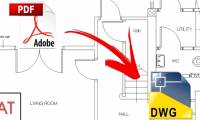
Any PDF to DWG Converter is the focus of this article. From PDF files to convert to Autocad files, users can use many different ways.

LibreOffice provides document encryption support. Follow the main steps and troubleshooting guidance.

To separate photos from the background users can use the tools available in Word with a simple way to do.

Setting up 2 screens when PowerPoint slide show will help you see the next notes and slides on your computer.

Microsoft Excel is the focus of this article. Pie charts are a great tool for visualizing information. Follow the main steps and troubleshooting guidance.

Google Drawing drawings can be inserted on other drafting tools to serve a variety of presentation needs.

In addition to creating passwords for Excel files, we can proceed to set the password for each sheet in Excel data to prevent the ability to edit the sheet.
PowerPoint Tips is the focus of this article. Inserted photos into PowerPoint will either overlap slide content or overwrite other images.

Creating PowerPoint crossword will be different when we create basic slides. Follow the main steps and troubleshooting guidance.

PowerPoint 2016 is the focus of this article. To create effective PowerPoint presentations, it is important to make the slides really readable.

Insert Header is the focus of this article. Inserting Header, Footer on Word in addition to writing text content, you can insert images.

How to Change the Text Direction is the focus of this article. To turn horizontal text on Word we can use many different ways.
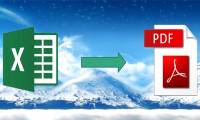
Converting Excel files to PDF will help create more professional documents, preventing the spreadsheet from being modified during the exchange process.
How to Insert Photos into PowerPoint 2016 is the focus of this article. Adding photos can make your presentation more interesting and engaging.

PowerPoint Laser Mouse Pointer is the focus of this article. Using laser mouse effects in PowerPoint will help viewers focus on the content of the.
The reversed text and Word feature on Word will help the content in the article add a more unique, increased effect to the content.