
Office information
How to Create Resume in Microsoft Word: Create Word Resume
Create Word Resume is the focus of this article. Resume is like a successful ticket to help you achieve your dream jobs.
Browse more Explore practical Office information guides, useful tools, setup instructions and troubleshooting tips for common tasks, features and problems.
Create Word Resume is the focus of this article. Resume is like a successful ticket to help you achieve your dream jobs.
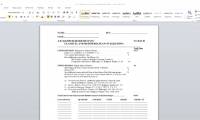
Word is the focus of this article. There are times when you need to create a form that others can fill out.
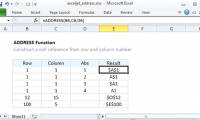
The ADDRESS function in Excel takes the number of rows and column numbers as arguments and returns the reference of the standard cell (cell address).

Today's article will give you a list of 96 ways to manipulate things faster in a Microsoft Office environment.
Onenote 2016 is the focus of this article. OneNote is great for tracking and organizing all information and is available on all devices.
Draw PowerPoint Flowchart is the focus of this article. The flowchart, called PowerPoint, will create a step-by-step process diagram.

Alt text allows the screen reader to identify descriptions and read aloud, to assist visually impaired people.
Access Shortcuts is the focus of this article. Microsoft Access is part of the Microsoft Office toolkit and comes with all Microsoft Office versions.

In order to type documents on a computer, users need to prepare office tools, Vietnamese keyboard and some other settings.

Edit PowerPoint Slide Thumbnails is the focus of this article. The slide thumbnail in PowerPoint shows to the left of the interface, and we can adjust the.
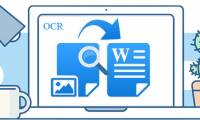
To export text in images to text, you can use Chrome browser right away. Follow the main steps and troubleshooting guidance.

Create Presentations in Google Slides is the focus of this article. Google Slides is a free, online, presentation-replacement application for PowerPoint.

OneNote provides a complete set of tools to create templates, but you can save time by downloading templates available from the web.

How to Hide Excel Sheet is the focus of this article. Hide sheets in Excel makes Excel spreadsheets easier to see, and more to work on content on a sheet.
COUNTA Function Excel is the focus of this article. The COUNTA function in Excel counts the number of cells containing data, non-empty cells in Excel.

Although the main function of a PivotTable is to summarize large data, you can use them to calculate the percentage change between values.

With Google Apps Script, you can add menus, custom dialogs, write functions and macros, build add-ons for Google Docs, Sheets and Slides.

PowerPoint is the focus of this article. In today's article, TipsMake. Review the key facts and practical impact.

Insert Excel Characters is the focus of this article. Inserting special characters in Excel is as simple as inserting characters in Word.

Convert Word to PDF is the focus of this article. Converting doc or docx documents to PDF is simple, increasing the security of text files.