
Artificial intelligence
How to Use ChatGPT to Help Write a Scientific Paper
Use ChatGPT safely for research questions, literature workflows, outlines, data checks, and editing while verifying every source and following journal disclosure rules.
Browse more Explore technology news, emerging trends and practical insights into the products, platforms and innovations shaping the digital world.
Use ChatGPT safely for research questions, literature workflows, outlines, data checks, and editing while verifying every source and following journal disclosure rules.
Create and download a Speechma voiceover step by step, with guidance on voice selection, pitch, speed, pronunciation, CAPTCHA errors, and longer scripts.
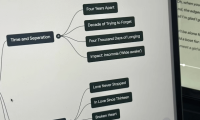
Turn selected documents, webpages, or videos into an interactive source-grounded mind map, then explore branches, check supporting passages, and export the result.
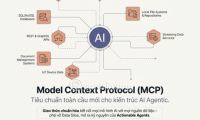
MCP is the open USB-C AI protocol - in-depth analysis of its architecture, advantages, and integration status on Claude, ChatGPT, Gemini 2026.

Use Storyboard Studio in Google Flow to turn a script into scenes, generate characters and locations, create storyboard images, and save the finished sequence.

Create a Personal Agent in n8n Chat Hub by defining its role, choosing a model, adding tools, testing permissions, and deciding when a workflow is the better option.
Generate speech from text in OmniVoice, design a synthetic voice, or clone a voice from a permitted recording, with practical setup and quality checks.

Google Information Agents monitor a topic in the background and send source-linked updates. Here is what Google announced, how to write a useful request, and the rollout limits.
Create a reusable Google Flow tool that turns a topic and optional media into a short-video script, scenes, captions, and a generated video, then test and refine it safely.

Compare seven FP&A platforms for spreadsheet-native planning, connected forecasting, scenario analysis, consolidation, and governed AI before choosing a finance workflow.

Use AI coding agents with safer permissions, isolated environments, protected credentials, controlled network access, and a deliberate review process.
Choose the safest recovery method for a broken screen, Windows boot failure, deleted files, or a failing drive—and know when to stop and use a specialist.
Record a clean voice sample, create a consent-based voice clone in MiniMax Audio, generate a test script, review the result, and manage the saved voice safely.

Compare free AI image generators for conversational editing, text-heavy graphics, vectors, quick concepts, and Adobe workflows—plus the limits to check before publishing.
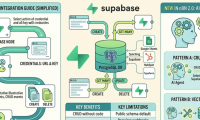
Configure Supabase credentials in n8n, test row operations with expressions, and secure production workflows that use privileged database keys.

Compare Perplexity Free and Pro for search, model choice, uploads, Projects, media generation, and support, then decide whether the subscription fits your actual research workload.
Animate a still image in Google Flow by adding it as a start frame, describing motion and camera behavior, choosing compatible video settings, and reviewing the generated clip.

Open an AI Detector through Canva Apps, scan a suitable text sample, interpret the score and highlighted patterns, and avoid treating the result as proof of authorship.
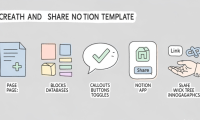
Build a reusable Notion page, remove private data, test databases and buttons, publish it with duplication enabled, and share a link that others can copy safely.

Generate text or image flashcards with a Canva app, verify every answer, refine the card design, and export a set that works for print or digital review.