Table of Contents
Google Flow can animate a still image by using it as the first frame of a generated video. The most reliable workflow is to upload a clean image, select a video mode that supports frames, describe only the motion and camera behavior you want, then review the result for unwanted changes. Audio, duration, aspect ratio, and reference features depend on the active model and account.
Before you upload the image
- Use an image you created or have permission to modify.
- Choose a clear subject with enough space for the intended movement.
- Remove accidental text, watermarks, or background people that should not be animated.
- Match the source aspect ratio to the final video when possible to reduce cropping.
- Do not animate a real person's likeness in a misleading, intimate, political, fraudulent, or non-consensual context.
Flow features and credit costs change by model. Google's current Flow video guide lists the supported Frames, Ingredients, duration, and audio options.
1. Create or open a Flow project
Open Google Flow and start a new project, or use an existing project whose assets and style should remain together. Keep source images, generated clips, and prompt versions in the same project so comparisons are easier.
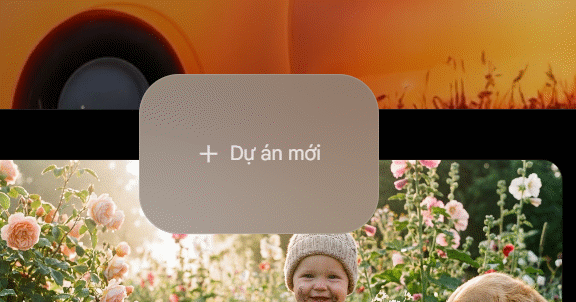
Start a Flow project for the image-to-video clip.
2. Add the still image
In the prompt area, open the model or media options and choose Video > Frames. Drag the image into Add start frame, or use the upload control to select it from your device or project assets. In an older Flow interface, the same action may appear under a plus icon or an upload-media command.
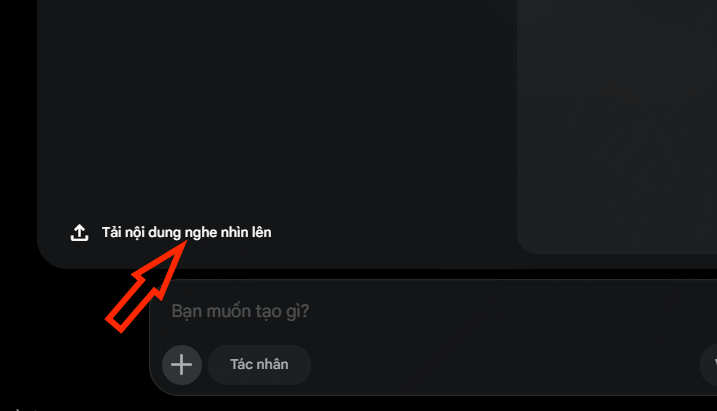
Upload the image or select it from the project's existing assets.
If Flow lets you attach a description to the asset, describe stable identity details rather than motion: for example, “the child in the yellow raincoat” or “the red ceramic cup.” Motion belongs in the generation prompt.
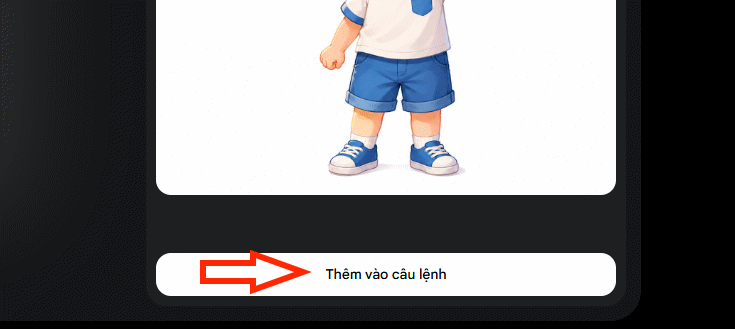
A concise asset description helps identify what should remain consistent.
3. Choose video settings supported by the model
Select the video model, aspect ratio, clip length, and number of outputs shown in your account. Google currently offers several Veo modes and Gemini Omni Flash, but not every mode supports every combination of frames, references, audio, duration, or editing.
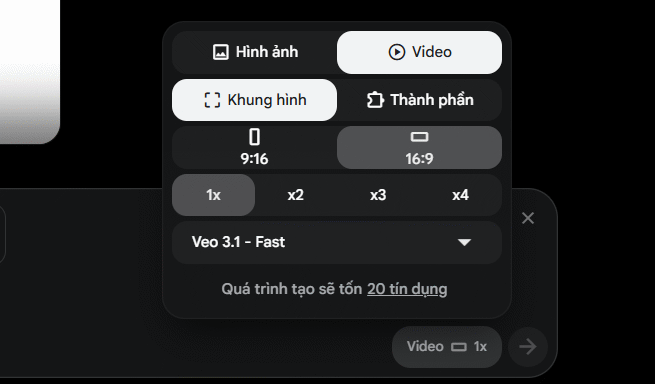
Check model support and credit cost before generating several variations.
Generate one or two short tests before spending credits on many outputs. A faster mode is useful for motion tests; a quality-oriented mode is more appropriate after the prompt is stable.
4. Write a motion-focused prompt
The image already defines the subject's appearance and starting composition. The prompt should explain what changes over time:
- Subject action: walks slowly, turns toward the window, lifts the cup.
- Secondary motion: leaves move in a light breeze, reflections ripple, fabric shifts naturally.
- Camera: locked tripod, slow push-in, gentle pan, handheld follow shot.
- Timing: action begins after a short pause and ends with a stable pose.
- Preservation: keep clothing, face, product shape, background, and lighting consistent.
- Audio: include dialogue or ambience only when the selected model supports it.
Example:
Animate this image as a calm morning scene. The child walks slowly along the park path while the trees move gently in the breeze. The camera makes a subtle forward tracking movement at eye level. Preserve the child's face, yellow jacket, proportions, and the original park layout. Natural motion, no new people, no text, and no scene cut.
If dialogue is required, put the exact words in quotation marks and keep them short. Do not assume perfect lip synchronization or pronunciation; listen to the entire result and regenerate or replace the audio when needed.
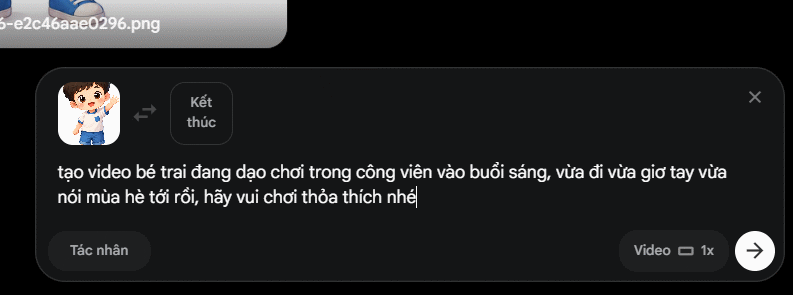
Describe motion, camera, timing, and details that must remain unchanged.
5. Generate, compare, and download
Generate the clip and watch it at full size more than once. Compare each output with the source image and inspect:
- face, hands, logos, product geometry, and clothing;
- background objects that appear or disappear;
- camera movement and unintended cropping;
- flicker, warping, repeated limbs, and abrupt scene changes;
- dialogue, pronunciation, ambience, and synchronization;
- the first and final frames if the clip will join another scene.
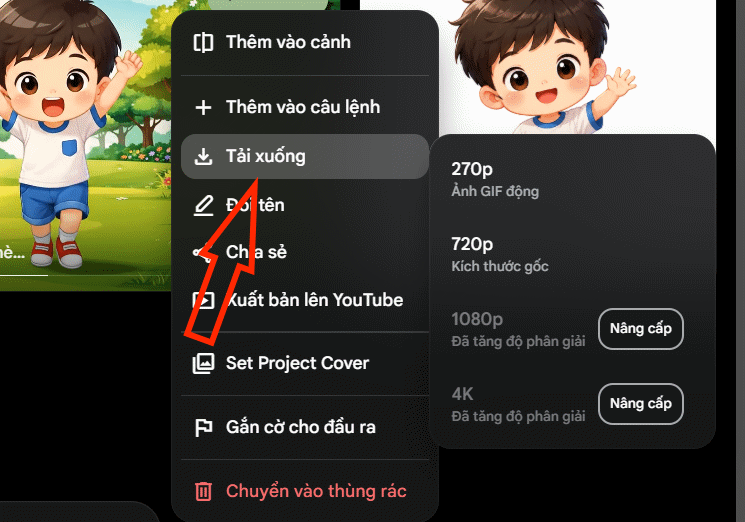
Review the full clip before choosing a download quality.
Use the output menu to download the available resolution. Keep the original image and prompt with the exported clip so the generation can be reproduced or corrected later.
How to fix common problems
The subject changes identity
Reduce the amount of action, use a cleaner and higher-quality reference, and state the few identity details that must remain stable. Avoid conflicting style instructions. For recurring characters across a sequence, consider Ingredients or a Flow character reference instead of relying only on one starting frame.
The camera moves too much
Replace vague phrases such as “cinematic camera” with a specific instruction: “locked tripod,” “slow two-second push-in,” or “gentle pan to the right.” If the source composition is already correct, explicitly request no reframing.
New objects appear
Add a short negative constraint such as “no new people, no signs, no text, no props.” Keep the scene description focused; every extra noun can become another object the model tries to show.
The image is cropped
Choose an output aspect ratio close to the source, or expand and reframe the still image before animation. Do not place essential details against the edge of the frame.
The motion looks unnatural
Ask for one primary action at a time. Complex body movement, rapid camera motion, long dialogue, and multiple scene changes are more likely to create visible errors in a short clip.
Build a sequence, not one overloaded clip
For a longer story, create separate shots with clear starting images, then edit them together. TipsMake's Google Flow storyboard guide helps plan characters, locations, and shot order. You can also compare other options in the guide to AI video creation tools.
Do not use the generated output as evidence that an event occurred. Label synthetic footage when viewers could reasonably mistake it for a real recording, and obtain consent for recognizable people, voices, private property, and protected creative material.
Related Articles
 How to Create AI Videos Shot with Drones on Google Flow: Step-by-Step Guide5 minutes read
 How to Combine Photos Using Google Flow3 minutes read
 How to Create a Dialogue Video from Just Two Images Using Google Flow6 minutes read
 How to Combine Videos on Flow into a Single-Page Video3 minutes read
 How to Create Your Own Video Editing Tools Directly on Flow?4 minutes read
 How to Create a Video from Photos Using a Storyboard on Flow4 minutes read
Reader Comments 0
Sign in with email or Google to join the discussion.