
Speaker headset
How to Use Bluetooth Headphones: Controls, Pairing, Charging, and Fixes
Learn Bluetooth headphone controls, pair with phones and computers, switch devices, charge and clean the hardware safely, and solve common audio problems.
Browse more Explore computer hardware guides, buying advice, troubleshooting tips and practical information about components, laptops and peripherals.
Learn Bluetooth headphone controls, pair with phones and computers, switch devices, charge and clean the hardware safely, and solve common audio problems.
Understand Intel Core i3 generations and model suffixes, compare i3 with i5 fairly, and decide whether a specific processor fits your workload.
Isolate the device, cable, port, power, driver, and Windows settings before reinstalling controllers or arranging repair for physical damage.
Stop the active page, clear individual jobs in Windows or macOS, and safely reset a stuck Print Spooler queue when documents keep returning.

Restart from Start, the keyboard, a command, or a desktop shortcut, and handle a frozen laptop without needlessly risking unsaved work.
Identify the exact earbud model, try simpler connection fixes, perform its documented reset sequence, and solve one-sided audio or pairing problems.

Explore effective ways to fix the Problem of a laptop Not Having Bluetooth, including key concepts, practical steps, useful tips, and common questions.

Separate layout, Num Lock, accessibility, driver, debris, liquid, and hardware faults, then restore input without damaging fragile keys or losing data.

Check whether the PC or mouse is frozen, then isolate power, receiver, Bluetooth, USB, sensor, surface, driver, and hardware problems.

Identify the exact wireless adapter, use Windows Update or the laptop maker's official package, and avoid mismatched third-party driver utilities.

Remove one document or an entire queue, safely restart the Windows Print Spooler for stuck jobs, and stop printing without deleting the source file.
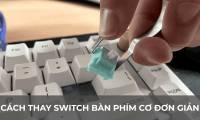
Confirm switch and socket compatibility, remove and install switches without bending pins, test each key, and recognize when soldering or repair is required.

Find the correct backlight key on Windows laptops or MacBooks, adjust brightness and timeout, and fix missing, dim, or uneven keyboard lighting.

Use Ctrl+Alt+Delete, Alt+F4, the Power User menu, or a safe shutdown command, and avoid forced power-offs that can lose unsaved data.

Distinguish normal warmth from dangerous heat, reduce workload, restore airflow, check fans and batteries, and know when internal service is required.
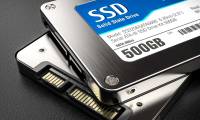
An SSD stores data in flash memory, offering faster access, lower noise, and better shock resistance than a hard disk. This guide covers SSD types, interfaces, trade-offs, and how to check your drive.
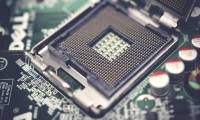
A CPU executes program instructions, performs calculations, and coordinates data flow between memory, storage, and connected hardware. Its design, core count, cache, and clock behavior all affect performance.

Connect a Bluetooth speaker to Windows 7, 8, or 10, or pair it with a Mac. The guide also covers missing Bluetooth hardware, driver faults, and common connection failures.
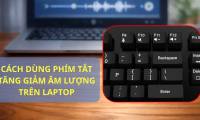
Adjust or mute laptop volume with function keys on Windows and macOS, use external-keyboard controls, create a custom Windows shortcut, and troubleshoot volume keys that do not respond.

Diagnose a laptop key that sticks, repeats, or does not respond. Safely check for debris, liquid damage, driver problems, and hardware failure, and learn when replacement is the better option.