Table of Contents
The best external keyboard for a laptop is the one that matches where and how you work. For travel, start with Logitech Keys-To-Go 2 or Pebble Keys 2 K380s. For a permanent office desk, consider Logitech MX Keys S. For mechanical switches and customization, compare Akko 5075B Plus, Akko TAC87, Dareu A87L, or Rapoo V500PRO 2.4 TKL. Users who need a full number pad can look at AULA S102 Pro or F108 Pro.
Availability, switch options, key legends, and bundled receivers differ by country and color variant. Confirm the exact product code and local warranty before buying.
Quick comparison
| Keyboard | Best for | Layout | Connection | Main trade-off |
|---|---|---|---|---|
| Logitech Keys-To-Go 2 | Frequent travel | Compact | Bluetooth | Minimal key travel and no numpad |
| Logitech Pebble Keys 2 K380s | Quiet multi-device use | Compact | Bluetooth | Round, laptop-like keys are preference-dependent |
| Logitech MX Keys S | Full-size office work | Full-size | Bluetooth/Logi Bolt | Larger and less travel-friendly |
| Logitech MX Mechanical | Low-profile mechanical productivity | Full-size | Bluetooth/Logi Bolt | Mechanical sound and higher cost |
| Dareu A87L | Wired TKL gaming | 87-key TKL | USB-C wired | No wireless mode |
| Rapoo V500PRO 2.4 TKL | Wireless TKL gaming | 87-key TKL | 2.4 GHz/wired | No Bluetooth multi-device mode listed |
| Akko TAC87 | Long-session tri-mode use | 87-key TKL | Bluetooth/2.4 GHz/USB-C | Large battery adds weight; stock varies |
| Akko 5075B Plus | Compact mechanical customization | 75% | Bluetooth/2.4 GHz/USB-C | Compressed navigation layout takes adjustment |
| AULA S102 Pro | Budget full-size wireless use | 105-key full-size | Bluetooth/2.4 GHz/USB-C | Membrane feel; large travel footprint |
| AULA F108 Pro | Full-size mechanical features | Full-size | Bluetooth/2.4 GHz/USB-C | Screen, knob, and size reduce portability |
Why use an external keyboard with a laptop?
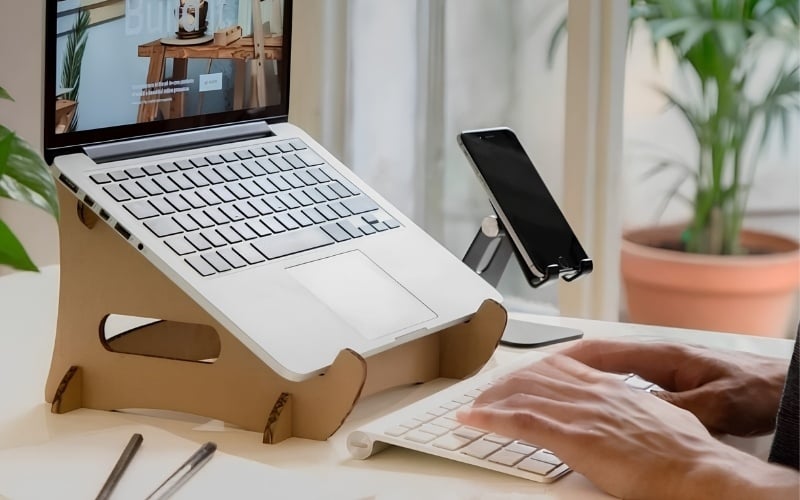
An external keyboard lets you raise the laptop screen closer to eye level while keeping the keys at a comfortable desk height. That separation can make a desk setup easier to adjust, especially when paired with an external mouse or trackpad.
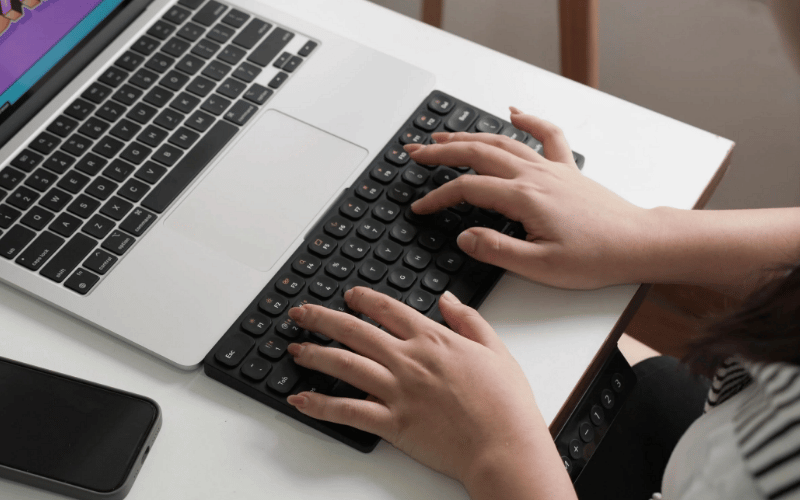
The keyboard itself does not guarantee better ergonomics. Keep your shoulders relaxed, elbows near your sides, and wrists in a neutral position. If a thick mechanical keyboard makes you bend your wrists upward, lower it or consider a suitable wrist rest. Take breaks rather than relying on a product to eliminate discomfort.
You may not need another keyboard if you type only occasionally, work mostly while traveling, or are already comfortable with the laptop's built-in keys.
How to choose an external laptop keyboard
Choose the layout first
- Full-size: includes a number pad. Best for spreadsheets and repeated numeric entry, but widest on the desk.
- 96% or 98%: keeps most full-size keys in a compressed layout. It saves width but can place navigation keys closer together.
- Tenkeyless (TKL): removes the number pad while retaining the function row and navigation cluster.
- 75%: keeps arrows and a function row in a compact arrangement. Some keys may be moved or combined.
- Smaller compact layouts: easiest to carry, but missing dedicated keys can slow workflows that depend on them.
Match the connection to the job
- Bluetooth: avoids a receiver and works well for multi-device switching, tablets, and general office tasks.
- 2.4 GHz wireless: uses a USB receiver and is often chosen for more consistent low-latency input. Performance still depends on the model and interference.
- Wired USB: does not need battery power and is simple for a fixed desk or gaming setup.
- Tri-mode: combines Bluetooth, 2.4 GHz, and wired USB, but you should verify what features and polling behavior are available in each mode.
Decide between low-profile, membrane, and mechanical keys
Low-profile scissor or membrane keyboards are usually familiar to laptop users and are often quieter. Mechanical keyboards provide a distinct switch under each key and offer more choices in force, travel, feedback, and sound. Mechanical does not automatically mean faster, quieter, or more comfortable.
If the keyboard will be used in a shared office, listen to the exact switch before buying. “Brown,” “red,” or another color is not a universal sound guarantee across manufacturers. TipsMake's mechanical switch overview explains linear, tactile, and clicky behavior.
Check compatibility and software
- Confirm support for Windows, macOS, Linux, ChromeOS, iPadOS, or Android as required.
- Check whether the physical legends match your preferred language and ANSI or ISO layout.
- Verify how Command, Option, Windows, and Alt are mapped.
- Determine whether remapping, macros, RGB, and firmware updates require Windows-only software.
- For a managed work laptop, check whether driver or configuration software is permitted.
- Confirm whether the USB receiver is included or sold separately.
10 external keyboards worth considering
1. Logitech Keys-To-Go 2: best for minimum bag space
Keys-To-Go 2 is Logitech's slim travel keyboard with a built-in cover. The universal version supports Android, ChromeOS, Windows, iPadOS, iOS, and macOS devices that accept an external Bluetooth keyboard.
Choose it if: portability matters more than long key travel or a desktop-size layout. It suits email, notes, and light editing while traveling.
Skip it if: you need a number pad, mechanical feedback, backlighting, or a keyboard that stays permanently on a large desk.
2. Logitech Pebble Keys 2 K380s: best compact multi-device keyboard
Pebble Keys 2 K380s is a compact Bluetooth keyboard with quiet, low-profile round keys and Easy-Switch buttons for moving between three paired devices. Logitech lists compatibility with Windows, macOS, iPadOS, iOS, and Android.
Choose it if: you use a laptop, tablet, and phone at the same desk and want familiar laptop-like travel.
Skip it if: round keycaps, the compact layout, or the absence of a dedicated numpad would disrupt your work.
3. Logitech MX Keys S: best full-size office keyboard
MX Keys S uses low-profile, dished keys and smart illumination that turns on as hands approach and adapts to ambient conditions. Logitech's Options+ software can customize keys and create supported Smart Actions.
Choose it if: you write, edit, or work in spreadsheets at a permanent desk and prefer a quiet, laptop-like feel with a number pad.
Skip it if: you frequently carry the keyboard or want replaceable mechanical switches.
4. Logitech MX Mechanical: best low-profile mechanical productivity keyboard
MX Mechanical combines low-profile mechanical switches, adjustable backlighting, and switching between up to three devices. Logitech lists broad desktop and tablet operating-system support, but key customization depends on Options+ availability.
Choose it if: you want mechanical feedback without a tall traditional keyboard case and regularly move between computers.
Skip it if: quiet operation is critical or you want a fully custom hot-swap board.
5. Dareu A87L: best straightforward wired TKL option
Dareu A87L is an 87-key wired mechanical keyboard. Dareu lists USB-C, hot-swap support, N-key rollover, and a 1000 Hz polling rate for the current A87L product.
Choose it if: you want a compact mechanical board for a fixed Windows gaming or work setup and do not need wireless connectivity.
Skip it if: you switch among mobile devices or require a number pad. Check the exact switch and keycap variant offered in your region.
6. Rapoo V500PRO 2.4 TKL: best TKL with receiver and wired modes
Rapoo V500PRO 2.4 TKL is an 87-key mechanical model with 2.4 GHz wireless and wired modes. Rapoo specifies brown switches, a rechargeable battery, and a compact layout.
Choose it if: you want a receiver-based wireless connection for gaming and the option to plug in a cable.
Skip it if: Bluetooth multi-device switching is essential. Product availability varies, so confirm regional stock and warranty.
7. Akko TAC87: best tri-mode TKL with a large battery
Akko TAC87 is an 87-key TKL board with Bluetooth, 2.4 GHz, and USB-C modes. The Black & Gold version currently documents a 10,000 mAh battery and software for macros, remapping, and layout customization.
Choose it if: you want a substantial wireless mechanical keyboard for long desk sessions and prefer TKL spacing.
Skip it if: low weight is a priority. Akko sells multiple TAC87 themes and switch options, and some variants may be out of stock.
8. Akko 5075B Plus: best 75% hot-swap value
Akko 5075B Plus uses a compact 75% layout with Bluetooth, 2.4 GHz, and USB-C connectivity. Current official variants list a 3000 mAh battery, five-pin hot-swap sockets, and programmable RGB.
Choose it if: you want to try compatible mechanical switches and need a compact board that retains arrows and a function row.
Skip it if: you rely on a traditional navigation cluster or number pad. Read the hot-swap compatibility guide before buying replacement switches.
9. AULA S102 Pro: best budget full-size membrane option
AULA S102 Pro is a 105-key full-size membrane keyboard with Bluetooth 5.0, 2.4 GHz, and USB-C modes, plus a display and volume knob.
Choose it if: you need a number pad, prefer membrane keys, and want several connection modes at a lower product tier.
Skip it if: you want replaceable mechanical switches or a compact travel keyboard. Confirm whether the screen and backlight justify the added desk space for your use.
10. AULA F108 Pro: best feature-rich full-size mechanical option
AULA F108 Pro is a full-size mechanical keyboard with tri-mode connectivity, hot-swap support, a knob, display, RGB, and an 8000 mAh battery on the current official listing. Switch choices and keycap colors vary.
Choose it if: you need a number pad and want mechanical switches, wireless modes, and visible status controls in one board.
Skip it if: portability, a minimal interface, or quiet office use matters more than features.
Which keyboard fits your workflow?
| Use case | Start with | Why |
|---|---|---|
| Daily commuting | Keys-To-Go 2 | Smallest travel-focused design and built-in cover |
| Laptop plus tablet or phone | Pebble Keys 2 K380s | Compact, quiet, three-device Easy-Switch workflow |
| Writing and spreadsheets | MX Keys S | Full-size low-profile layout with numpad |
| Mechanical office setup | MX Mechanical | Low-profile mechanical feel and multi-device support |
| Wired gaming | Dareu A87L | Simple TKL layout without wireless variables |
| Receiver-based wireless gaming | Rapoo V500PRO 2.4 TKL | 2.4 GHz and wired modes in an 87-key layout |
| Mechanical customization | Akko 5075B Plus | Compact tri-mode layout with hot-swap sockets |
| Full-size on a budget | AULA S102 Pro | Membrane keys, numpad, and three connection modes |
Checks to make before ordering
- Measure the available desk and bag space.
- List the dedicated keys you use every day, especially the numpad, Home, End, Page Up, and Page Down.
- Choose wired, Bluetooth, 2.4 GHz, or tri-mode connectivity.
- Confirm operating-system support, legends, and modifier-key mapping.
- Listen to the exact switch and keycap combination if noise matters.
- Check whether the receiver, charging cable, and replacement keycaps are included.
- Read the local return policy and warranty; international marketplace listings can differ from official regional stock.
- For wireless models, check battery behavior with the backlight on and off rather than relying on capacity alone.
An external keyboard is most useful when it solves a specific constraint: screen positioning, a missing number pad, cramped laptop keys, multi-device switching, or gaming input. Choose the layout and connection first, then compare extra features and appearance.
Related Articles
 5 Reasons to Buy an External Keyboard for Laptops4 minutes read
 Top 6 Best Red Switch Mechanical Keyboards to Buy for Gamers In 202613 minutes read
 iPad Keyboards Can Type Characters Faster in iOS 11 and This Is How4 minutes read
 How to Turn Off the Laptop Keyboard to Use an External Keyboard4 minutes read
 Desktops Are More Durable Than Laptops, but Why Do People Still6 minutes read
 Top 5 Top Separate Keyboards for Laptops in 2023: Expert Selection Guide26 minutes read
Reader Comments 0
Sign in with email or Google to join the discussion.