
Graphic design
Photoshop CS: Color Whirlpool Vortex: Figure
This is a very useful and interesting exercise, with just a few simple steps using the fillter filter you will create a tornado with lots of colors.
Browse more Explore practical Graphic design guides, useful tools, setup instructions and troubleshooting tips for common tasks, features and problems.
This is a very useful and interesting exercise, with just a few simple steps using the fillter filter you will create a tornado with lots of colors.

Step 1: Draw a flag shape - Select the rectangle tool (Rectangle Tool - F6) draw a rectangle about 2/3 in width - Click 2 l.
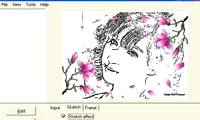
If you want to put your digital album into beautiful frames, or turn your digital photos into the magical sketches of a talented artist, it's best to try.

From a digital image, adding captions to create a large-sized poster for advertising, an introduction to a job is often not simple without the support of the.
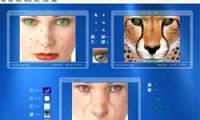
Have you ever heard of the famous series about young beasts who have the ability to switch between people and animals with different abilities?

Page is the focus of this article. Since today, we began to introduce you to a popular graphics software, CorelDRAW.

The ruler consists of vertical and horizontal ruler. Review the key facts and practical impact.
The Noise filter group is used to prepare the printed image and create a special effect. Review the key facts and practical impact.
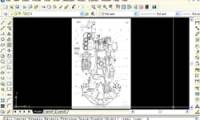
Once you have a construction drawing of a part, device., but there are no size parameters, so you will take a long time to redraw that drawing.

On CorelDRAW12's screen, the toolbar is always on the left side of the screen. Review the key facts and practical impact.
Render filter group special effects with light. Review the key facts and practical impact.

To draw a rectangle, select the Rectangle Tool on the toolbar, the mouse pointer with the plus symbol and the lower right corner are rectangular.

The Sketch filter group is derived from the Adobe Gallery Effects collection. Review the key facts and practical impact.

The Ellipse tool is used to draw a circle or an ellipse. Review the key facts and practical impact.

Sports photos downloaded from the Internet on this occasion often have the image of Teamgeist ball representing the team spirit of 32 teams participating in.

Figure is the focus of this article. The Polygon Tool is used to draw polygons, from these polygons we can draw many different shapes.

The Graph Paper Tool is used to create hundreds of rectangles, which are grouped together as a technical drawing paper.

Spiral drawing tool used to draw spiral lines counterclockwise or clockwise. Review the key facts and practical impact.
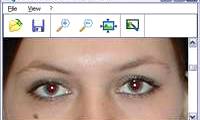
If you need a utility to remove red-eye effect in your photos, 'Red Eye Remover' will be a very useful program for its convenience.
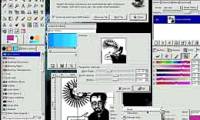
Adobe acquired Macromedia to protect the monopoly, which monopoly is not beneficial to users. Review the key facts and practical impact.