Graphic design
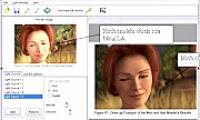
Light Artist - Artist That Adjusts Sharpness for Images
Light artist is a program that helps you get sharper images by creating light effects for photos with the same sharp balance from source images.
Browse more Explore practical Graphic design guides, useful tools, setup instructions and troubleshooting tips for common tasks, features and problems.
Light artist is a program that helps you get sharper images by creating light effects for photos with the same sharp balance from source images.
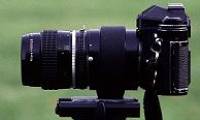
If you are new to photography or have just bought a digital camera, you can not go to http://www. Review the key facts and practical impact.

- Open a new file with RGB color mode - Fill it with FFE8B6 - Choose Filter - Noise - Add Noise with parameters.

There is no need to have a lot of knowledge about image editing through photo editors like Adobe Photoshop, MakeUp Pilot will help you automate all the.
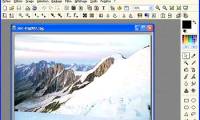
You must have heard of Photoshop, a professional image processing software, and perhaps because of that professional, its capacity is also huge, the trial.

There are many ways to design posters, but the simplest and easiest to use is Poster 7. Review the key facts and practical impact.
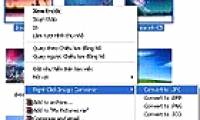
In the work of viewing and converting images if you feel quite tired of having to install massive software and have to perform complex image conversion.

This is a versatile program for converting image formats used in graphics. Review the key facts and practical impact.
There are many ways to create your own calendar unlike anyone else, in which TKexe Kalender is one of the software to support your ideas effectively.

ACDSee Pro makes users feel comfortable and familiar with other software in viewing photos, editing, managing and sharing images in Windows environment.

Picasa is software that helps you find, edit and share all your photos on your computer right away. Review the key facts and practical impact.

Program is the focus of this article. Seeing every wallpaper when entering Windows makes you bored. Review the key facts and practical impact.

You have a collection of photos in anniversaries, birthdays, friends and you want to store in VCDs instead of glossy paper pictures.

Photoshop uses filters to change image data in different ways. Review the key facts and practical impact.
In the Design world, color is a very important factor that directly affects the quality and aesthetics of the product being created.

In the era of information technology boom, the marketing forms of advertising will come to consumers more often than update.

At the time in the market is in vogue a new type of photography, teenage style that young people often call 'Korean style photography'.

Figure is the focus of this article. You've probably seen cartoons like 'big heads' in newspapers. Review the key facts and practical impact.
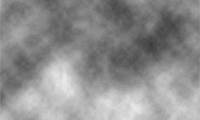
- Open a new document - Press D to get the color as default (black / white) - Choose Filter - Render - Clouds, get the results shown in Figure 1- Select.

With the Lens Flare filter available in Photoshop, you'll quickly add your photos to the sun's bright sun without having to use much Photoshop.