
Edit photo
10 Photoshop Beginner Skills Need to Know
Photoshop is one of the essential tools for photographers. Review the key facts and practical impact.
Browse more Explore practical Edit photo guides, useful tools, setup instructions and troubleshooting tips for common tasks, features and problems.
Photoshop is one of the essential tools for photographers. Review the key facts and practical impact.
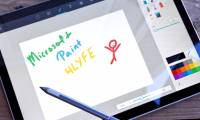
Microsoft is building a completely new version of the Paint application that completely replaces the old Paint version on Windows 10.
Sharpening images on Adobe Photoshop popular image editing software will help users choose to sharpen the details in the image, using 2 available Unsharp.
Insert Text on Image is the focus of this article. To insert logos for 3D typefaces, we can do them right in Photoshop.

Here are the detailed steps to combine images from 2 different images in Photoshop and the most natural-looking retouching images after collage.

GIMP's excellent photo editing capabilities make it the best free replacement software for Photoshop. Review the key facts and practical impact.

Paint is a photo editing application built into Windows operating system. Review the key facts and practical impact.

Online Photo Editing is the focus of this article. Online photo resizing tools will help you be more convenient and quick to edit photos.
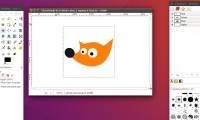
In addition to features such as resizing, color editing, text manipulation, effects filters and layering, GIMP also has the Paintbrush tool to create matte.

By using a number of filtering tools and effects, you can turn digital photos into a masterpiece like a watercolor painting in GIMP.

If you have digital photos with some unwanted details, you can handle them using the GIMP (GNU Image Manipulation Program) software.

Whether it's a screenshot or your latest design, this action allows you to easily highlight areas on that picture.

Photo Editing Software is the focus of this article. For batch image editing, users can use Faststone Photo Resizer.

Mockup photo collage is a type of design that is available and users can simply stitch their photos into frames.
A bad photo can be processed right in Adobe Photoshop with a simple trick like the Crop tool. Follow the main steps and troubleshooting guidance.
What Is the Paint Tool SAI is the focus of this article. Paint Tool SAI is a digital drawing tool from Japan.

Photo Editing Applications is the focus of this article. Pixomatic for iOS is a unique photo editing application on iPhone.

PicPlayPost is an application to edit, merge and create photo frames and videos on iPhone. Follow the main steps and troubleshooting guidance.

To create an animation, online gifs users can use the Makeagif website, with many different sources of animation.

StoryZ Photo Motion is an art animation application on your phone that helps you turn static photos into animated images.