Table of Contents
Gemini offers you various data processing modes, such as the Canvas mode, to create more dynamic and intuitive document reports through the use of charts…
Gemini offers various data processing modes, such as the Canvas mode, to create more dynamic and intuitive document reports using charts and images. Simply provide a description of what you need to do, and Gemini will quickly process the content to deliver high-quality results. Below is a guide on creating document reports using Gemini.
How to Create Dynamic Document Reports Using Gemini
Step 1:
First, we need to switch to Canvas mode on Gemini to use it, then upload the data you need to summarize .
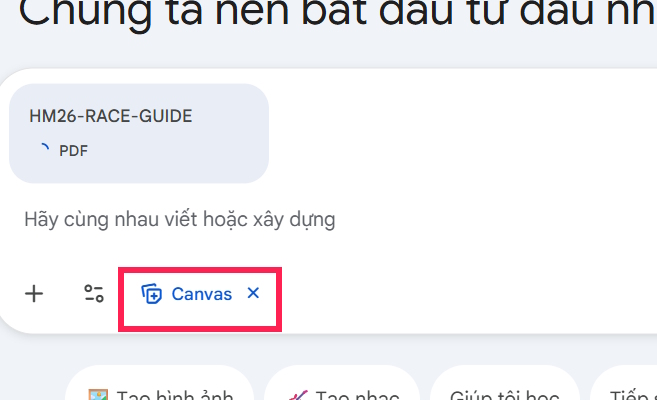
Step 2:
Next, we enter the following data summary command to obtain the most visually appealing report.
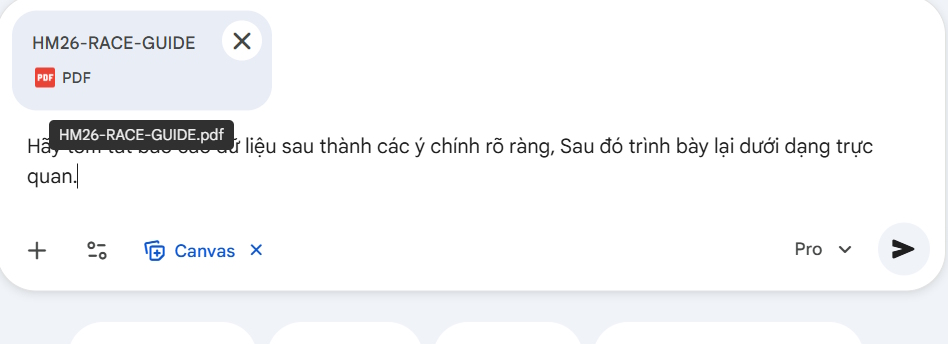
Here are some examples of report generation prompts in Gemini.
English example textStep 3:
As a result, we will see a summary of the data uploaded by the user and the process of generating a data report based on the user's request.
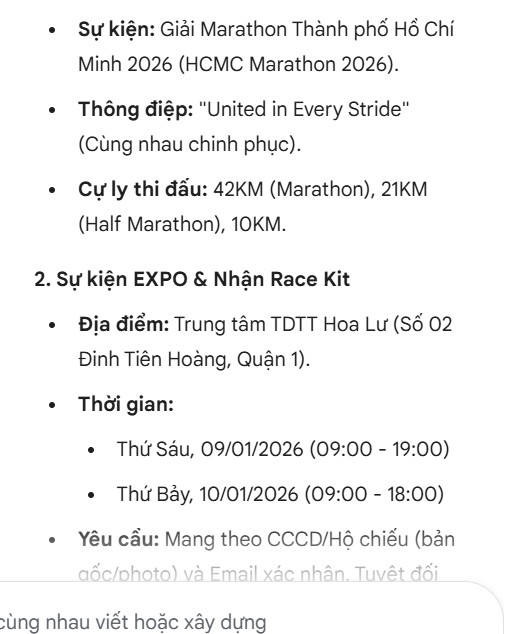
Looking to the side, you'll see a data report with content presented in a more visually appealing format, featuring time-series charts and concise summaries of key points compared to the original data.
If you need to change any part of the content, re-enter the command describing the change or add that part to the report.
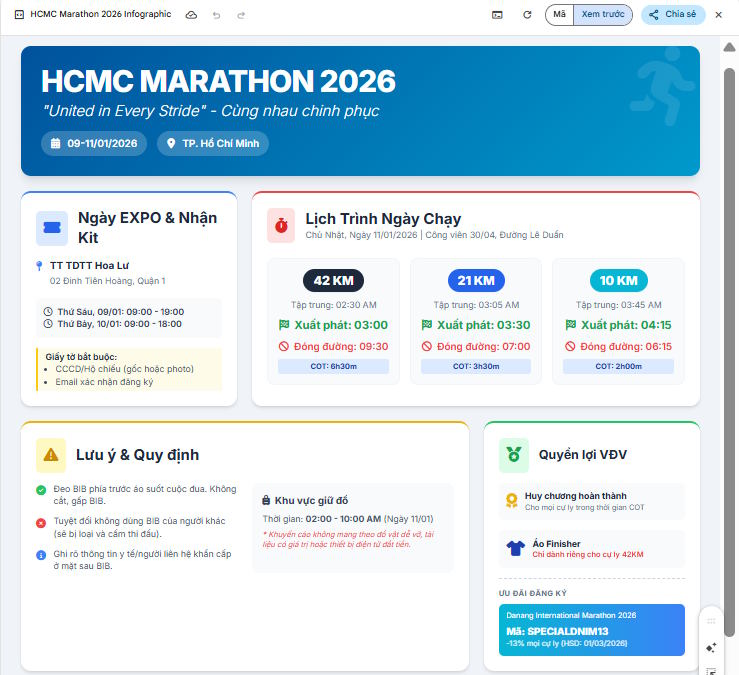
To download the data report generated on Gemini, please refer to the article below.
- Instructions on how to download games created on Gemini
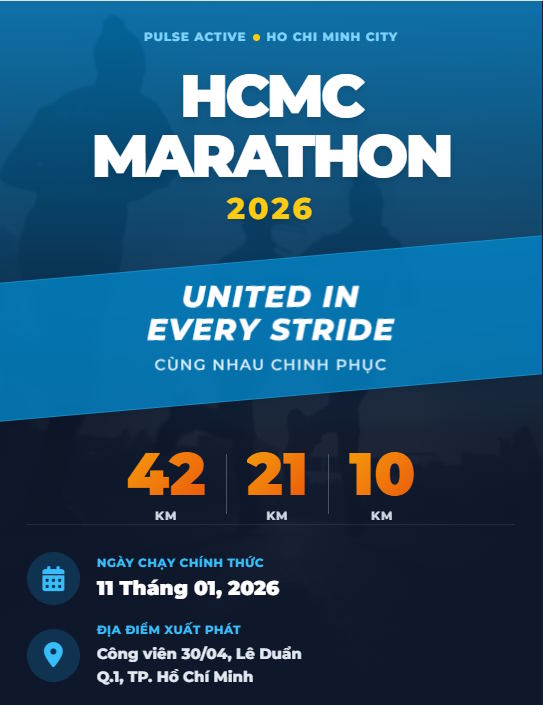
In addition to requesting the creation of a data report in Canva, you could also request the creation of a promotional poster for this event, for example.
FAQ
What is the main point of guide to creating compelling document reports using gemini?
Gemini offers you various data processing modes, such as the Canvas mode, to create more dynamic and intuitive document reports through the use of charts...
Why is this development important?
Key takeaway: Gemini offers you various data processing modes, such as the Canvas mode, to create more dynamic and intuitive document reports through the use of charts...
What are the key takeaways?
Gemini offers various data processing modes, such as the Canvas mode, to create more dynamic and intuitive document reports using charts and images.
Related Articles
 How to Create Mind Maps for Lessons Using Gemini5 minutes read
 Tips for Quickly Creating Automated Tests on Gemini4 minutes read
 Create Your Own AI Assistant for Writing Experience Reports Using Gemini4 minutes read
 A Guide to Creating Presentation Slides Quickly Using Gemini4 minutes read
 Instructions on Using Gemini to Create Images in Sheets: Explained5 minutes read
 Guide to Creating Scheduled Activities on Gemini4 minutes read
Reader Comments 0
Sign in with email or Google to join the discussion.