
Artificial intelligence
How to Create an Interactive World with Project Genie
Build a more coherent Project Genie world by defining the environment, character, movement, camera, and reference image, then iterate around prototype limits.
Browse more Explore artificial intelligence guides, AI tools, model comparisons and practical tutorials for using AI at work and in everyday tasks.
Build a more coherent Project Genie world by defining the environment, character, movement, camera, and reference image, then iterate around prototype limits.
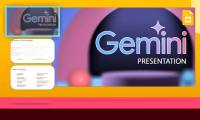
Turn source material into a Gemini Canvas slide deck, refine the outline and visuals, then export to Google Slides or PDF for final editing.
Create a project notebook in Gemini, add reliable sources, ask source-aware questions, and continue the same work in Gemini Notebook.
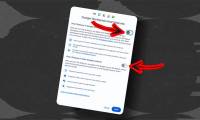
Turn off Workspace smart features, stop Ask Photos, and disable or unpin Gemini and related AI tools in Chrome through each product's settings.

Turn on the optional Hey Copilot wake phrase, understand when it listens, and fix microphone, app, language, or connection problems.

Microsoft has confirmed a more selective Windows AI strategy, removing some Copilot entry points while retaining useful app tools and the opt-in Recall feature.
Use Copilot to scope a research question, build an evidence map, draft with verified citations, analyze supplied data, and complete a human fact-check.
Turn a script or story idea into expressive audio in Copilot Labs, choose a mode, voice, and delivery style, then review and export the result.

Use Copilot to create an ID-style portrait for informal profiles, while avoiding AI edits for passports or identity documents that require an unchanged photo.

Find images you created in ChatGPT, download or share them, reopen the original chat for further edits, and understand how deletion works.

Learn how to deploy knowledge across multiple educational levels with practical instructions, useful tips, and troubleshooting guidance for common issues.
Learn how to quickly create study materials using ChatGPT canvas with practical instructions, useful tips, and troubleshooting guidance for common issues.

Instructions on using ChatGPT and Malwarebytes to check for phishing links, emails, and messages. Read the key facts, context, and practical takeaways.

Learn how to effective ways to use ChatGPT in Excel with practical instructions, useful tips, and troubleshooting guidance for common issues.

A practical way to choose one useful AI task, test low-cost tools, control cloud spending, and measure whether the result is worth keeping.

A practical look at using AI to give teachers timely insight and adaptable lesson support without replacing classroom judgment or human relationships.
Learn how to turn a focused question into a useful Consensus search, filter the papers, inspect supporting evidence, and export references without treating an AI summary as proof.

Use source documents, a precise prompt, and a teacher-led review process to draft a lesson plan in Claude while protecting student data and checking every activity.

Check eligibility, connect Google Photos deliberately, write a simple image prompt, refine the result, and review Gemini's privacy settings before using personal photos.

A teacher-focused walkthrough for building a Brisk tutor from a lesson resource, checking its goals and guardrails, previewing the student experience, and sharing it safely.