Table of Contents
Claude can turn approved curriculum documents, textbook pages, and a teacher's instructions into a structured lesson-plan draft. It cannot decide whether that plan is accurate or appropriate for a particular class, so the teacher should define the requirements, verify the output, and revise it before use.
1. Prepare the source material
Collect the curriculum standard, lesson-plan template, relevant textbook pages, and any school guidance the draft must follow. Use the smallest necessary set of documents so it is clear which source supports each part of the plan.
In Claude, select the control for adding files or photos and upload the approved material. Button names and limits can vary by account and version.
- Remove student names, grades, contact details, and other personal information.
- Make sure you are allowed to upload the documents to an external service.
- Use readable scans with the page in the correct orientation.
- Label files clearly so you can refer to them in the prompt.
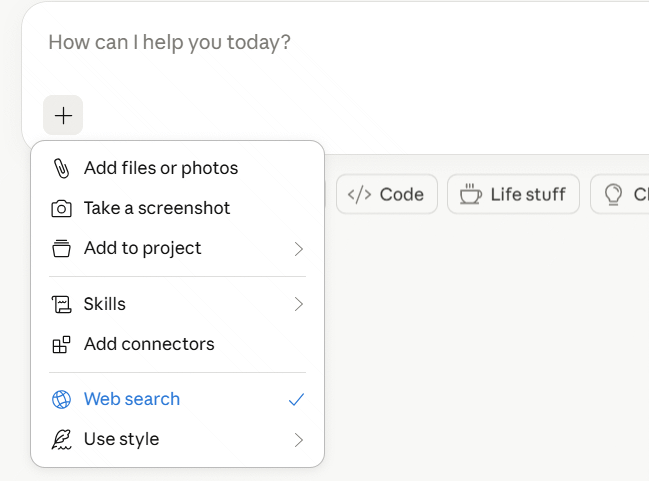
2. Give Claude specific teaching requirements
Upload any textbook images needed for the lesson, then describe the class rather than asking only for a “complete lesson.” Include the subject, age or grade, lesson duration, learning objectives, required template, available materials, assessment method, and learner needs.
A reusable prompt structure is:
Using only the uploaded curriculum guide, lesson-plan template, and textbook pages, draft a [duration]-minute lesson for [grade/subject].

Learning objective: [objective]
Prior knowledge: [what students should already know]
Available materials: [list]
Required stages: [list from the approved template]
Include: teacher actions, student actions, estimated time, checks for understanding, one practice task, and one exit assessment.
Identify any detail that is not supported by the uploaded sources. Do not invent curriculum requirements.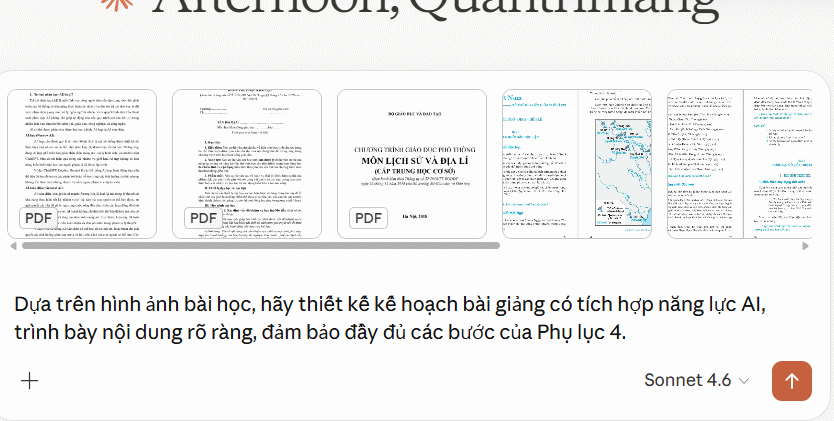
If you are comparing tools before choosing one, see TipsMake's list of AI applications for teachers.
3. Review the draft section by section
Claude may produce a summary or a longer lesson-plan artifact. Check that the learning objective, activities, and assessment measure the same skill. Verify every curriculum reference against the uploaded source and remove content that is too advanced, too easy, culturally unsuitable, or impossible with the available time and equipment.
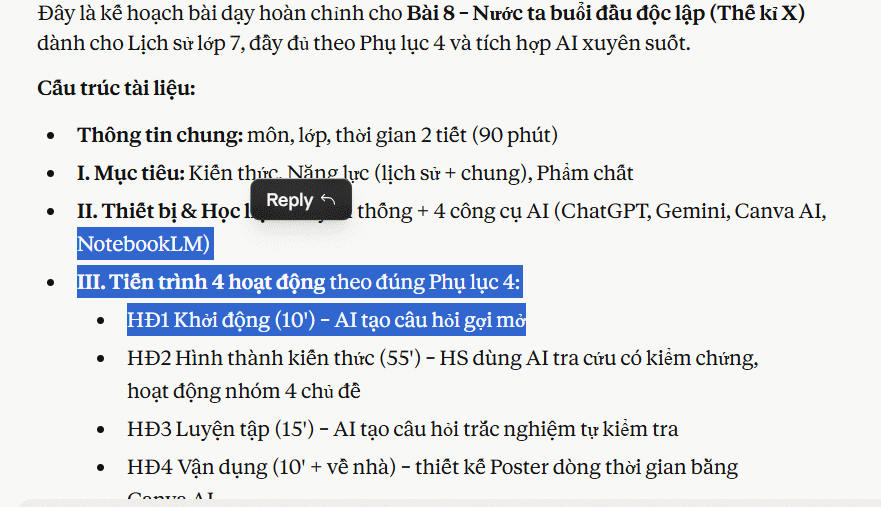
Pay particular attention to instructions that affect safety, accessibility, or student evaluation. Generated claims, quotations, answer keys, and historical or scientific facts need independent checking. Ask Claude to point to a source page when possible, but confirm the page yourself.
4. Improve the classroom activities
A polished layout is not evidence of a good lesson. Revise the draft so students actively retrieve, discuss, apply, or explain the target knowledge. Add alternatives for students who need more support and an extension for students who finish early. Keep technology only where it contributes to the objective.
For learners who will use AI directly, define what they may enter, how they should verify an answer, and how their own work will be assessed. TipsMake also compares AI tools for high-school and university students, but teachers should confirm the current age, privacy, and account requirements before assigning any service.
5. Export a teacher-approved version
When the plan is ready, use the download or copy option available in the current Claude interface, then format it in the school's required document system.
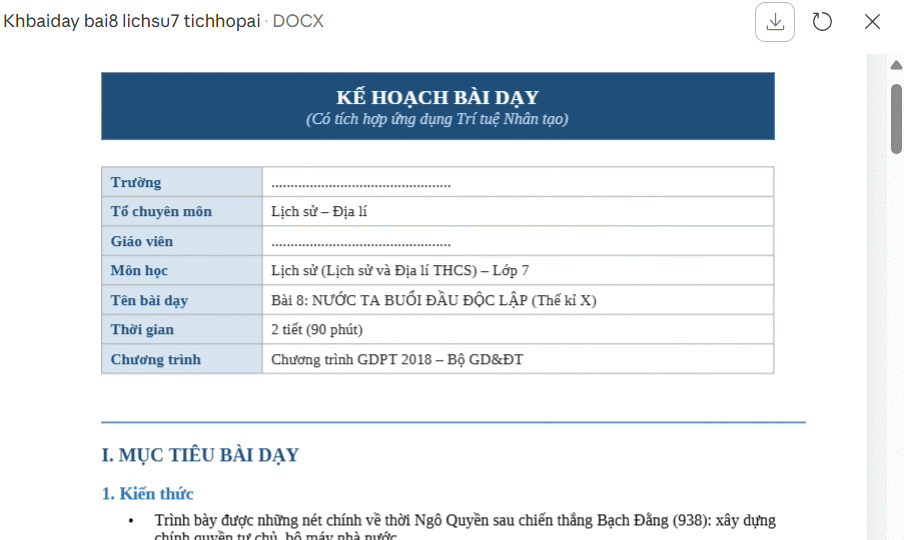
Read the exported version once more after formatting. Check timings, links, page references, materials, answer keys, accommodations, and assessment criteria. Mark it as a teacher-reviewed plan rather than presenting the first AI draft as finished instructional material.
Useful follow-up prompts
- “List each statement in the plan that is not directly supported by an uploaded source.”
- “Show how the exit task measures the stated learning objective.”
- “Suggest a no-device alternative that teaches the same objective.”
- “Reduce the lesson to 40 minutes and explain what was removed.”
- “Create a support version and an extension without changing the core objective.”
Claude is most valuable here as a drafting and checking assistant. The teacher remains responsible for the sources, instructional choices, student safety, and final classroom plan.
Related Articles
 Claude AI User Guide: a Comprehensive Guide for 20268 minutes read
 How to Transforming Videos into Engaging Interactive Lectures4 minutes read
 How to Add Skills to the Claude Console to Expand AI Capabilities7 minutes read
 What Is the Claude Code: Clear Explanation7 minutes read
 Guide to Creating Integrated NLS Lesson Plans Using AI4 minutes read
 Guide to Connecting MCP GitHub Local Dev21 minutes read
Reader Comments 0
Sign in with email or Google to join the discussion.