Table of Contents
Microsoft has confirmed that it is reducing unnecessary Copilot entry points in Windows 11. The change does not amount to removing AI from Windows: the company is simplifying where Copilot appears while keeping selected AI tools, developer platforms, and the opt-in Recall experience.
From report to official policy
In January 2026, Windows Central reported that Microsoft was reassessing its “AI everywhere” approach, including Copilot buttons in built-in apps and the future direction of Recall. At that point, the details were based on unnamed sources and had not been confirmed by Microsoft.
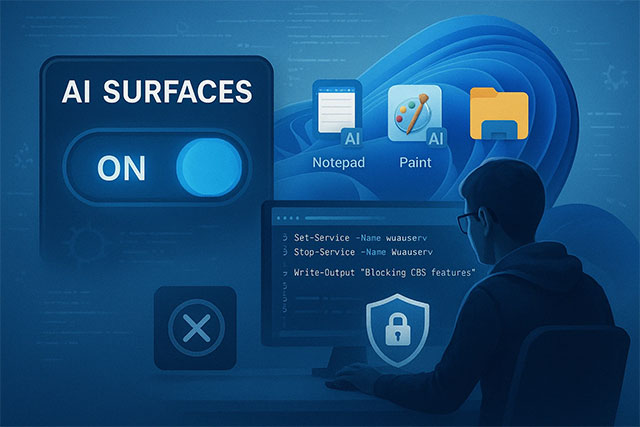
Microsoft made the broader shift official on March 20. In a Windows quality statement, the company said it would integrate AI more intentionally and reduce unnecessary Copilot entry points, starting with Snipping Tool, Photos, Widgets, and Notepad. That is stronger evidence than the initial report, but it still does not promise that every unpopular AI feature will disappear.
What has changed in Windows apps
By May, Microsoft reported concrete interface changes:
- The Ask Copilot button was removed from Snipping Tool and Photos.
- Notepad's generic Copilot icon was replaced with a clearer Writing Tools label.
- The company described the direction as fewer, more curated Copilot experiences.
Removing an entry point or changing its label is not the same as deleting the underlying function. Notepad can still offer AI-assisted writing features where supported. Microsoft is making the purpose of the tool more explicit and reducing redundant branding rather than abandoning generative AI.
Users who want the simpler editor can follow TipsMake's guide to disabling formatting and Copilot in Notepad. File Explorer tools are managed separately; see how to use or disable Windows 11 AI Actions.
Recall has not been removed
The original report raised uncertainty about Recall, but current Microsoft documentation still treats it as a supported Windows feature on compatible Copilot+ PCs. Recall saves and analyzes periodic screen snapshots locally so users can search past activity.
Key controls matter more than speculation about cancellation:
- Recall is opt-in and requires the user to consent before snapshots are saved.
- Users can pause or disable snapshot saving.
- Recall is disabled and removed by default on managed devices, unless organizational policy allows it to be available.
- Windows provides an optional-component route for removing Recall from supported systems.
Microsoft's Recall management documentation explains the current policy and consent model. Organizations should evaluate the feature against their own privacy, retention, and data-loss-prevention requirements rather than relying on its default state alone.
Which Windows AI investments remain
The quality initiative does not reverse Microsoft's investment in Copilot, Copilot+ PCs, local semantic search, Windows AI APIs, or app-specific creative features. Windows Search can use semantic indexing on supported Copilot+ hardware, while Paint, Photos, and other apps continue to receive AI-assisted capabilities.
This distinction is important: Microsoft is reducing duplicated Copilot buttons, not declaring that AI has no role in Windows. The company is trying to make features more task-specific and less intrusive.
Why the distinction matters to users
A cleaner interface can reduce accidental activation and make it easier to understand what a command does. It does not automatically change data handling, local versus cloud processing, hardware requirements, or whether an individual AI feature is enabled. Users still need to inspect settings in each app and Windows privacy controls.
The official Windows quality commitment covers more than AI, including File Explorer reliability, update behavior, taskbar customization, and widget controls. Microsoft published a May progress update documenting the Copilot-button changes.
Bottom line
Microsoft did respond to criticism, and some visible Copilot entry points have already been removed or renamed. The accurate conclusion is narrower than “Windows 11 is dropping AI”: Microsoft is keeping the underlying AI platform and selected features while trimming placements it considers redundant or poorly explained.
Related Articles
 The 10 Most Requested Changes by the Windows 11 User5 minutes read
 How to Remove AI Features and Unnecessary Programs from Your Browser7 minutes read
 Windows 11 Haptic Feedback: What You Need to Know3 minutes read
 What Is Feedback?2 minutes read
 Computer: How to Remove Windows 8.14 minutes read
 How to Add // Remove Feedback Button in Microsoft Edge Chromium4 minutes read
Reader Comments 0
Sign in with email or Google to join the discussion.