
Artificial intelligence
What Are ChatGPT Workspace Agents? Build and Govern Them
Understand ChatGPT workspace agents, their connected apps, skills, memory, schedules, sharing, permissions, testing, and safe rollout.
Browse more Explore artificial intelligence guides, AI tools, model comparisons and practical tutorials for using AI at work and in everyday tasks.
Understand ChatGPT workspace agents, their connected apps, skills, memory, schedules, sharing, permissions, testing, and safe rollout.
Turn a reading passage into editable open-ended questions in Twee, adjust the learner level, check question quality, and share the activity.

A practical framework for AI product design: define outcomes, map uncertainty, build feedback and recovery paths, evaluate quality, and monitor impact.
Generate level-appropriate English discussion questions in Twee, add target vocabulary, edit weak prompts, and turn the result into a classroom activity.
Use AI as a questioner, critic, and production assistant while preserving problem framing, independent ideas, judgment, and responsibility.
Use Twee to generate a level-appropriate classroom dialogue from a topic or source text, then edit the result for natural speech, useful vocabulary, and a clear speaking task.

Translate selected pages or an entire Canva presentation, preserve a copy of the source design, and check terminology, layout, fonts, and reading order before sharing.

Understand direct and indirect prompt injection, when it can cause real harm, and how users and organizations can reduce exposure with permissions, confirmation, isolation, and monitoring.

Upload a room photo, define the layout and furniture constraints, generate design variations, and turn the best concept into a measured plan without mistaking an AI image for a construction drawing.

See where OpenClaw can help with alerts, coding, research, memory, multi-agent work, and business operations, plus the permissions and review controls each workflow needs.
Upload a clear palm photo, ask ChatGPT for a transparent explanation of traditional palmistry symbolism, and keep the result separate from medical, financial, or life decisions.
Turn a lesson concept into an interactive Canva Code website, then refine the prompt, verify the educational content, test the controls, and publish safely.
Use ChatGPT Images 2.0 to plan, generate, check, and revise infographics or text-heavy visuals, with practical prompts and accuracy safeguards.
Generate a level-appropriate topic vocabulary list in Twee, review the suggestions, and turn the final words into matching, sentence, or gap-fill practice.

Connect OpenClaw to Kimi through OpenRouter or Moonshot, select and verify the exact model, compare real task costs, and avoid unsafe credential or fallback changes.
Turn lecture slides into an accurate narration script, generate speech in Google AI Studio, review the audio, and add it to PowerPoint or Google Slides without losing slide timing or accessibility.
No single visual clue proves that an image was made by AI. Use provenance records, source research, reverse image search, metadata, and close inspection together to reach a defensible conclusion.
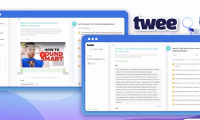
Paste a reviewed passage into Twee, choose meaningful words or phrases as gaps, generate the activity, test every answer, and share it as an interactive assignment or export it for class.

Build a practical QML study path with two curated reading lists, a research roadmap, PennyLane, and Qiskit Machine Learning—plus guidance on prerequisites and choosing maintainable examples.

OpenClaw can access files, commands, messaging channels, and external services. Before deploying it, understand its one-operator trust model, restrict the Gateway and tools, audit extensions, protect secrets, and gate high-impact actions.