Table of Contents
Twee's Essential Vocabulary on a Topic tool suggests words and phrases for a chosen subject. Teachers can select a part of speech and set the learner level by CEFR, grade, or age group. The generated list is a starting point: review it against the lesson goal before giving it to students.
Create the vocabulary list
1. Open the vocabulary tool
Sign in to Twee and choose Essential Vocabulary on a Topic from the vocabulary tools.
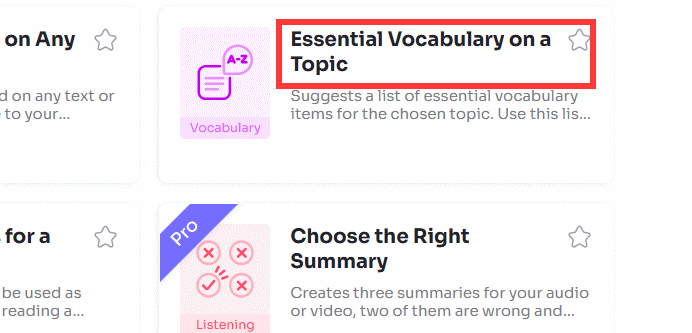
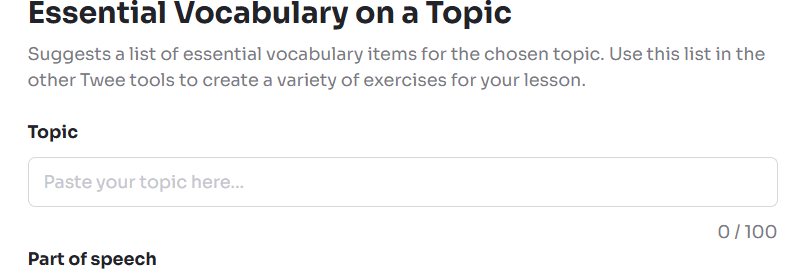
2. Enter a specific topic
Type the subject in the topic field. A narrow description usually produces a more teachable list than a single broad word. For example, use checking into a hotel instead of travel, or describing changes in a line graph instead of business English.
3. Choose the vocabulary type
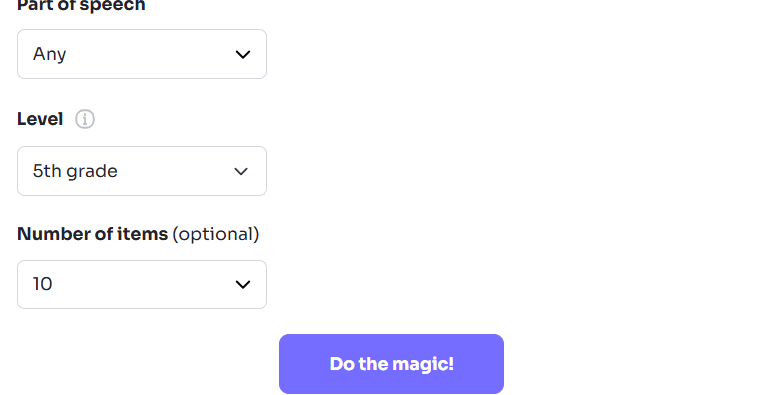
Select the part of speech or expression type you want to practise. Current options can include nouns, verbs, adjectives, phrases, idioms, phrasal verbs, or a mixed list.
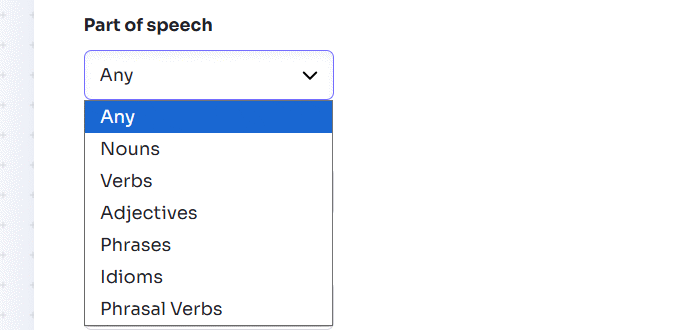
Use a mixed list for initial planning, but use a focused category when the lesson has a language target. For example, a speaking lesson about opinions may need phrases, while a writing lesson about trends may need verbs and adverbs.
4. Set the learner level
Choose the students' CEFR level, grade, or age group. Use the measure you know most accurately; do not select a higher level simply to obtain more impressive words.
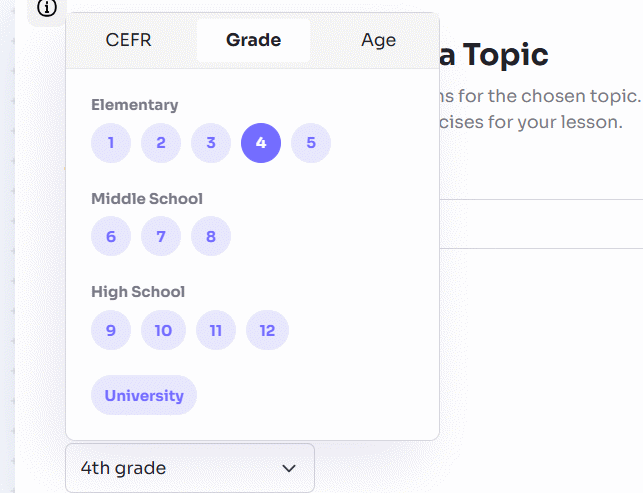
If a class contains mixed levels, generate for the core level first. Add a small extension list for stronger learners rather than overloading everyone.
5. Choose the list size and generate
Select the number of items available in the tool, then click Do the magic!
6. Review the suggestions
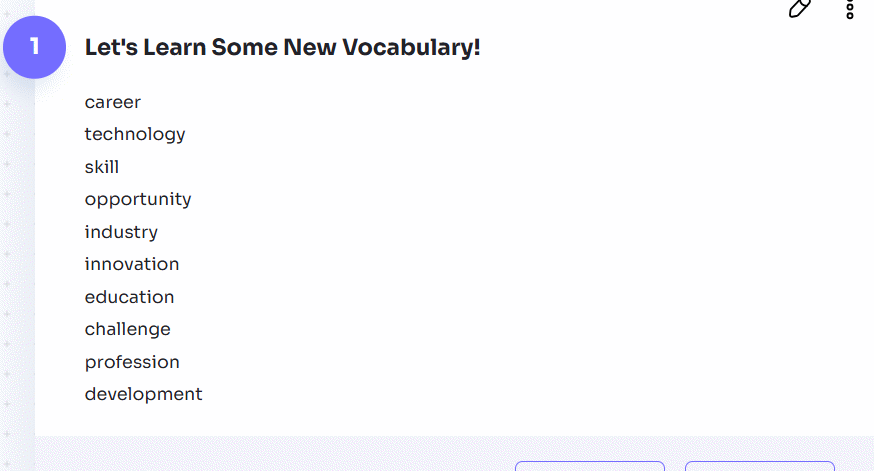
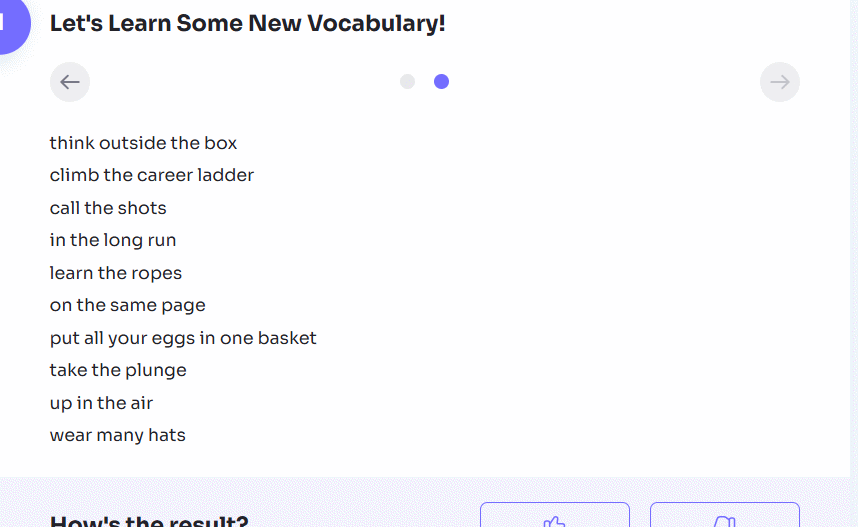
Read every item before keeping it. Regenerate if the list is poorly targeted, or edit it manually so it matches your objectives.
7. Copy, share, or reuse the list
Use the three-dot menu to access the available copy or sharing options. You can also move the selected vocabulary into other Twee tools to create sentences, matching activities, dialogues, or gap-fill practice.
How to review an AI-generated vocabulary list
| Check | What to look for |
|---|---|
| Relevance | Every item supports the exact lesson situation, text, or speaking task. |
| Level | Students can understand the definition and use the item with the grammar they know. |
| Meaning | The intended sense is clear; ambiguous words include a short context or example. |
| Form | Part of speech, plural, verb pattern, preposition, and spelling are correct. |
| Usefulness | The list favors words and chunks students are likely to encounter or need. |
| Variety | Items are not duplicates, near-duplicates, or several forms of the same base word unless that is the goal. |
| Sensitivity | Examples and topics are appropriate for the students' age and context. |
Check dictionaries, course materials, or a trusted subject source when terminology is specialized. Twee can suggest vocabulary, but the teacher remains responsible for accuracy and suitability.
Turn the list into a short lesson
- Notice: show the words in a short text, image, or dialogue and let students infer meaning.
- Clarify: teach meaning, form, pronunciation, and one useful collocation or pattern.
- Check: use a word-definition matching task or concept-check questions.
- Control: create a gap-fill or sentence-completion activity.
- Produce: ask students to use a small number of target items in a dialogue, paragraph, or role-play.
- Review: revisit the words later with retrieval practice rather than only rereading the list.
Do not place every generated item into every exercise. Select the smaller set that students must actively use, and keep optional vocabulary separate.
Useful topic and settings examples
| Lesson goal | Topic prompt | Suggested type |
|---|---|---|
| A1 role-play | Buying food at a small café | Nouns and short phrases |
| A2 travel lesson | Checking into a hotel and reporting a problem | Phrases |
| B1 discussion | Advantages and drawbacks of working from home | Adjectives and phrases |
| B2 writing | Describing increases, decreases, and stability in charts | Verbs and adverbs |
| C1 presentation | Evaluating evidence and expressing uncertainty | Academic phrases |
The official Essential Vocabulary tool page describes the current controls and ways to reuse the output. For other practice formats, see this Educaplay vocabulary puzzle tutorial or compare English learning apps.
Related Articles
 How to Create Vocabulary Learning Topics Using Twee3 minutes read
 How to Create Fill-in-the-Blank Exercises on Twee3 minutes read
 How to Create Discussion Questions for English Lessons on Twitter4 minutes read
 How to Create Dialogue for a Topic on Twitter3 minutes read
 How to Designing Learning Activities on Twitter3 minutes read
 How to Create Open-Ended Questions for a Paragraph on Twitter3 minutes read
Reader Comments 0
Sign in with email or Google to join the discussion.