Table of Contents
AI can accelerate research, generate alternatives, critique a draft, and handle repetitive production. It can also tempt people to accept the first polished answer before they have defined the problem. The practical solution is not to avoid AI; it is to reserve key decisions for human judgment and use the model in roles that make your reasoning more visible.
The main risk is premature closure
A generated interface, campaign, or plan can look finished within seconds. That surface quality creates a sense of progress even when the work rests on an unclear audience, weak evidence, or an untested assumption. The team stops exploring because it has something concrete to react to.
Speed is valuable after the direction is sound. Before that point, it can help a team produce the wrong thing more efficiently.
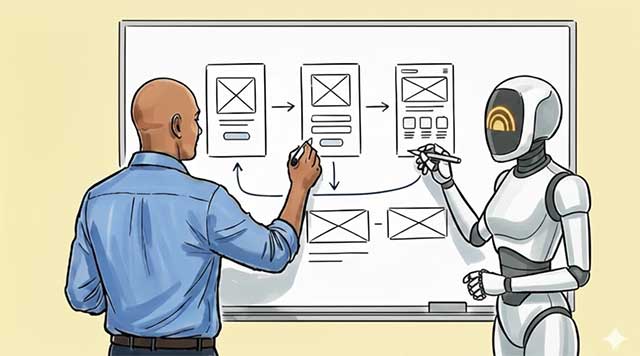
Keep five responsibilities human-owned
1. Problem framing
Decide whose problem matters, what outcome should change, and which constraints are real. AI can expose gaps in a brief, but it cannot decide which stakeholder deserves priority or what tradeoff the organization should accept.
2. Evidence quality
Separate observed facts from interpretation. Interview notes, analytics, support cases, and domain research need provenance and context. A fluent synthesis may omit contradictions or make a small sample sound representative.
3. Value judgments
Questions about fairness, tone, risk, accessibility, and acceptable harm cannot be delegated to a probability distribution. Use the model to identify perspectives, then make and document the decision.
4. Selection
Generating many options is easy; choosing one requires a criterion. The owner must explain why an idea serves the user and why rejected alternatives are weaker.
5. Accountability
The person or team shipping the work remains responsible for accuracy, rights, safety, and impact. “The AI suggested it” is not a review process.
Use a think-first workflow
- Write a one-page brief without AI. Include the user, problem, evidence, constraints, desired outcome, and unknowns.
- Create three rough directions. Sketch, write headings, or list concepts before requesting generated solutions. They do not need to be polished.
- Ask AI to challenge the frame. Request missing assumptions, counterexamples, affected groups, and evidence needed—not a final design.
- Expand deliberately. Generate alternatives that differ on a meaningful dimension such as audience, interaction model, risk, or business constraint.
- Evaluate with a rubric. Score options against user value, feasibility, accessibility, evidence, reversibility, and risk.
- Prototype the strongest uncertainty. Test what could invalidate the idea, not merely whether users like the visual treatment.
- Use AI for production. Once the direction is justified, automate drafts, variants, code, formatting, or documentation.
- Review the result against the original evidence. Remove invented details and confirm that implementation did not change the intent.
Give AI a useful role
| Role | Useful request | What remains human |
|---|---|---|
| Socratic questioner | “Ask one question at a time that exposes assumptions in this brief. Do not propose solutions yet.” | Answering honestly and reframing the problem |
| Counterargument | “Make the strongest case that this idea solves the wrong problem.” | Deciding whether the critique is supported |
| Research organizer | “Group these interview notes by observed behavior, stated need, and interpretation.” | Checking the source and sampling limits |
| Alternative generator | “Create four approaches that use different interaction models, not cosmetic variations.” | Choosing criteria and rejecting weak options |
| Failure analyst | “List ways this flow could confuse, exclude, or harm users.” | Prioritizing and mitigating real risks |
| Production assistant | “Turn the approved structure into three responsive layouts.” | Accessibility, brand, behavior, and final approval |
A flattering assistant is not a good critic. Instruct it to identify uncertainty, cite the provided evidence, distinguish facts from assumptions, and say when the material is insufficient.
Prompts that preserve thinking
Challenge a brief
Read this brief as a skeptical product reviewer.
List:
1. assumptions presented as facts,
2. missing user evidence,
3. alternative explanations,
4. people who may be excluded,
5. the cheapest test that could disprove the idea.
Do not redesign the product yet.
Compare concepts
Compare these three concepts against the rubric below.
Quote the evidence that supports each score.
Mark any score that cannot be justified from the material.
End with the two uncertainties a prototype should test first.
Prevent cosmetic variation
Generate four approaches that differ in workflow, ownership,
or information architecture. Do not change only color, wording,
or visual style. Explain the tradeoff each approach makes.
Do not confuse volume with exploration
Fifty generated ideas may cover less conceptual territory than three carefully chosen directions. Before asking for variants, name the dimensions along which they should differ:
- self-service versus expert-assisted;
- automation versus user control;
- speed versus verification;
- personalization versus privacy;
- single-player versus collaborative workflow;
- proactive notification versus user-initiated access.
This creates meaningful alternatives and makes tradeoffs visible.
Protect productive friction
Some slow steps are valuable because they force understanding. Keep them when consequence or uncertainty is high:
- writing the problem in your own words;
- sketching several structures before styling;
- reading primary research instead of only a summary;
- explaining a decision to a colleague;
- testing a prototype with an actual user;
- documenting why an option was rejected.
Hand sketches and whiteboards are not inherently more creative than digital tools. Their value is that they often delay polish, make revision cheap, and expose the shape of an idea. Use any medium that preserves those benefits.
Measure whether AI improves the work
Track more than time saved. A useful review asks:
- Did the team identify more important assumptions?
- Were alternatives meaningfully different?
- Did user tests uncover fewer preventable problems?
- How much generated work required correction?
- Could reviewers trace claims back to evidence?
- Did accessibility or edge-case coverage improve?
- Did faster production create more low-value experiments?
Time savings matter only if quality and responsibility hold. The related guide on designing AI products as feedback systems explains how to connect interface signals, task outcomes, and product impact.
A simple team rule
Before using AI to create a solution, every project owner should be able to state:
We believe this user has this problem because of this evidence. We will know the idea helps when this behavior or outcome changes. The main risk is this, and our first test is designed to challenge it.
If the statement cannot be completed, the next prompt should investigate the gap rather than generate a polished interface.
AI design tools can be useful after that foundation is in place. Compare them in our guide to AI website-design tools, or strengthen core craft through these free Figma courses. The goal is not to work slowly; it is to spend human attention on framing, evidence, judgment, and consequences while letting software accelerate the rest.
Related Articles
 7 Simple Ways to Train Creative Thinking Skills6 minutes read
 Brian Tracy: How to Use Creative Thinking in Solving Problems10 minutes read
 10 Great Ways to Enhance Your Creative Thinking Skills at Work6 minutes read
 How to Use ChatGPT to Improve Your Thinking and Find New Ideas6 minutes read
 Design Thinking Helps You Solve Problems Like Ceos9 minutes read
 18 Great Websites to Help You Practice Critical Thinking Skills5 minutes read
Reader Comments 0
Sign in with email or Google to join the discussion.