Table of Contents
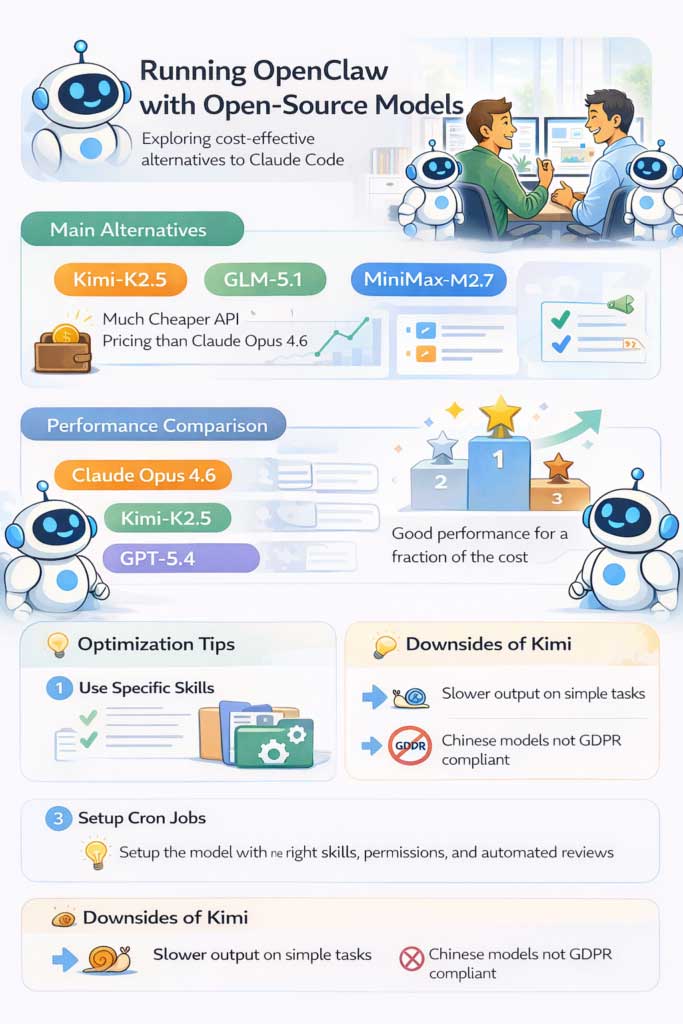
OpenClaw can use Kimi models through OpenRouter or a direct Moonshot provider. This can give you more model choice and may reduce API costs for some workloads, but a fixed claim such as “90% cheaper than Claude” is not dependable. Prices, prompt caching, context size, output length, routing fees, and retry rates all affect the bill.
Kimi K2.5 remains available through OpenRouter and its model weights are published under a Modified MIT License. It is no longer the only relevant Kimi option: current OpenClaw documentation also lists newer Kimi models through the Moonshot and Kimi Coding providers. Choose the model that passes your own tool-use and quality tests.
Choose a provider route
| Route | Advantages | Points to check |
|---|---|---|
| OpenRouter | One account can route to many providers and models; OpenClaw has built-in onboarding and live model discovery | Exact model ID, underlying inference provider, routing policy, data handling, price, fallbacks, and any intermediary terms |
| Moonshot API | Direct access to the current Moonshot model catalog through an official OpenClaw provider plugin | International or China endpoint, plugin version, model availability, regional terms, and current vendor pricing |
| Kimi Coding | Separate code-focused provider and model references | Requires its own plugin and key; Moonshot and Kimi Coding keys and model prefixes are not interchangeable |
| Self-hosted Kimi K2.5 | Control over the serving environment and model weights | Very large hardware and operations requirement, security, updates, inference performance, and license obligations |
Option 1: Configure OpenRouter
1. Back up and inspect the existing setup
Before changing providers, record the current OpenClaw version, primary model, fallbacks, and authentication profiles. Back up the configuration according to your installation method. Do not delete an Anthropic or other provider configuration merely because you are adding Kimi; it may be an intentional fallback or used by another agent.
2. Use the supported onboarding flow
For browser-based OpenRouter authorization, run:
openclaw onboard --auth-choice openrouter-oauthOpenClaw opens OpenRouter's sign-in flow and stores the resulting credential in its default OpenRouter profile. For a separately created API key, use:
openclaw onboard --auth-choice openrouter-api-keyNever paste a real key into a screenshot, public issue, shell-history example, or article. If a key is exposed, revoke it in OpenRouter and replace it.
3. Select the exact model
OpenRouter onboarding defaults to openrouter/auto. Automatic routing is convenient, but it does not prove that a particular Kimi model handled the task. To choose Kimi K2.5 explicitly, use the documented provider/model reference:
openclaw models set openrouter/moonshotai/kimi-k2.5OpenClaw model references for OpenRouter follow openrouter/<provider>/<model>. Model names can be added or retired, so confirm the live catalog before copying an old reference.
4. Test the provider
In the OpenClaw Control UI, open Settings → Model Providers and use Test connection. The probe makes a real request and can consume a small number of tokens. Then run a small agent task and inspect the reported provider, model, token usage, and cost. A successful chat reply alone does not confirm that the intended route was used.
5. Review routing and fallbacks
Check the primary model and ordered fallbacks in the Default models card. Remove or reorder a fallback only after confirming why it exists. Otherwise, a provider error may silently shift work to a model with different cost, privacy, or behavior.
OpenRouter supports routing controls for the underlying inference provider, including data-collection and fallback preferences. Configure those controls only after reading OpenRouter's current provider-routing documentation; a model name by itself does not describe the whole data path.
Option 2: Use Moonshot directly
Current OpenClaw documentation treats Moonshot and Kimi Coding as external provider plugins. For the Moonshot API, install the provider and restart the gateway:
openclaw plugins install @openclaw/moonshot-provider
openclaw gateway restart
Run onboarding for the international endpoint:
openclaw onboard --auth-choice moonshot-api-keyFresh Moonshot onboarding currently selects Kimi K3. To set it explicitly and verify the catalog:
openclaw models set moonshot/kimi-k3
openclaw models list --provider moonshot
The China endpoint uses a different onboarding choice and regional endpoint. Select the route that matches your account and data requirements rather than assuming one is interchangeable with the other.
How to compare Kimi with another model
Do not rank models from one impression or a generic benchmark. Use a small evaluation set drawn from your actual OpenClaw tasks.
| Measure | How to evaluate it |
|---|---|
| Task completion | Did it produce the defined output and pass the same acceptance checks? |
| Tool use | Did it choose valid tools, supply correct arguments, and recover from tool errors? |
| Accuracy | How many factual, calculation, or code defects required correction? |
| Latency | Record time to first useful result and total completion time. |
| Token use | Capture input, output, cache, and reasoning usage reported by the provider. |
| Total cost | Include failed attempts, retries, fallbacks, routing charges, and verification work. |
| Operational fit | Check context limits, rate limits, multimodal needs, region, retention, and support. |
Use the same prompts, files, tools, temperature or reasoning policy where comparable, and maximum retry budget. Review outputs without relying only on the model's own self-evaluation.
Why the advertised percentage may not match your bill
Model pages usually quote prices per million input and output tokens. An agent session may also consume cached context, repeated tool transcripts, reasoning tokens, image input, provider routing charges, and retries. A less expensive token price can still lead to a larger task bill if the model produces longer outputs or needs more attempts.
Record cost per successful task, not cost per token in isolation:
Cost per accepted result = all model and routing charges for the task ÷ number of outputs that passed verification
Security and privacy checks
- Grant OpenClaw and its tools the minimum file, shell, browser, and service permissions needed.
- Store provider keys using OpenClaw's supported credential mechanism or a protected environment, not inside prompts or source files.
- Set provider spending limits and alerts before running unattended jobs.
- Inspect primary and fallback routes so confidential work cannot move to an unapproved provider.
- Do not schedule a job to ingest entire chat histories merely to make the agent “learn.” That can duplicate secrets, personal data, and malicious instructions into long-lived memory.
- Treat web pages, emails, documents, and third-party skills as untrusted input that may contain prompt injection.
- Do not claim GDPR or other regulatory compliance from the model's country, license, or hosting label alone. Assess the controller, processors, data locations, contracts, retention, security, and your specific use case.
Self-hosting is a separate project
Downloading open model weights does not make local deployment simple. The full Kimi K2.5 repository is extremely large and serving it at useful context lengths can require substantial GPU or combined CPU/GPU infrastructure. Quantization and offloading reduce requirements but can change speed, context, and output quality. Budget for monitoring, access control, patching, backups, and capacity—not only hardware.
Troubleshooting
- Authentication failure: confirm the selected provider profile, key status, billing, and endpoint. Rotate the key if exposure is possible.
- Unknown model: update OpenClaw, inspect the provider's live catalog, and verify the full provider/model reference.
- Unexpected bill: inspect usage records, primary and fallback models, retries, and automatic routing.
- Tool-call errors: test with a smaller task, verify that the model supports the required tool behavior, and compare the exact request schema.
- Different results after switching: review reasoning settings, context size, system instructions, tool availability, and provider-specific request normalization.
Use the official OpenClaw OpenRouter guide for current onboarding commands and model-reference rules. The Moonshot provider guide lists current Kimi models and plugin setup, while the Kimi K2.5 model card documents its weights and license.
Before deploying an agent, review whether OpenClaw fits your needs and risk tolerance. If local inference is the goal, compare Ollama and LM Studio before choosing a serving stack.
Related Articles
 Is OpenClaw Right for You?: What You Need to Know13 minutes read
 Why Do Developers Always Choose Claude Over Other AIs?11 minutes read
 Open Design: Free Open-Source Claude Design Alternative11 minutes read
 The AI Agent Boom: Claude, OpenClaw, and a New Era of Automation7 minutes read
 OpenClaw (Clawdbot) User Guide: Control Your PC from WhatsApp8 minutes read
 Proficient in OpenClaw: What You Need to Know10 minutes read
Reader Comments 0
Sign in with email or Google to join the discussion.