Table of Contents
Twee's Fill in the Gap tool turns selected words or phrases in a passage into blanks and creates a separate word bank. The basic workflow is simple: paste the text, mark the gaps, generate the activity, check every answer, and then share or export it.
The quality of the exercise depends on what you remove. Choose gaps that match a clear learning objective, not random words that force students to guess.
Before you create the activity
Prepare a short passage that students can understand at their current level. If the text comes from a book, website, or another teacher, make sure you have permission to reproduce and distribute it. Remove student names or other personal information before pasting content into an online service.
Decide what the exercise should measure:
- Vocabulary: remove target words that students have already encountered.
- Grammar: remove verb forms, articles, prepositions, or other forms that reveal a pattern.
- Collocation: remove one part of a familiar phrase.
- Reading comprehension: remove words that can be inferred from the surrounding meaning.
Avoid too many gaps in one sentence, several equally valid answers, or blanks that can be solved only by remembering the original text.
1. Open Fill in the Gap
Visit Twee's Fill in the Gap tool and sign in if prompted. Free and paid accounts may offer different limits or sharing options.
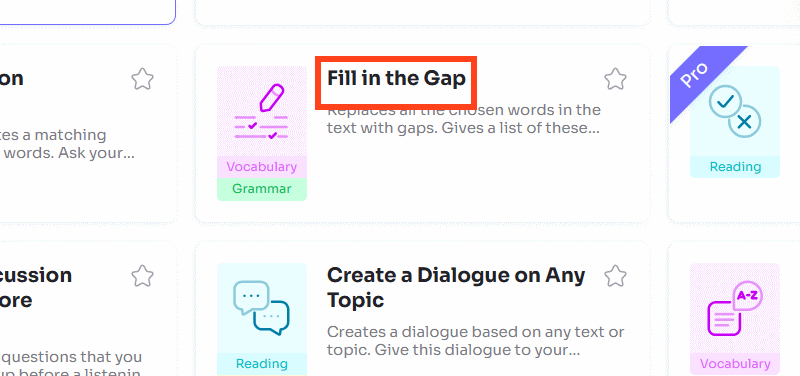
If you start from the main dashboard, find Fill in the Gap among the vocabulary or grammar activities. The wording and position of menu items may change as the service updates.
2. Paste the complete text
Enter the passage in the text box before removing anything. Preserve punctuation and paragraph breaks because they provide clues and make the finished assignment easier to read.
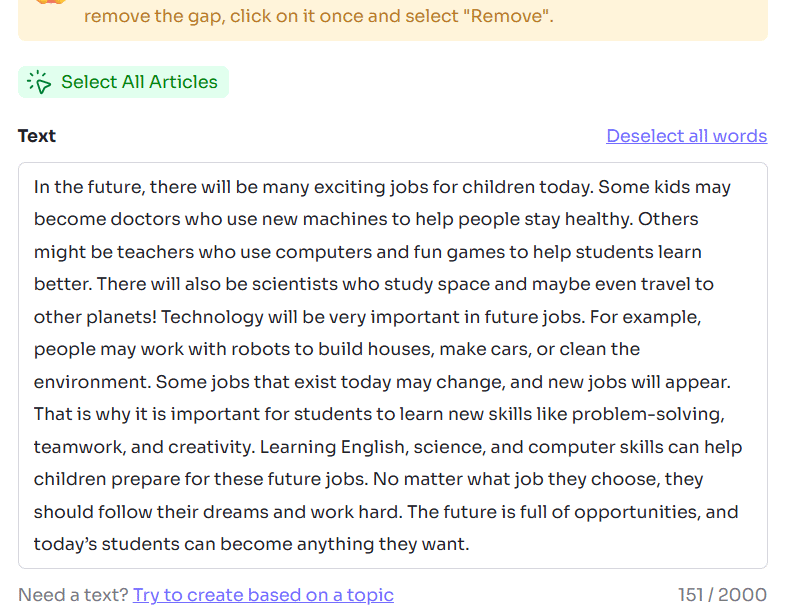
Proofread the source now. A typo in the input can become both an incorrect question and an incorrect answer.
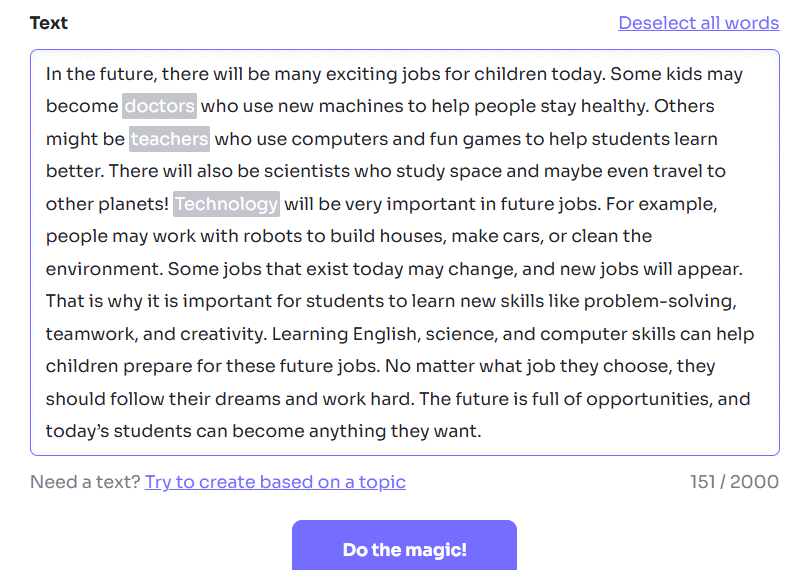
3. Select words or phrases to hide
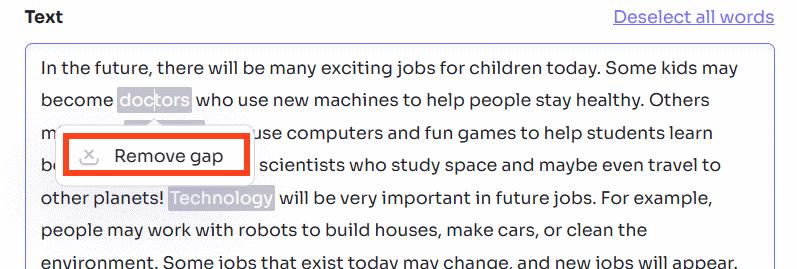
Highlight the first target item and choose Create gap. Repeat for each word, phrase, or chunk you want students to supply.
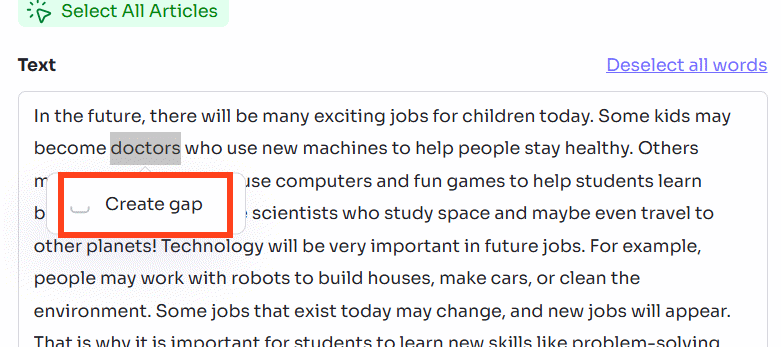
If you selected the wrong text, choose the gap and use Remove gap, then mark the intended item again.
How many gaps should you create?
There is no universal number. Keep enough surrounding language for students to infer the answer. For beginners, a word bank with clearly different choices may be appropriate. For advanced learners, fewer contextual clues or inflected forms can add difficulty without making the task ambiguous.
Check repeated answers carefully. If the word bank contains the same word twice, students may see two visually identical choices even though the activity expects separate placements.
4. Generate the exercise
After marking the target items, select Do the magic! or the current generation control.
Then use Create if the interface asks you to confirm the activity.
5. Review the word bank and answers
The generated result should show the passage with blanks and the removed items separately.
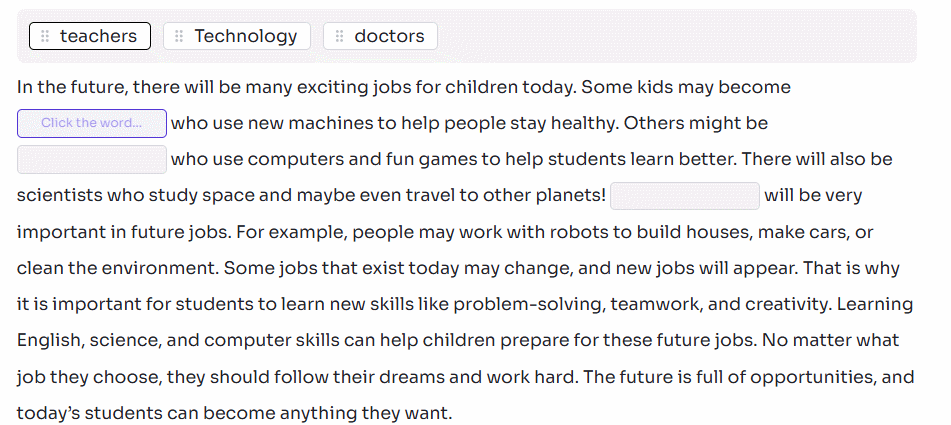
Complete the exercise yourself before sharing it. Confirm that:
- every answer fits grammatically and semantically;
- there is only one intended answer for each gap, unless alternatives are accepted;
- capitalization does not reveal or invalidate the answer unexpectedly;
- the word bank has no missing, duplicated, or unused item;
- gaps test the stated objective rather than obscure trivia;
- instructions say whether words may be reused or changed in form.
If the task is too easy, remove obvious one-to-one clues or omit the word bank. If it is too hard, reduce the number of gaps, add a word bank, or provide the first letter of selected answers.
6. Share or export the assignment
Open the activity's menu, select the sharing option, and copy the interactive link if one is available for your account.
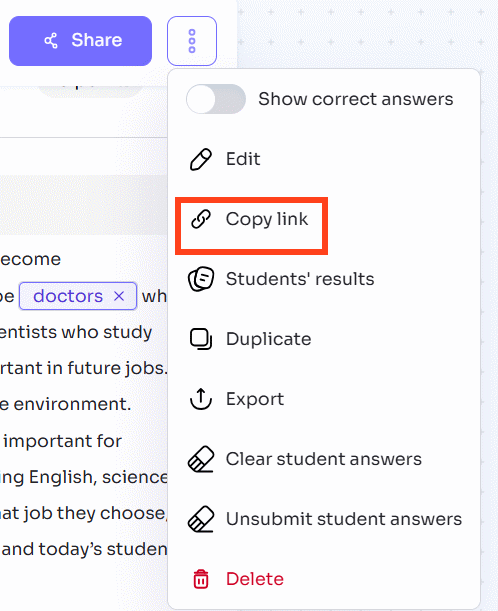
Twee also advertises PDF, Word, Google Forms, and Google Docs sharing or export options. Choose a format that fits the lesson: an interactive link for automatic submission, a document for editing, or a PDF for printing. Availability can depend on the activity and plan.
Open the link in a private browser window or student test account before distributing it. This reveals sign-in requirements, sharing-permission problems, and answer-display settings that may not be visible to the teacher account.
7. Explain the student workflow
Students open the link, enter any required name or account details, place the words in the blanks, and submit the activity. Depending on the assignment settings, they may receive an immediate result or wait for teacher review.
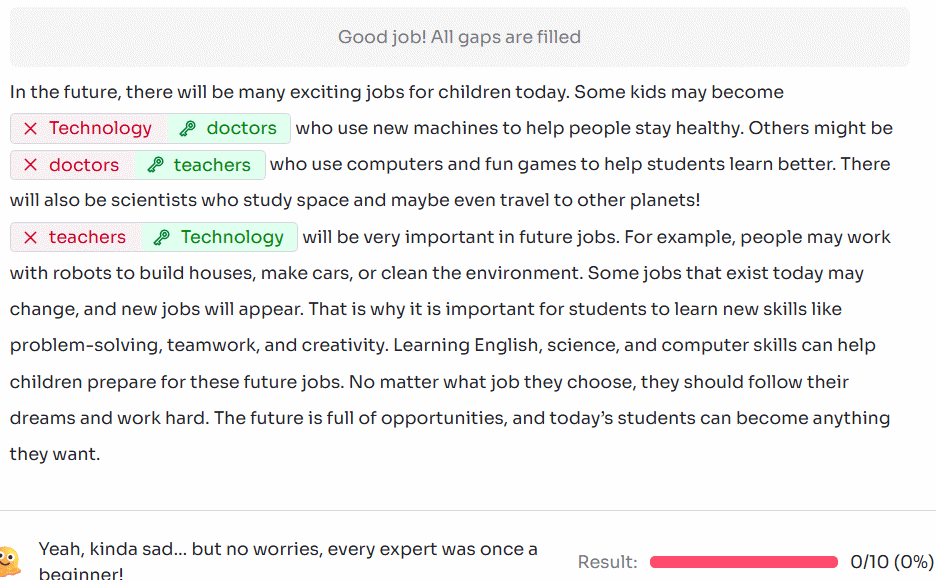
Tell students whether spelling, capitalization, and punctuation affect marking. If names are collected, follow your school's rules for student data and avoid asking for more identifying information than necessary.
Ways to improve a gap-fill lesson
- Ask students to explain the clue that led to each answer.
- Have pairs compare different possible answers before viewing the key.
- Use the completed passage for pronunciation or read-aloud practice.
- Ask students to write a new sentence using each target item.
- Create a second version with the same objective but different gaps for retrieval practice.
Twee can reduce preparation time, but the teacher should still verify the passage, answer key, difficulty, and sharing settings. Those checks turn an automatically generated activity into a reliable lesson resource.
Related Articles
 How to Create Discussion Questions for English Lessons on Twitter4 minutes read
 Extremely Simple Instructions on How to Fill in Blank Cells with 0 in Excel3 minutes read
 How to Create Open-Ended Questions for a Paragraph on Twitter3 minutes read
 How to Create Vocabulary Learning Topics Using Twee3 minutes read
 How to Designing Learning Activities on Twitter3 minutes read
 How to Create a Vocabulary List for a Topic Using Twee3 minutes read
Reader Comments 0
Sign in with email or Google to join the discussion.