Table of Contents
6 Features You'll Miss Most When You Switch from Google to DuckDuckGo brings together practical options worth considering. Below, you'll find clear explanations, useful context, and tips for deciding which choices best match your needs.
Key Takeaways
- Review smarter search suggestions.
- Explore more accurate local results.
- Understand rich snippets and gemini AI overviews.
6. Smarter Search Suggestions
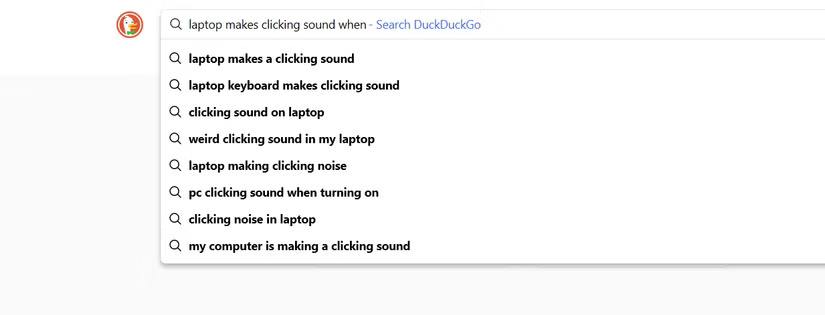
DuckDuckGo has autosuggest, but Google's suggestions are amazing. Google understands context and often finishes your thought before you do. Whether it's a weird error code, a half-remembered quote, or something as obscure as "that movie where a guy does something," Google gets it right most of the time.
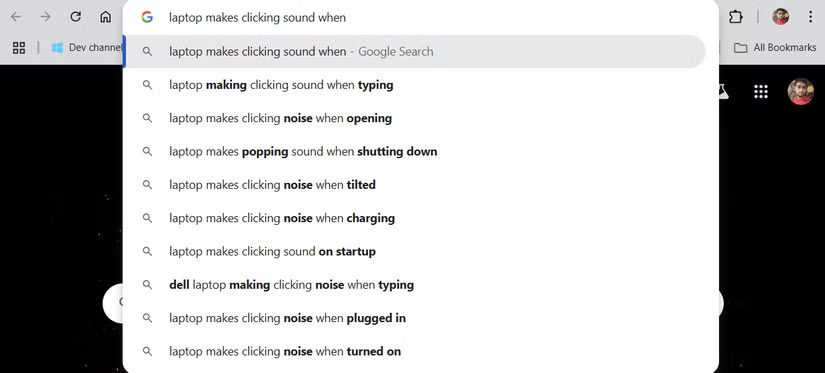
Using DuckDuckGo, on the other hand, feels more like a guessing game. You have to type longer queries, tweak the wording to the point where you sometimes want to give up. It takes more effort, and when the search becomes difficult, many people give up and go back to Google.
5. More Accurate Local Results
Google knows exactly where you are, right down to your neighborhood. Sure, it's a little creepy for privacy, but there's no denying the convenience. If you search for 'coffee shop,' Google doesn't even need to know your location. DuckDuckGo, on the other hand, prompts you to share your location or shows you results that aren't always relevant.
Once you switch, you'll miss the ability to instantly access local information—maps, reviews, hours—all on the search page. With DuckDuckGo, you have to select a link and hope it has the information you need. Most of the time, people still open Google Maps. It's a never-ending battle between privacy and convenience. Sometimes, convenience is hard to give up.
4. Rich Snippets and Gemini AI Overviews
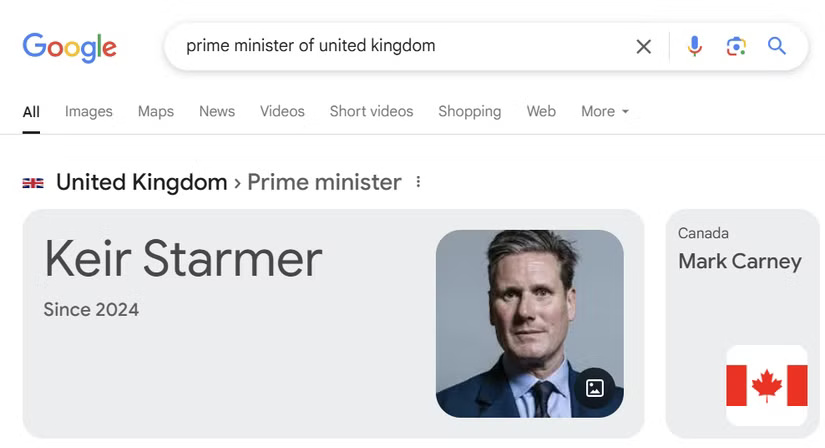
Google doesn't just provide links, it provides answers. With "featured snippets," you get quick, direct answers without having to click through to a website. For instance, searching for "UK Prime Minister" will instantly show "Keir Starmer.".
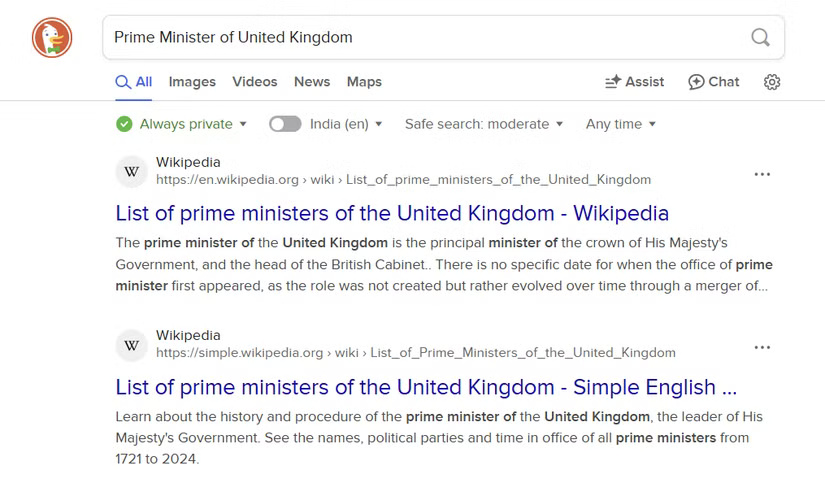
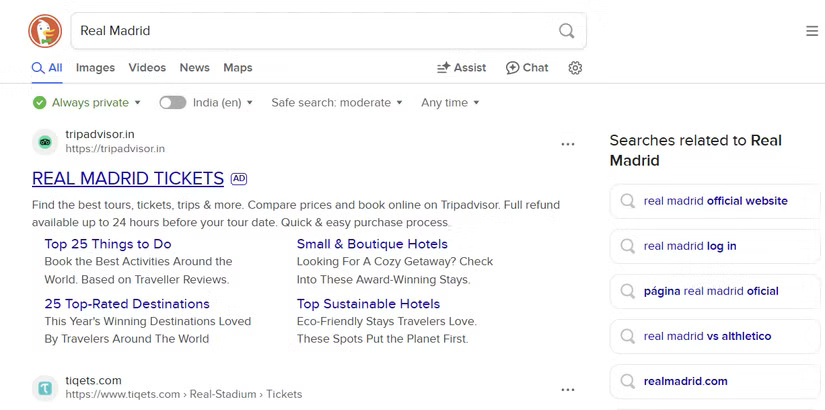
DuckDuckGo doesn't offer anything like this. It only links to relevant sites, so you have to sift through the top results to find what you want.
And now, with Google's AI Overviews, you get concise, AI-generated summaries that pull information from multiple sources and deliver clear, concise answers quickly. DuckDuckGo, while great for privacy, can't compete with that level of contextual convenience.
3. Instant Tools and Operators (Calculators, Converters, Etc.)
This is a feature that many people don't even realize they use so often until it's gone. With Google, it's more than just a search; it includes a calculator, currency converter, weather forecast, and even a unit converter all in one. It's convenient to type in a quick question or calculation and get an answer right away - no extra clicks required.
For instance, you type "456.25 divided by 3" to split a bill and Google will instantly display the result. Likewise, "500 USD" shows the current exchange rate, "weather in Shimla tomorrow" tells you whether you need to bring an umbrella, and "1 cup in ml" converts measurements while cooking.
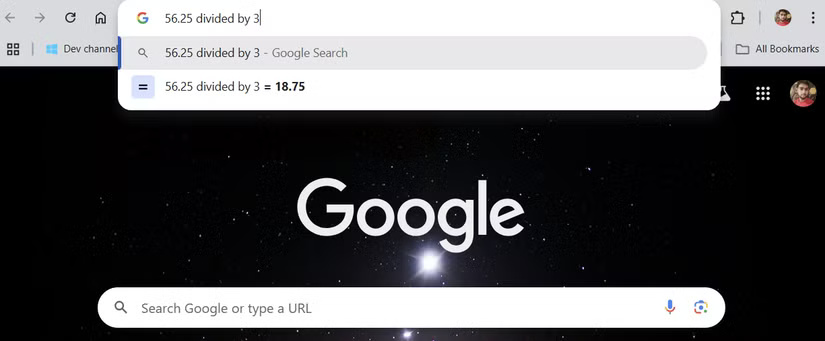
These instant answers have become a part of many people's routines. Once you switch to DuckDuckGo, you'll realize how much you need them.
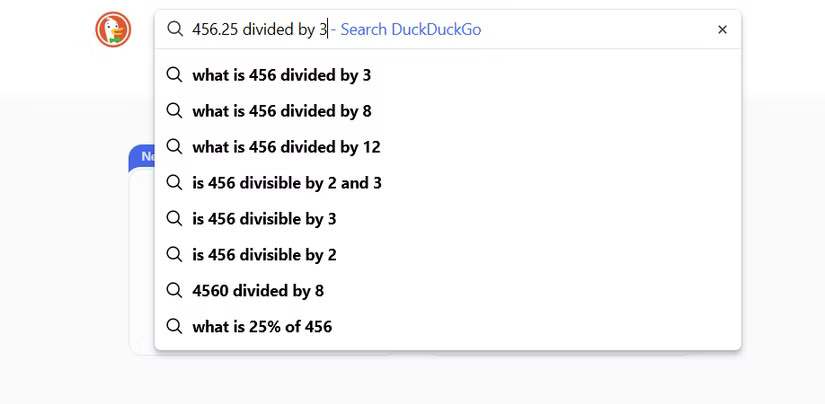
2. Real-time Sports, Finance and Weather Widget
Many people like to check sports scores, especially during cricket and football seasons. You can search for 'India vs England' or 'Real Madrid' on Google and the live scoreboard will appear.
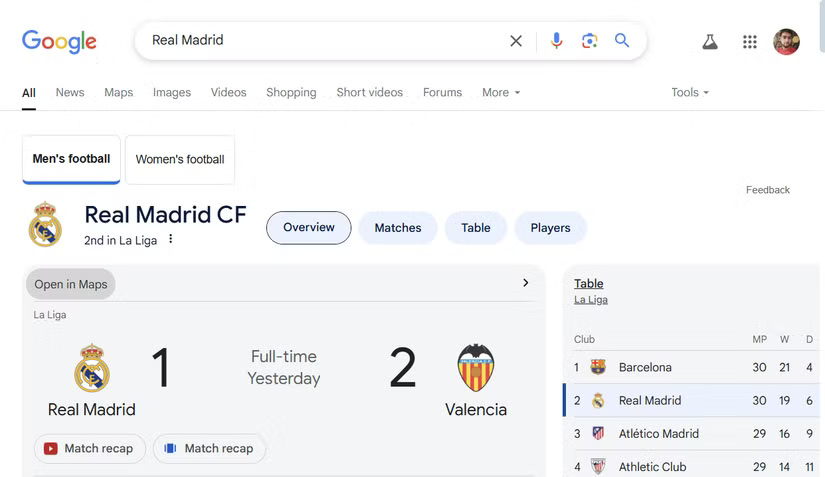
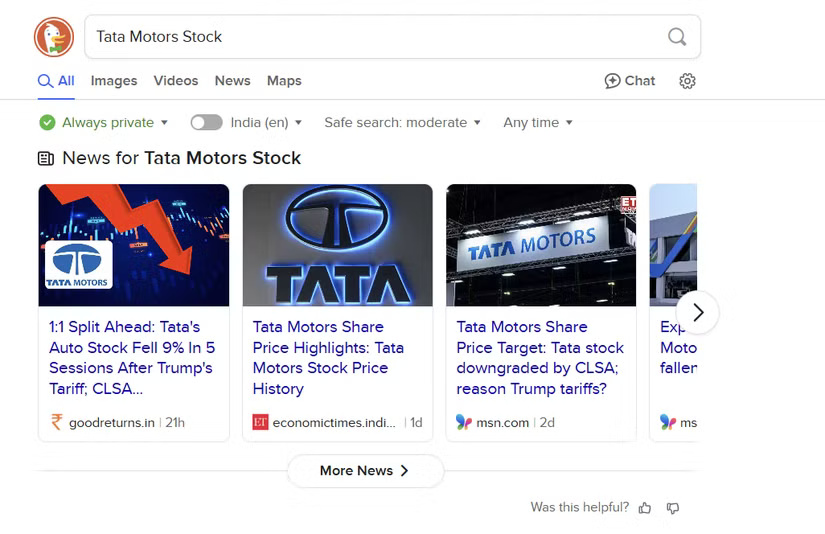
DuckDuckGo doesn't have these live widgets, though. Same with stock prices or weather. No live charts or 7-day forecasts unless you specifically search.
On Google, typing 'Tata Motors stock' will instantly bring up live charts, price changes, market cap, and even news.
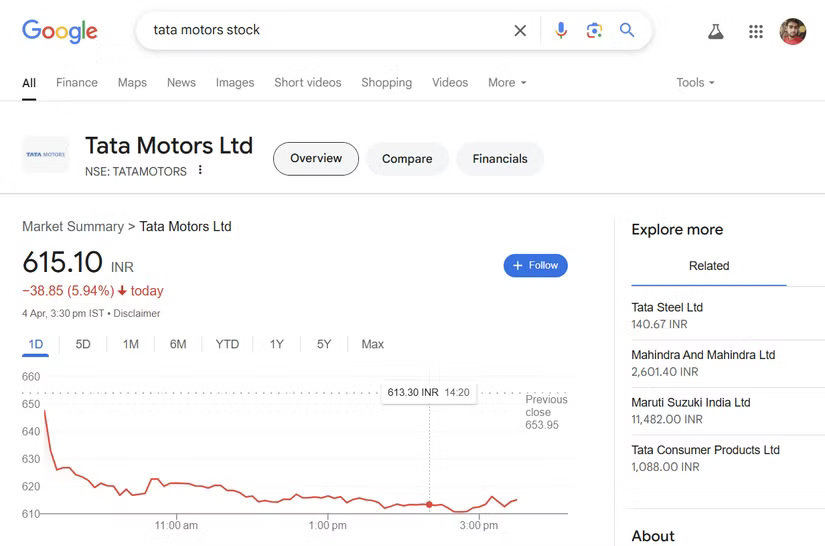
With DuckDuckGo, you have to click through multiple sites to find the same information. It's not a big deal at first, but those extra clicks add up when you're doing it 10 times a day.
Google understands the intent behind your request. Typing in 'Liverpool' will bring up a match schedule, not a history lesson about the city. Searching for 'Bitcoin' will provide a price chart before you've even finished typing. DuckDuckGo treats every search as if you're starting from scratch. That may be good for privacy, but sometimes it feels like reinventing the wheel.
1. Deep Integration with Other Google Services
And then there's the seamless integration. Open Google Drive and your documents, sheets, and slides are right there. Sure, Google builds a data-rich ecosystem around you, but there's no denying the convenience of having it all work together. Search for a restaurant and Google Maps pops up with directions and reviews. Need to schedule a meeting? Just ask Google Assistant to do it for you.
All of these services work together to make productivity easy. With DuckDuckGo, you're left with just a search engine and nothing more than basic browsing.
Despite what they miss, many people stick with DuckDuckGo. It may not be perfect, but DuckDuckGo's focus on privacy is more in line with its values. People have grown to love the clean interface, lack of targeted ads, and peace of mind that comes with not being tracked.
Google is like that ex who was great at solving problems but got too involved in everything. DuckDuckGo feels like a healthy relationship - respectful, safe, and private.
Final Thoughts
The most reliable way to handle features you'll miss most when you switch from google to DuckDuckGo is to follow the process in order, verify each important setting, and test the result before moving on. Use the guidance above as a practical reference, then adjust the details for your device, software version, or specific goal.
FAQ
What should I know first about Features You'll Miss Most When You Switch from Google to DuckDuckGo?
Switching to DuckDuckGo seems like the right choice in terms of privacy — no tracking, no targeted ads — just pure private browsing.
How do I get the best results with Features You'll Miss Most When You Switch from Google to DuckDuckGo?
Use current software or equipment, follow the steps in order, review the recommended settings, and test one change at a time so you can identify what improves the result.
What should I do if Features You'll Miss Most When You Switch from Google to DuckDuckGo doesn't work as expected?
Check compatibility, permissions, connectivity, and version-specific settings. Restart the relevant device or app, then repeat the process carefully before trying a more advanced fix.
Related Articles
 Why Should You Replace Chrome with DuckDuckGo on Windows: Key Reasons Explained7 minutes read
 Duckduckgo or Google Is the Best Search Tool for You12 minutes read
 Pros and Cons of Privacy-Friendly Desktop Browser DuckDuckGo7 minutes read
 Don't Trust Chrome's Incognito Mode! Use DuckDuckGo Browser!7 minutes read
 What Is Google One?8 minutes read
 How to Filter AI-generated Images in DuckDuckGo Search Results5 minutes read
Reader Comments 0
Sign in with email or Google to join the discussion.