Table of Contents
Choosing between Opera GX and Microsoft Edge depends on the features and trade-offs that matter most to you. This comparison reviews usability, performance, compatibility, and practical value so you can make a better-informed decision.
Key Takeaways
- Review comparing opera's GX control and Microsoft Edge's efficiency mode.
- Explore opera's GX control.
- Understand Microsoft Edge efficiency mode.
Comparing Opera's GX Control and Microsoft Edge's Efficiency Mode
Both Opera GX and Microsoft Edge have features that let you limit their resource consumption during intense gaming sessions. Opera GX's tool is called GX Control, while Microsoft Edge has Efficiency Mode.
Opera's GX Control
GX Control is one of the main reasons why Opera GX bills itself as the best web browser for gamers. The built-in control panel gives you control over every aspect of Opera GX's resource consumption. This panel allows you to take immediate action, such as Active Tab Killer, or you can set limiters that can be useful during intense gaming sessions.
GX Control comes with Network Limiter, which limits download and upload speeds for all activities performed through the browser. This can help reduce lag during online gaming sessions.
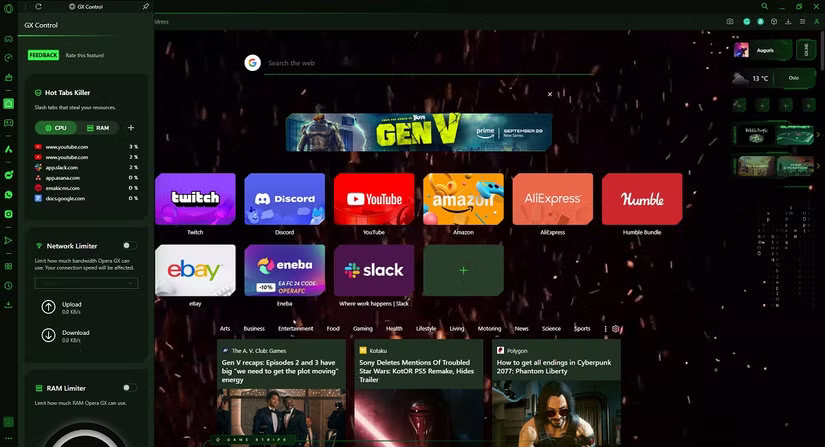
It also has a RAM Limiter and a CPU Limiter, which ensures enough system resources for games running in the background, regardless of whether Opera GX is running in the background or not.
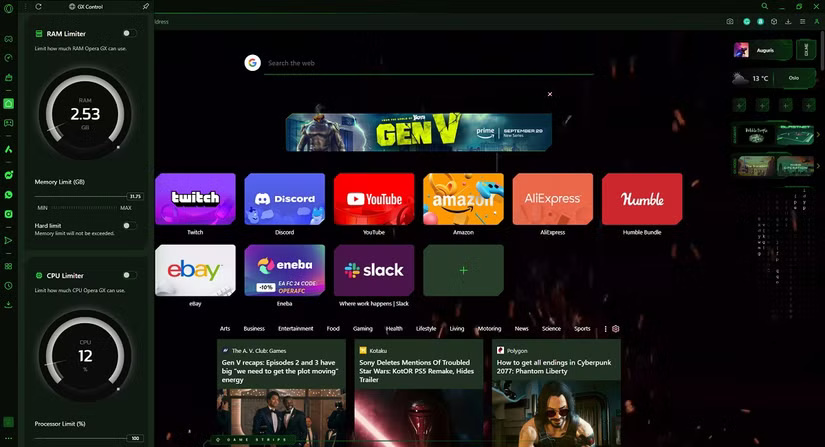
The GX Control panel is just one of the many reasons gamers love Opera GX.
Microsoft Edge Efficiency Mode
Microsoft Edge's Efficiency Mode is somewhat similar to GX Control, although it takes a more passive approach to resource efficiency. For instance, it minimizes CPU and power usage, especially with Sleeping Tabs, which can help reduce RAM usage. However, Microsoft Edge doesn't specify how resource consumption is limited.
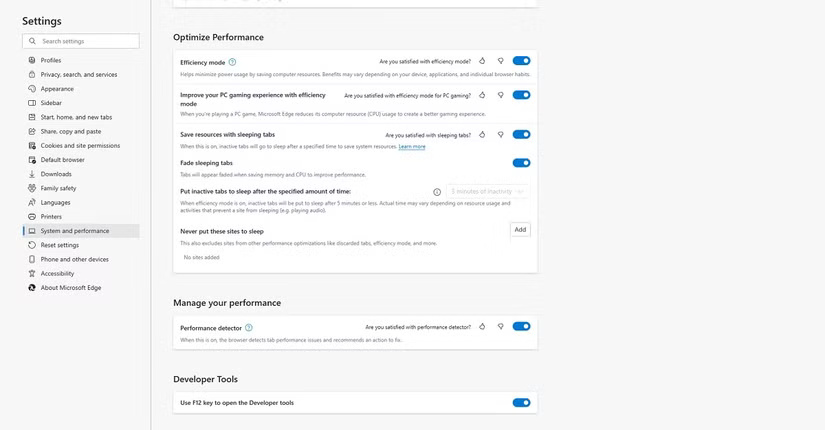
Overall, Efficiency Mode seems to be aimed at extending the battery life of mobile devices. Opera GX also has a battery saving feature, but it is not integrated into GX Control. Therefore, it needs to be enabled separately.
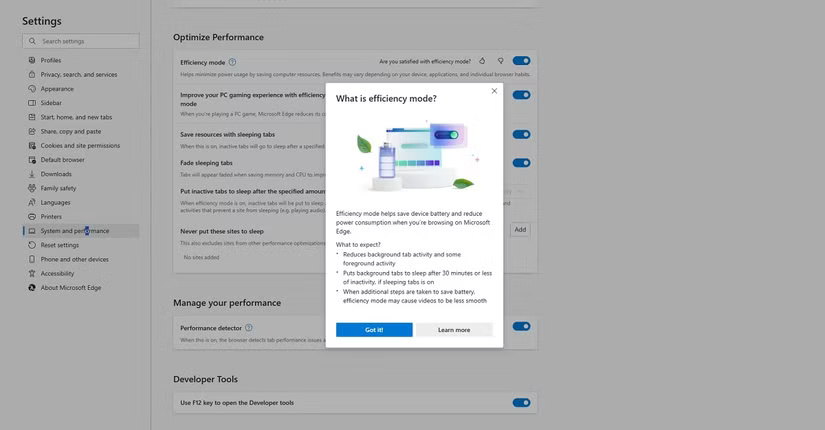
Compare Opera GX Corner and Edge Gaming Homepage
The world of gaming is constantly changing, so gamers may want the latest news at their fingertips. Both Opera GX and Microsoft Edge have built-in news feeds specifically for gamers, providing the latest news and developments from the gaming world. These news feeds are called GX Corner and Gaming Homepage.
Opera's GX Corner
GX Corner is a dedicated homepage, easily accessible from the Opera GX sidebar. Gamers will love GX Corner for not only its gaming-focused news feed, but also its game release calendar.
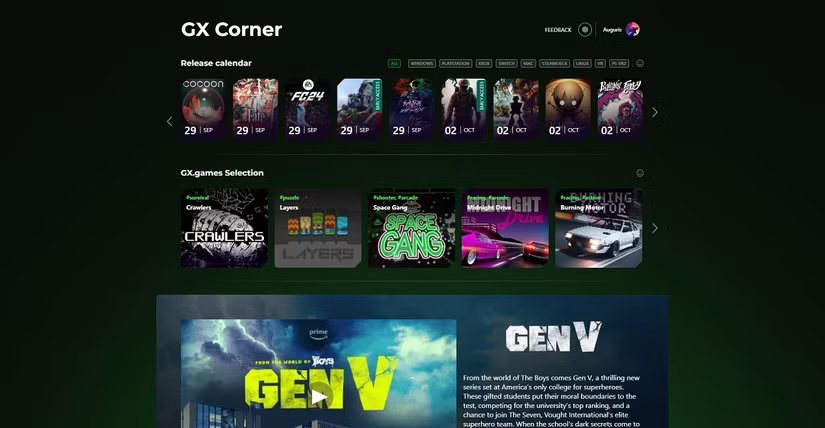
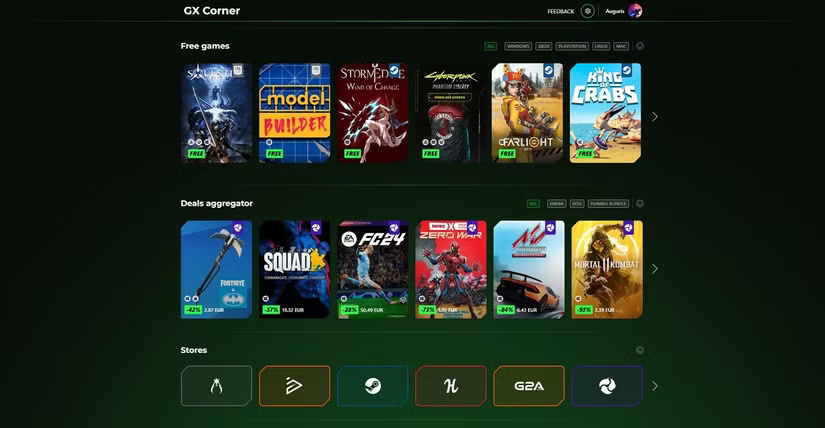
Not only that, those who can follow can also get free games every now and then or even get access to the best deals, such as when GOG or Steam have big sales.
Those using the mobile version of Opera GX will also benefit. You can access free mobile games and great game recommendations from the Google Play Store.
Microsoft Edge Gaming Homepage
Microsoft Edge's Gaming Homepage is similar to GX Corner, but there are a few differences that set the two apart. First, the Gaming Homepage is a subset of Edge's My Feed feature.
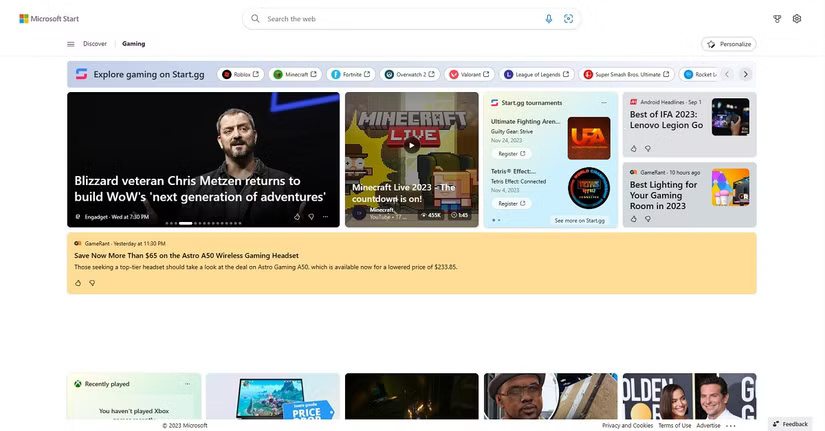
Another difference is that Microsoft Edge's Gaming Homepage is more geared toward Microsoft's Xbox titles. For instance, you can sign in to your Xbox account to see your Xbox Cloud Gaming Library, the rewards you've earned from Microsoft, and recently played games. However, the Gaming Homepage has news and deals on non-Xbox titles.
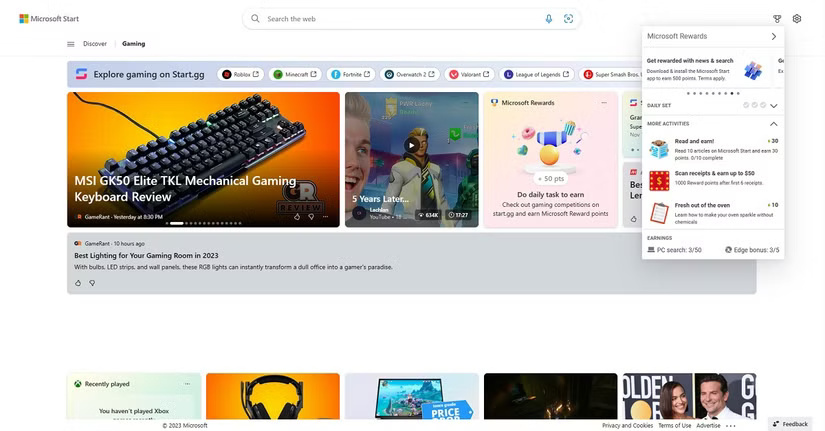
One thing that makes Microsoft Edge's Gaming Homepage notable is that it allows you to complete daily challenges to earn Microsoft rewards.
Opera GX and Microsoft Edge Sidebar Apps
Gamers are probably familiar with apps and services like Discord and Twitch. Both Opera GX and Microsoft Edge have built-in apps that provide direct access to these services right from the browser.
This means you won't have to install a dedicated Discord or Twitch app on your computer anymore, nor will you have to open and switch between tabs to access the web versions of those services. However, there are some differences in how the two browsers approach sidebar apps.
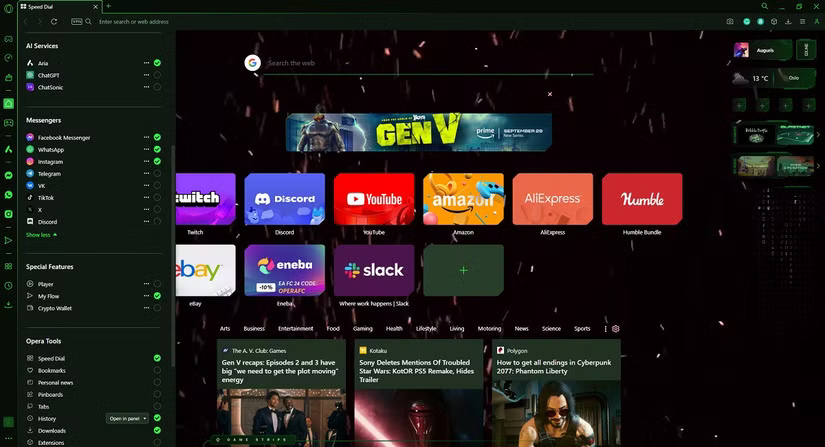
For instance, Opera GX only has a handful of sidebar apps that are optimized to fit in the sidebar. These include Discord and Twitch, and popular messaging services like Facebook Messenger, WhatsApp, or Telegram.
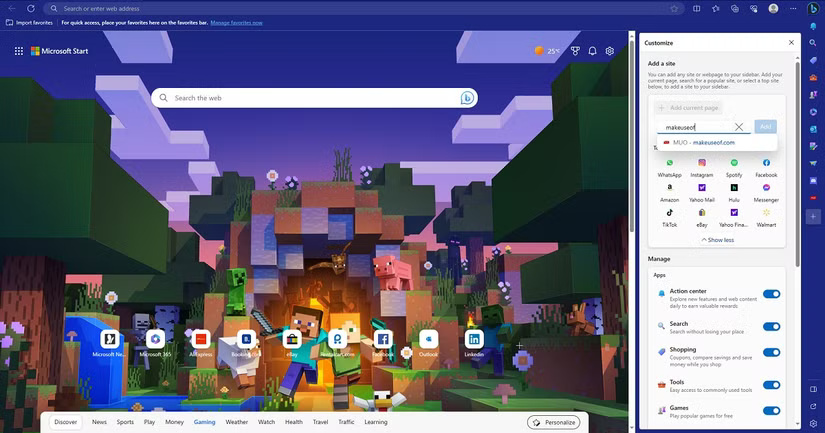
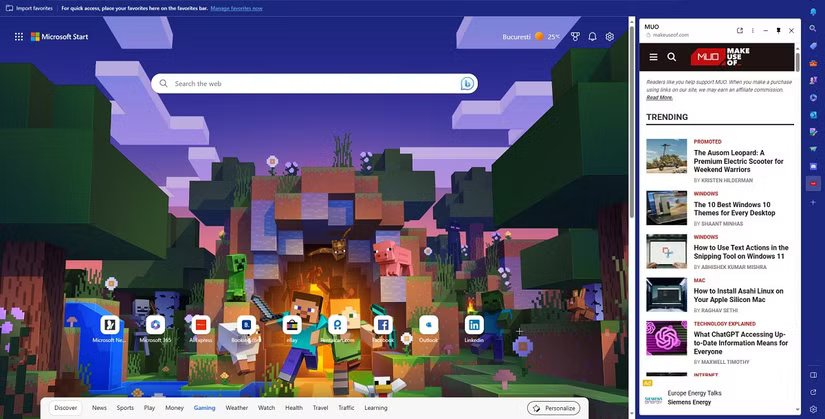
Meanwhile, Microsoft Edge's sidebar is much more flexible, allowing you to add almost any website to its list. Once you add a website, a quick launch icon appears in the sidebar, and clicking that icon brings up an optimized version of the website to fit the more vertically-focused screen.
Opera GX vs Microsoft Edge Customization Options
A regular keyboard and mouse are not the same as a gaming keyboard and mouse. So it is expected that a gamer's web browser will look different from your regular web browser. However, this is another area where the two web browsers approach things differently.
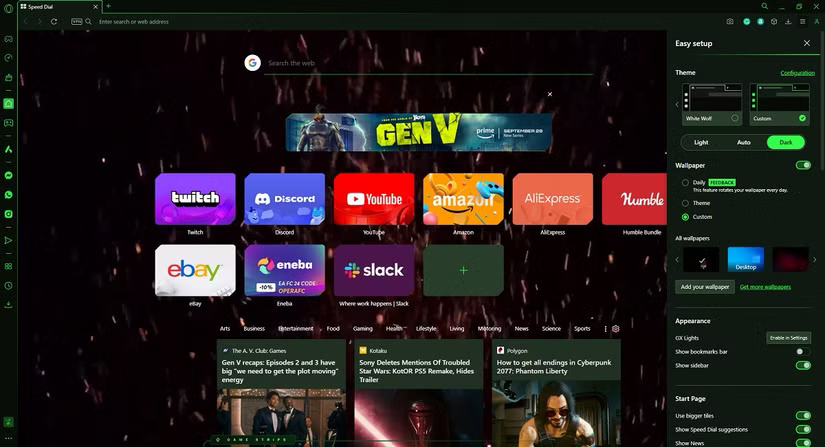
First, even after a clean install without any modifications, Opera GX still looks like the interface of a AAA game. This is further improved by the numerous pre-installed themes and customization options, which make it look even more theme-like.
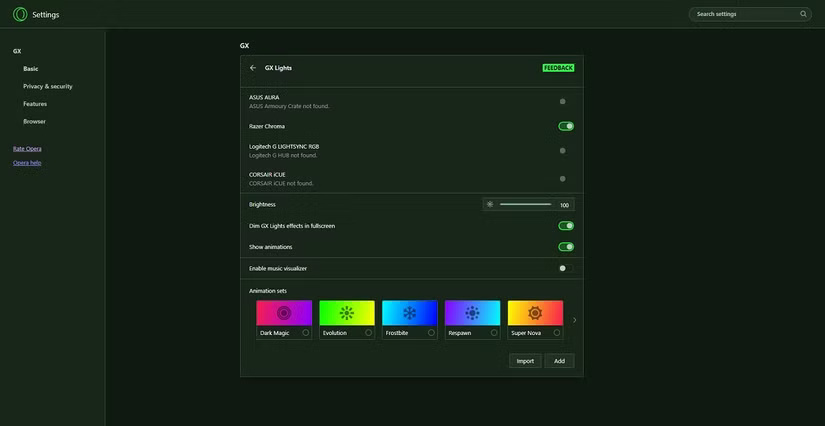
You get themes that completely change the look of your web browser, a large library of HD wallpapers to choose from, GX lights, which allows Opera GX to interact with the lights of your gaming devices (mouse, keyboard, touchpad, etc.) and much more.
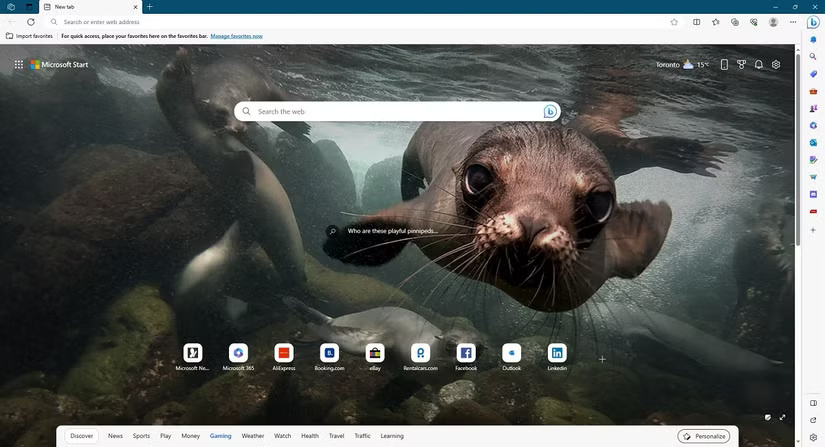
On the other hand, Microsoft Edge looks like a very modern web browser with a minimalist design that most Windows users love. Sure, there are themes that you can download and install from the Microsoft Store. However, they are mostly limited to changing the background image of the web browser.
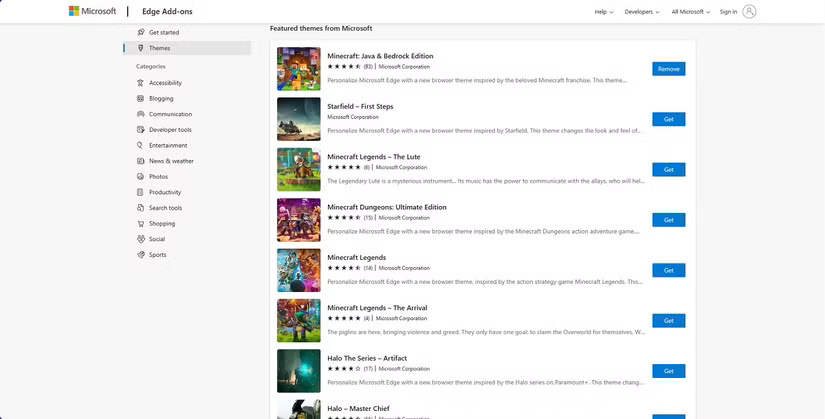
Another interesting difference between the two browsers' customization options is the overall style of the themes. Opera GX's themes feature gamer-specific elements, such as dark themes, neon designs, and other similar elements. Meanwhile, almost every gaming theme in Microsoft Edge promotes games from the Microsoft library, such as Minecraft or Halo.
Opera GX or Microsoft Edge Browser Best for Gaming?
Both Opera GX and Microsoft Edge are great web browsers for gaming — but each caters to different types of gamers.
For instance, Microsoft Edge is a modern web browser that anyone can use. That's not the browser's primary focus while it has some nice gaming features. However, casual gamers who like to play Xbox games occasionally might also choose Microsoft Edge.
Meanwhile, Opera GX looks, feels, and acts like it was designed with gamers in mind from the start, which is why it was named the best web browser for gamers.
Final Thoughts
The most reliable way to handle Opera GX vs. Microsoft Edge: which browser is best for gaming is to follow the process in order, verify each important setting, and test the result before moving on. Use the guidance above as a practical reference, then adjust the details for your device, software version, or specific goal.
FAQ
Which option is better for most users?
The better choice depends on your priorities. Compare performance, compatibility, ease of use, available features, and ongoing cost rather than choosing from one specification alone.
What are the most important differences to compare?
Focus on real-world performance, device support, workflow, privacy or security controls, pricing, and the features you will actually use.
Can I use both options?
In many cases, yes. Using both can be practical when each option handles a different task, although you should check account, storage, and compatibility requirements first.
Related Articles
 What Is Opera Gx: Learn About the Opera Gx Gaming Browser6 minutes read
 What Is Opera One Web Browser? What Can It Do?5 minutes read
 20 Small Tips with Edge Browser You Should Know (Part 1)6 minutes read
 Meet Opera Air: Opera's New Browser5 minutes read
 Learn About Opera Page: of Opera Browser5 minutes read
 The Brand New Way to Use Opera One4 minutes read
Reader Comments 0
Sign in with email or Google to join the discussion.