
Archive - Share
8 Low-Cost Cloud Storage Options by Capacity and Use
Compare free and paid storage options from Google, Apple, pCloud, MediaFire, Microsoft, Sync and MEGA, including renewal and sharing costs.
Browse more Find practical software and app guides, setup instructions, troubleshooting steps and productivity tips for popular desktop and online applications.
Compare free and paid storage options from Google, Apple, pCloud, MediaFire, Microsoft, Sync and MEGA, including renewal and sharing costs.

Choose who can open a OneDrive link, limit editing or downloads where available, and revoke access when sharing is over.

See what YouTube's US watch-time numbers mean, which videos suit a TV, and how to use your phone to browse and queue them.

Choose a temporary pause, quit OneDrive, or unlink it from Windows 11 after checking which files are actually stored on the PC.

Rename, reorder or remove videos, choose Public, Unlisted or Private, and share or embed a playlist with the right visibility.

Compare Premium Lite with full Premium for ads, background play, downloads and YouTube Music before choosing a plan.

Request Netflix account deletion on a phone or computer, check when it takes effect, and see what happens to your profiles and history.

Make an encrypted iPhone backup with Finder or Apple Devices and use a separate service for photos if you need more space.

Turn on Data saving or lower video quality on mobile networks, then check autoplay and download settings to prevent extra data use.

Choose a Notion widget for a specific task, embed it correctly, and check how it behaves when the page is shared.

Understand cloud quotas and sync deletions, then build and test a photo backup with local and off-site copies.

Decide whether a subscription is worth paying for by comparing desktop features, device limits, OneDrive storage and renewal costs.

Set Word, Excel or PowerPoint to save on your PC, and learn how to hide the OneDrive Personal entry in compatible Windows versions.

Build an automatic table from heading styles, customize levels and page-number leaders, then keep the contents current as you edit.
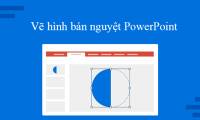
Make a quick half-circle with PowerPoint's Partial Circle shape or use Merge Shapes for an exact, editable semicircle.
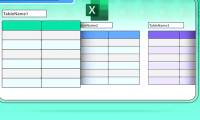
Replace Table1 with a descriptive name, follow Excel's naming rules, and use the table name in readable formulas.

Find Spotify's Snake mini-game on supported iPhones or iPads, learn the controls, and check what to try if the option is missing.

Use the playlist import options in Apple Music or Spotify, check unmatched songs, and learn what happened to Playlists.cloud.

Check eligibility, verify enrollment with SheerID, activate the discount, and review renewal or graduation billing before it changes.

Label a friend's account with a name you recognize, find the setting again to edit it, and check what to do if it is missing.